This scene was modeled from a single photo reference. Back then we had to match camera settings with the reference image manually. Now it is possible to do it much quicker, using Perpective Match tool (available in 2014 version of 3dsMax).
Click on image to enlarge 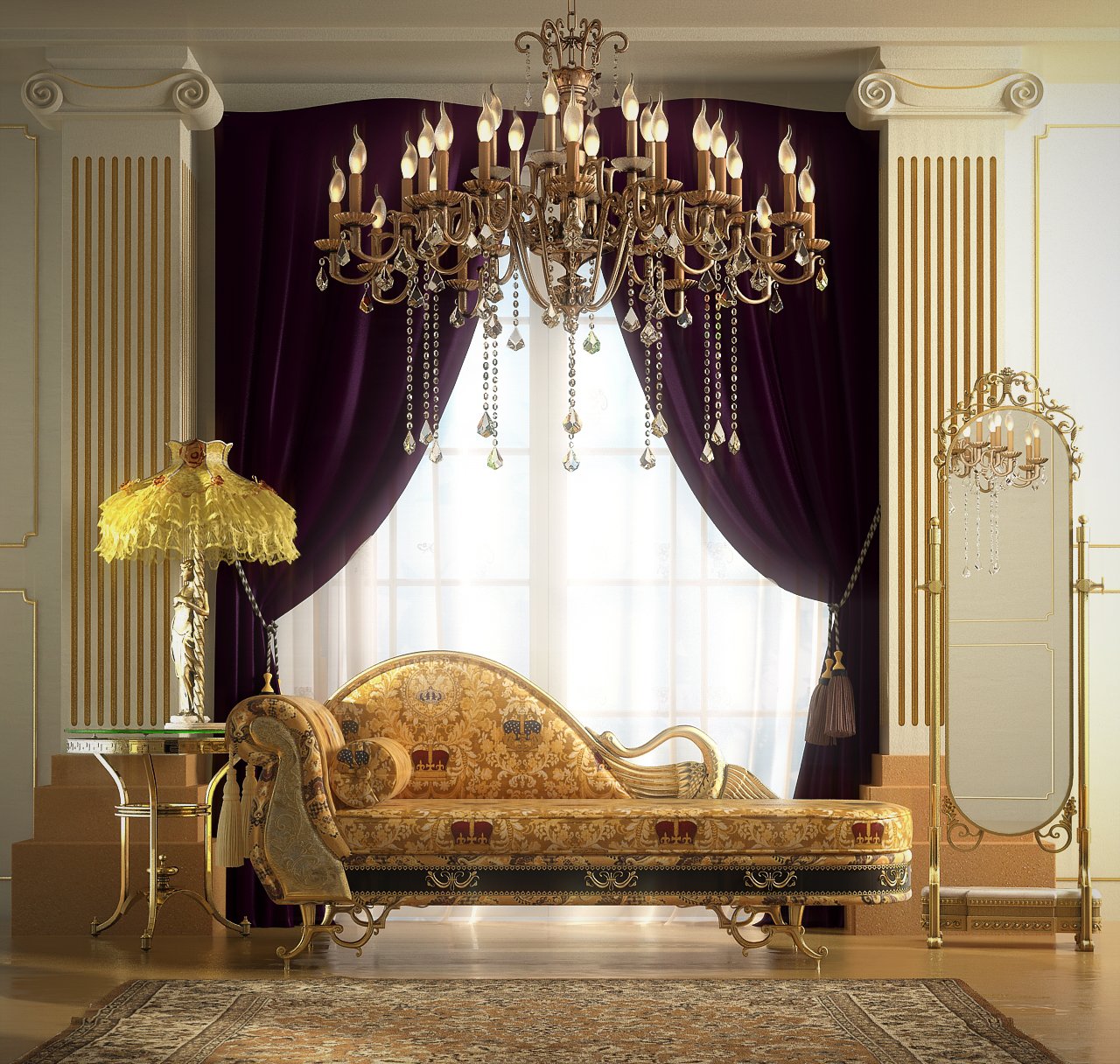
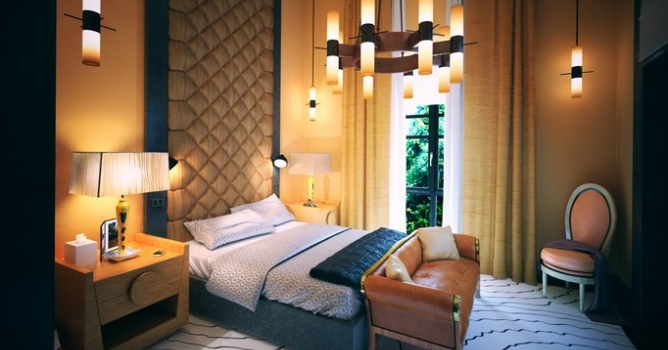
Final image after post-production
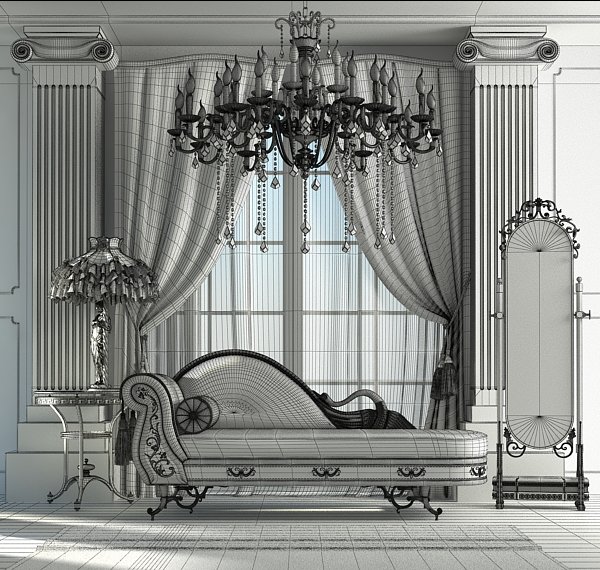
Modeling
Scene is quite simple. I focused on modeling only those things, which would be seen through the camera eye and those out of the direct view, but reflecting in the mirror, or affecting side light (curtain). I based on simple polymodeling with TurboSmooth modifier on top. It is always good to remember about adding some small imperfections and avoiding perfect symmetry. It makes the scene more believable.
Click on image to enlarge 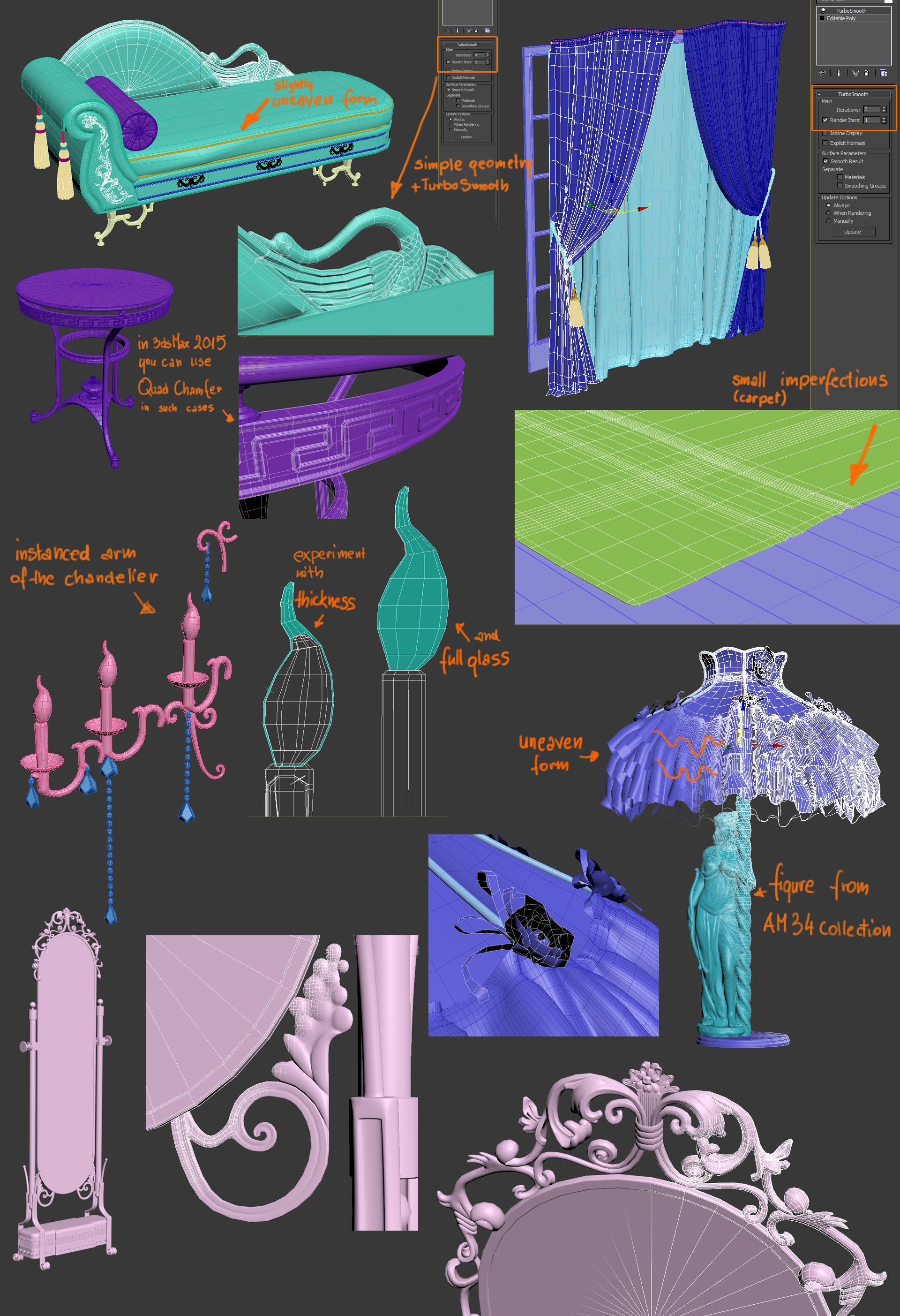
Lighting
Click on image to enlarge 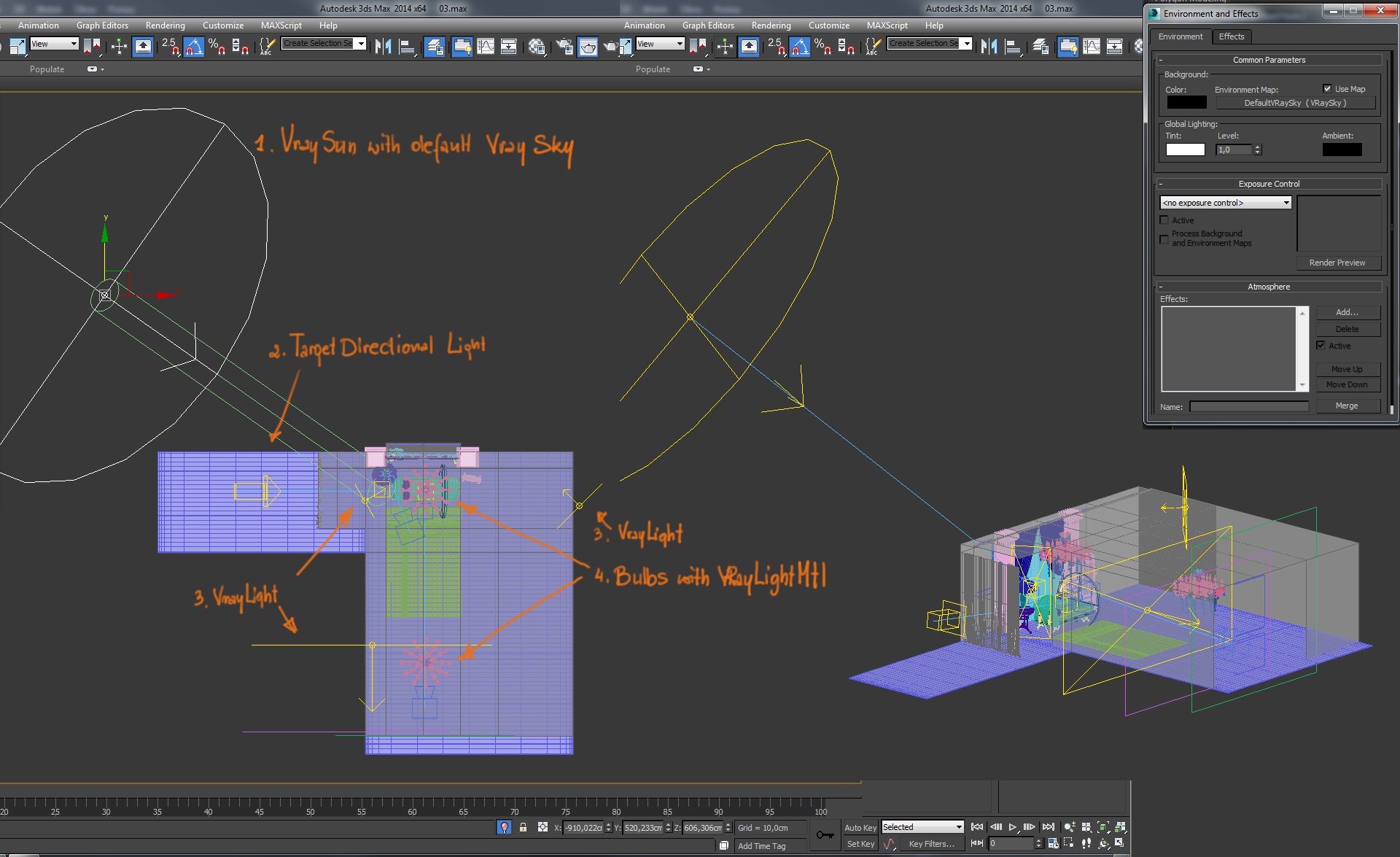
VRaySun with default VRaySkay stands for main scene lighting. I set VRaySun size multiplier to 10,00, to have soft shadows.
I used Target Directional Light perpendicularly to the camera, to bring out a shape of lamp, table and chaise. Far Attenuation in this light is precized, to reduce it's range. I gave it yellow tint to simulate sun light. Planar VRayLight was needed to additionally fill the lamp and chaise from 3/4 angle. 3. Following two sources of VRayLight was used to brighten specific areas of the interior: wall behind the mirror and wall behind the camera (reflecting in the mirror). Chandelier bulbs have simple VRayLightMtl with orange tint.
Materials
Variety of shaders were used here:
- VRay2SidedMtl for white curtain and lampshade with roses and laces (models without thickness), to underline light transmittance.
- VRayMtl with some translucency was perfect to show light passing through the geometry with thickness (i.e. marble element of the mirror, tassels).
- VRayLight Mtl for chandelier's bulbs.
- Basic VRay material for remaining geometry. Additionally I used VRayDisplacement modifier (2D mapping type) for carpet, to make it looks more hairy.
Click on image to enlarge 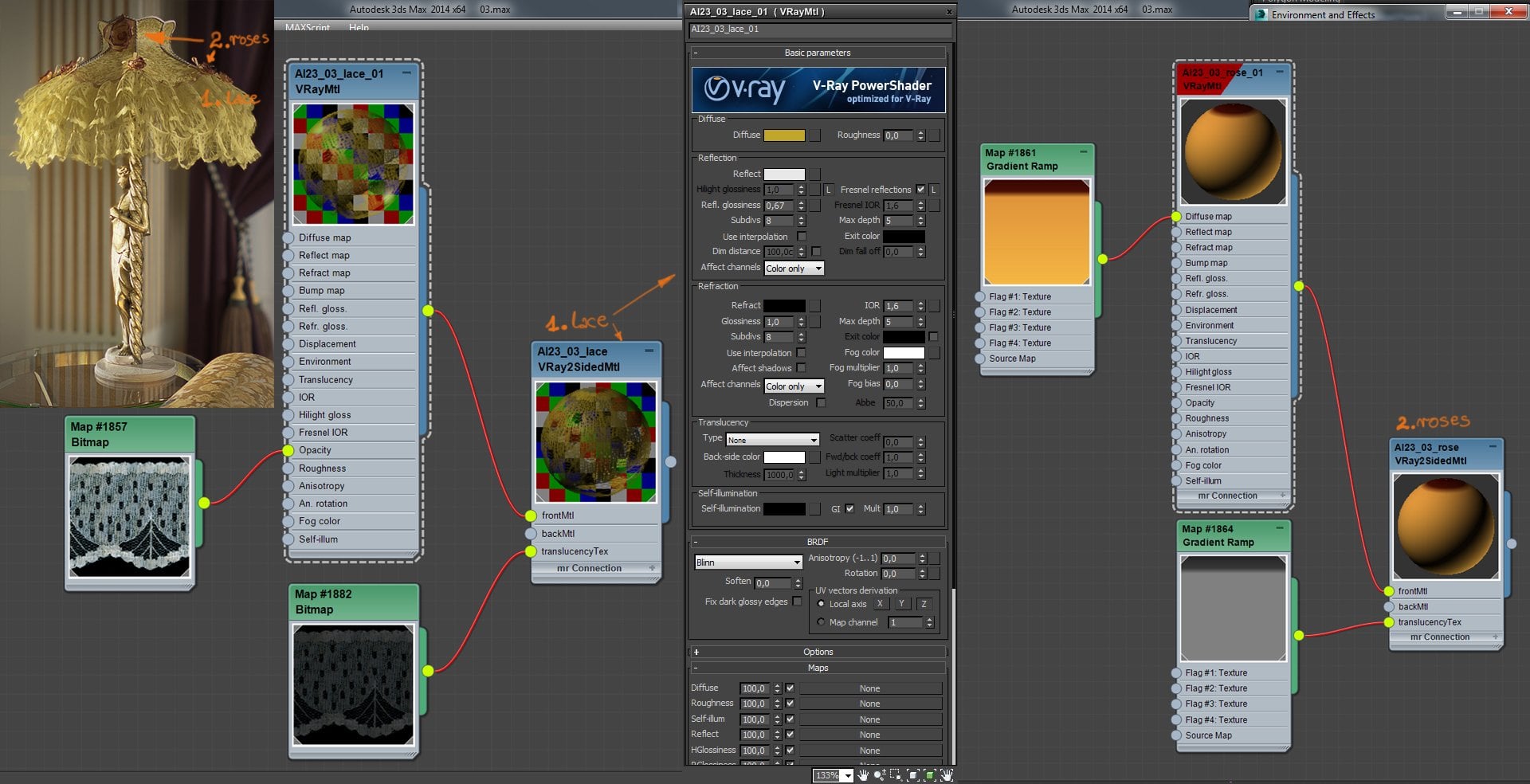
VRay2SidedMtl for white curtain and lampshade with roses and laces (models without thickness), to underline light transmittance.
Click on image to enlarge 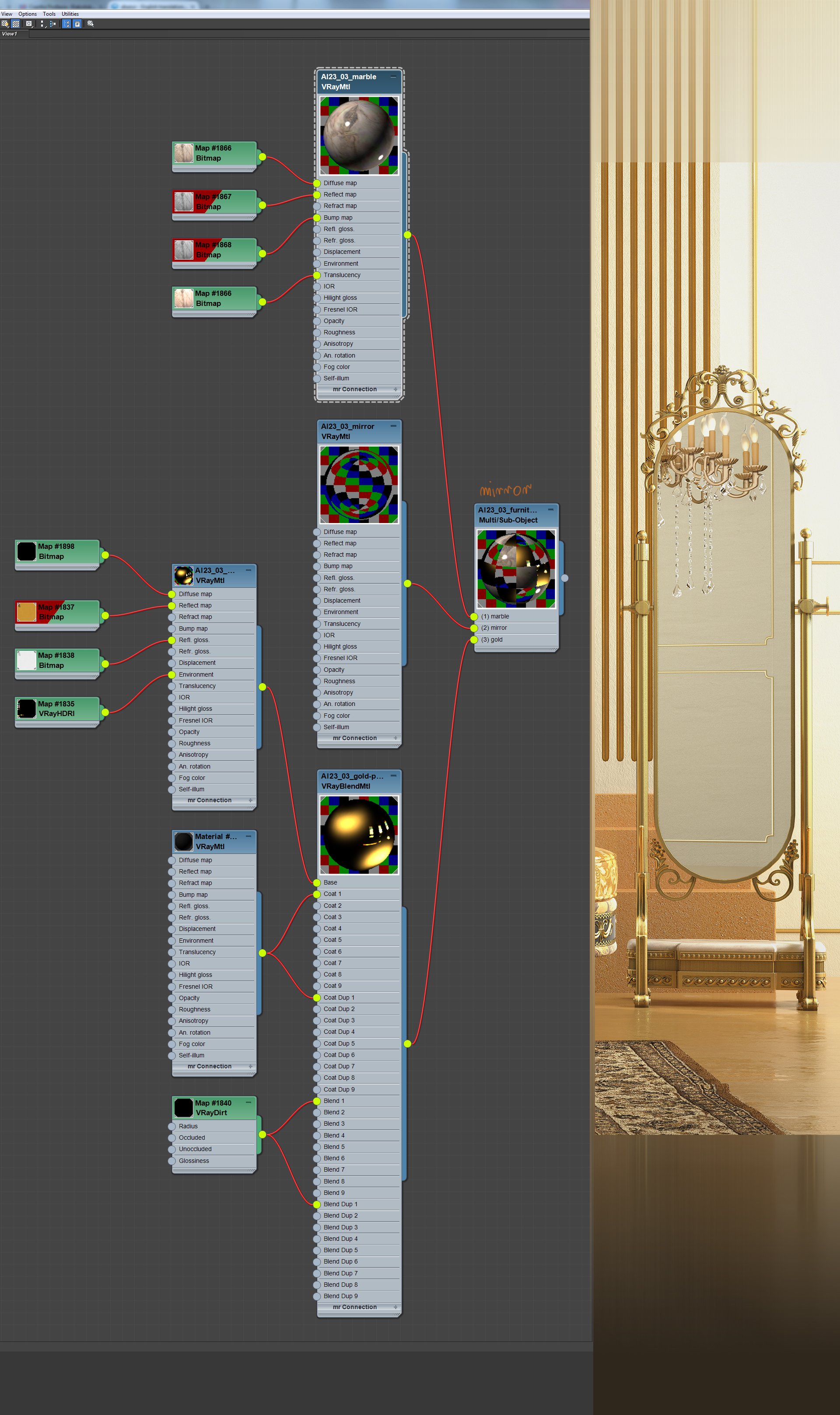
VRayMtl with some translucency was perfect to show light passing through the geometry with thickness (i.e. marble element of the mirror, tassels).
Post-production
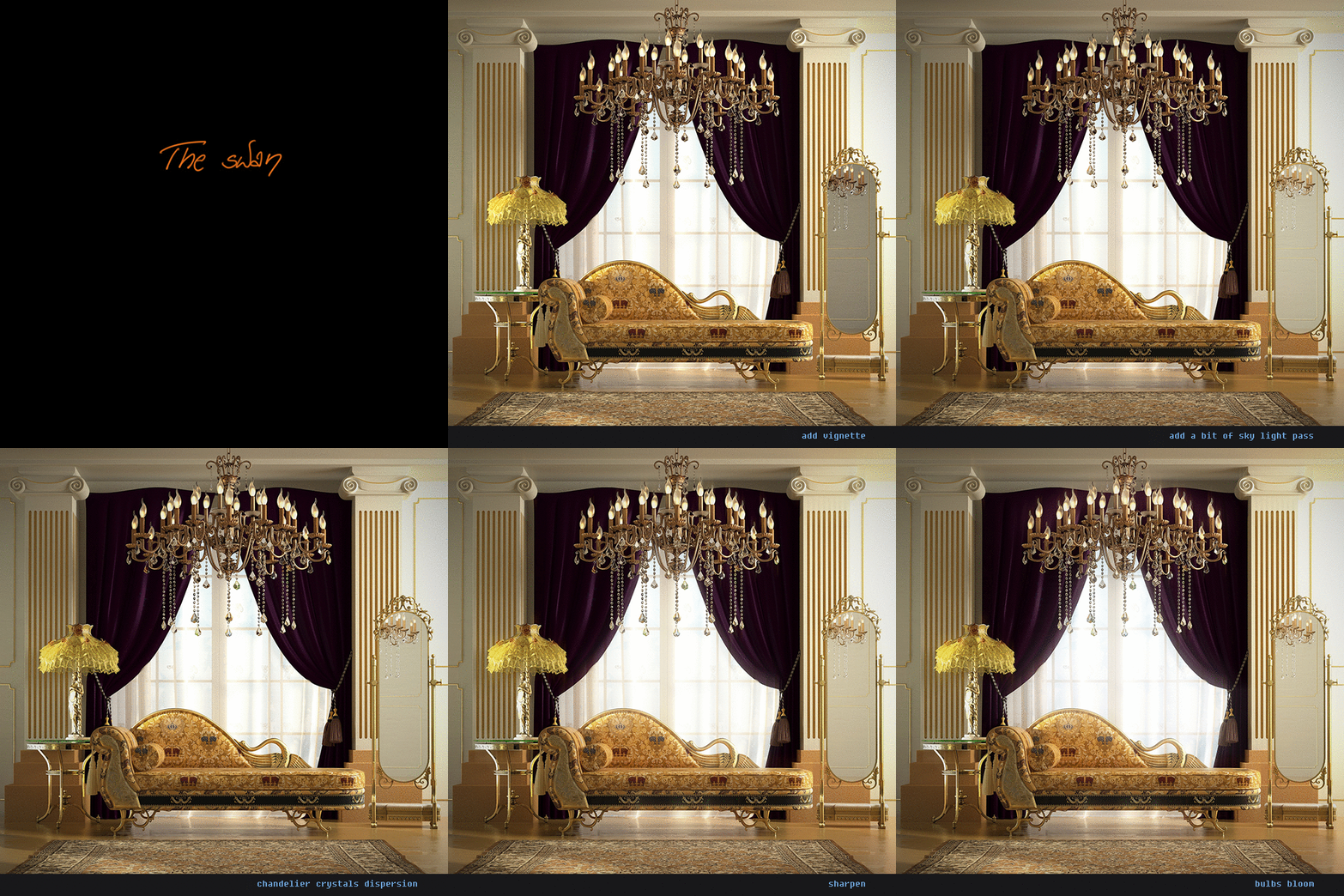
Click on image to enlarge
The final image again. Hope you found some interesting tips here and got some inspiration to experiment with your own visualizations.






 Customer zone
 Your orders
 Edit account
 Add project
 Liked projects
 View your artist profile














COMMENTS