Search
Cart
Sign in
  • offerCustomer zone
  • offerYour orders
  • offerEdit account

  • offerAdd project
  • offerLiked projects
  • offerView your artist profile

  • Dark mode

We care about your privacy

We use cookies to provide you with the best possible experience. They also allow us to analyze user behavior in order to constantly improve the website for you. The consent is voluntary. You can withdraw it at any time or renew it in Cookie settings on the home page. Withdrawal of your consent does not affect the lawfulness of processing performed before the withdrawal. Privacy Protection Policy
Accept all
Accept selection
Reject all

Making of Archinteriors vol. 36 scene 4

Michał Franczak 2015-01-23 11:52 tutorial  > 3ds MAX  > rendering

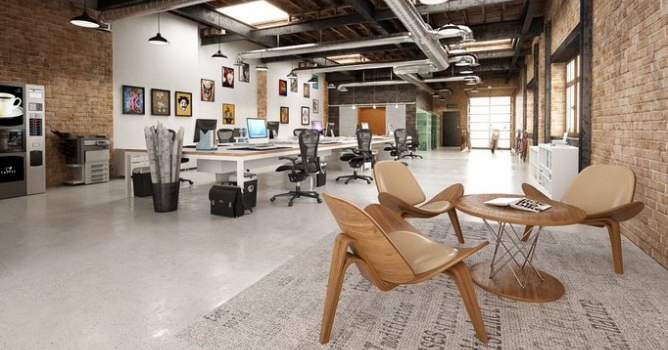
Making of an office space.

Modern office with a vintage look located in post-industrial building. Add some guitars, books and shelves and the space comes to life. We present Scene 4 made by Marcin Białecki. You can download Archinteriors vol. 36 from Evermotion Shop.

Click on image to enlarge nr_AI36_004_PP_751.jpg

Final image after post-production


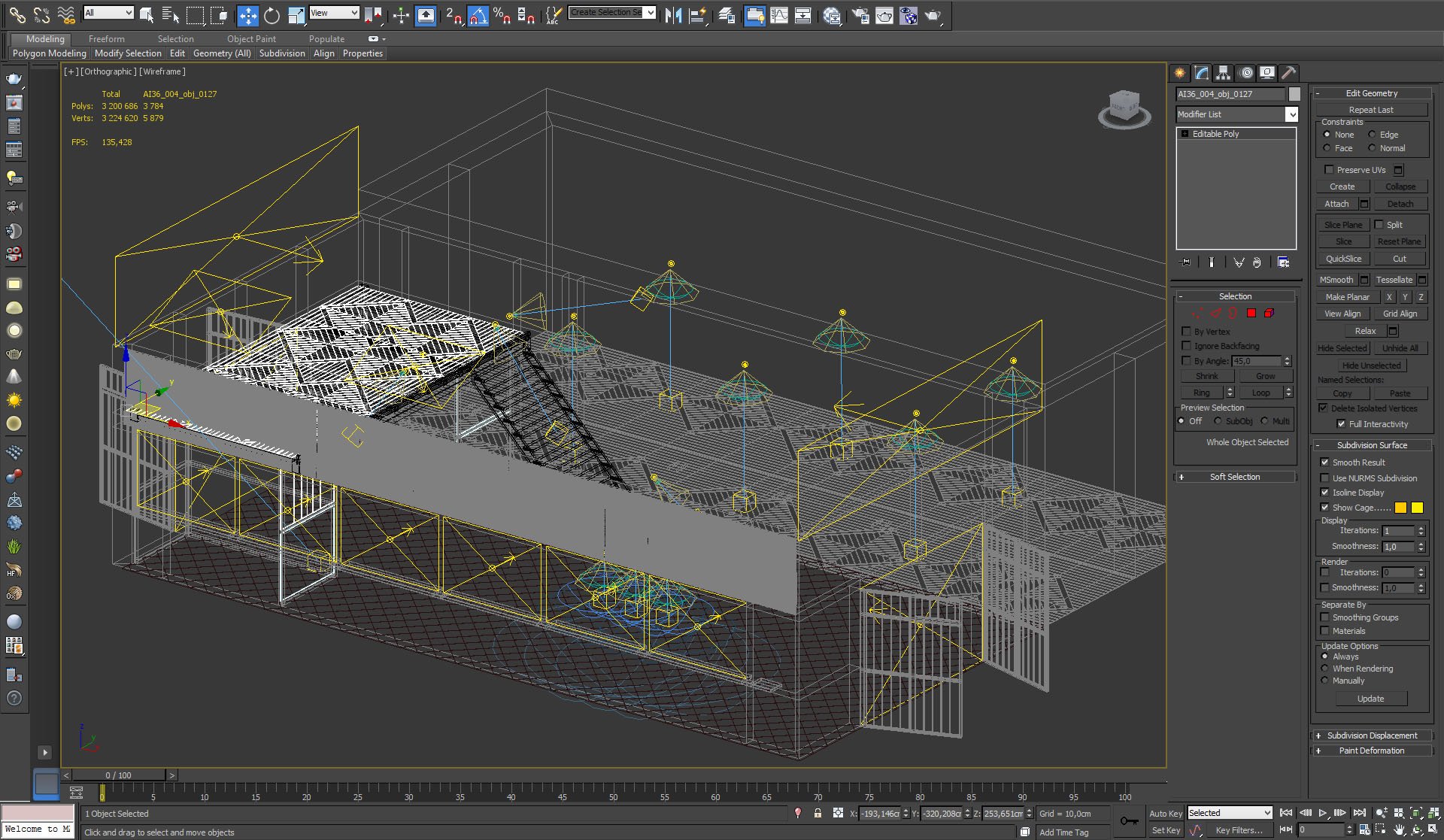
Click on image to enlarge nr_wire_750.jpg
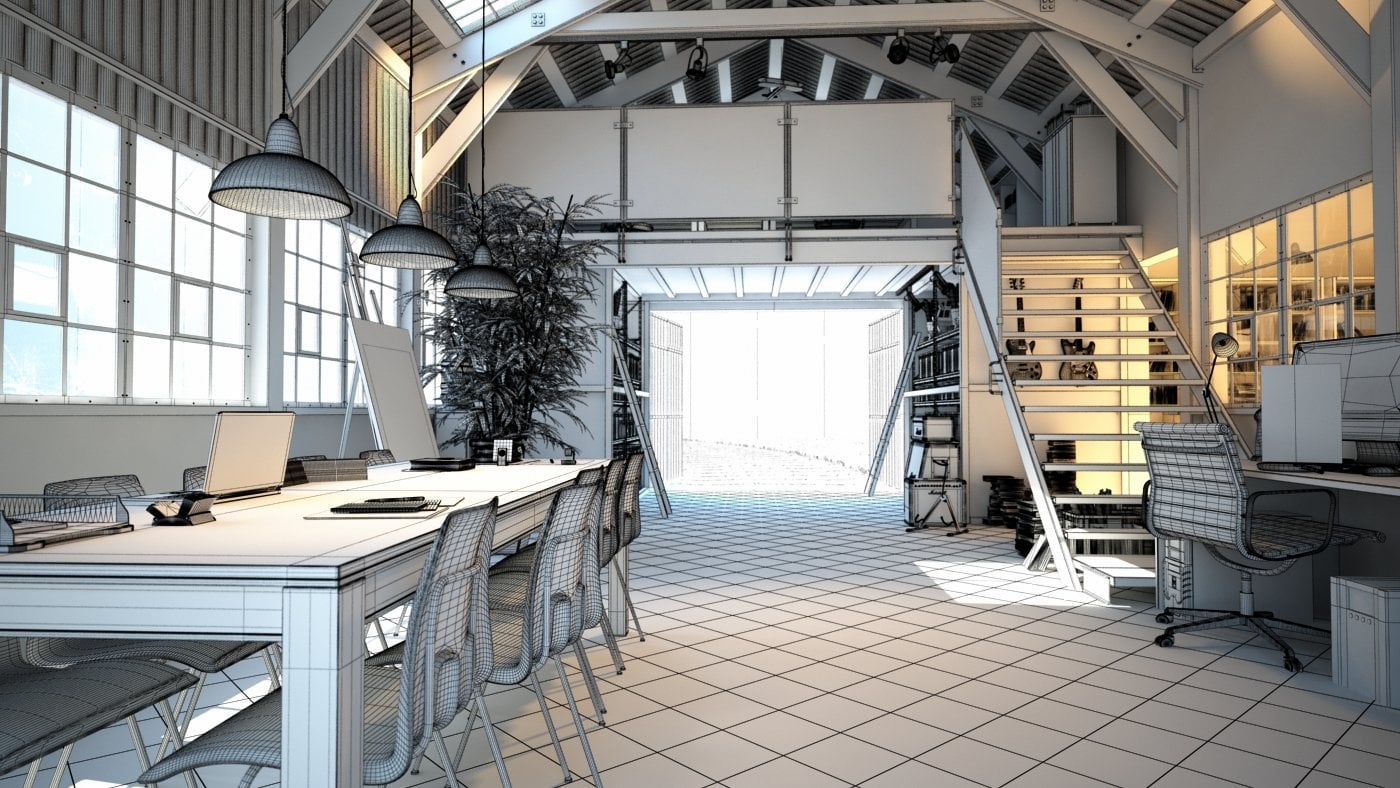
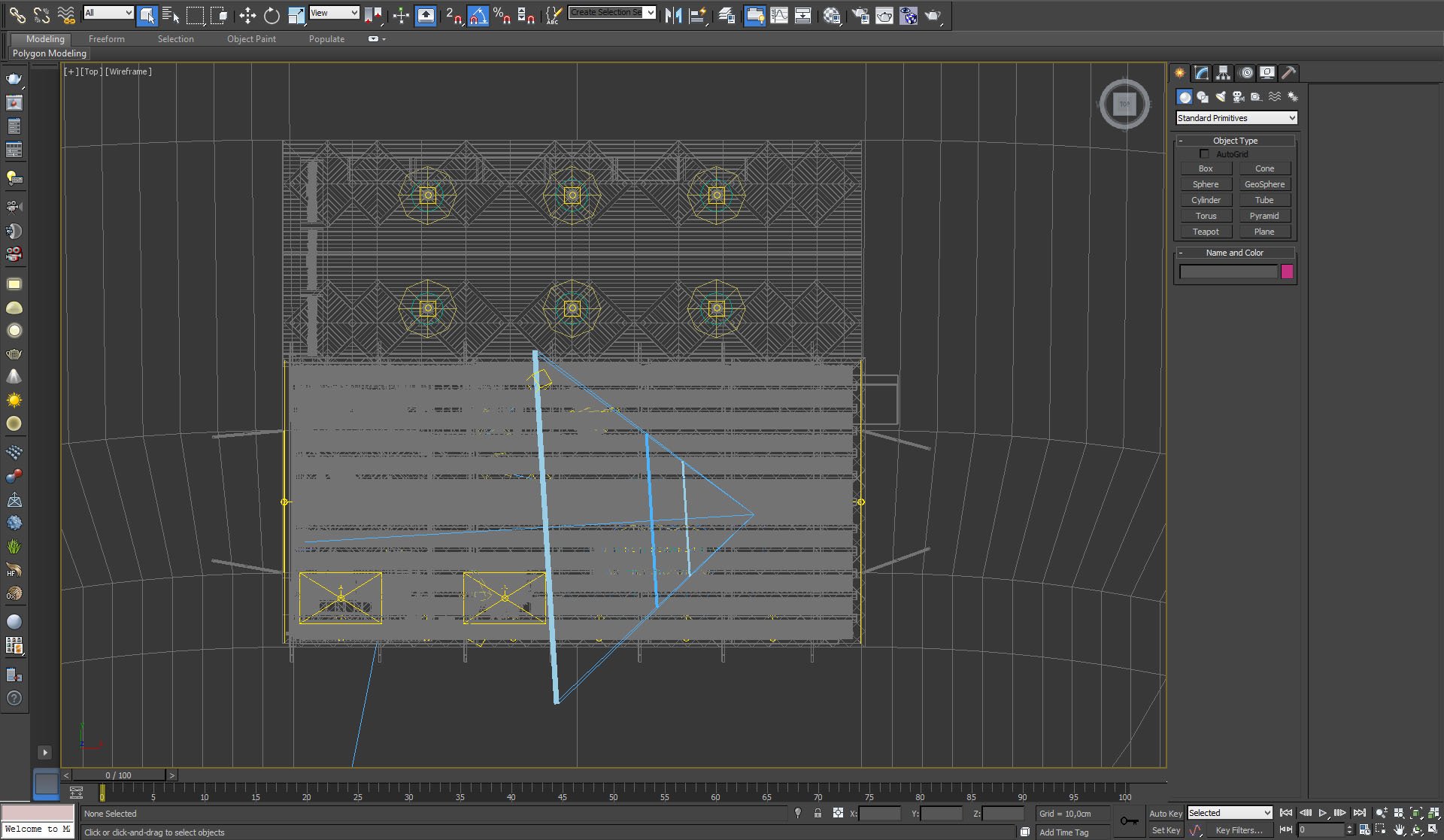
Wireframe view of the scene


Click on image to enlarge nr_L__0042_overview_camera_747.jpg
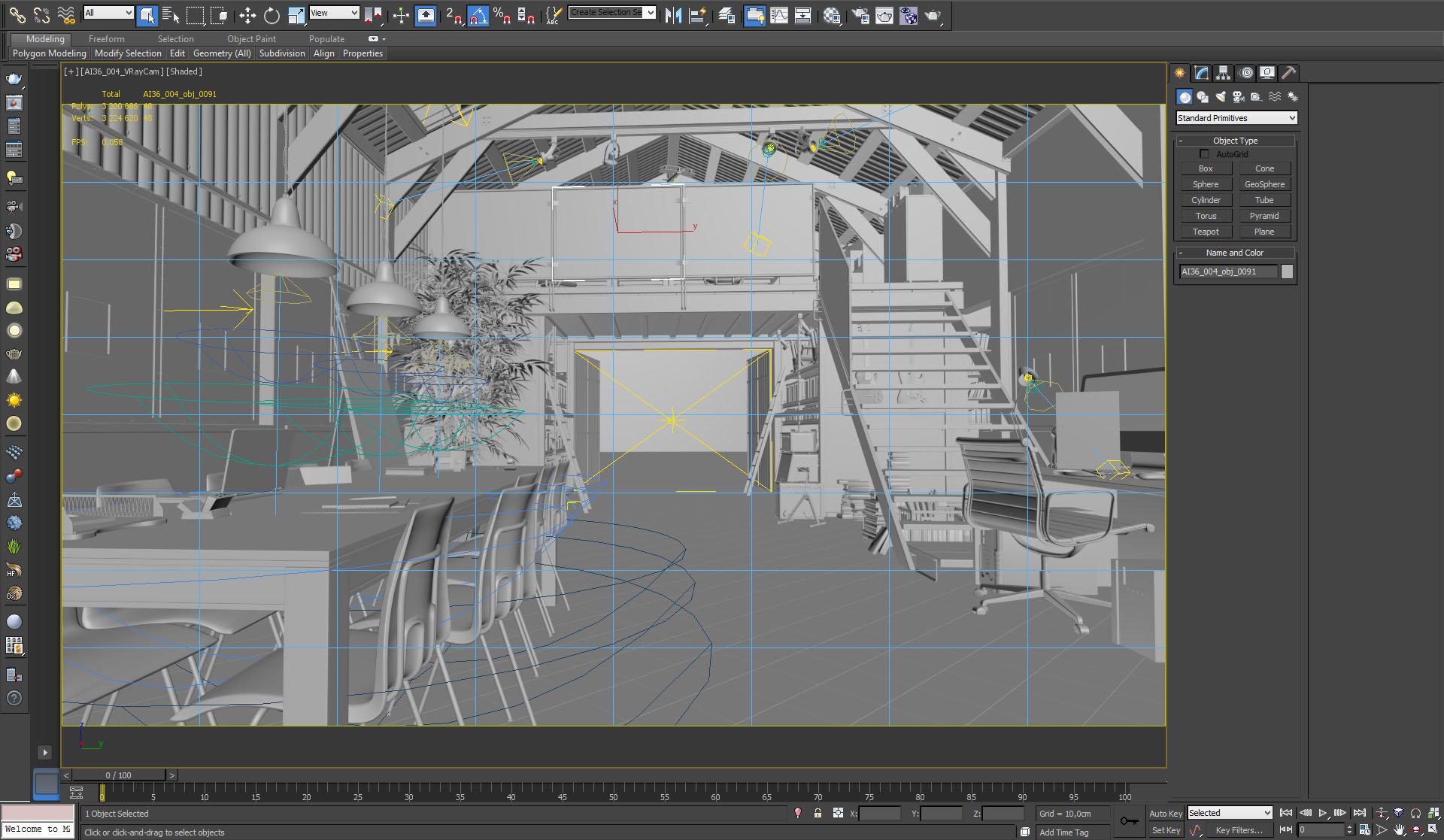
View from camera


Click on image to enlarge nr_L__0041_overview_top_746.jpg

Top view


Click on image to enlarge nr_L__0039_overview_angle_744.jpg

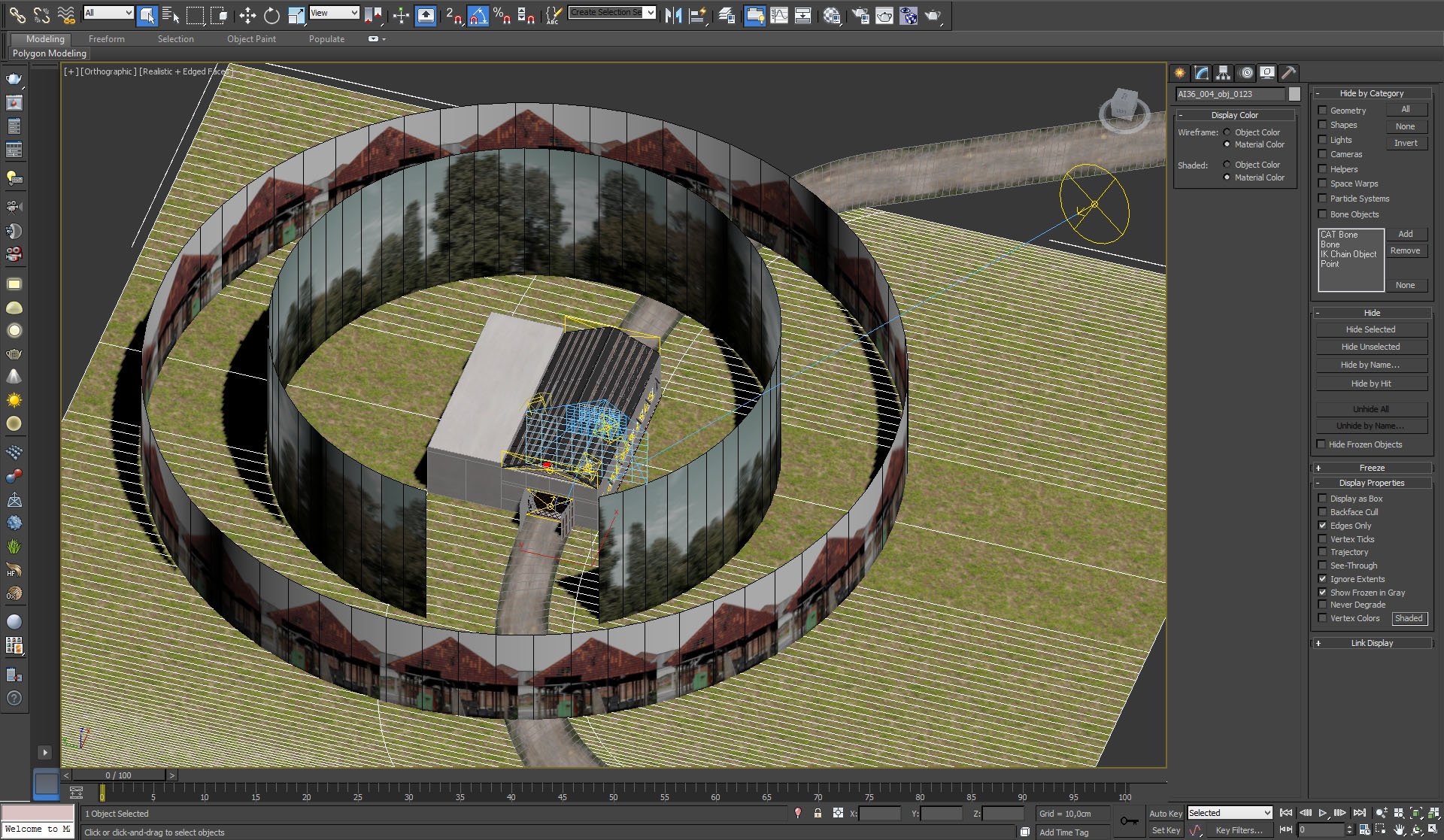
Overview - external view. As you can see, we put two cylinders with maps that are faking far buildings and trees behind windows. There is also a plane with grass and a road.


Click on image to enlarge nr_L__0036_enviro_1_741.jpg
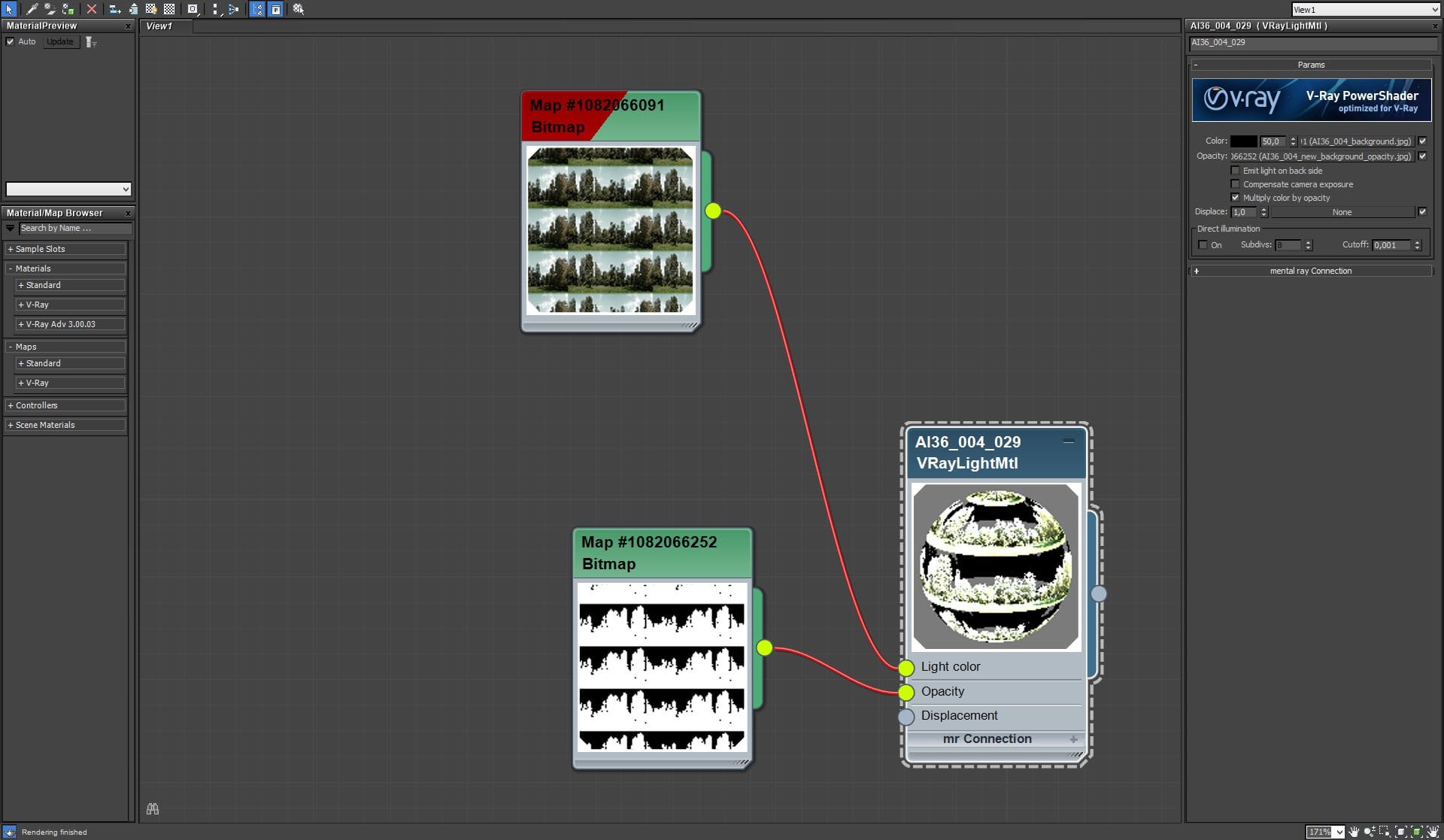
Plane with trees has a color map that imitates the trees and an opacity map that removes background behind the trees.


Click on image to enlarge nr_L__0034_enviro_1c_739.jpg
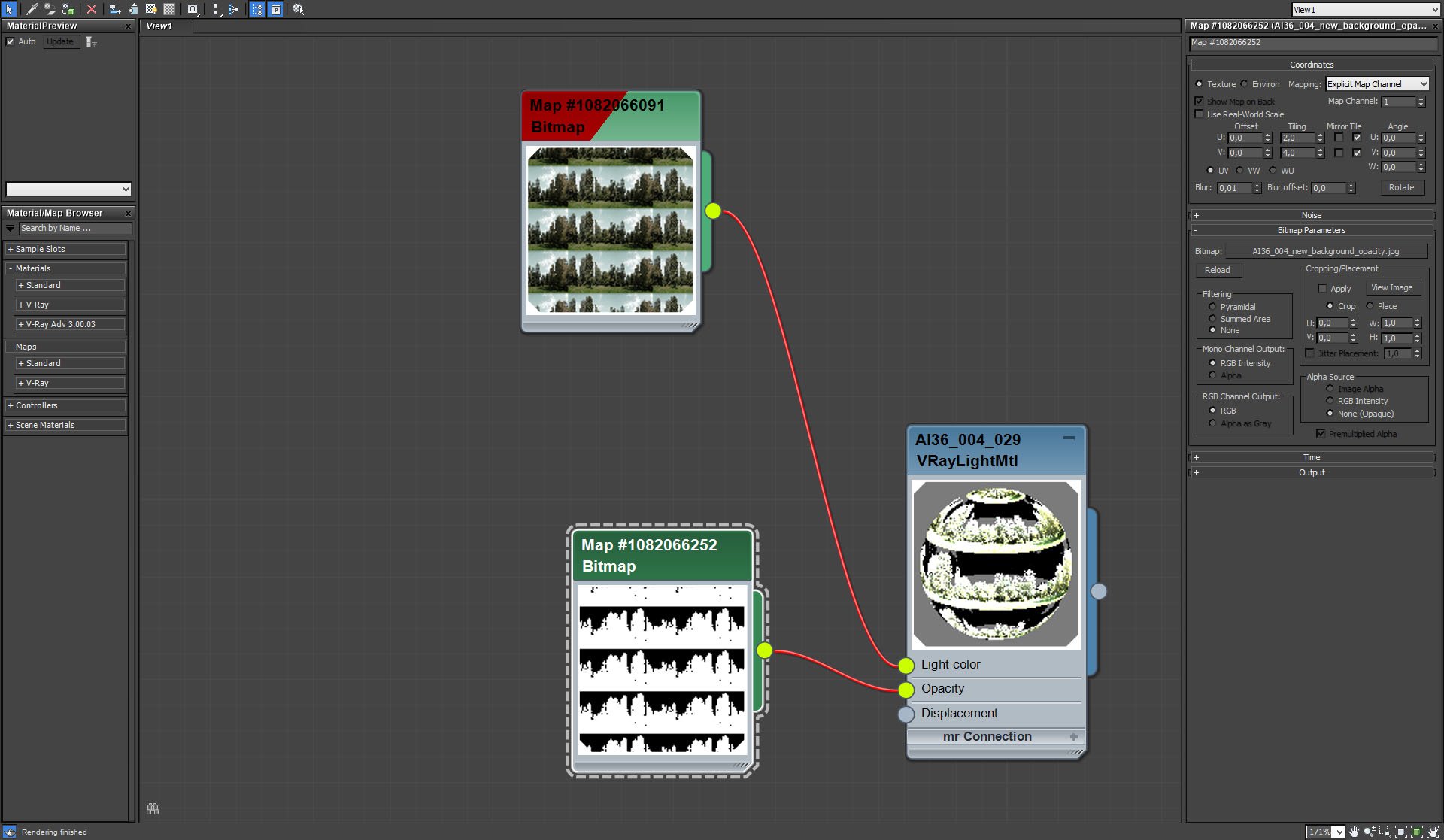
Opacity map settings


Click on image to enlarge nr_L__0033_enviro_2_738.jpg

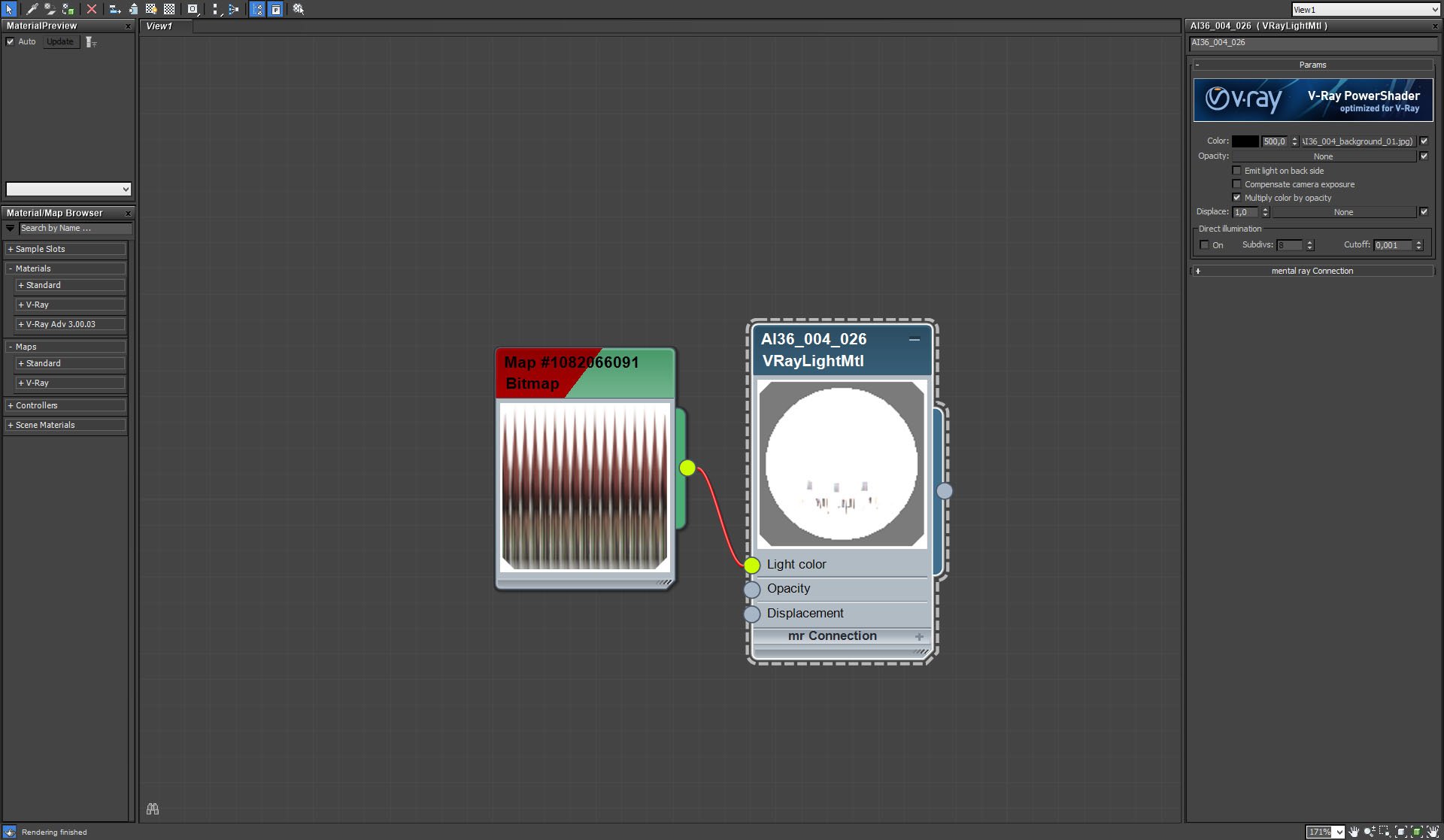
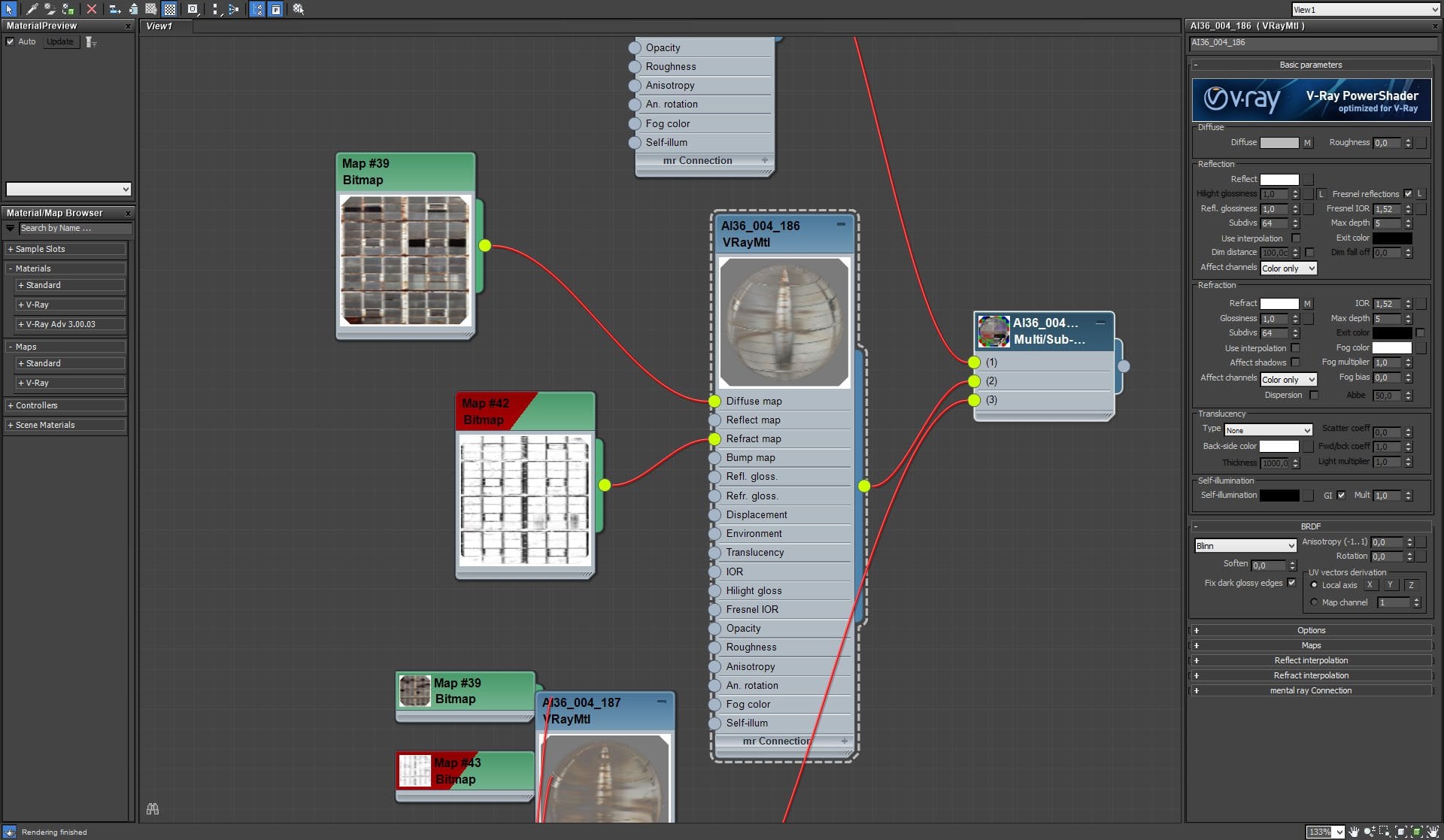
Material of the second cylinder with a map with houses (shrinked in map preview above)


Click on image to enlarge nr_L__0032_enviro_2b_737.jpg
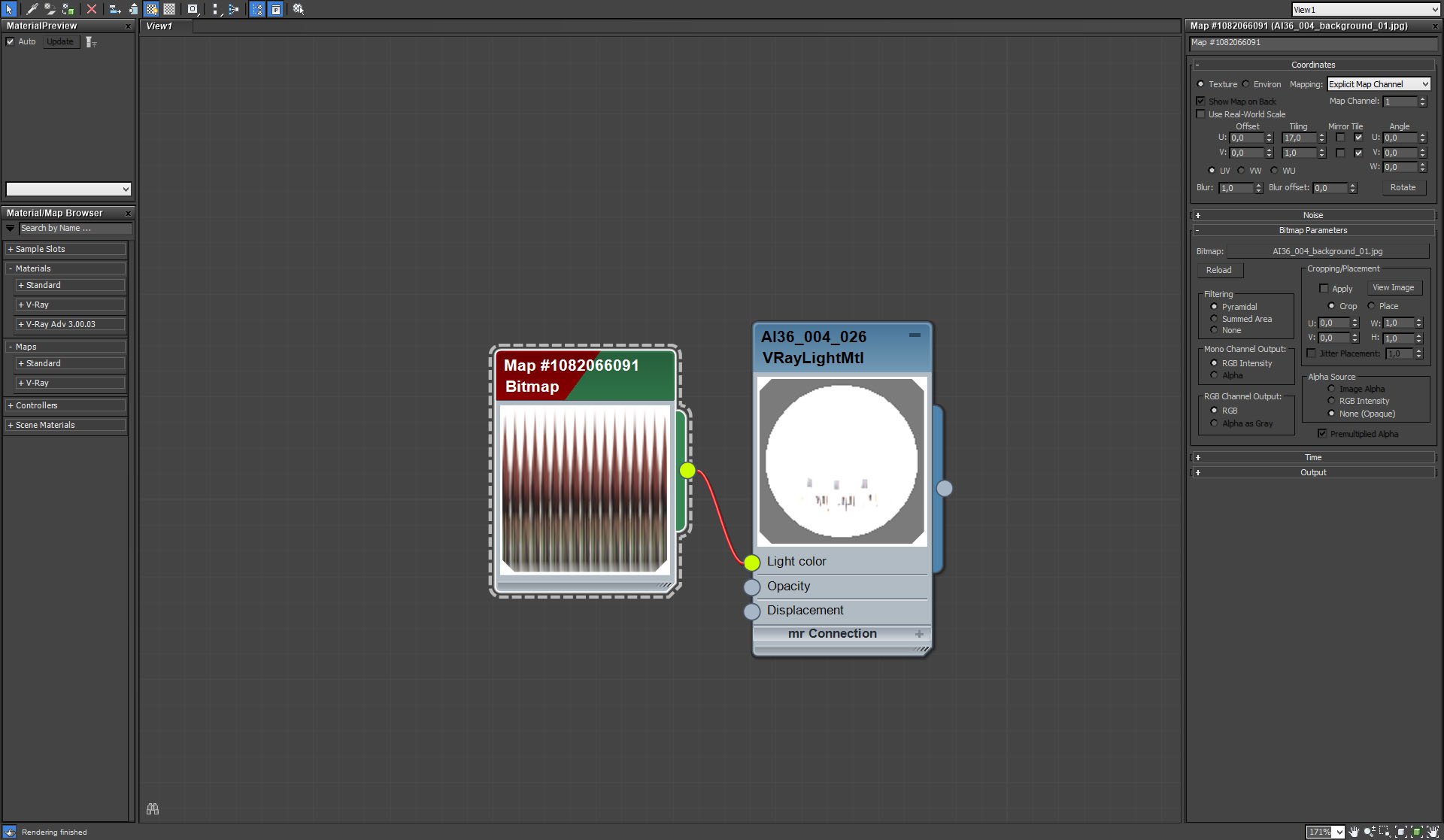
Bitmap settings


Click on image to enlarge nr_L__0031_enviro_3_grass_736.jpg

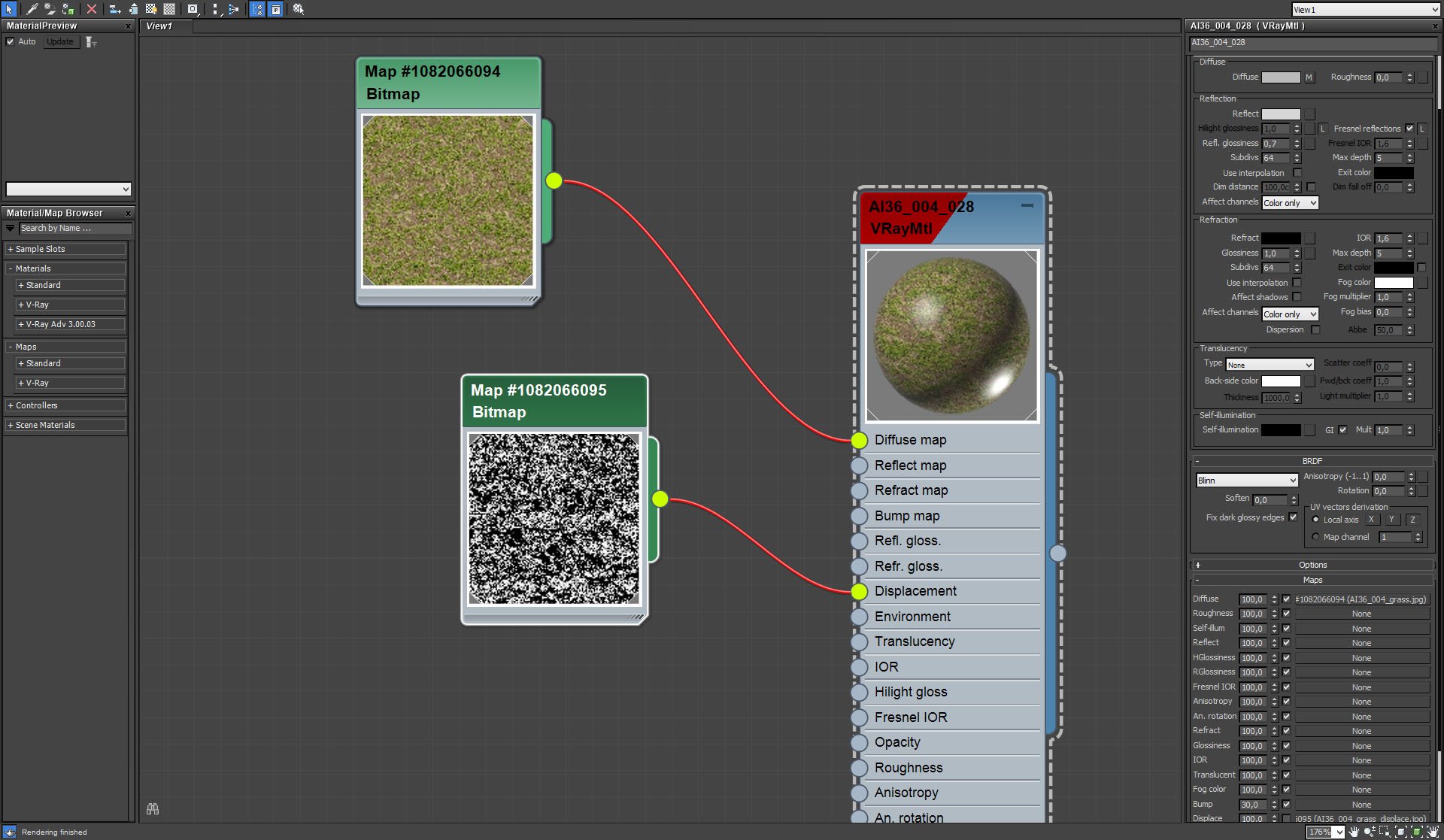
Grass material


Click on image to enlarge nr_L__0030_enviro_4_road_735.jpg

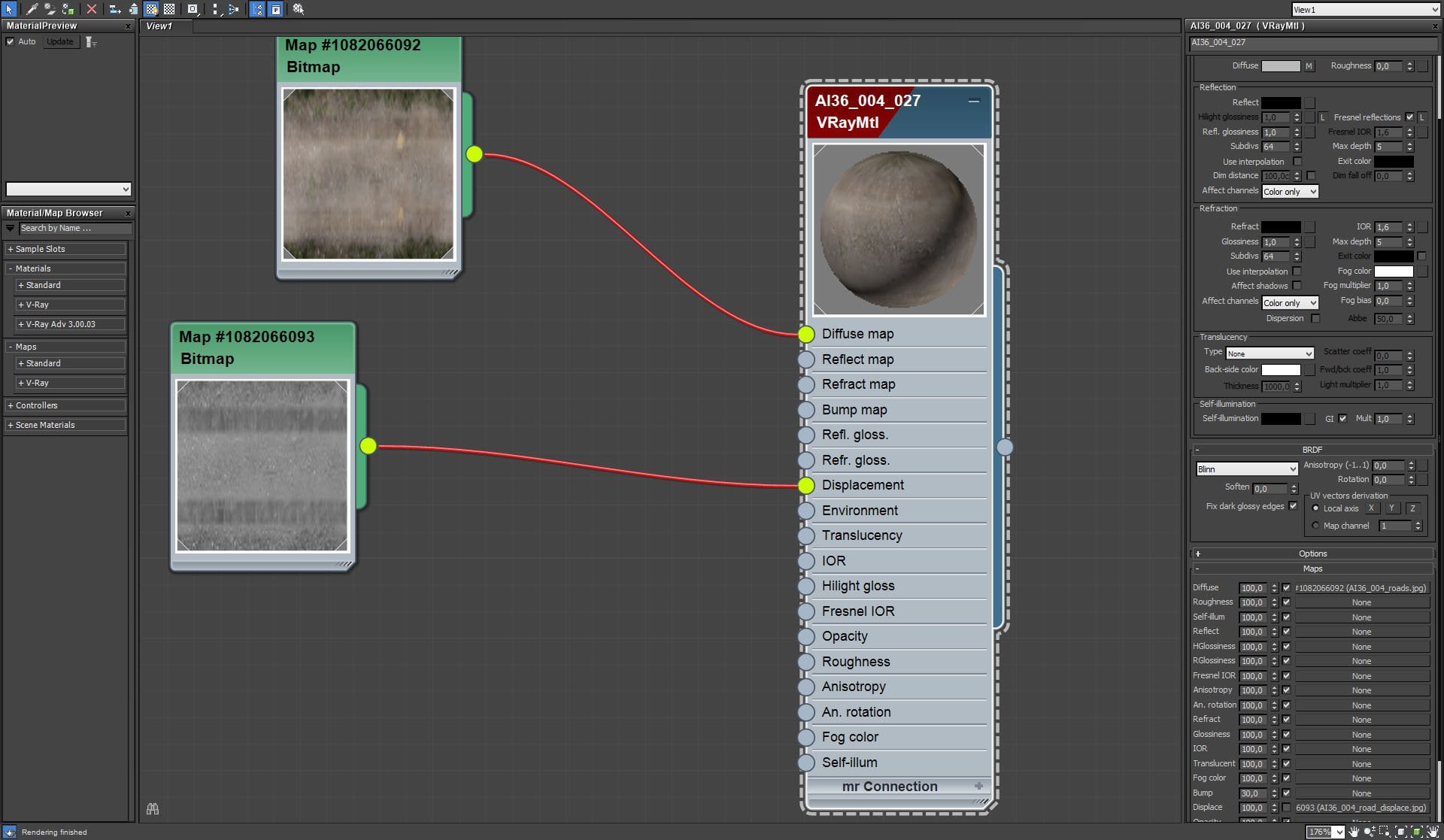
Road material


Click on image to enlarge 1_AI_27_001_cam_01_PP_nr_1955.jpg

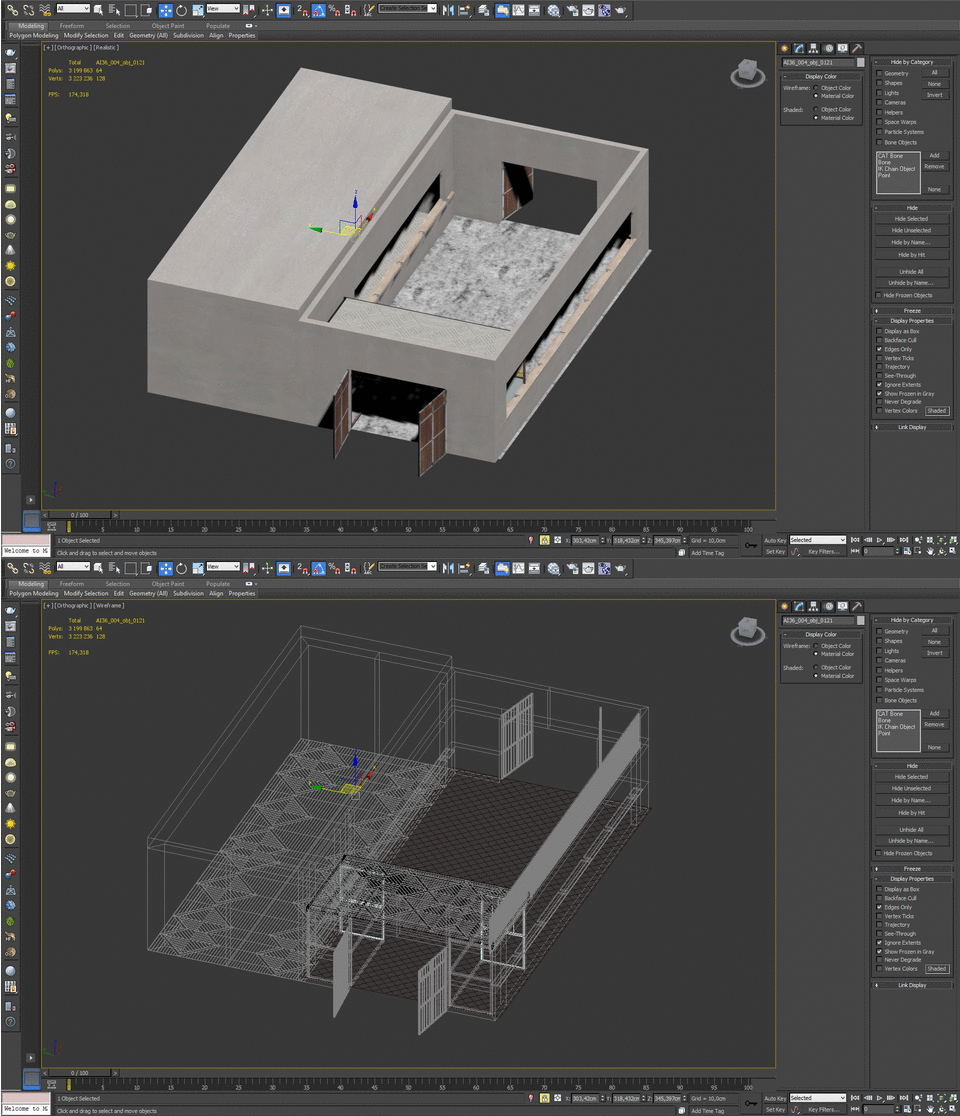
Building (gif animation - 2 frames)


Click on image to enlarge nr_L__0027_wall_material_732.jpg
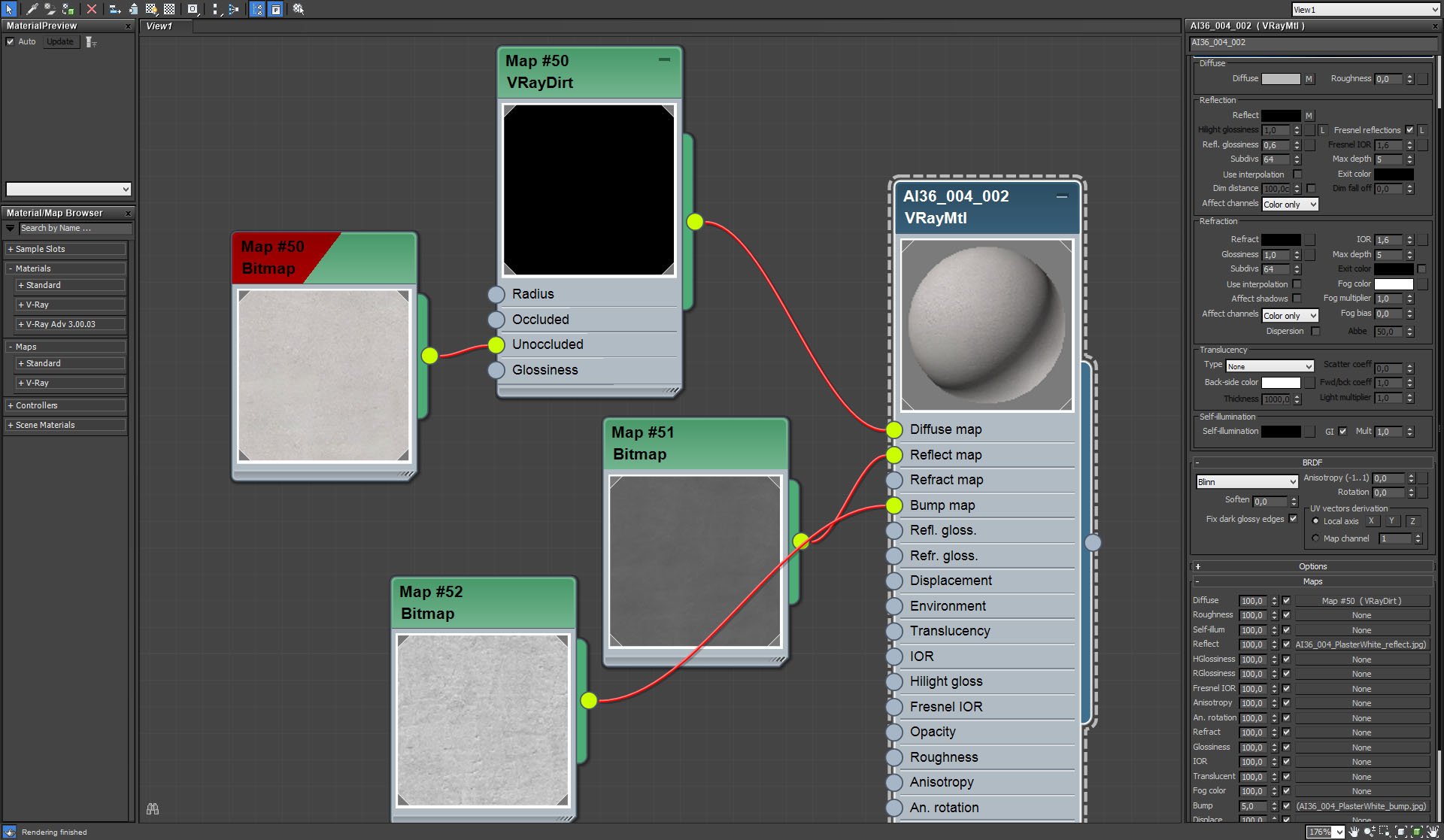
Wall material settings.


Click on image to enlarge nr_L__0026_door_731.jpg

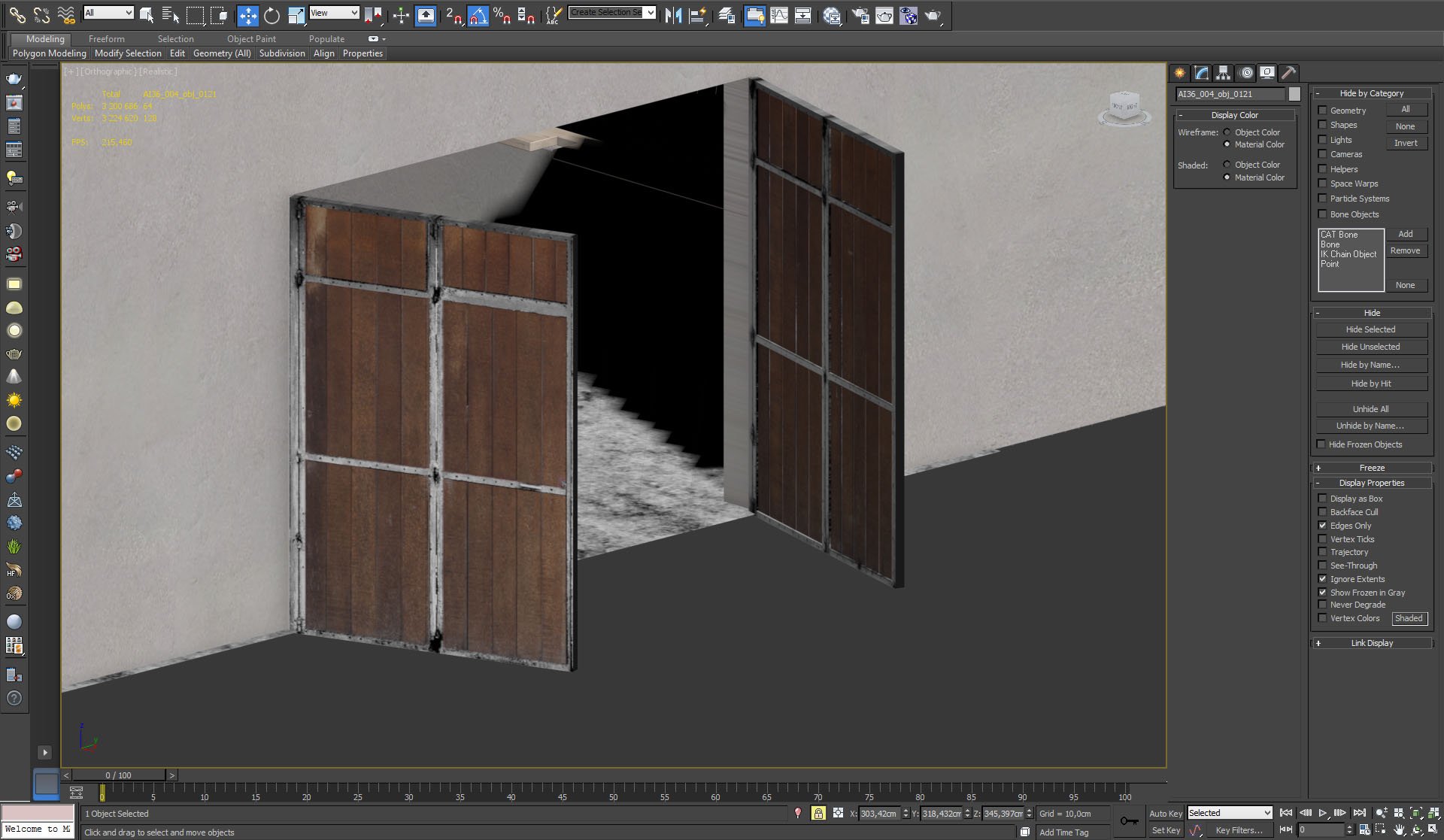
Wooden barn-like door.


Click on image to enlarge nr_L__0025_door_material_730.jpg

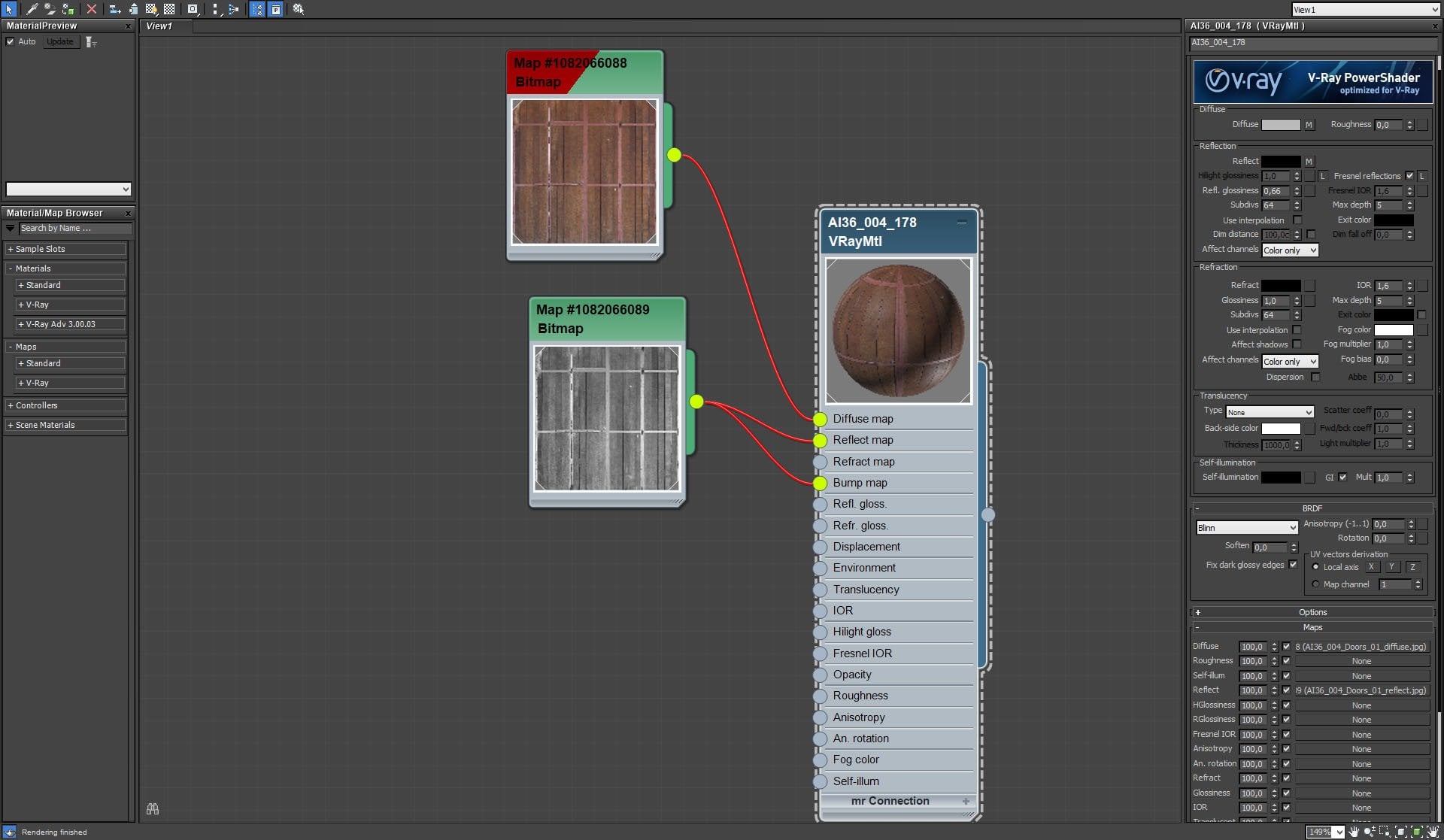
Door material.


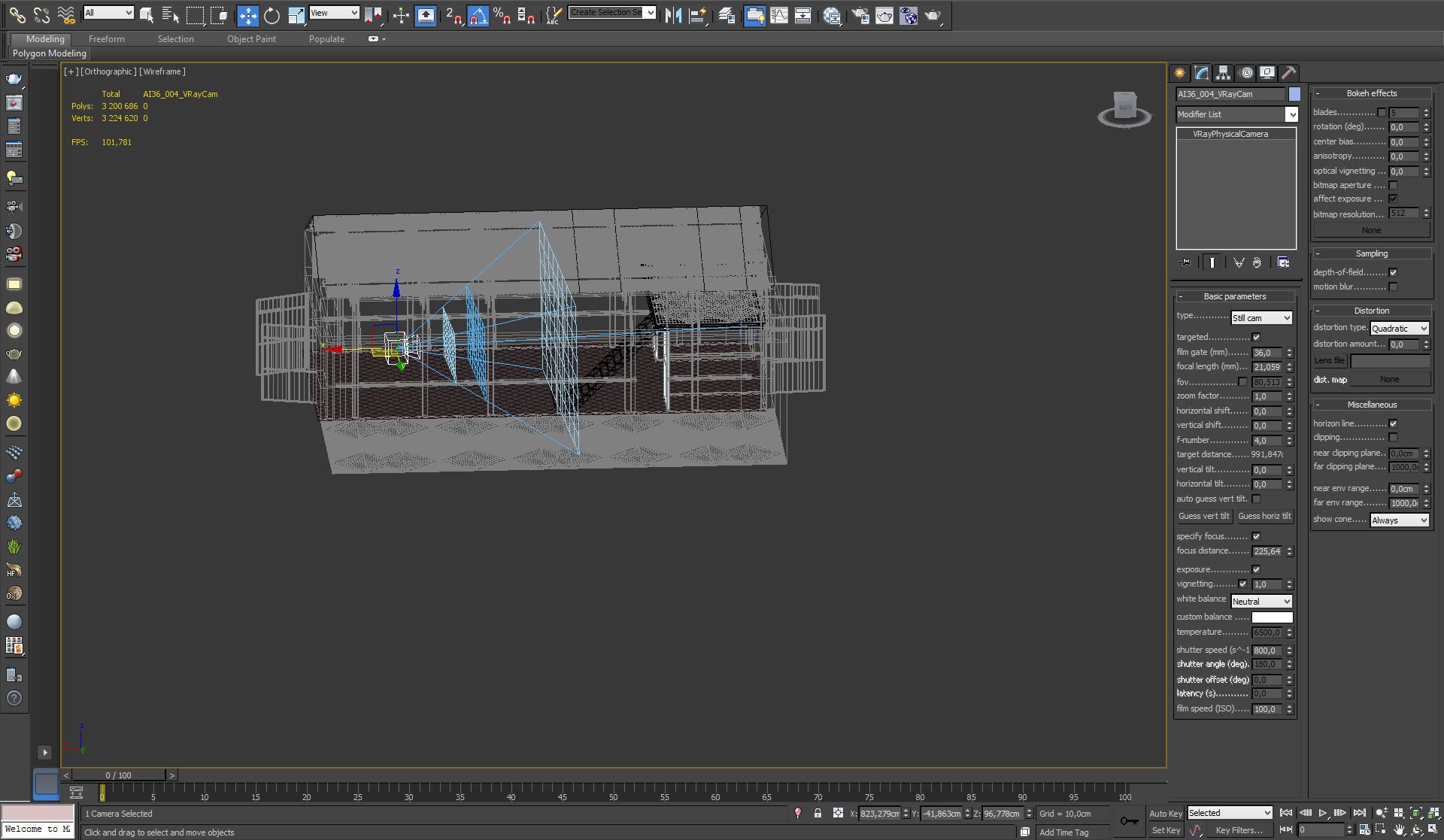
Click on image to enlarge nr_L__0024_camera_settings_729.jpg

Vray physical camera settings


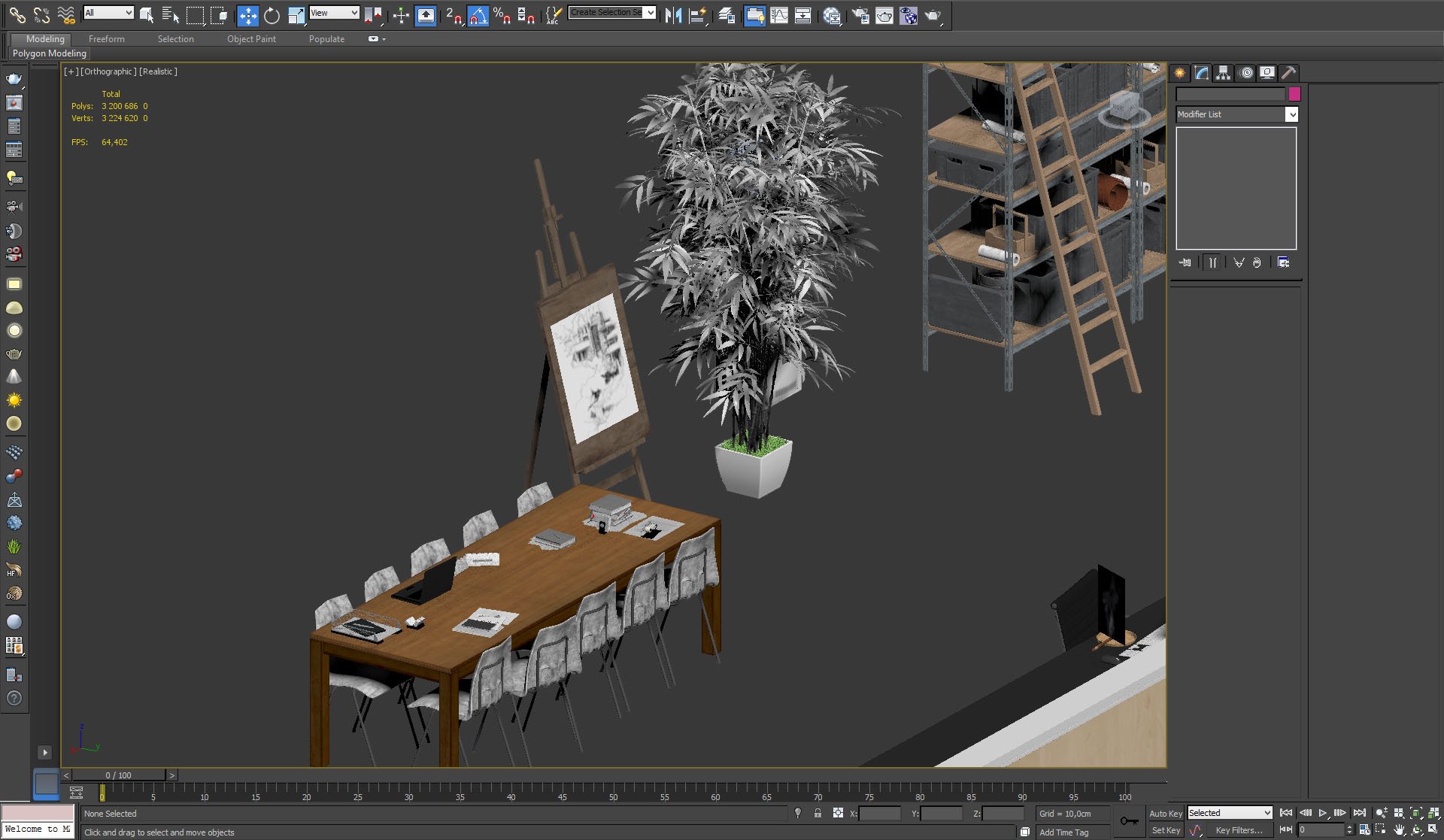
Click on image to enlarge nr_L__0023_props_1_728.jpg
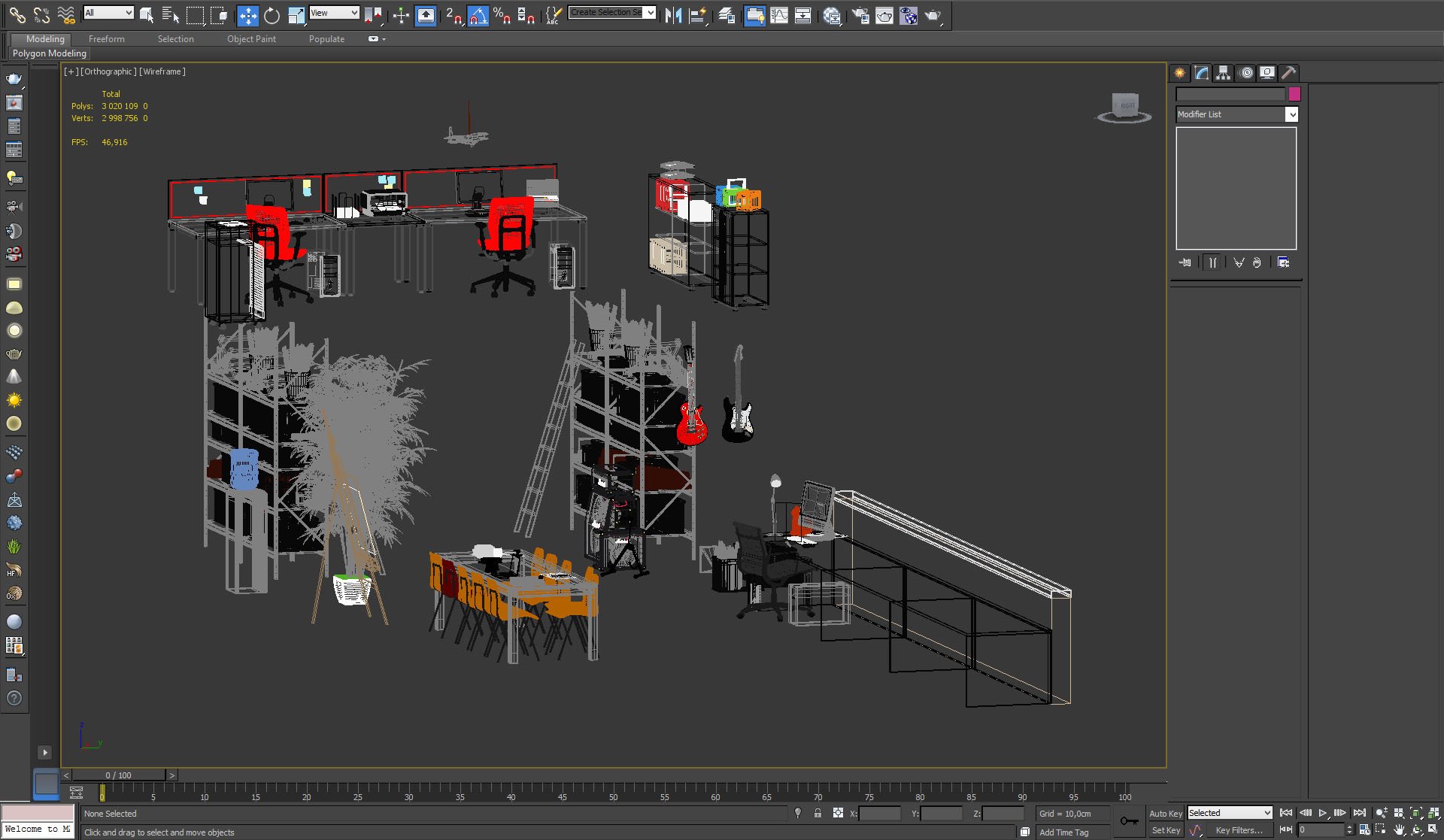
We used many props in this scene: furniture, guitars, ladder, easel, etc.


Click on image to enlarge nr_L__0022_props_2_727.jpg
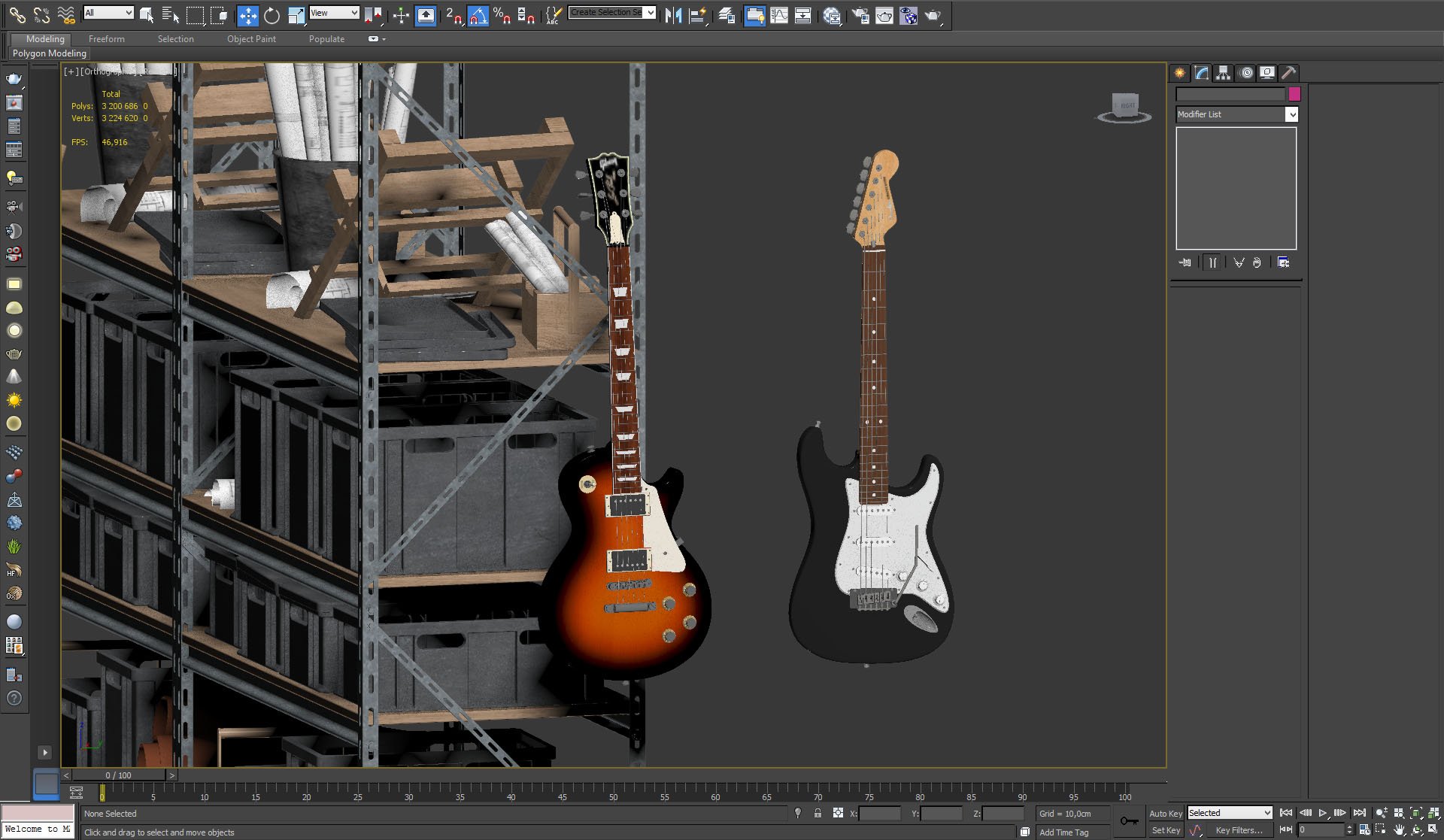
Time to rock!


Click on image to enlarge nr_L__0021_props_3_726.jpg

Props


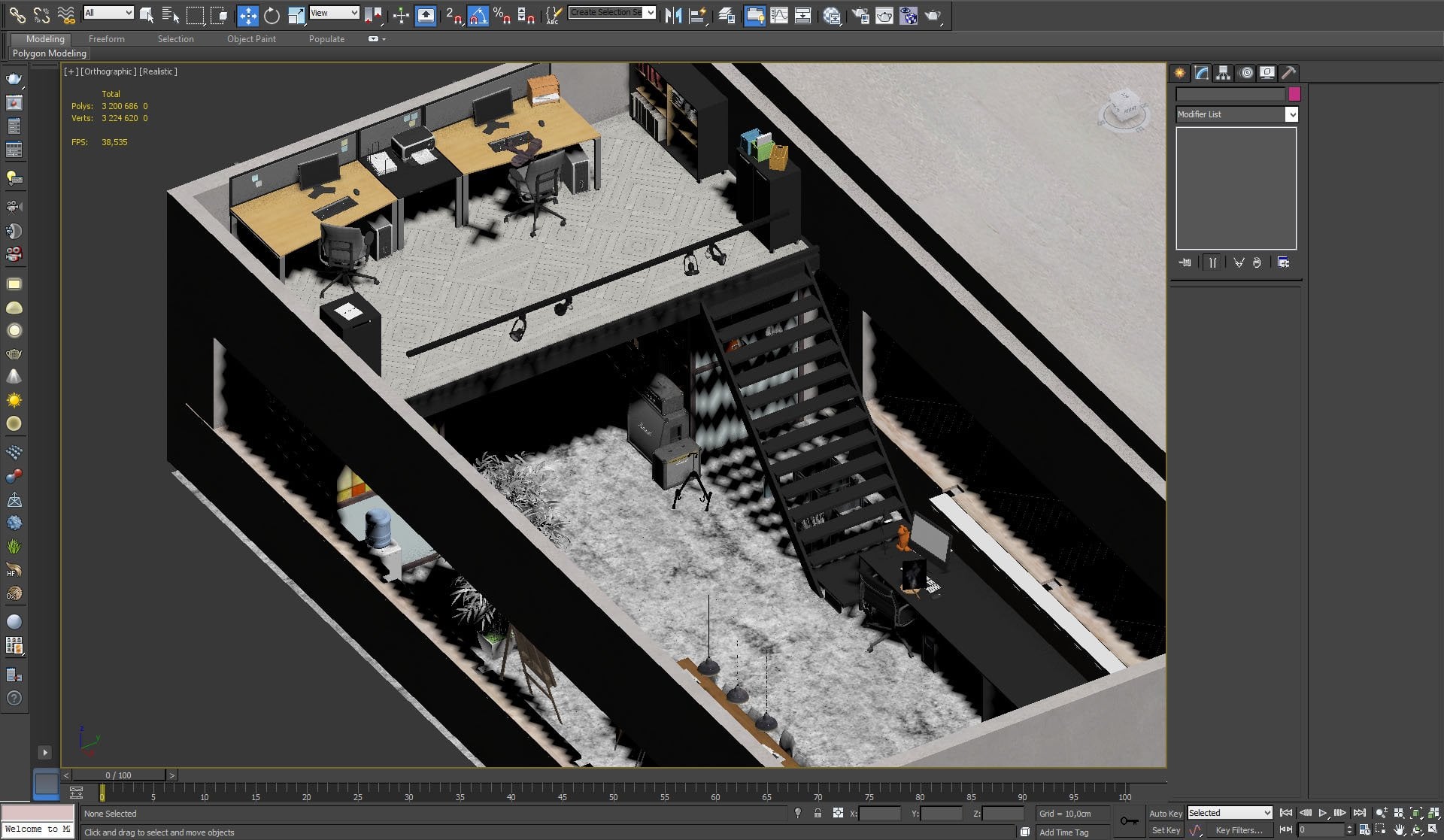
Click on image to enlarge nr_L__0020_props_4_725.jpg

Isometric view


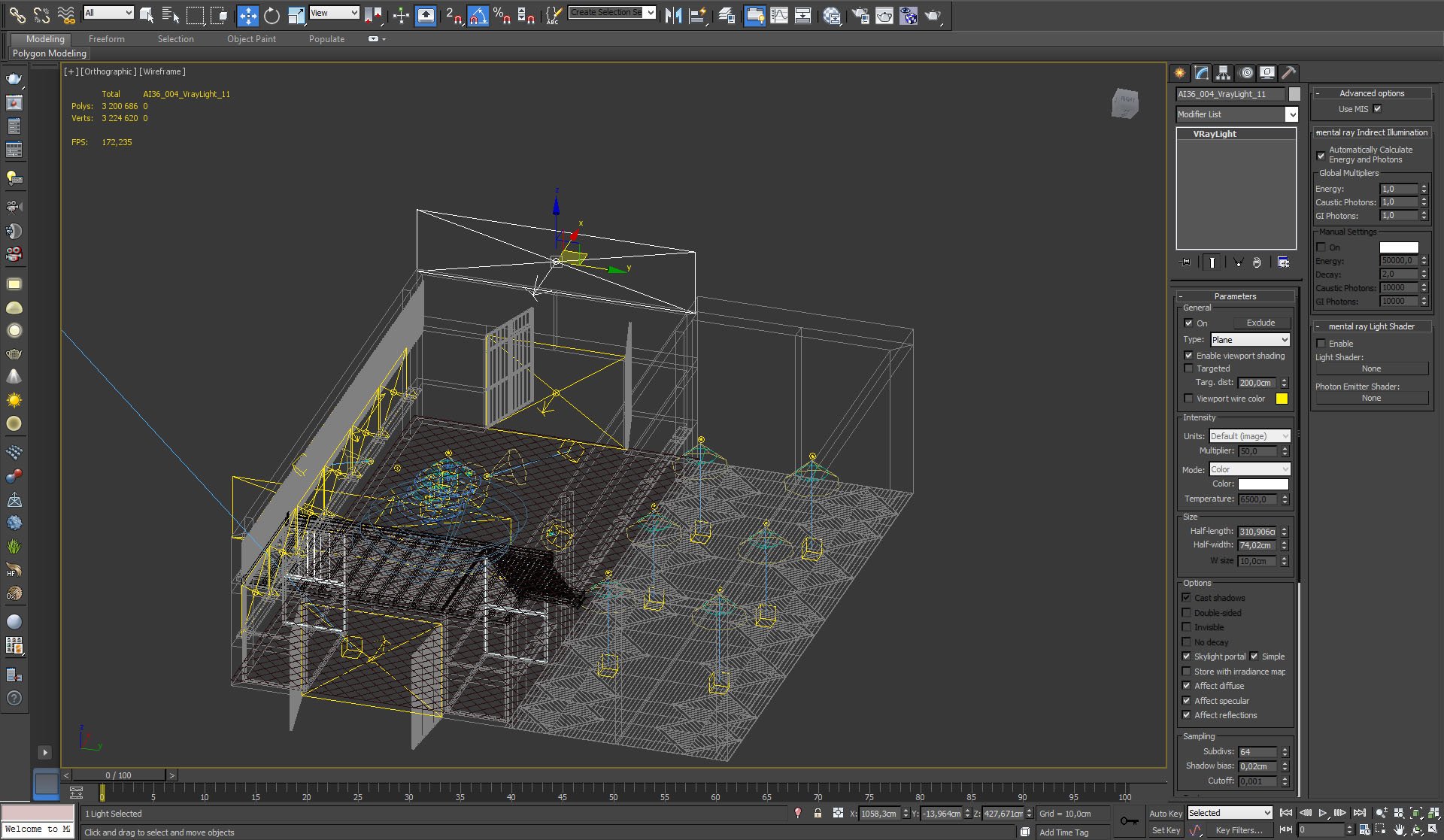
Click on image to enlarge nr_L__0018_lights_723.jpg

The building is lit by many sources, including Vray sun, vray plane lights in the windows and small light sources in the lamps.


Click on image to enlarge nr_L__0017_lights_list_722.jpg
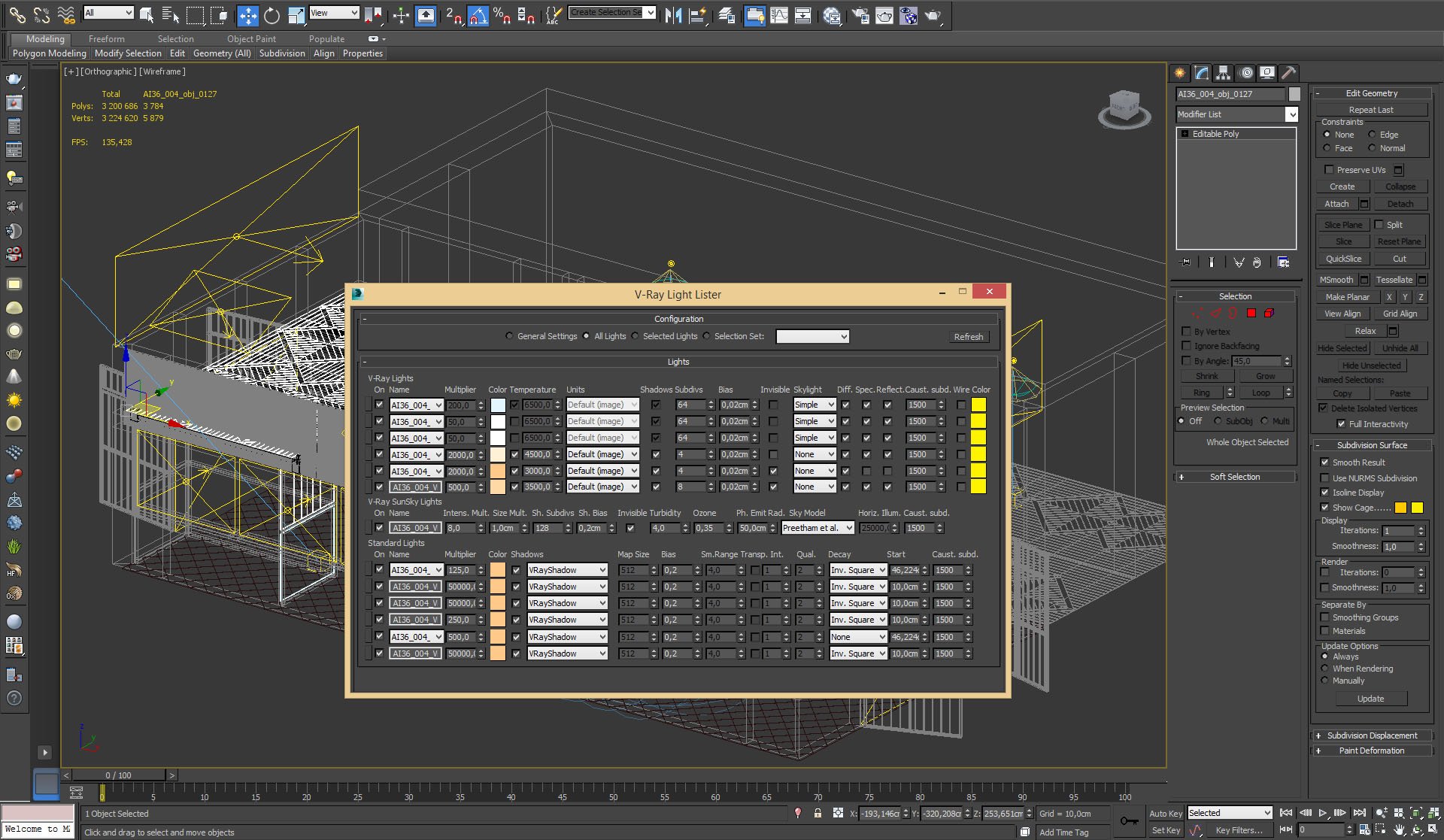
Lights list.


Click on image to enlarge nr_L__0015_light_big_plane_720.jpg

Vray light plane settings.


Click on image to enlarge nr_L__0014_light_small_plane_719.jpg
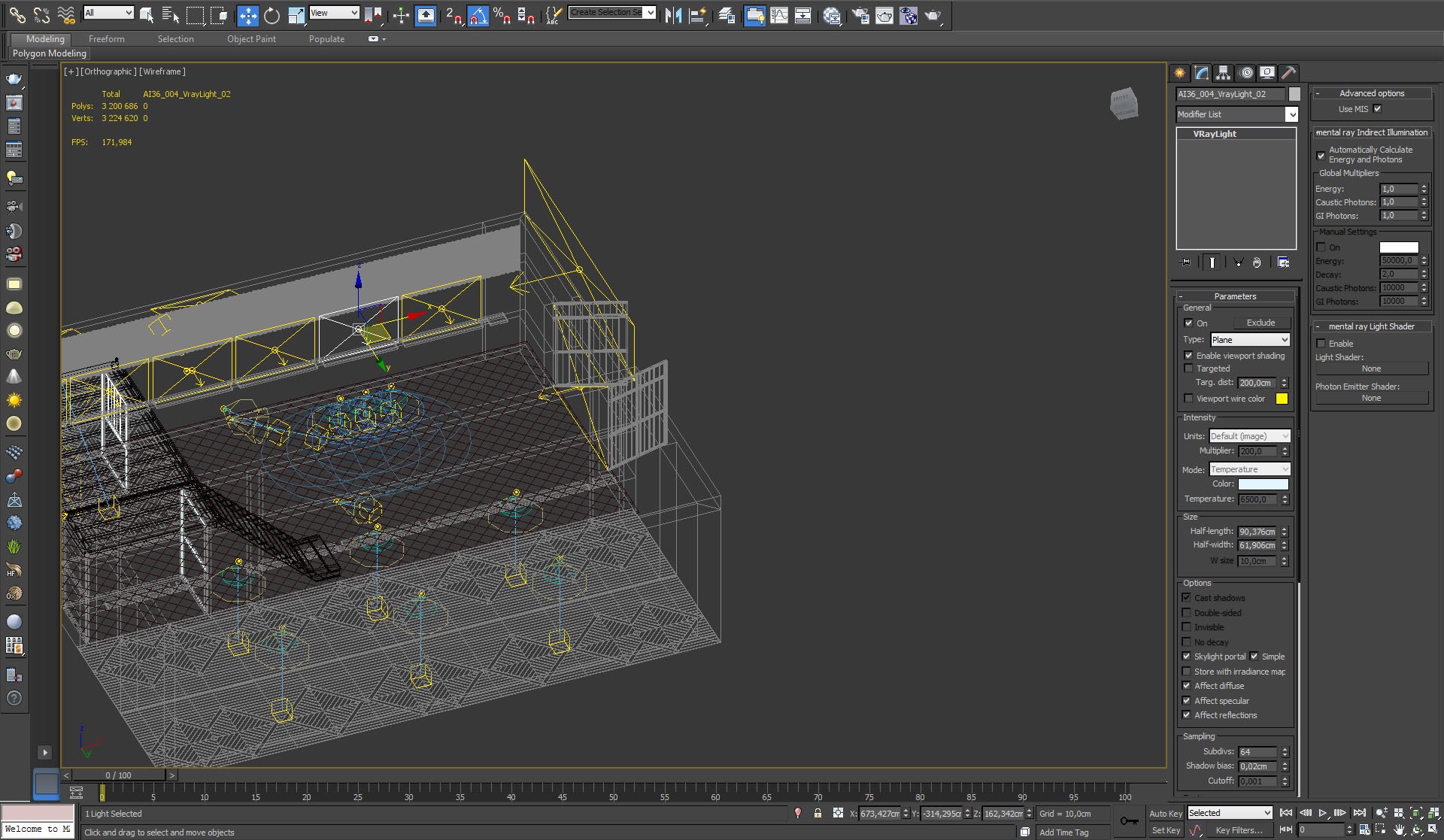
Small light plane settings


Click on image to enlarge nr_L__0013_light_cone_718.jpg
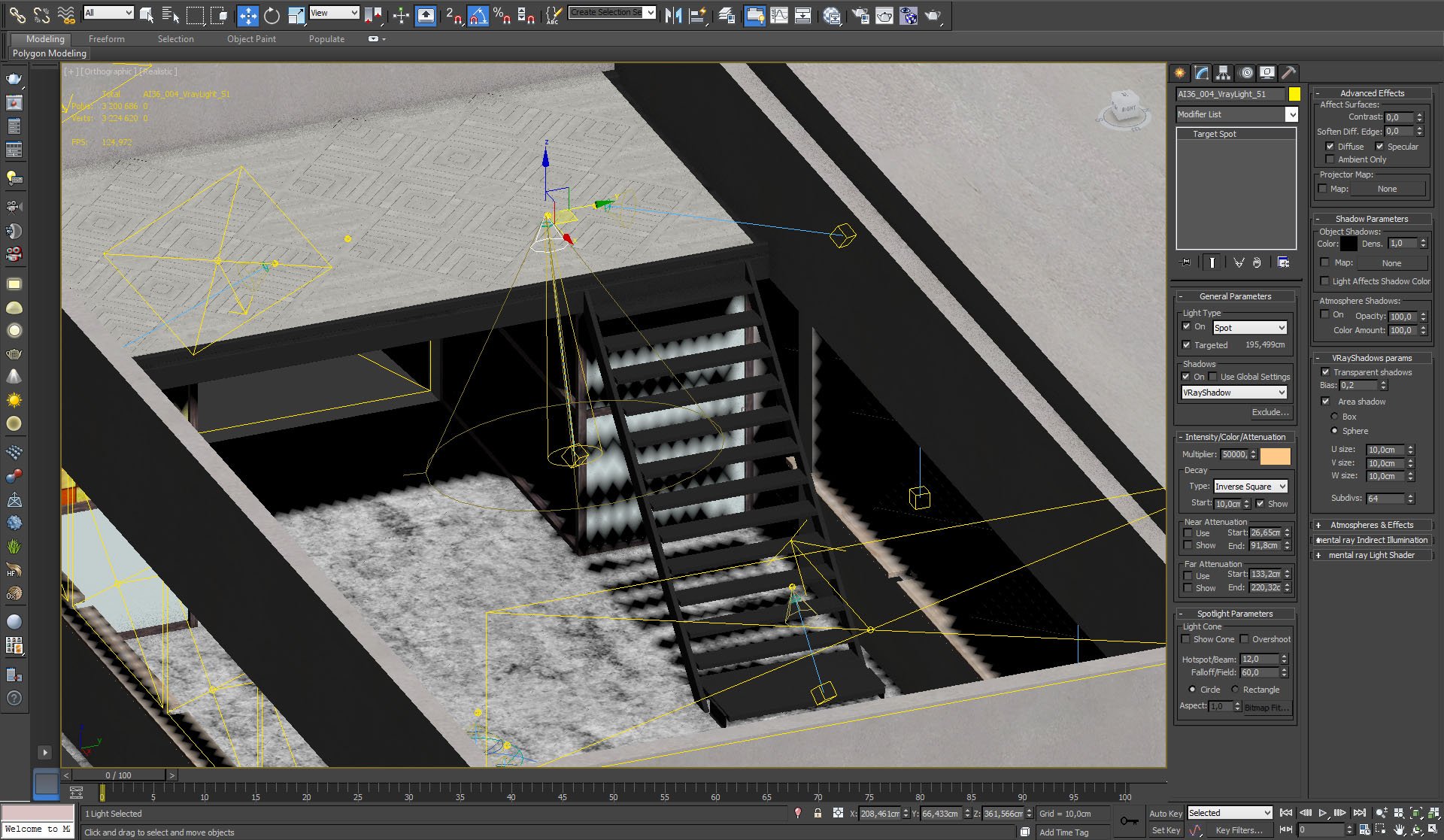
Target spot light settings


Click on image to enlarge nr_L__0016_sun_721.jpg
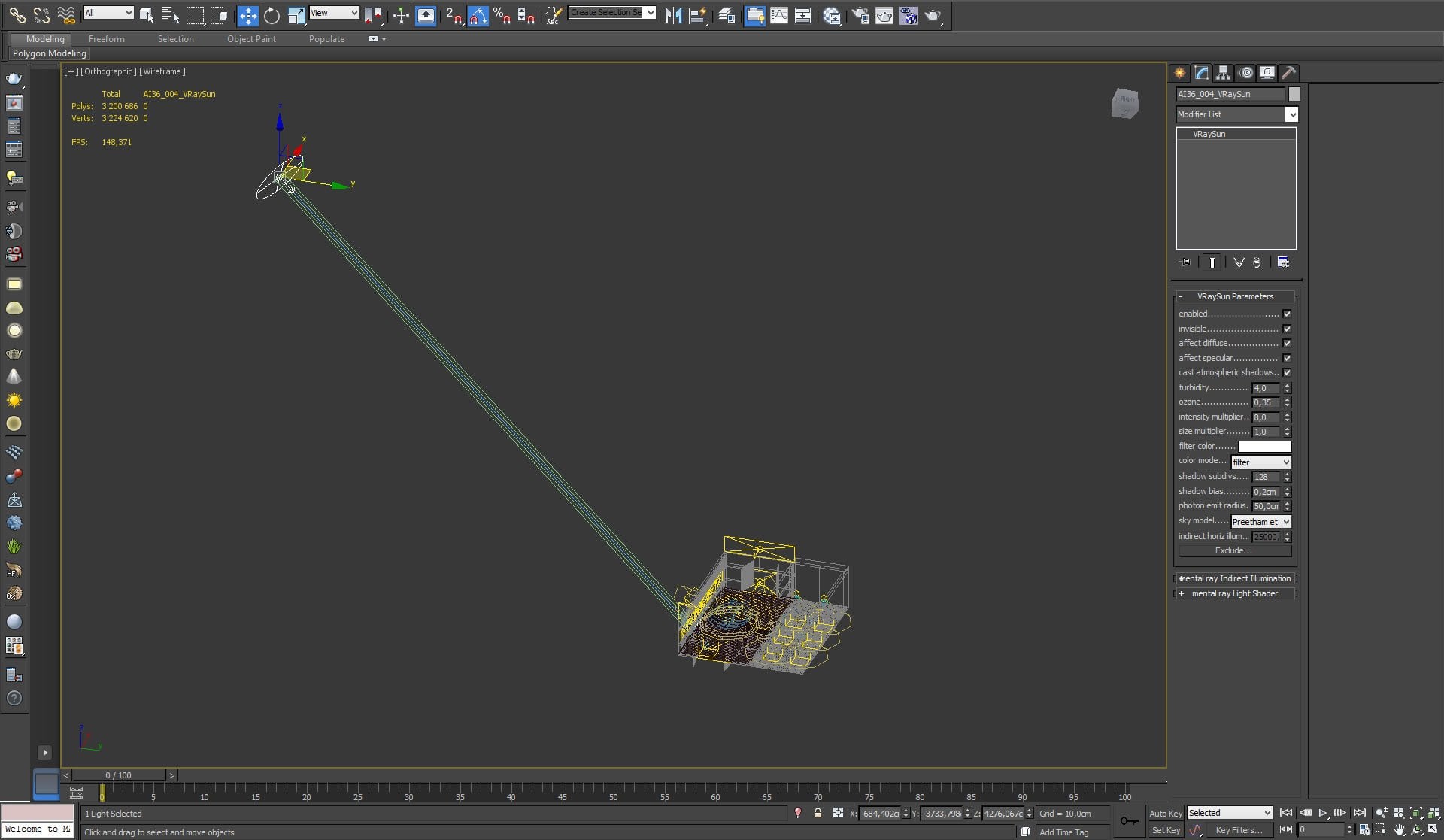
VraySun settings


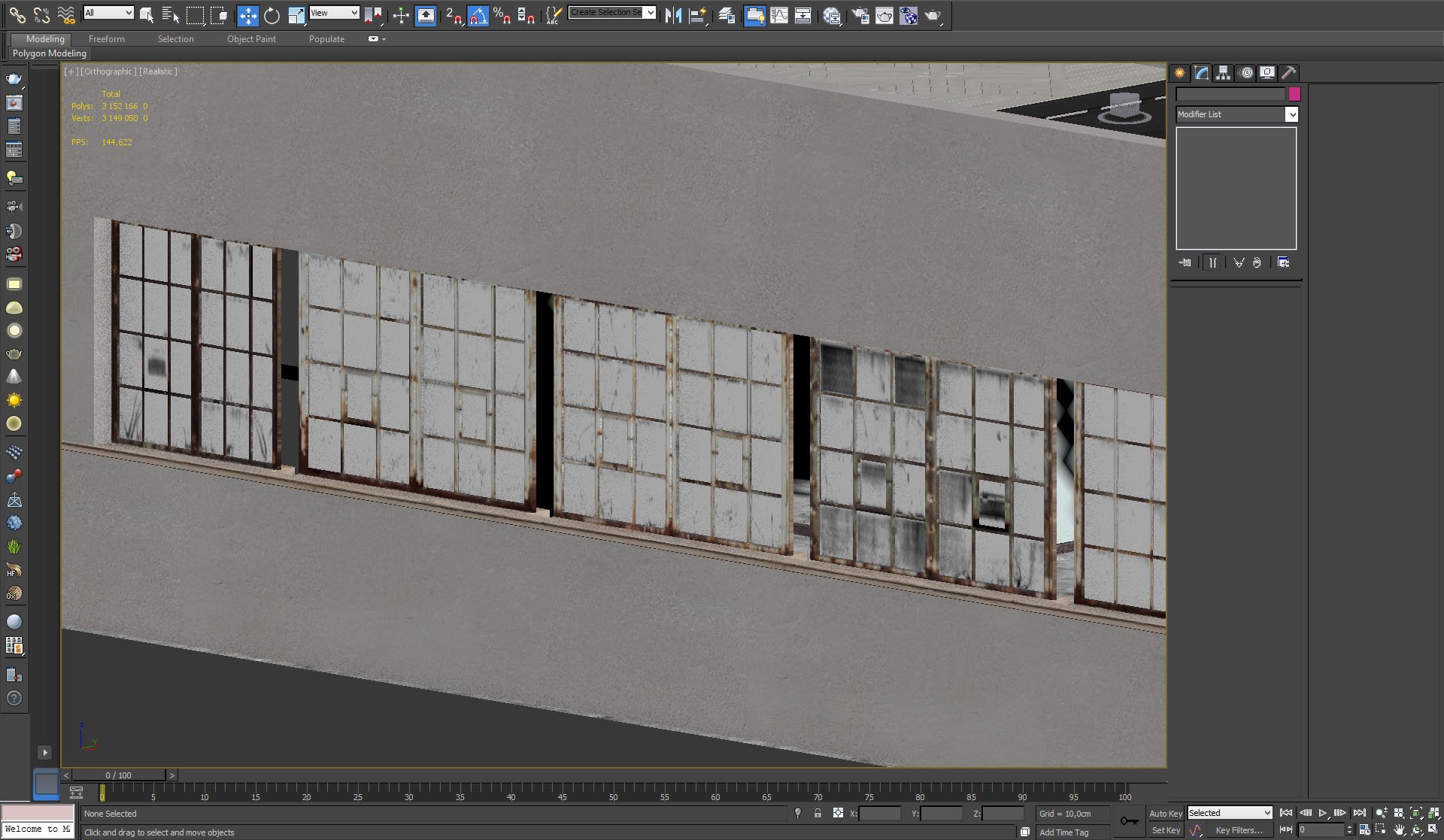
Click on image to enlarge nr_L__0012_windows_717.jpg

Old windows.


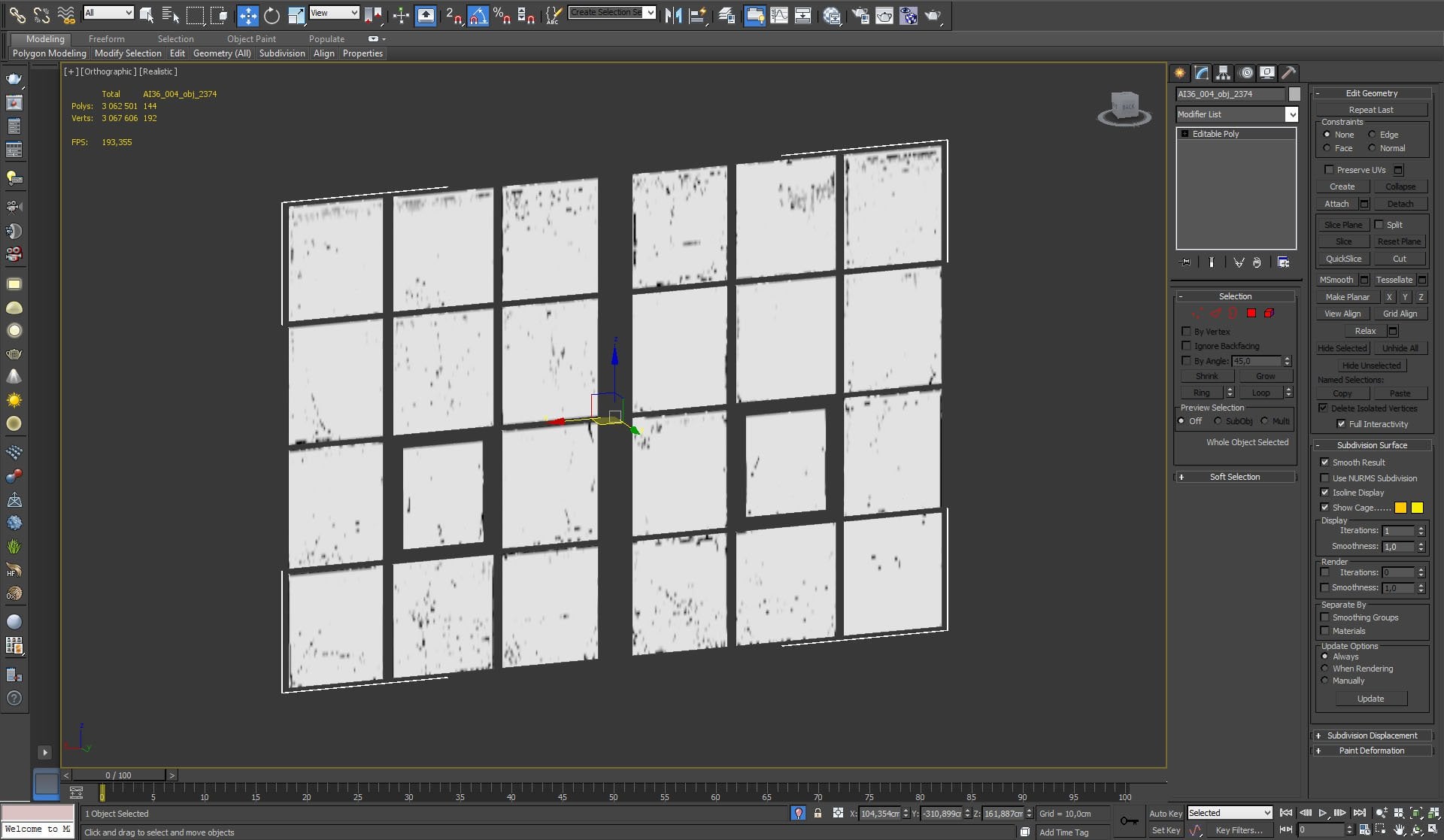
Click on image to enlarge nr_L__0011_windows_glass_716.jpg

Glass with dirt maps.


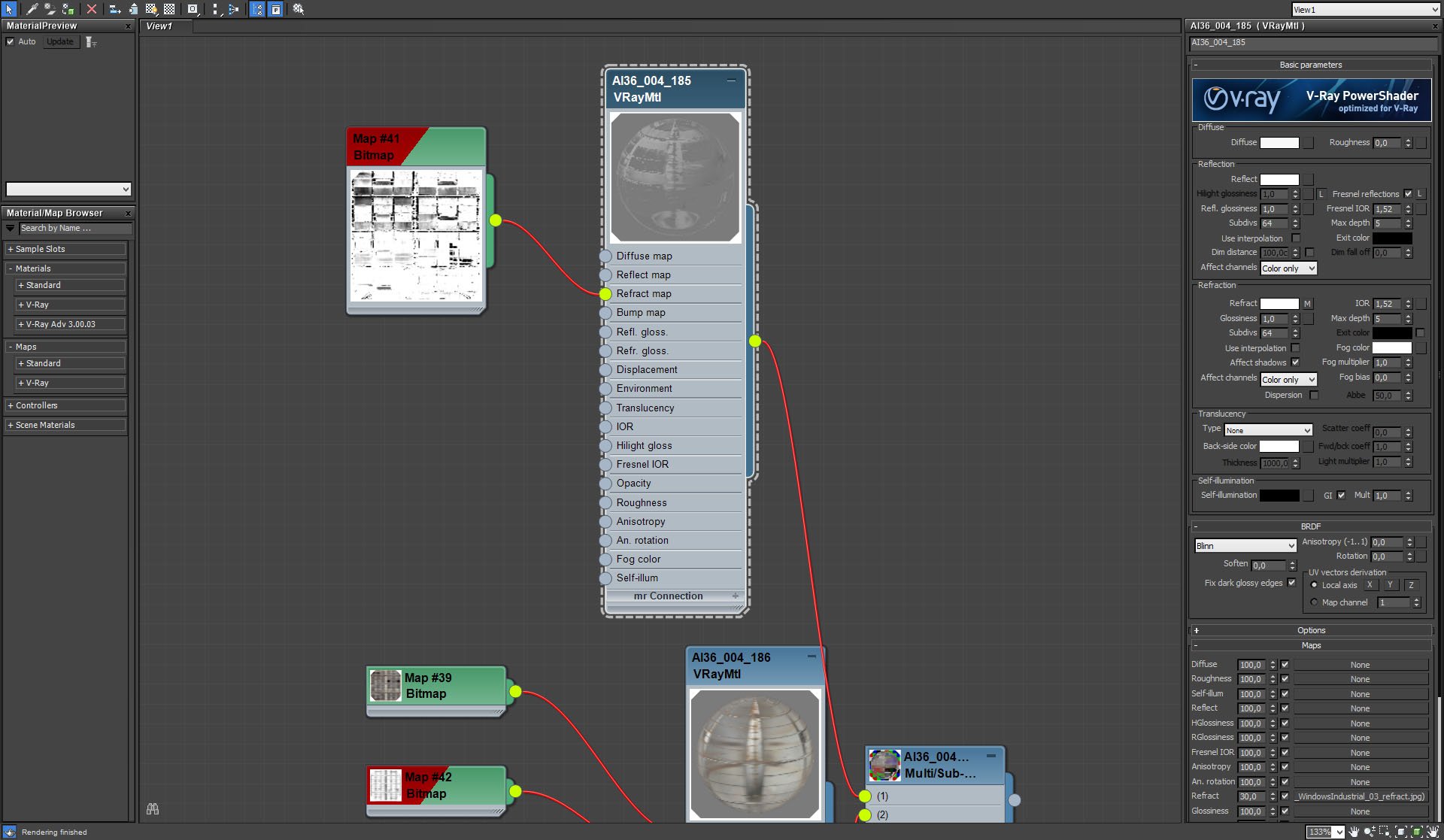
Click on image to enlarge nr_L__0010_windows_glass_m_715.jpg

Window glass material


Click on image to enlarge nr_L__0009_windows_glass_m2_754.jpg

Window glass material (continued)


Click on image to enlarge nr_L__0008_windows_glass_m3_753.jpg
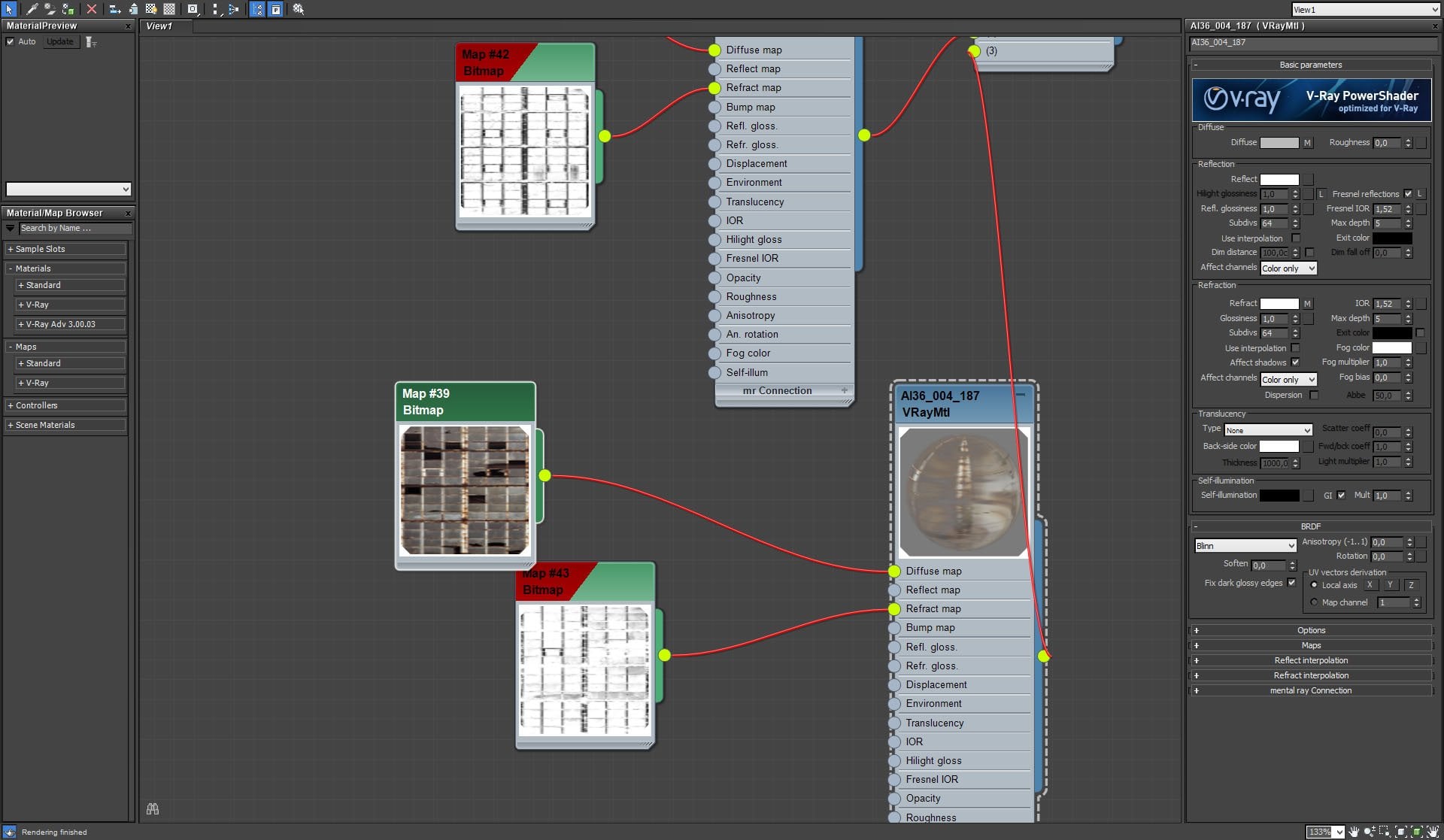
Window glass material (continued)


Click on image to enlarge nr_render_stack_749.jpg
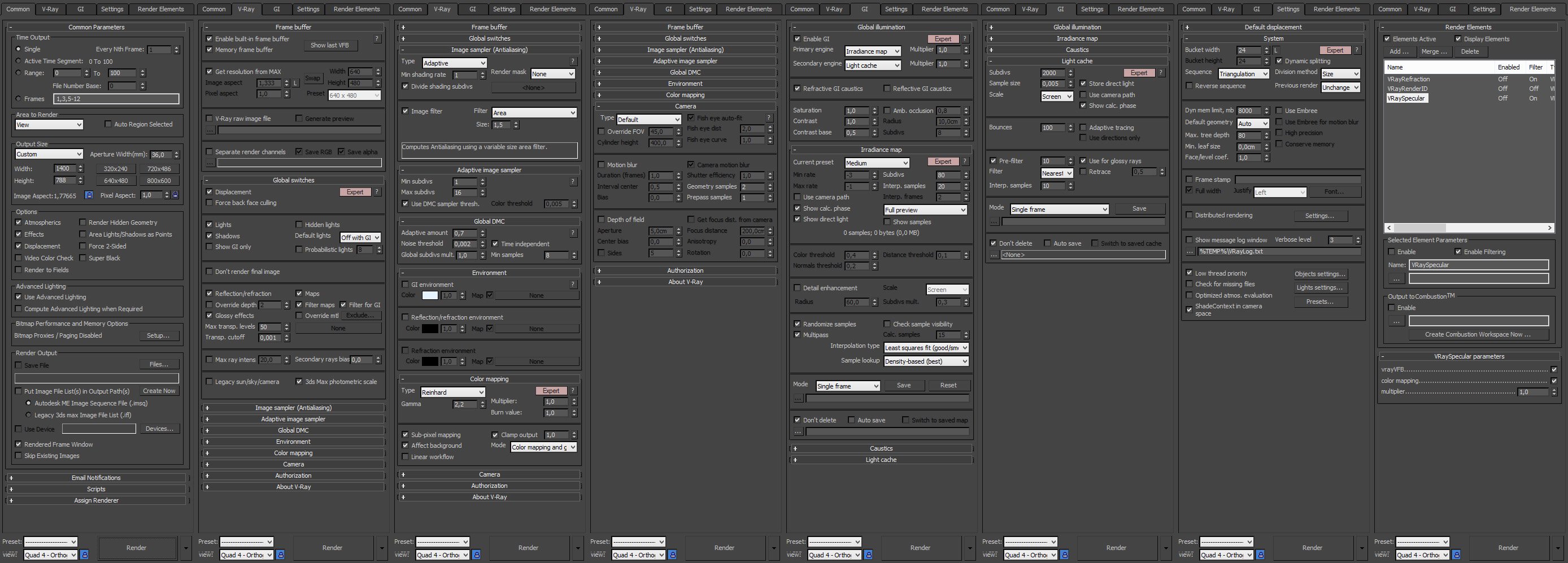
Render settings


Click on image to enlarge nr_AI36_004_raw_752.jpg

Raw render


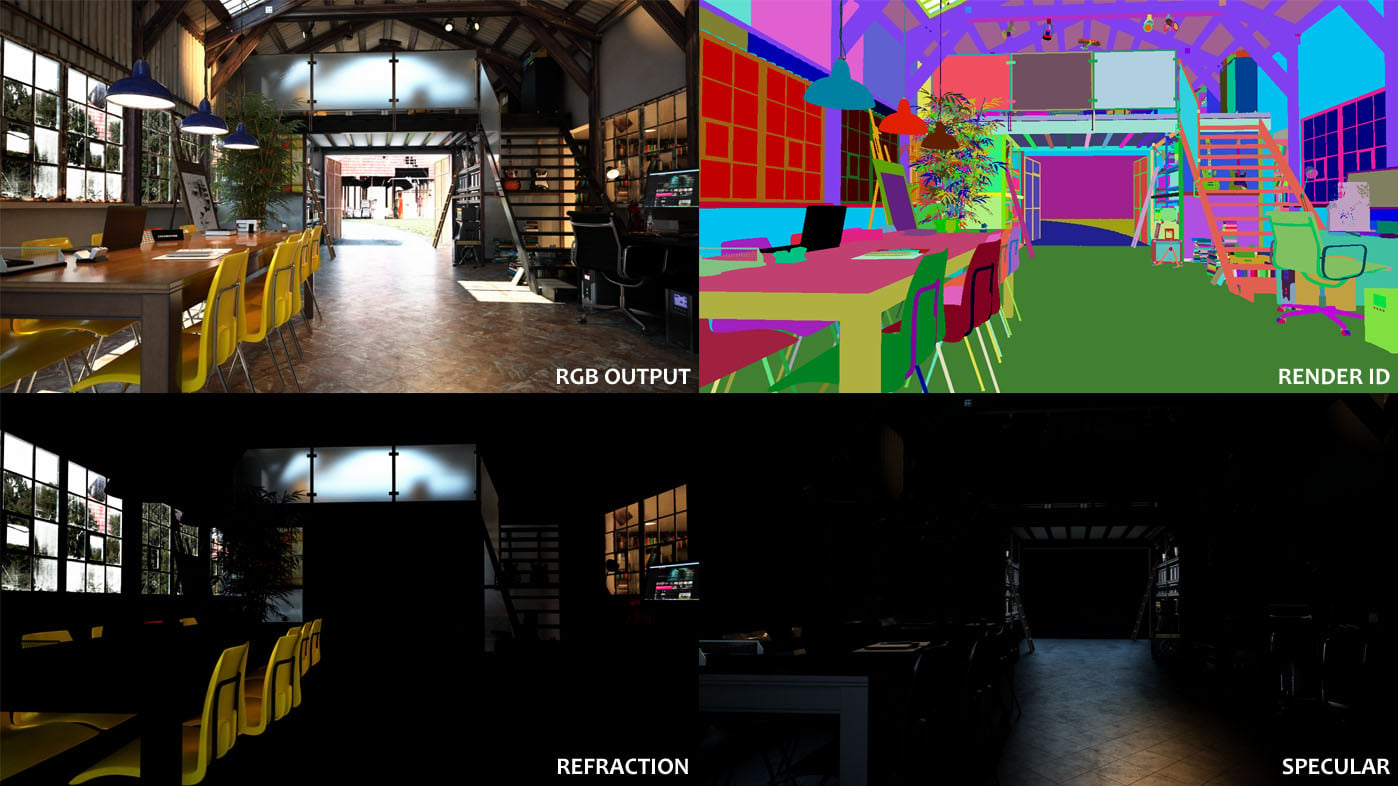
Click on image to enlarge PASSES.jpg

Render passes


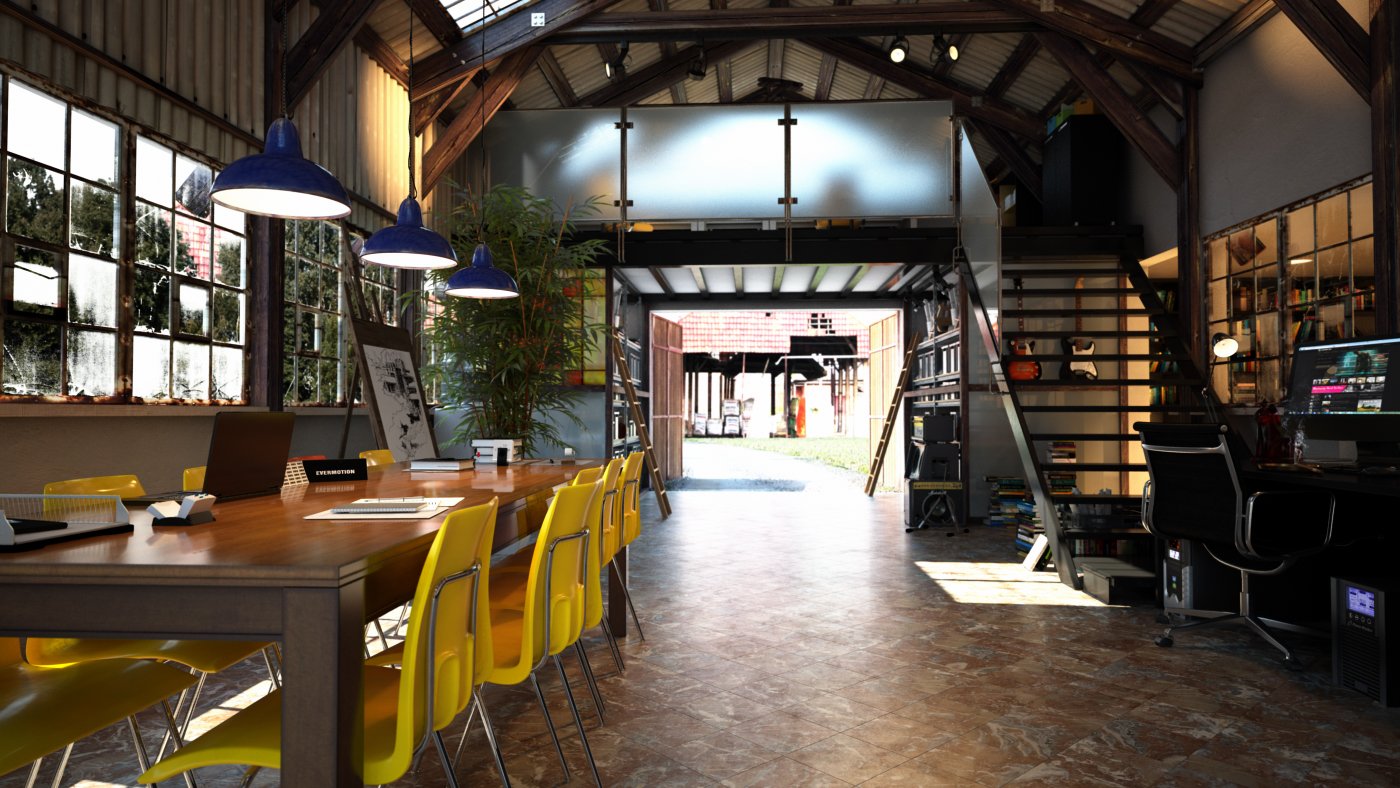
Click on image to enlarge nr_AI36_004_PP_751.jpg

Final image.

And that's how it was done! Hope you enjoyed it!



Author: Michał Franczak Editor: Michał Franczak
Tags: archinteriors scene4 archinetriorsvol.36
You may also like...
Making of Archinteriors vol. 32 scene

Making of Archinteriors vol. 32 scene

Andrew from Evermotion shows how he made Archinteriors vol. 32 scene using Blender for modeling and 3ds Max and VRay for lighting and rendering.
×

LEAVE A COMMENT

You need to be logged in to leave a comment. Don't have account? Register now.

reza-abbasi 13:15:58  |  18-02-2015
its more then than beatiful , realy nice work