This city exterior is included in Archexteriors vol. 28 as scene 10. The scene was made in 3ds Max and rendered in V-Ray by Evermotion.
Click on image to enlarge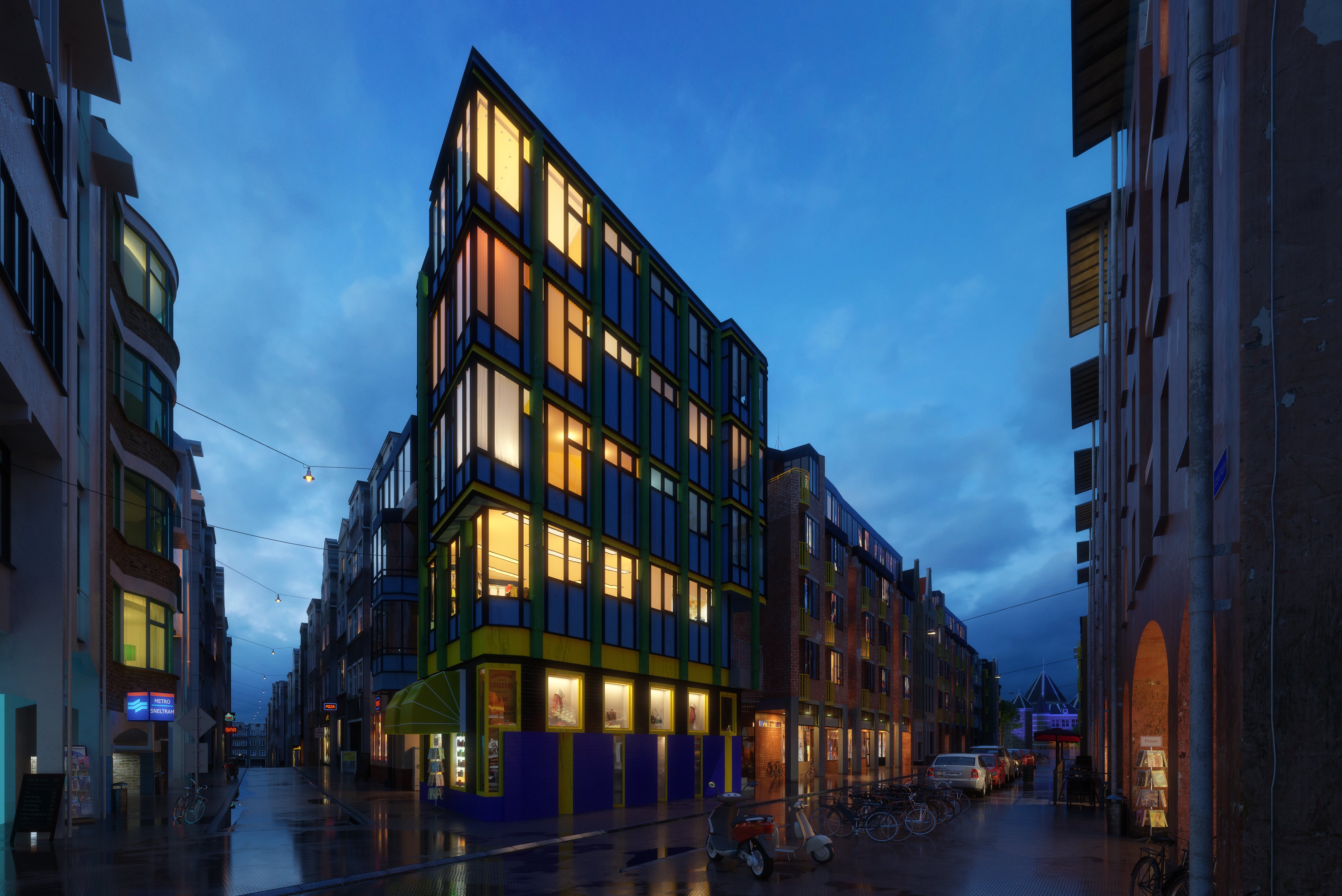
Final scene after post-production. Evening city after the rain.
Click on image to enlarge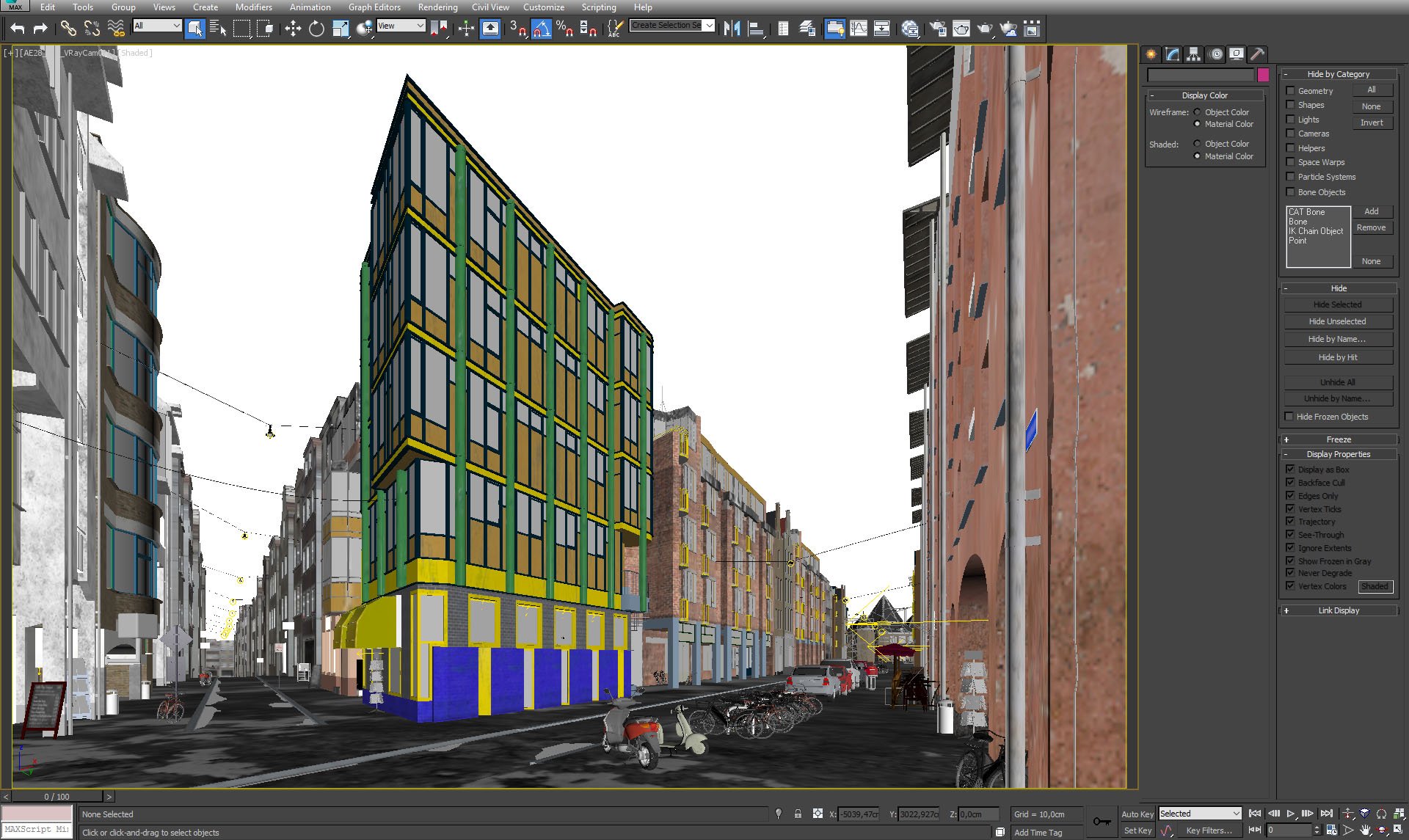
3ds Max viewport.
Click on image to enlarge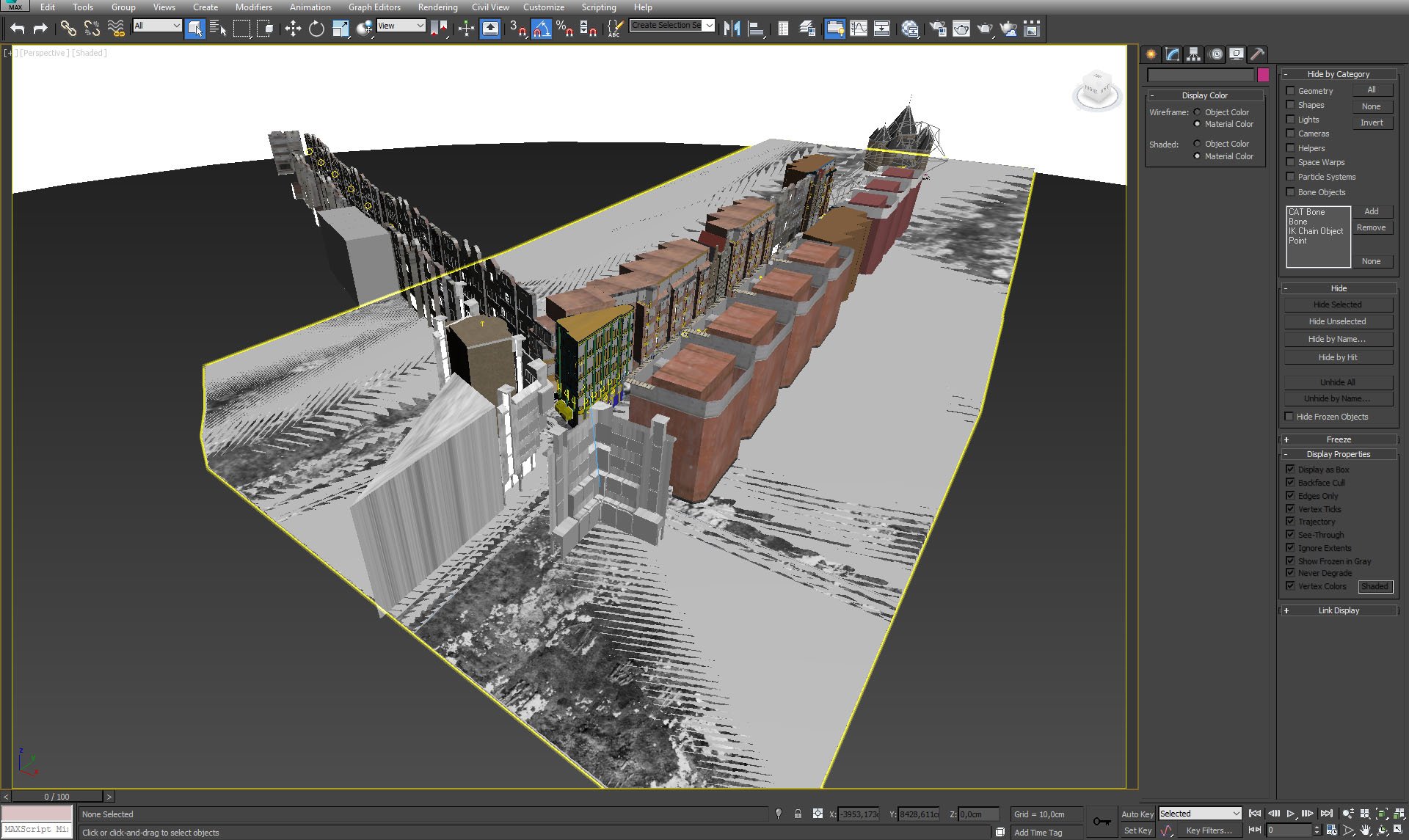
Final image, camera 3.Overview of the scene. As you can see, we modeled mainly right street, the buildings on the left are made with textured facades. We also modeled some building interiors, especially those that are closer to the camera.
Click on image to enlarge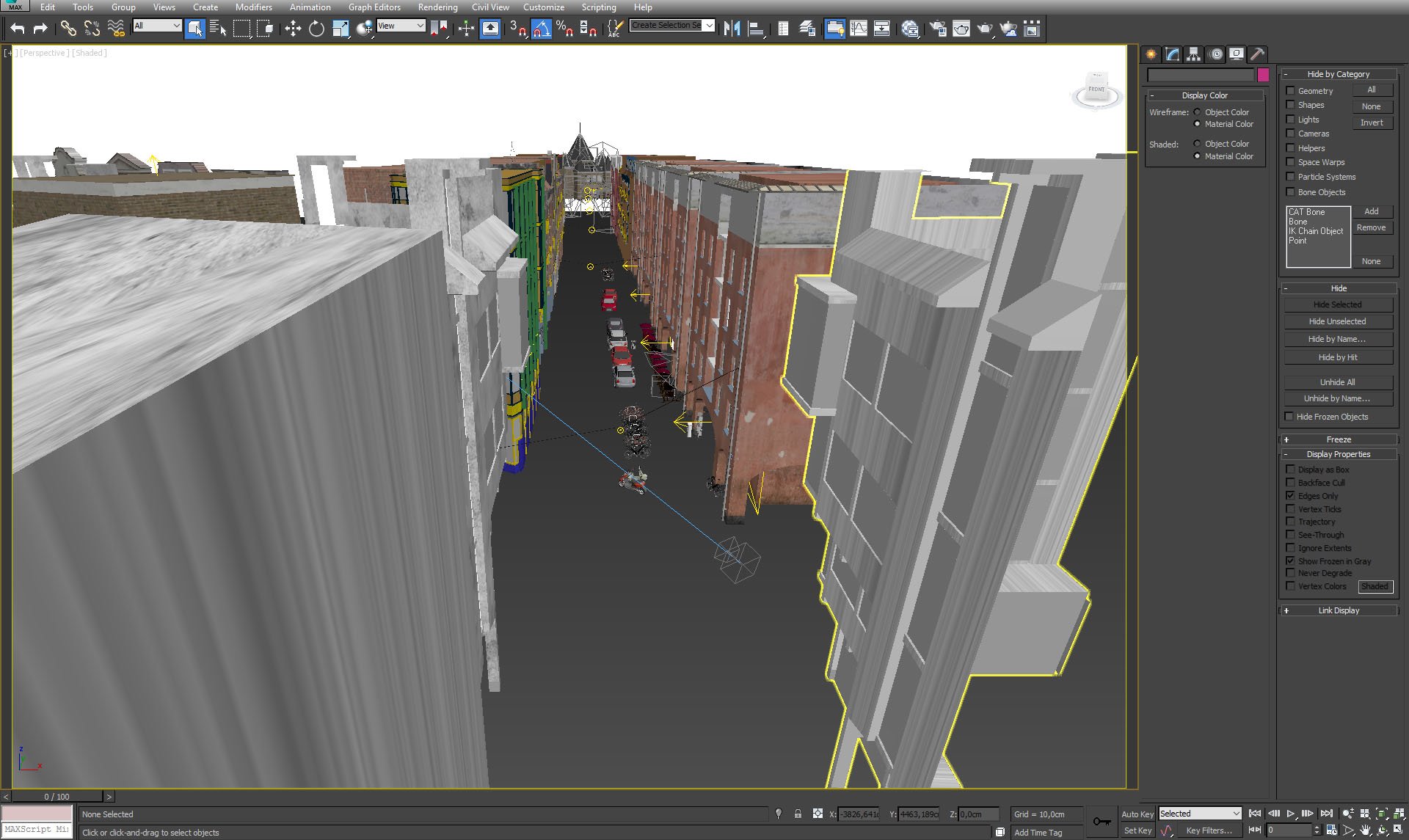
We placed a couple of cars and motorbikes on the street.
Click on image to enlarge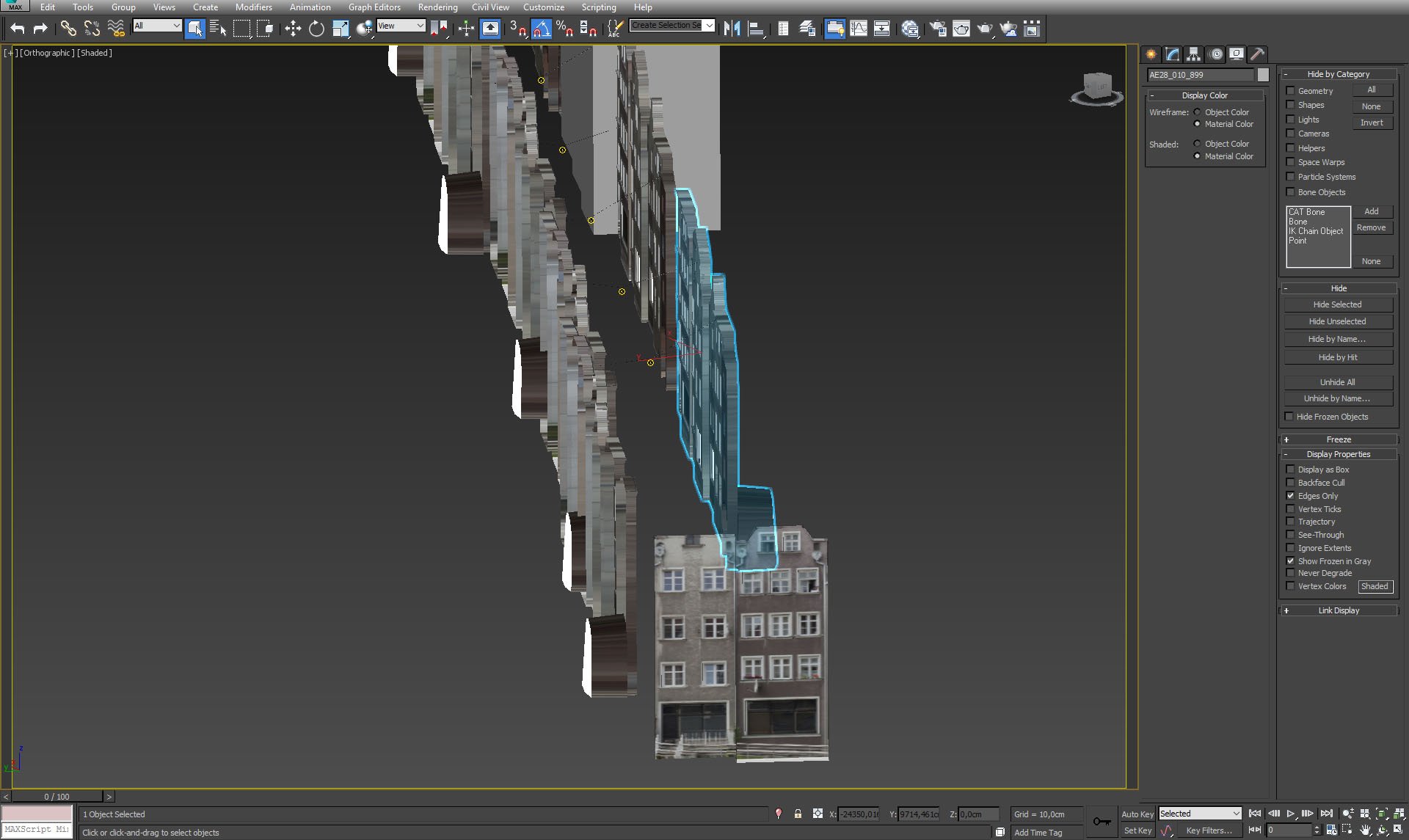
Left street - textured front walls of the buildings.
Click on image to enlarge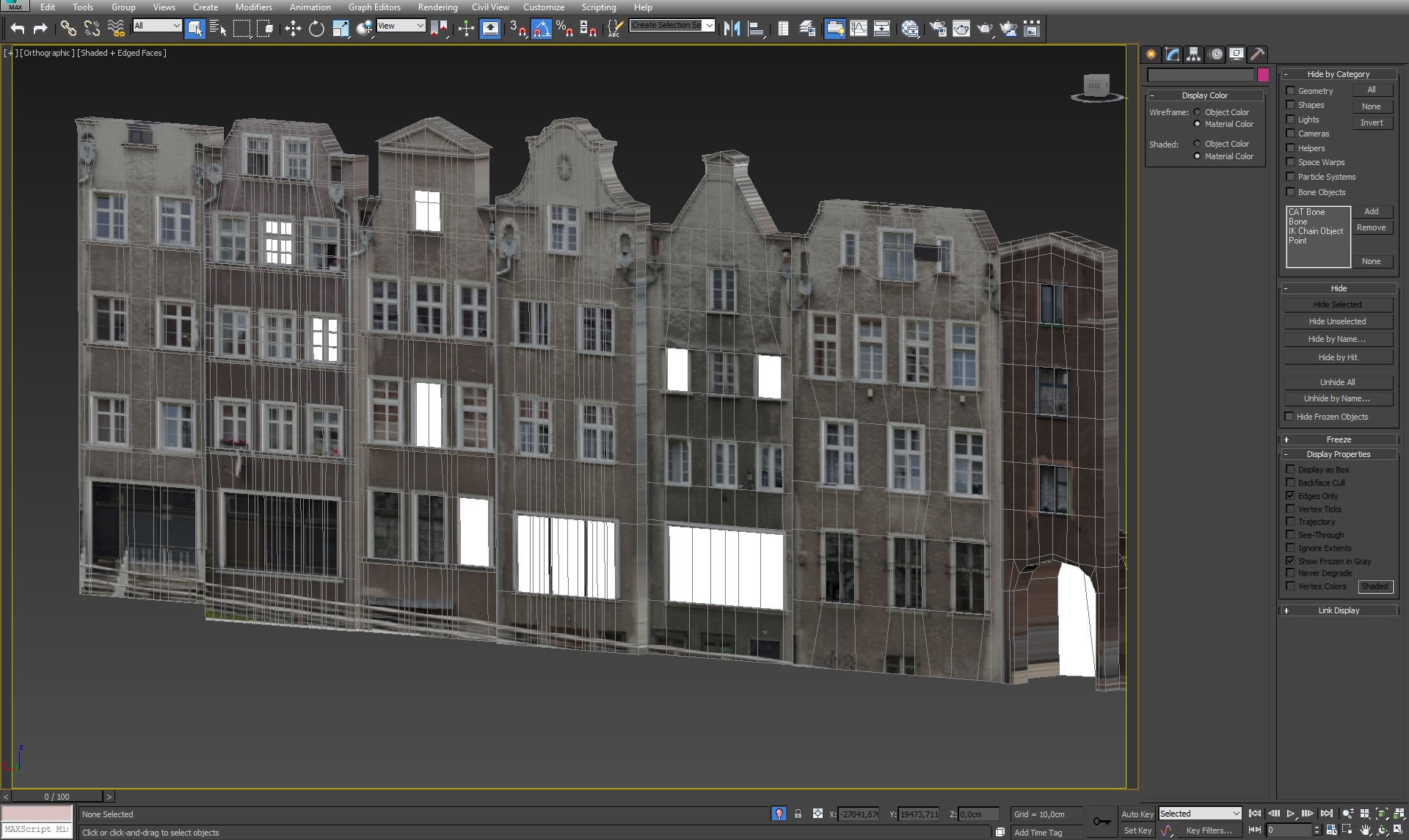
Textured front walls, close-up.
Click on image to enlarge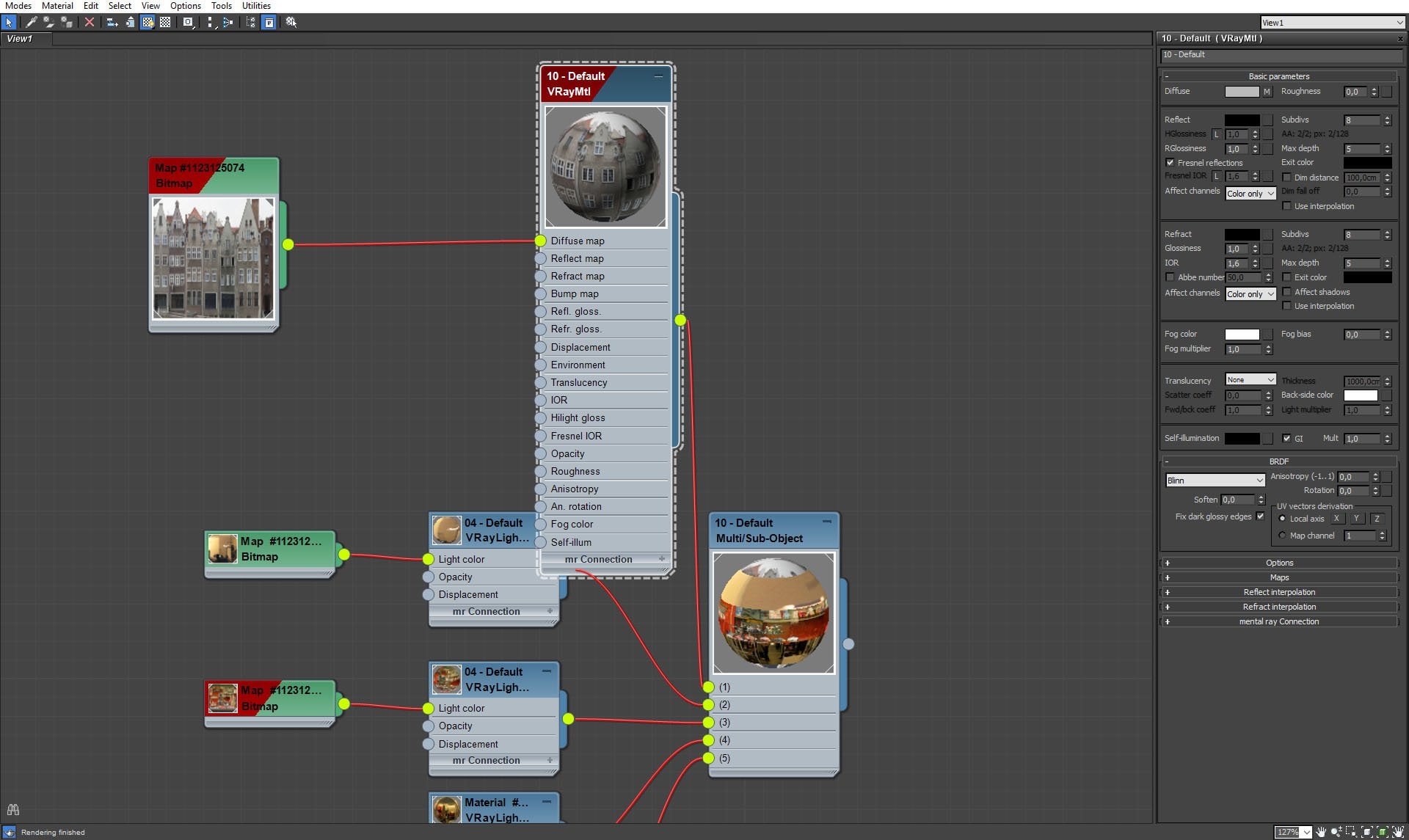
Those facades use multi/sub object material, because we want not only to color them, we want them also to emit night lights from certain polygons.
Click on image to enlarge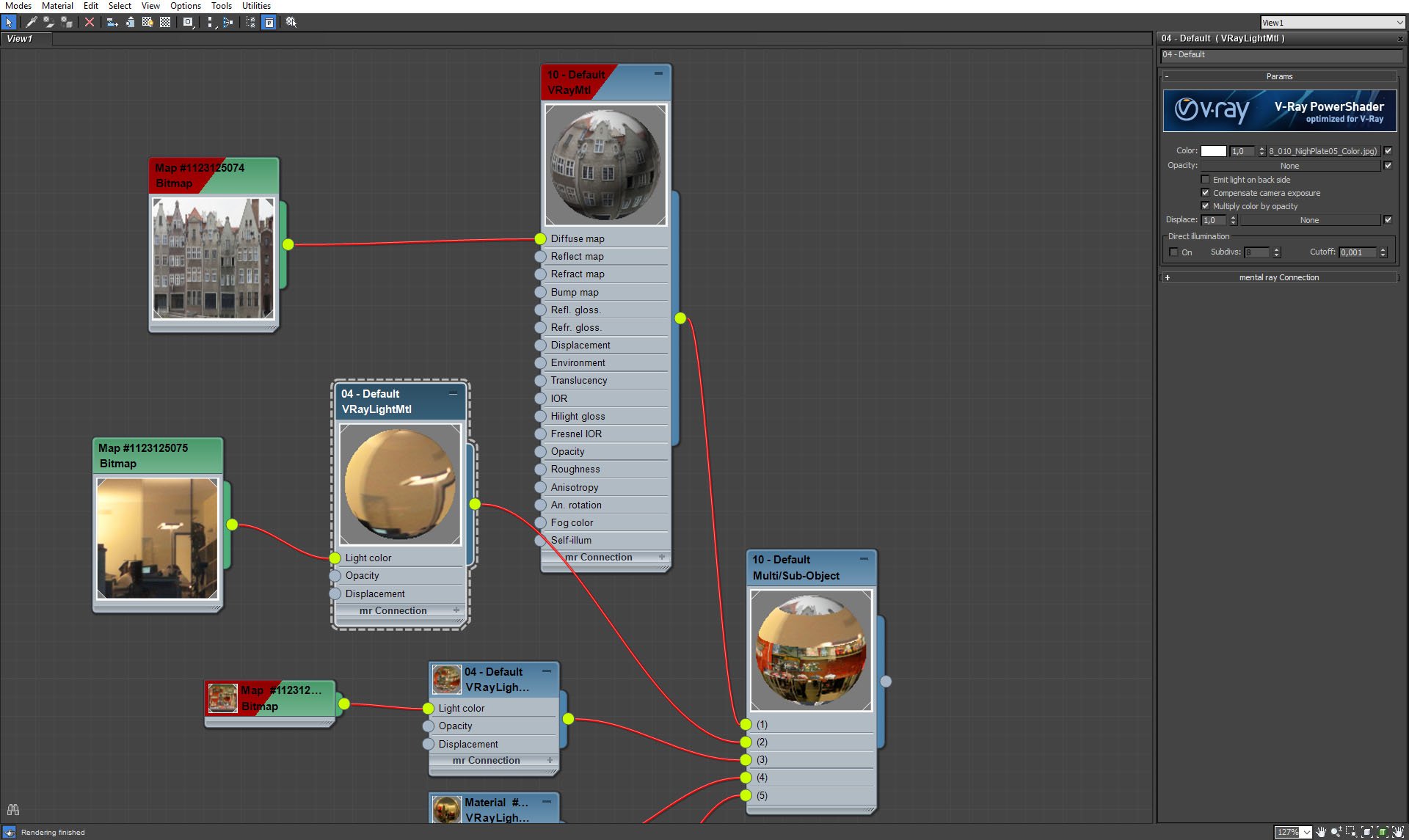
Building facades, VrayLightMat settings.
Click on image to enlarge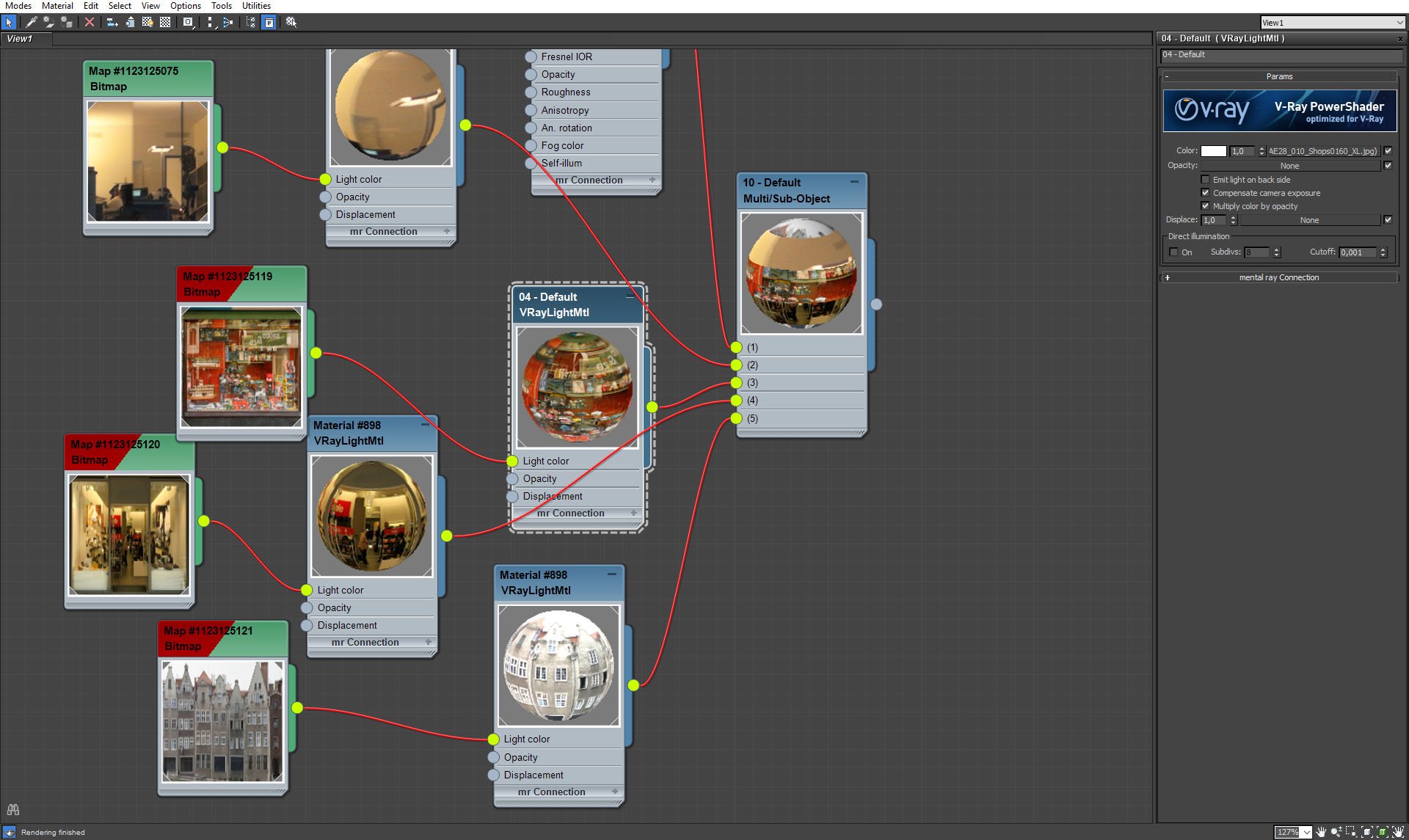
Building facades, VrayLightMat settings.
Click on image to enlarge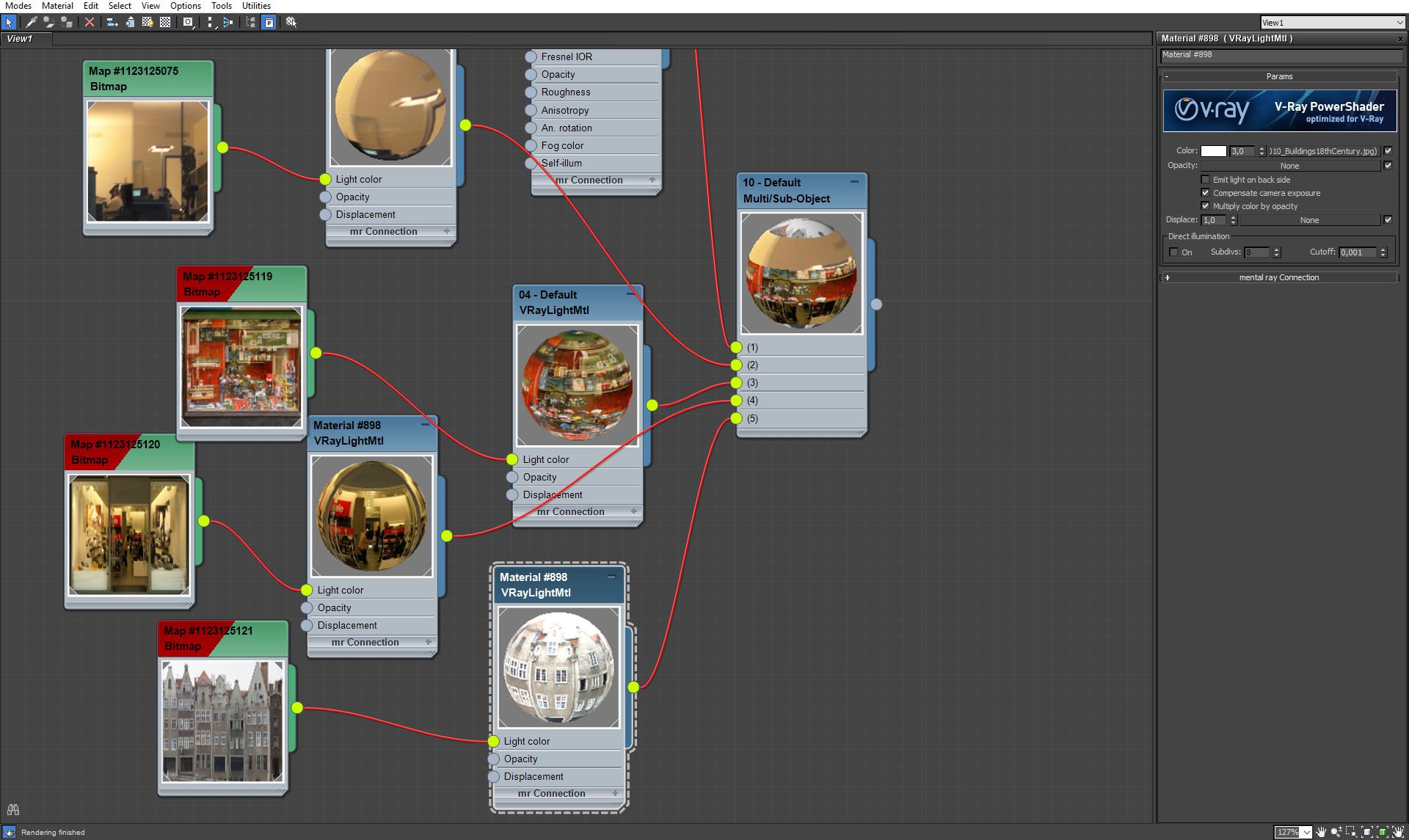
Building facades, VrayLightMat settings.
Click on image to enlarge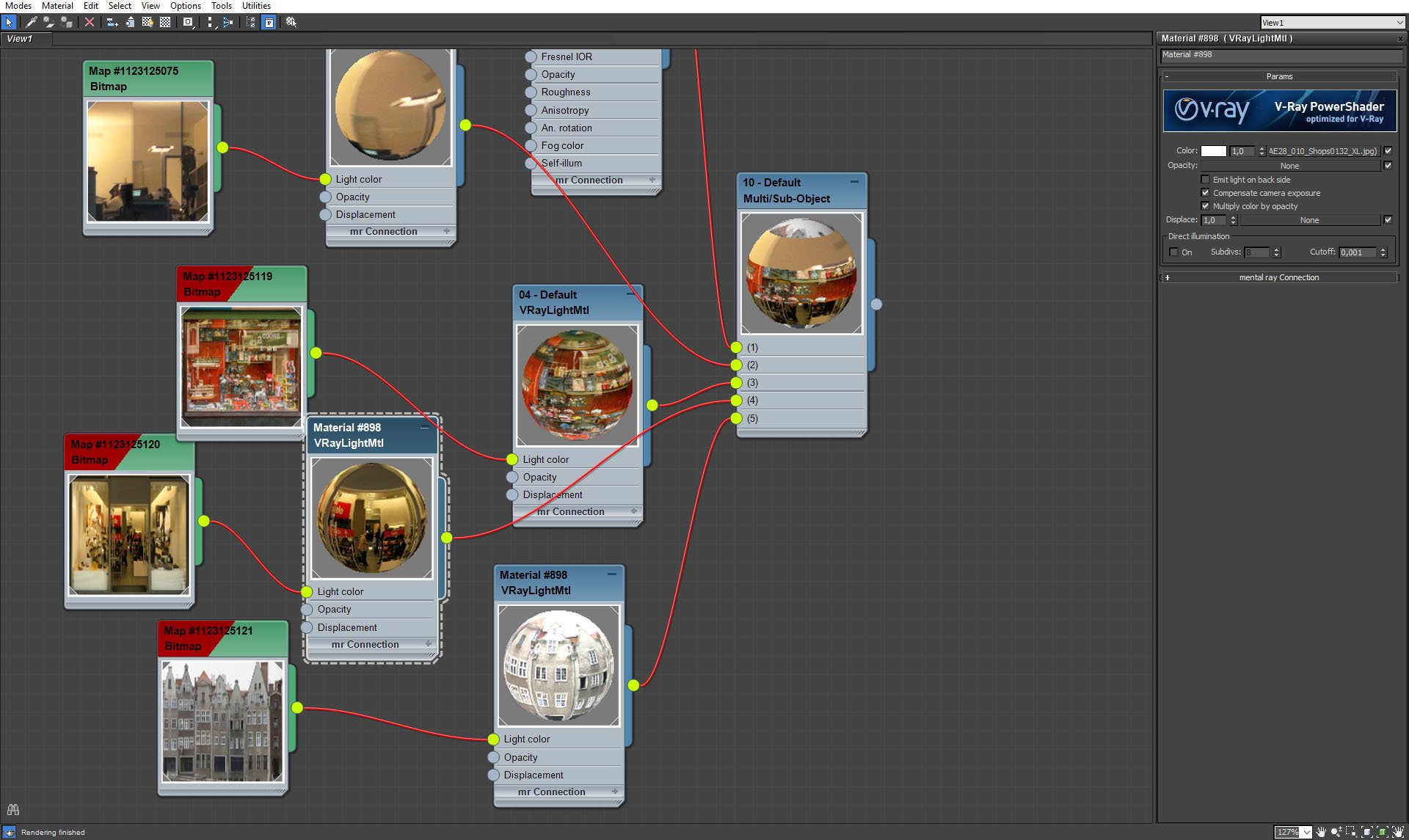
Building facades, VrayLightMat settings.
Click on image to enlarge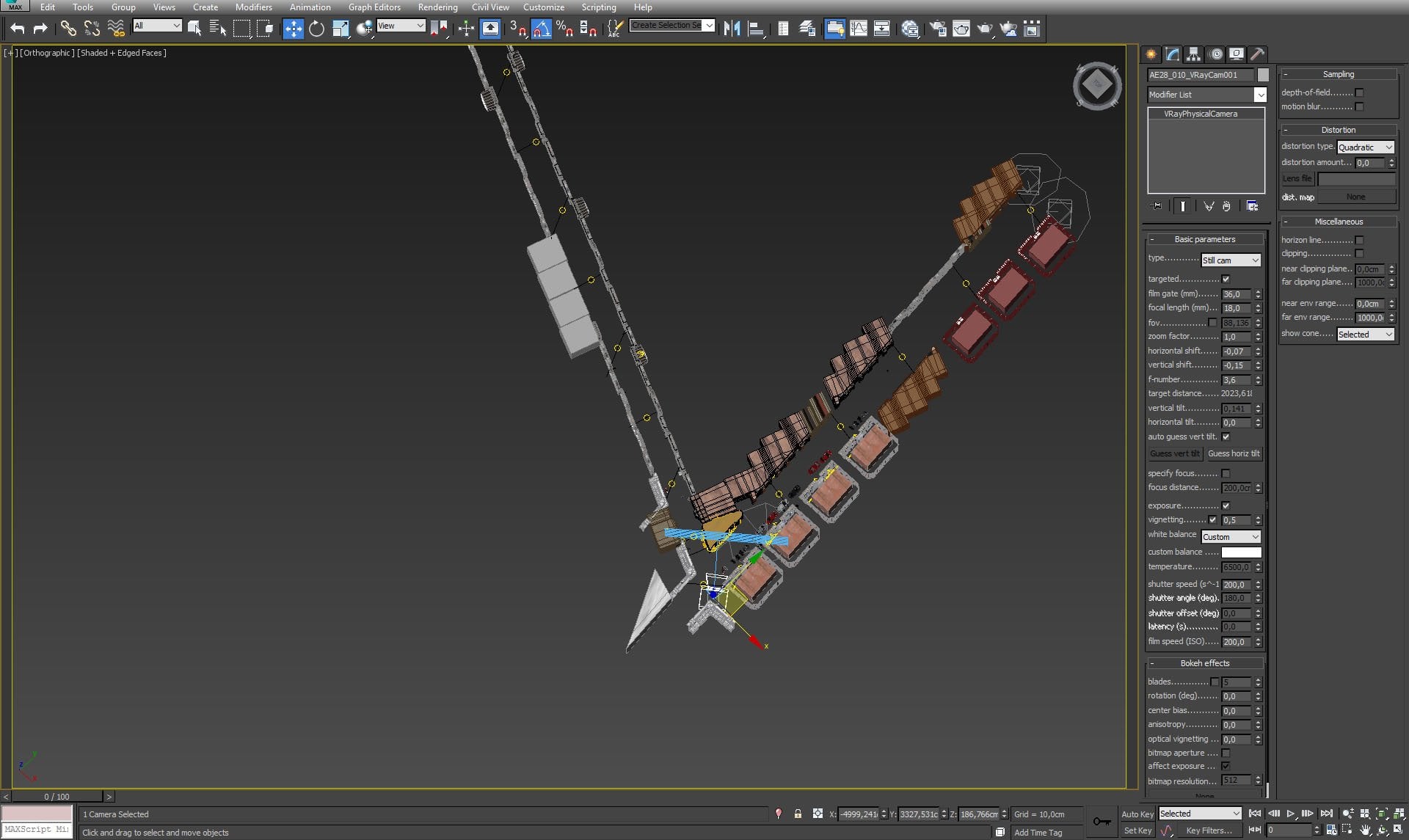
Camera settings.
Click on image to enlarge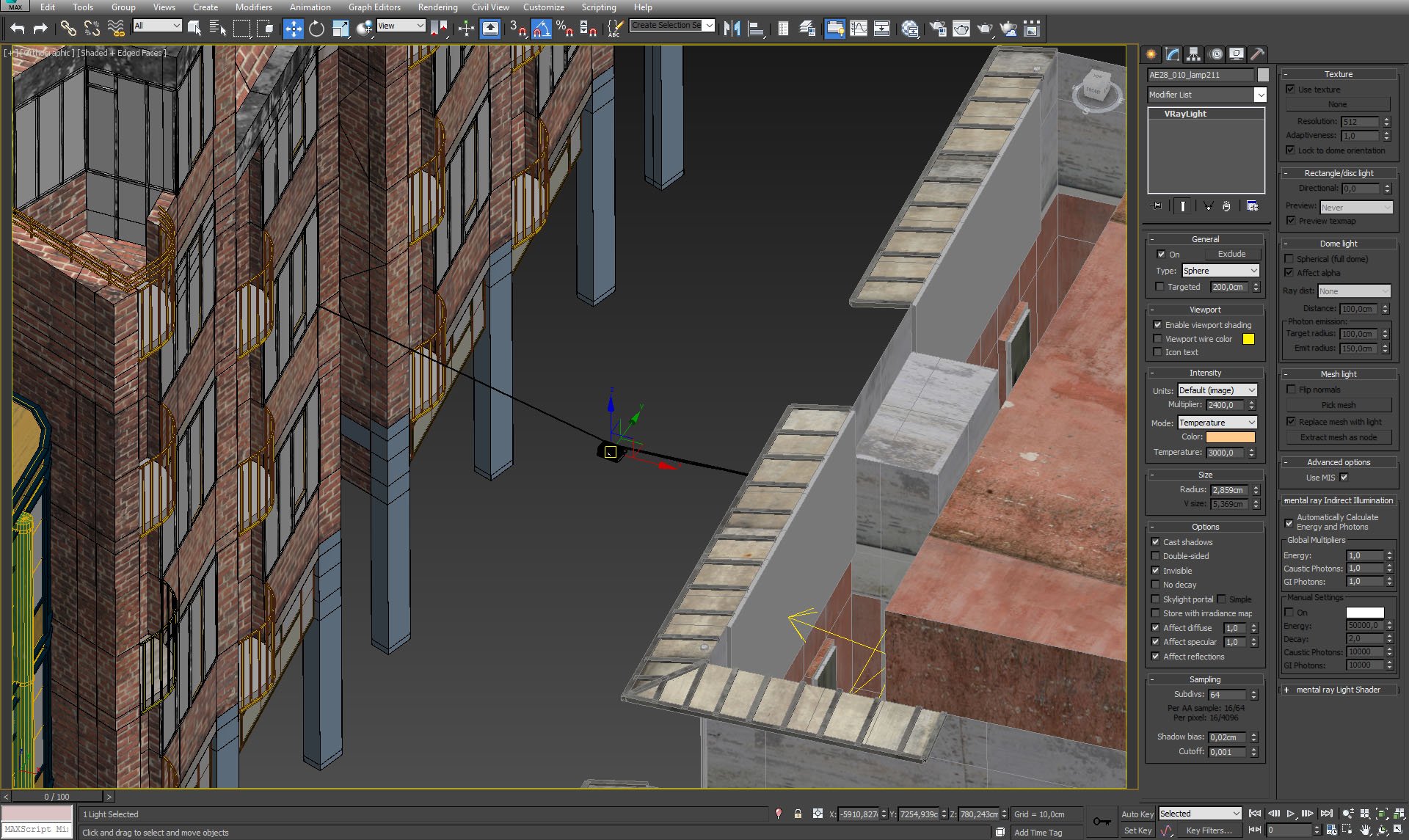
We put some lights beneath the street. Settings on the right.
Click on image to enlarge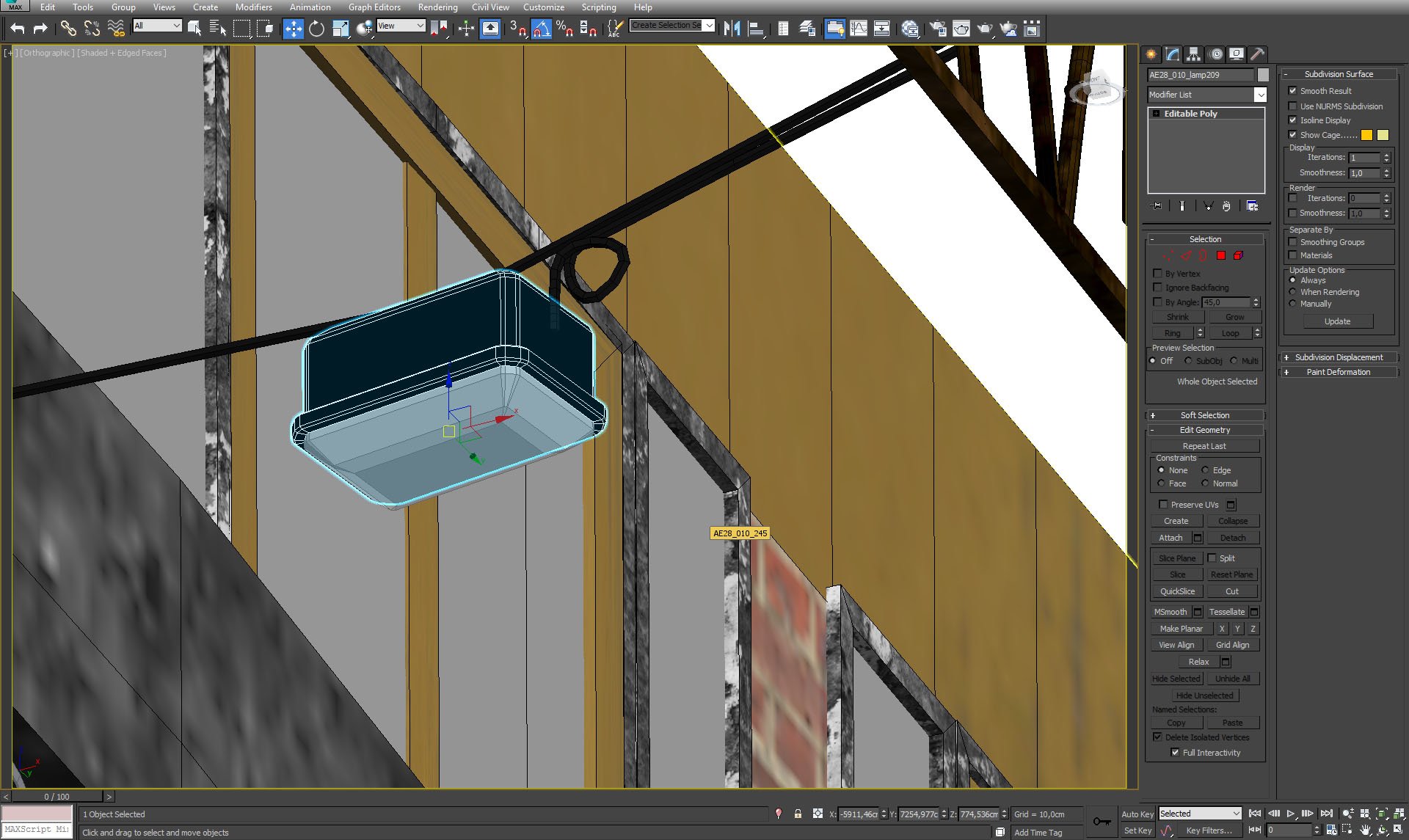
Lampshield.
Click on image to enlarge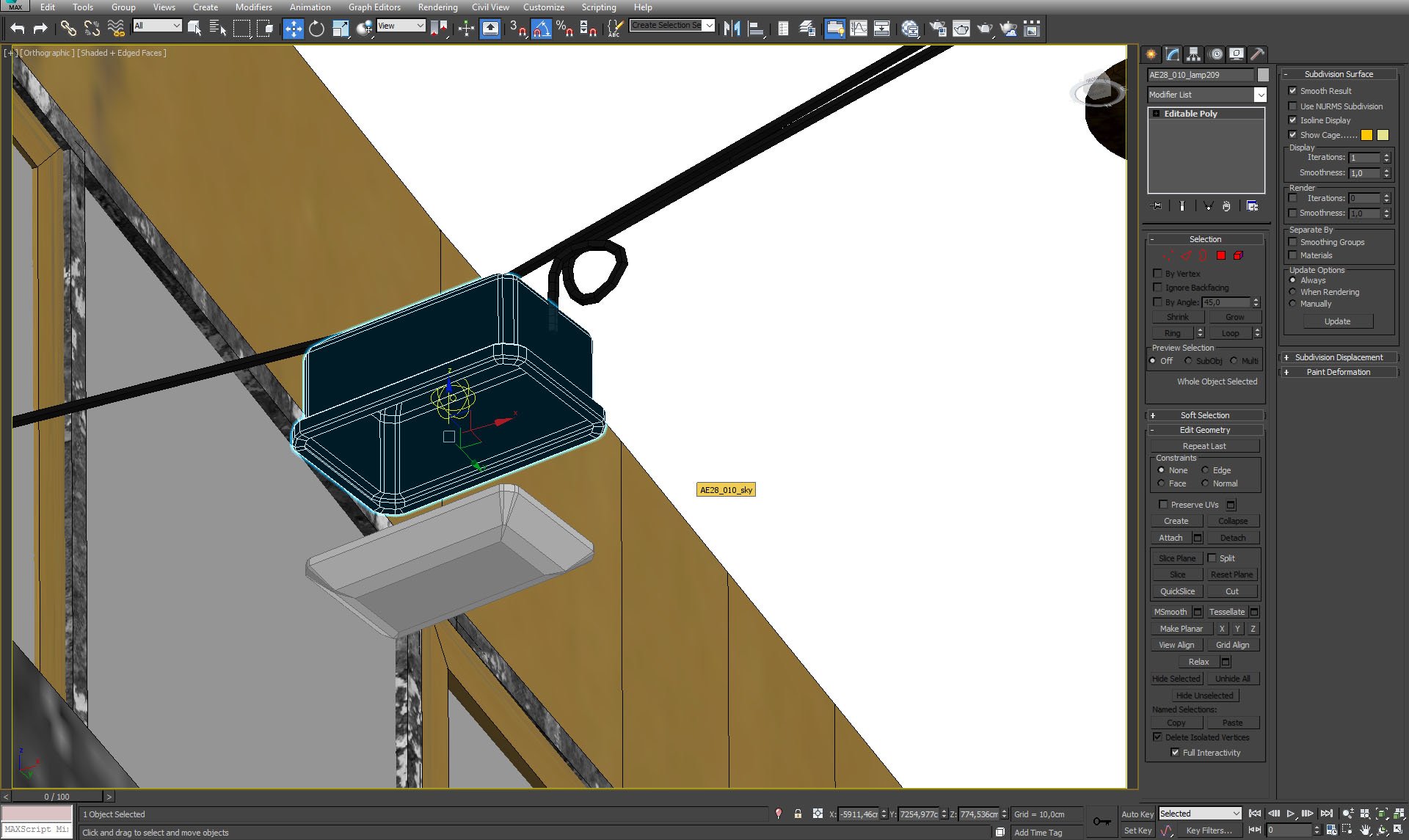
Lampshield and a light source inside.
Click on image to enlarge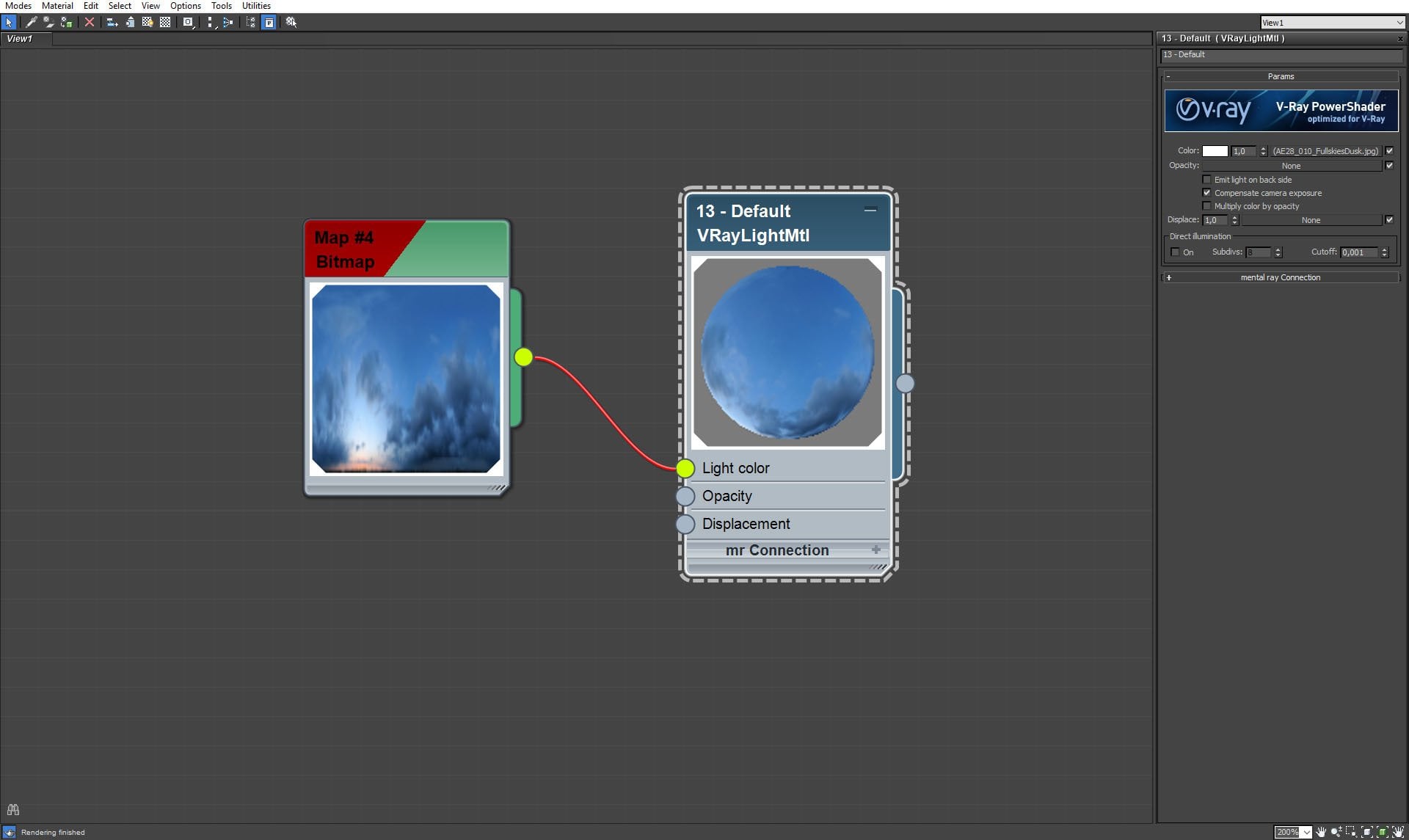
Georgeous blue evening sky is a map on a dome.
Click on image to enlarge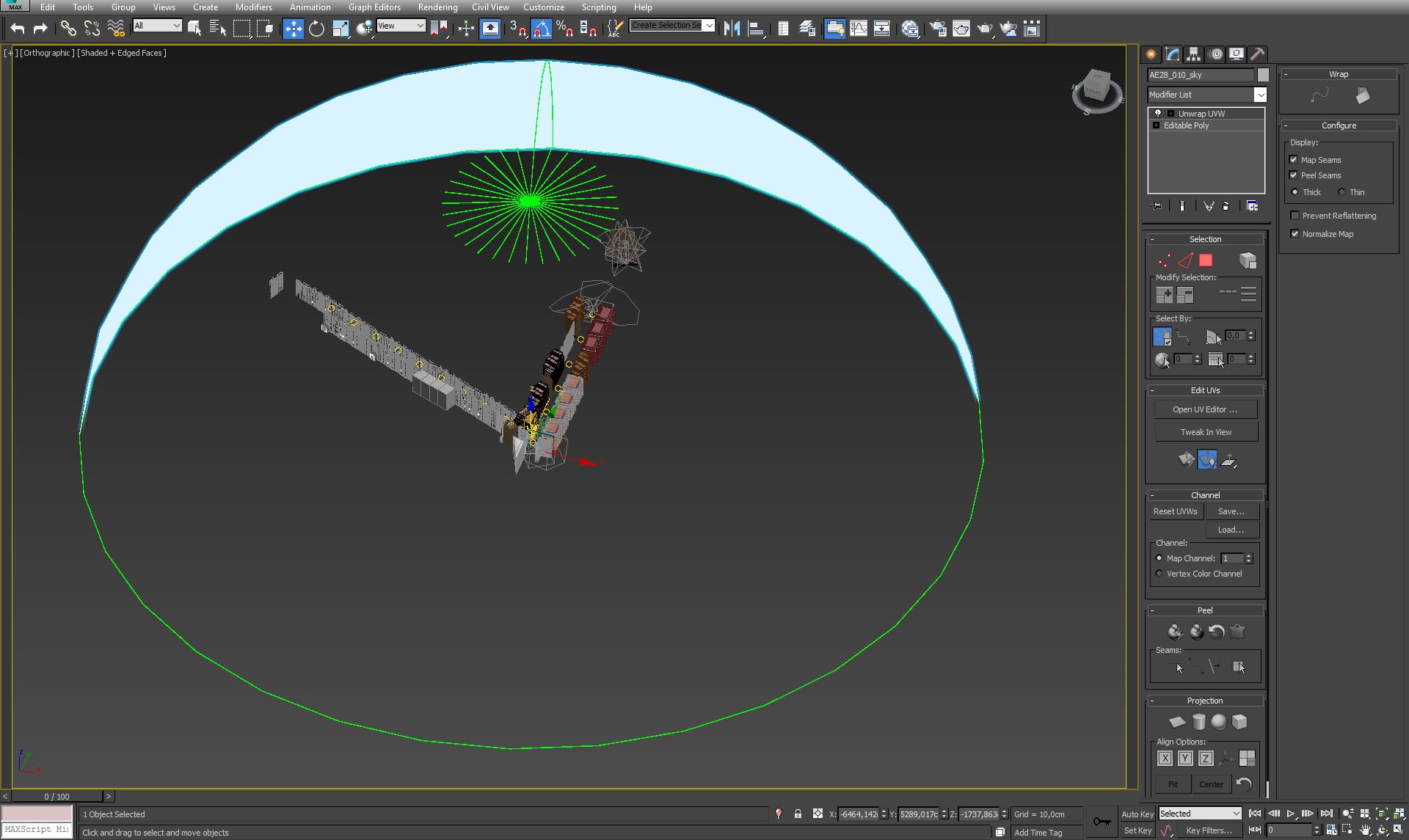
A dome (sky map).
Click on image to enlarge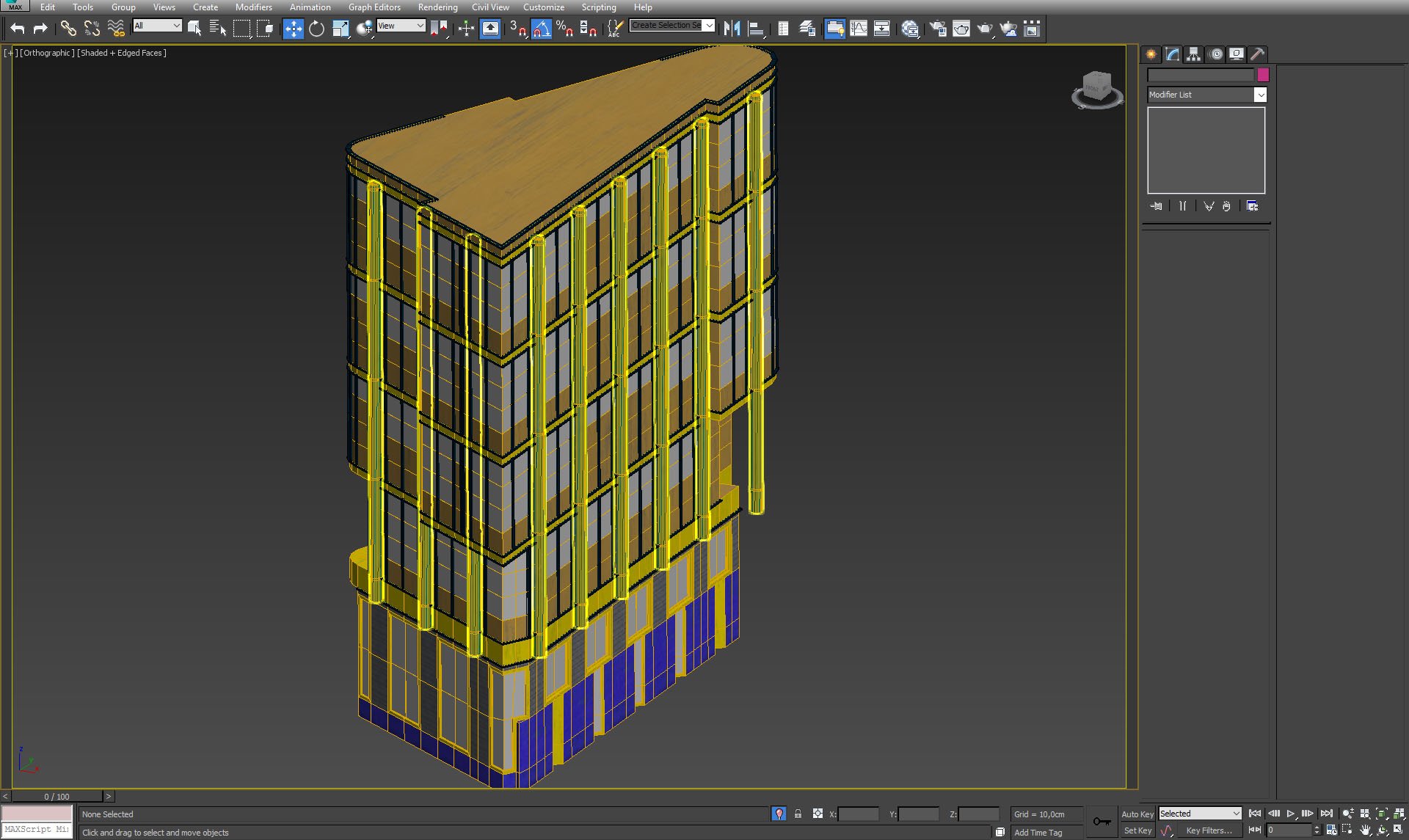
Building that is closest to the camera is the most detailed one.
Click on image to enlarge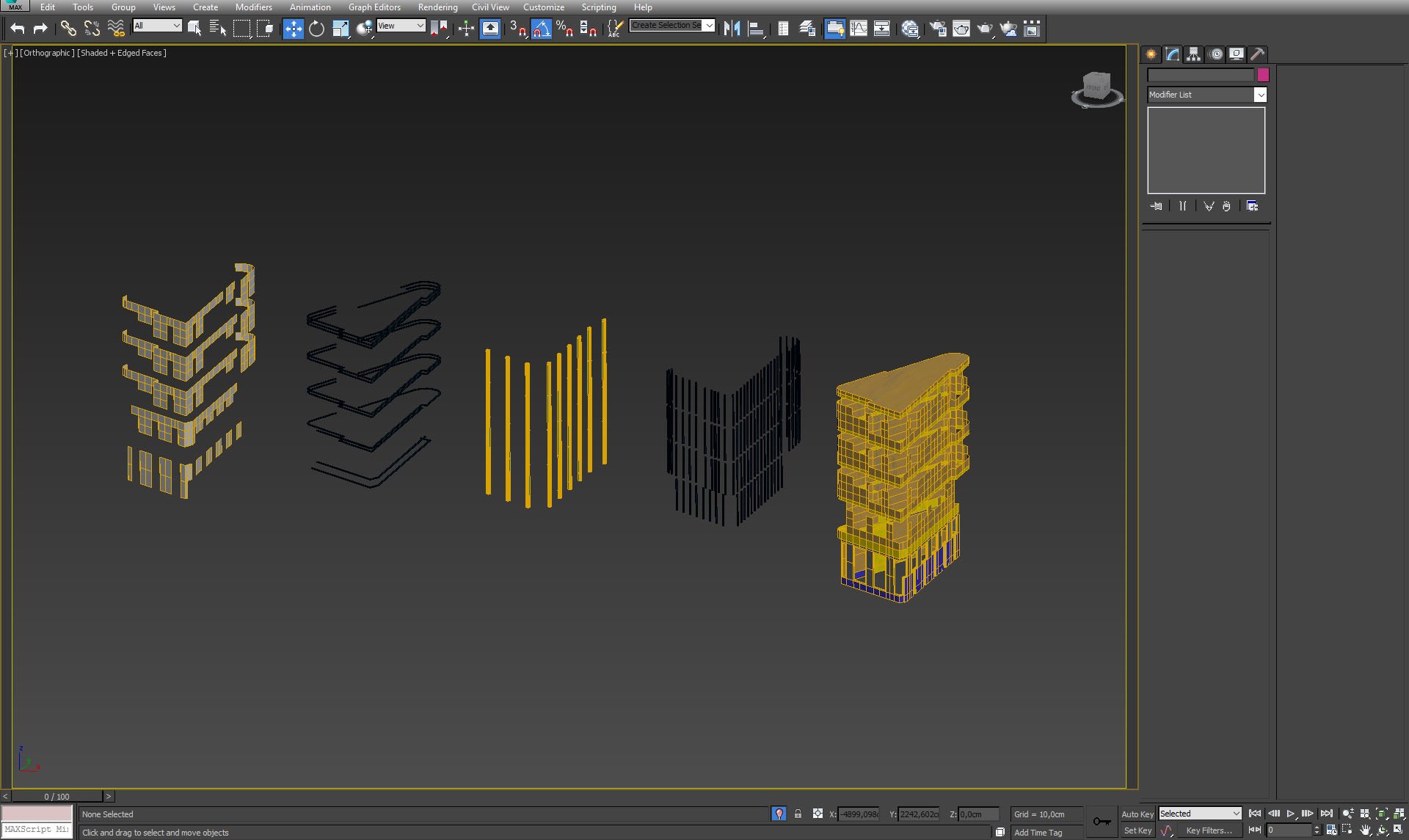
Building elements.
Click on image to enlarge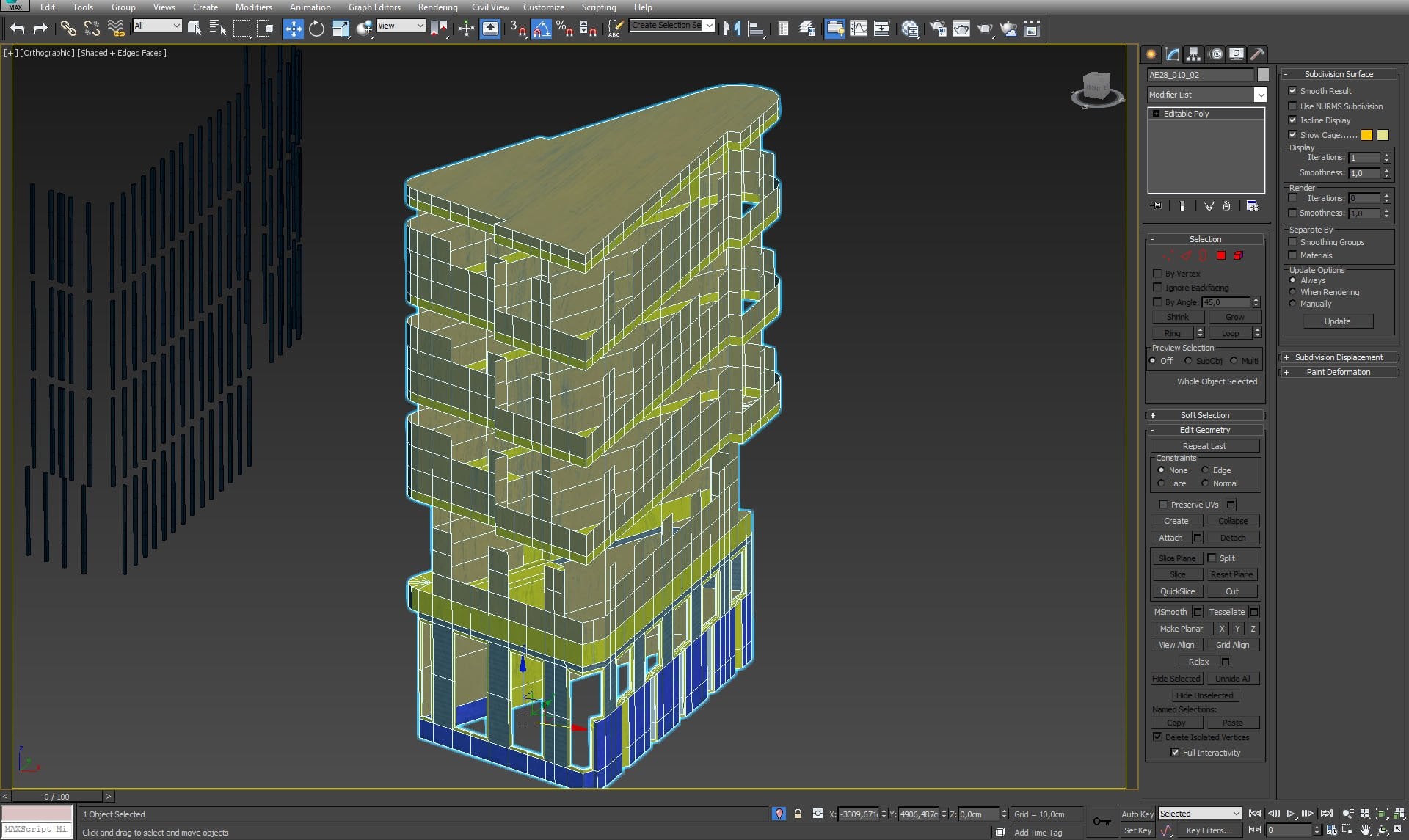
Building mesh, close-up.
Click on image to enlarge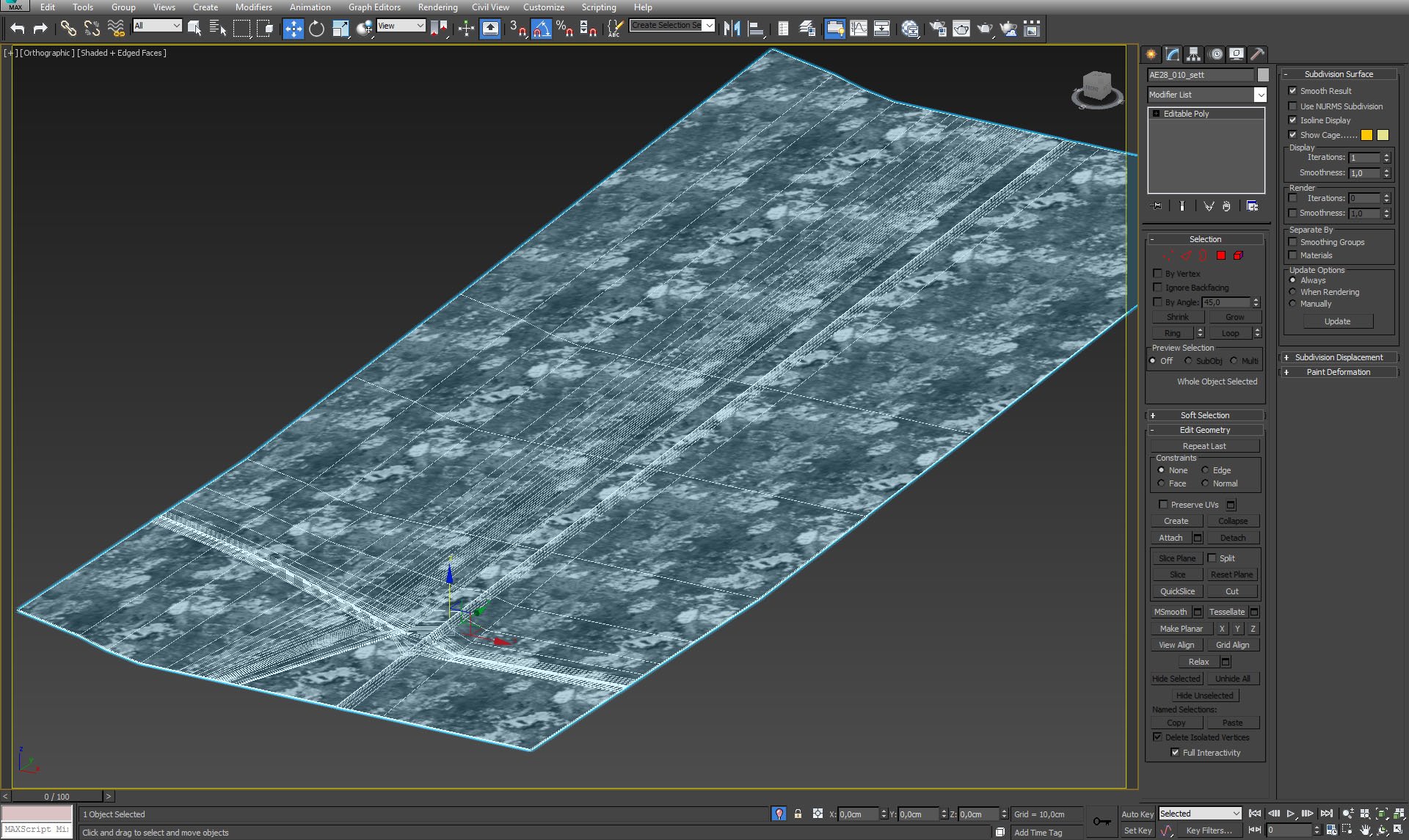
Street mesh.
Click on image to enlarge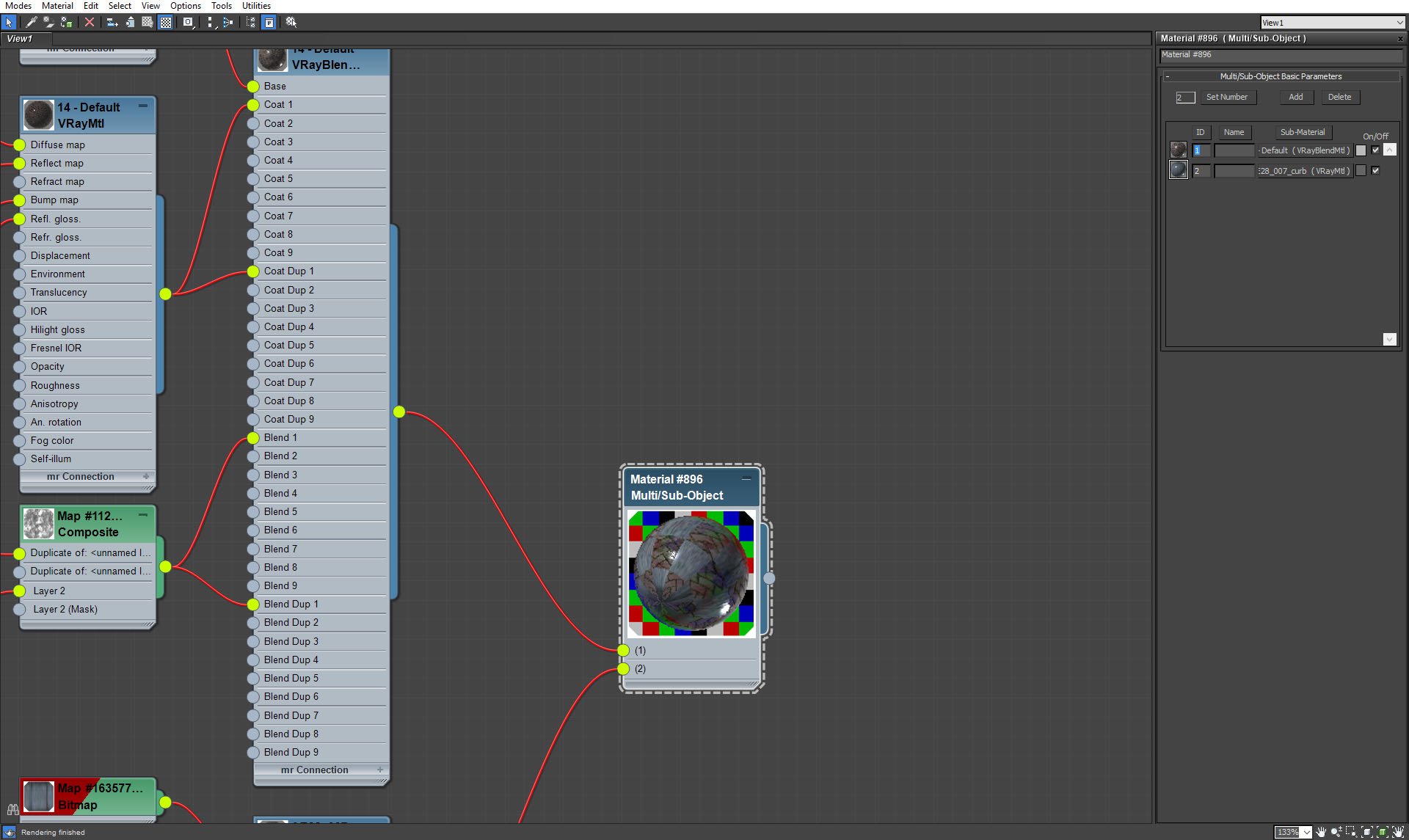
Street material - including curbs.
Click on image to enlarge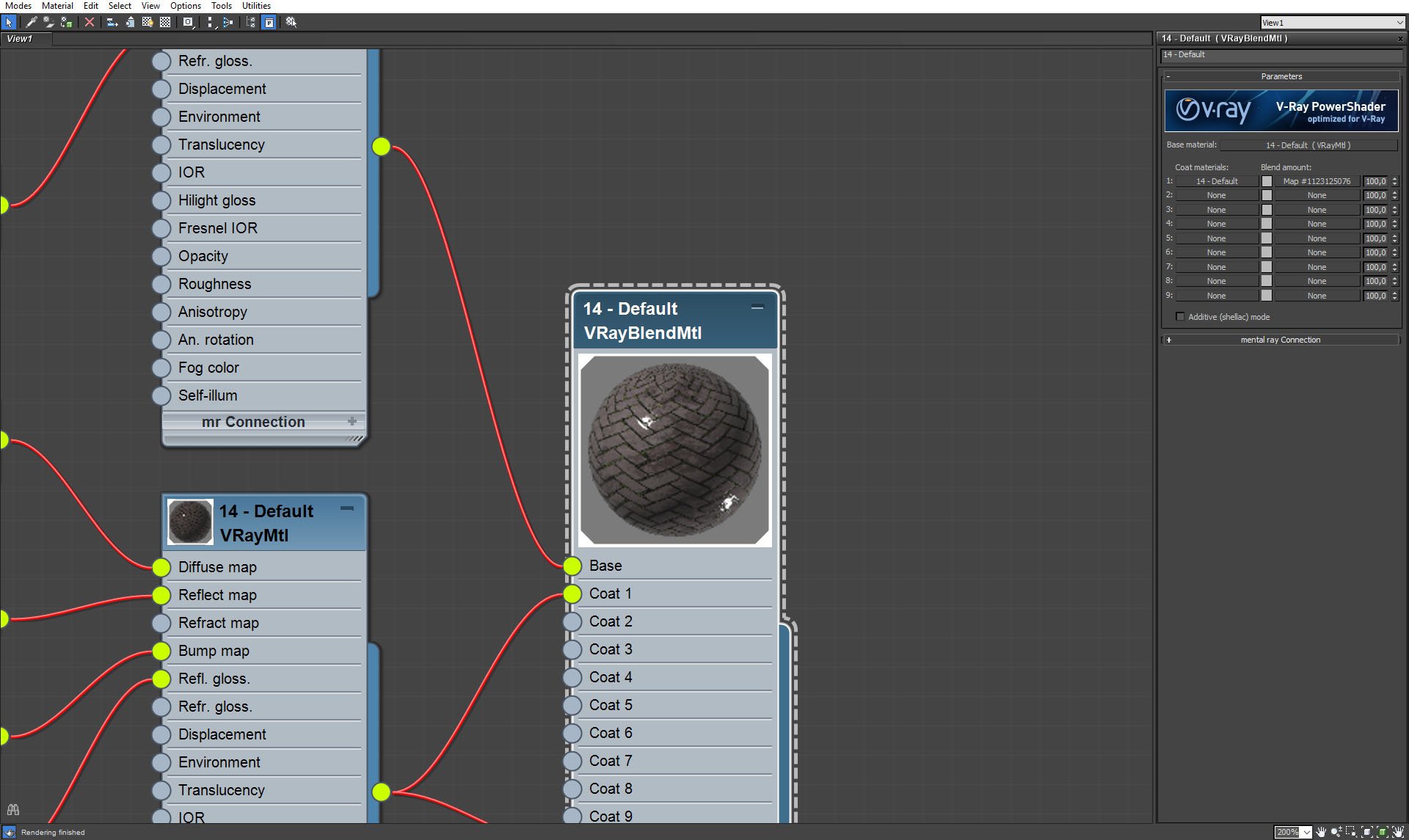
Street material (blend).
Click on image to enlarge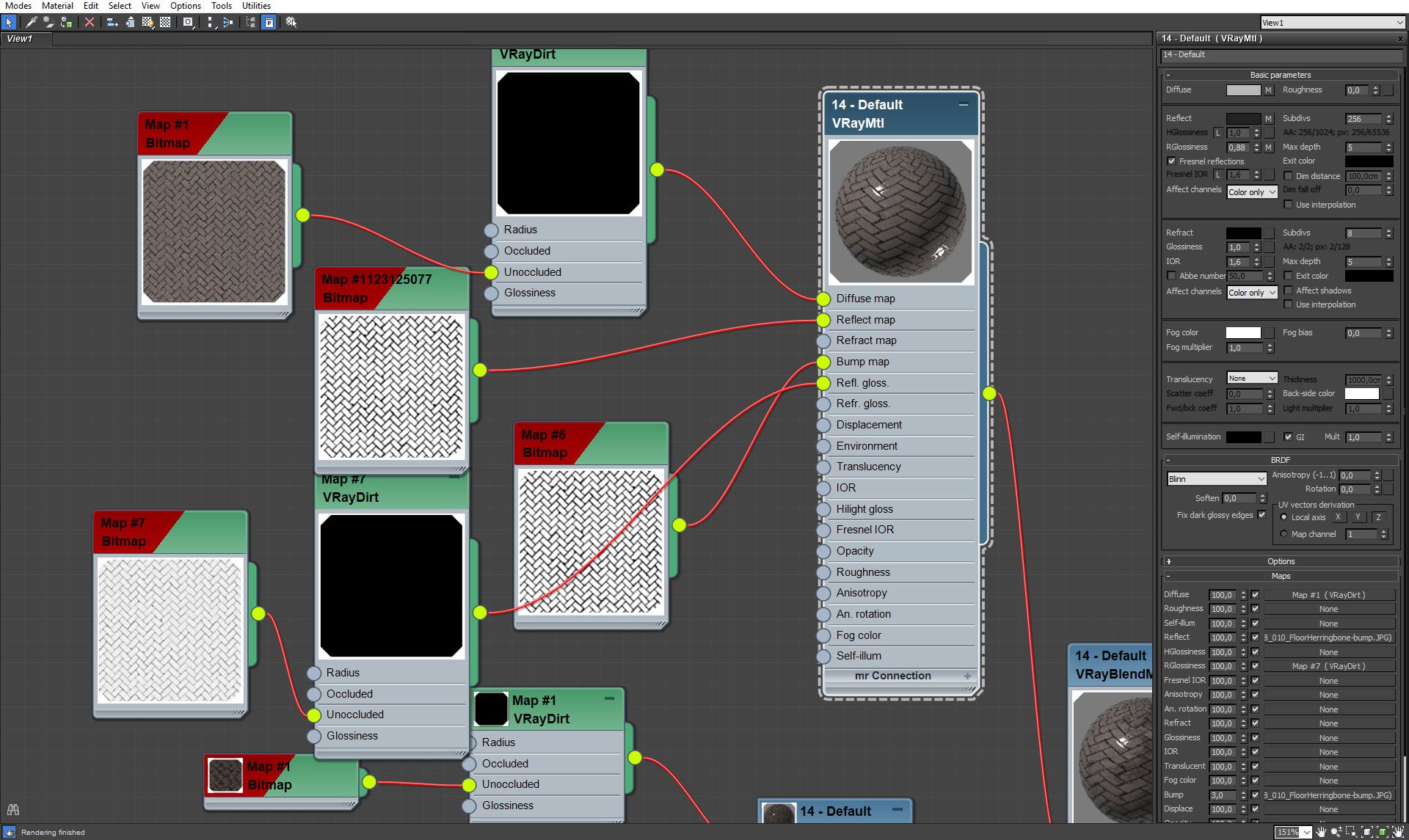
Street material (base).
Click on image to enlarge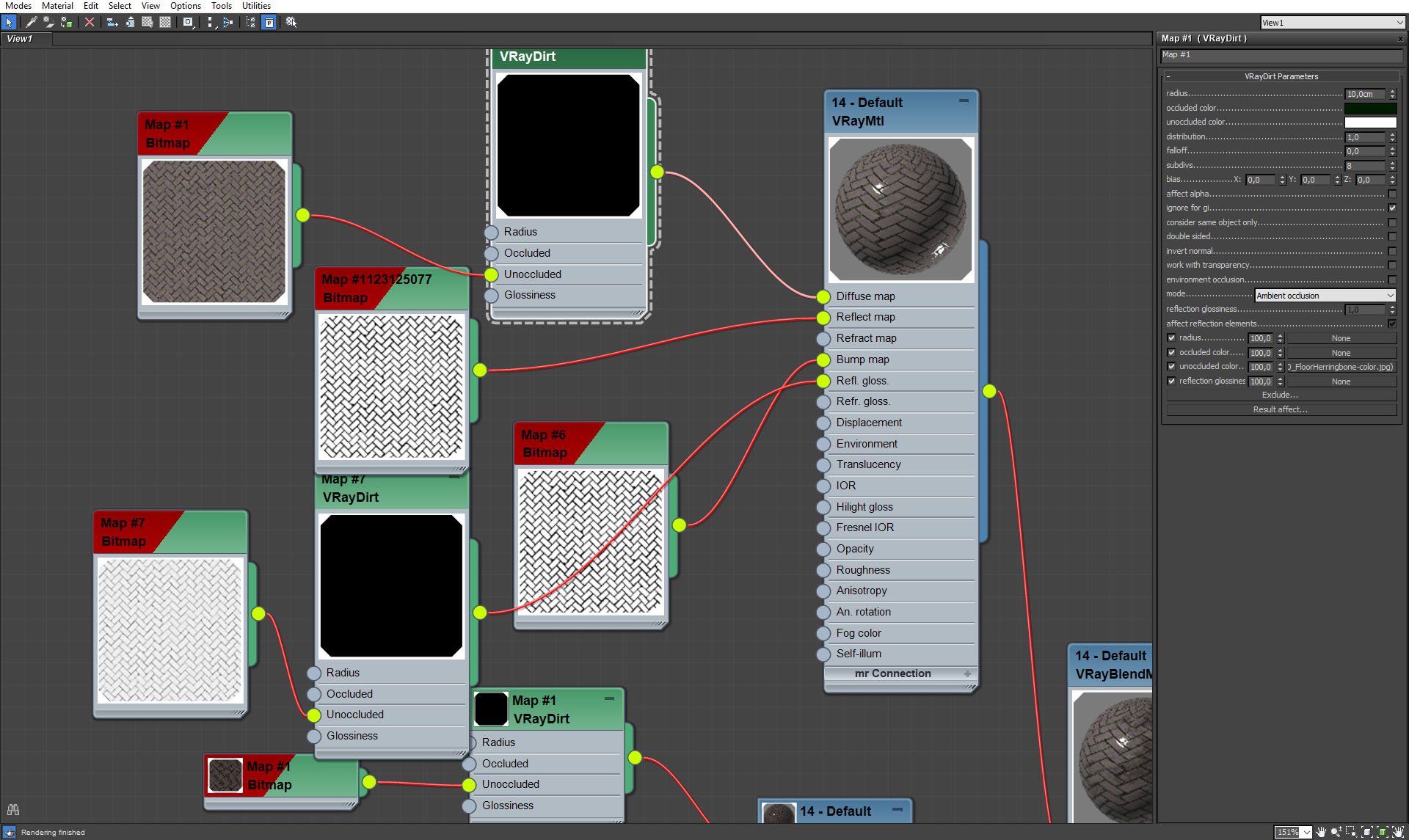
Street material (base, VrayDirt).
Click on image to enlarge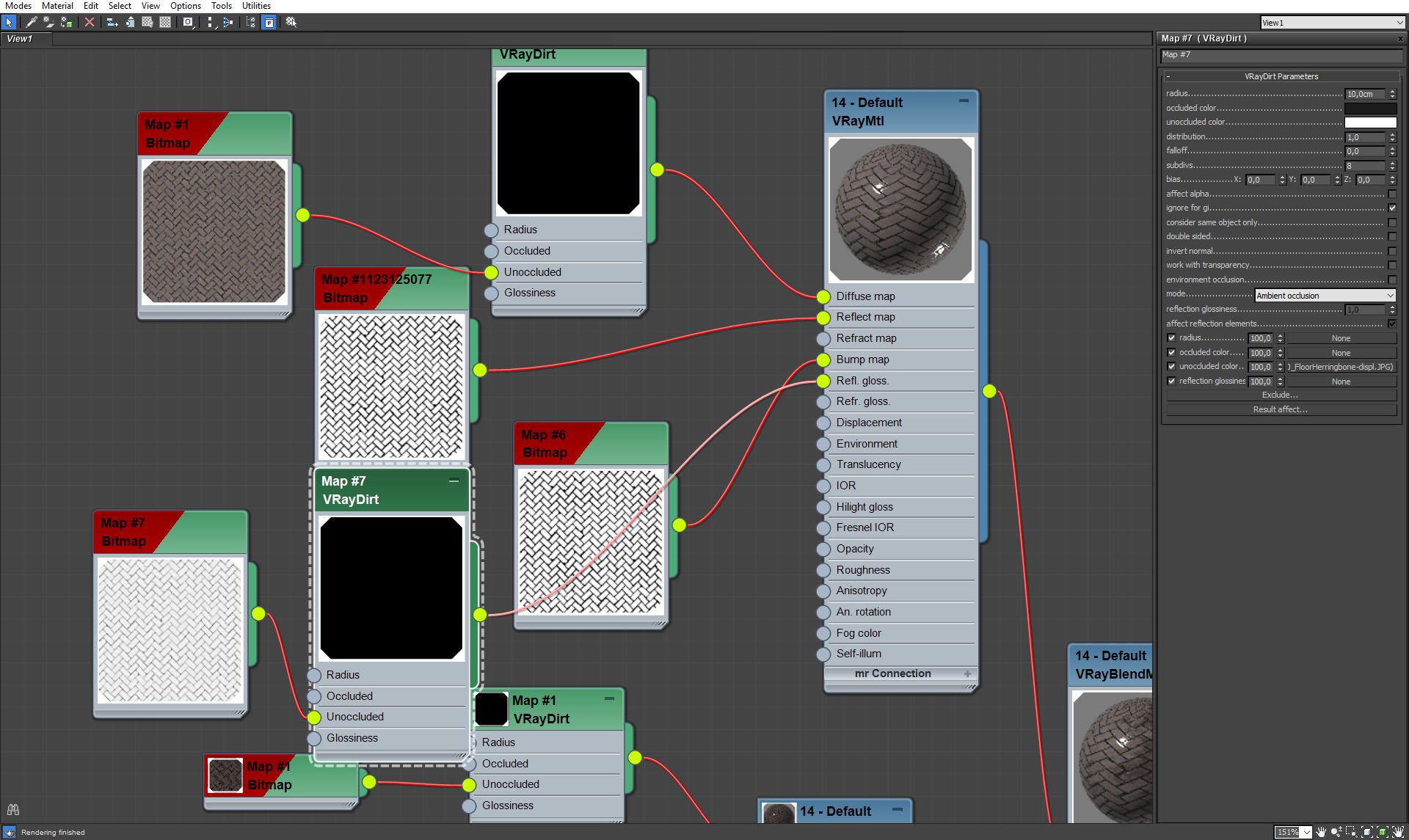
Street material (base, VrayDirt in glossiness slot).
Click on image to enlarge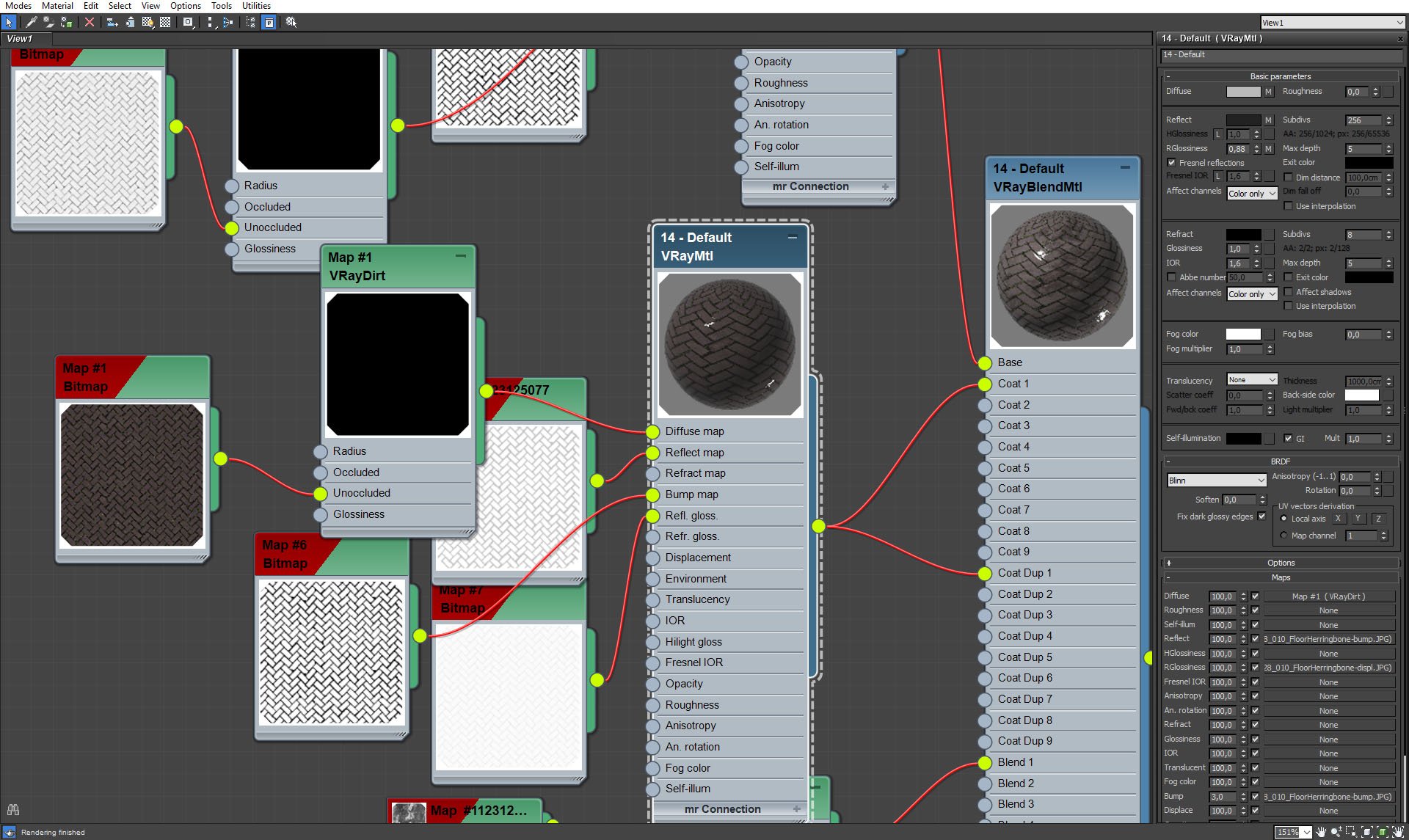
Street material (coat).
Click on image to enlarge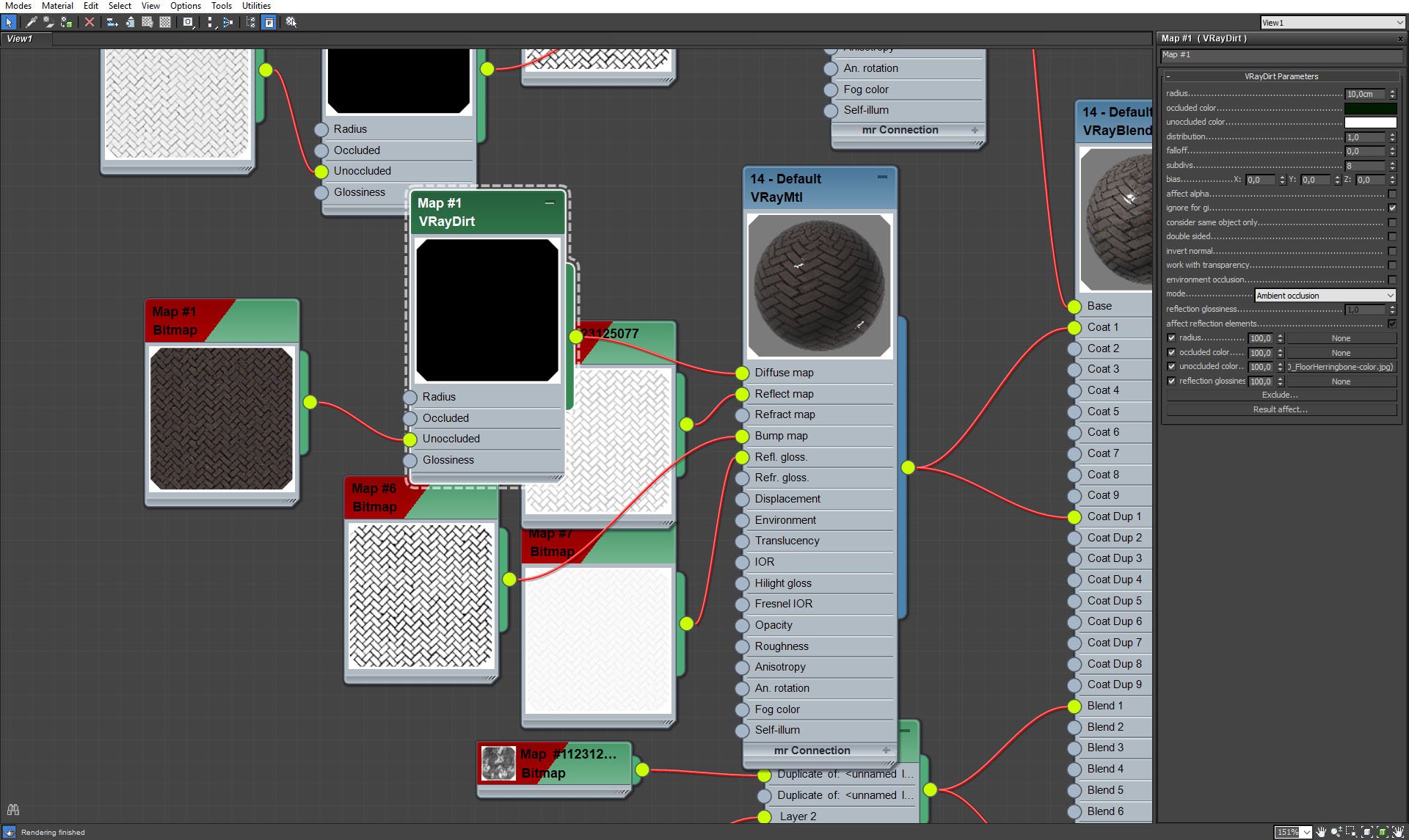
Street material (coat, VrayDirt in diffuse slot).
Click on image to enlarge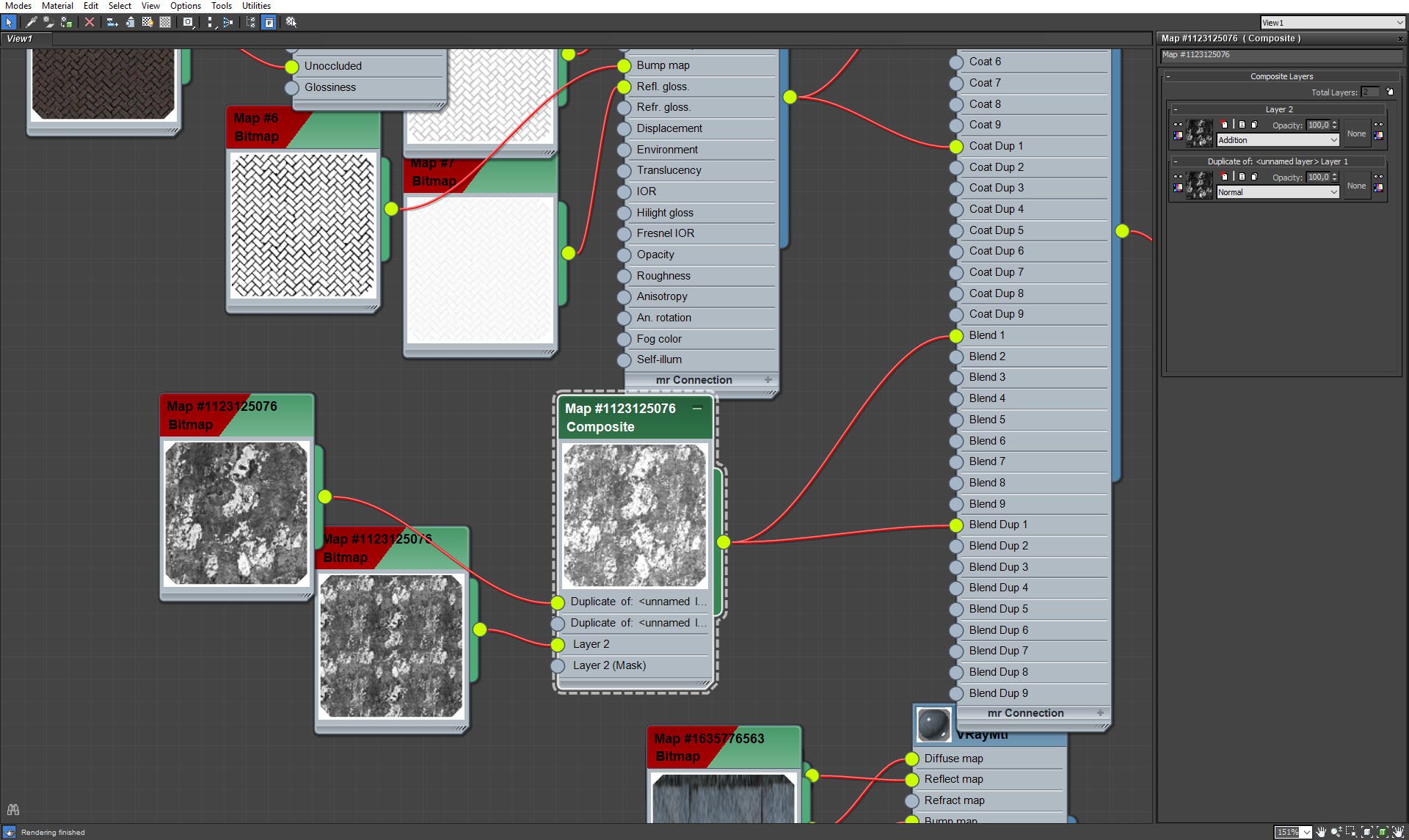
Blending map.
Click on image to enlarge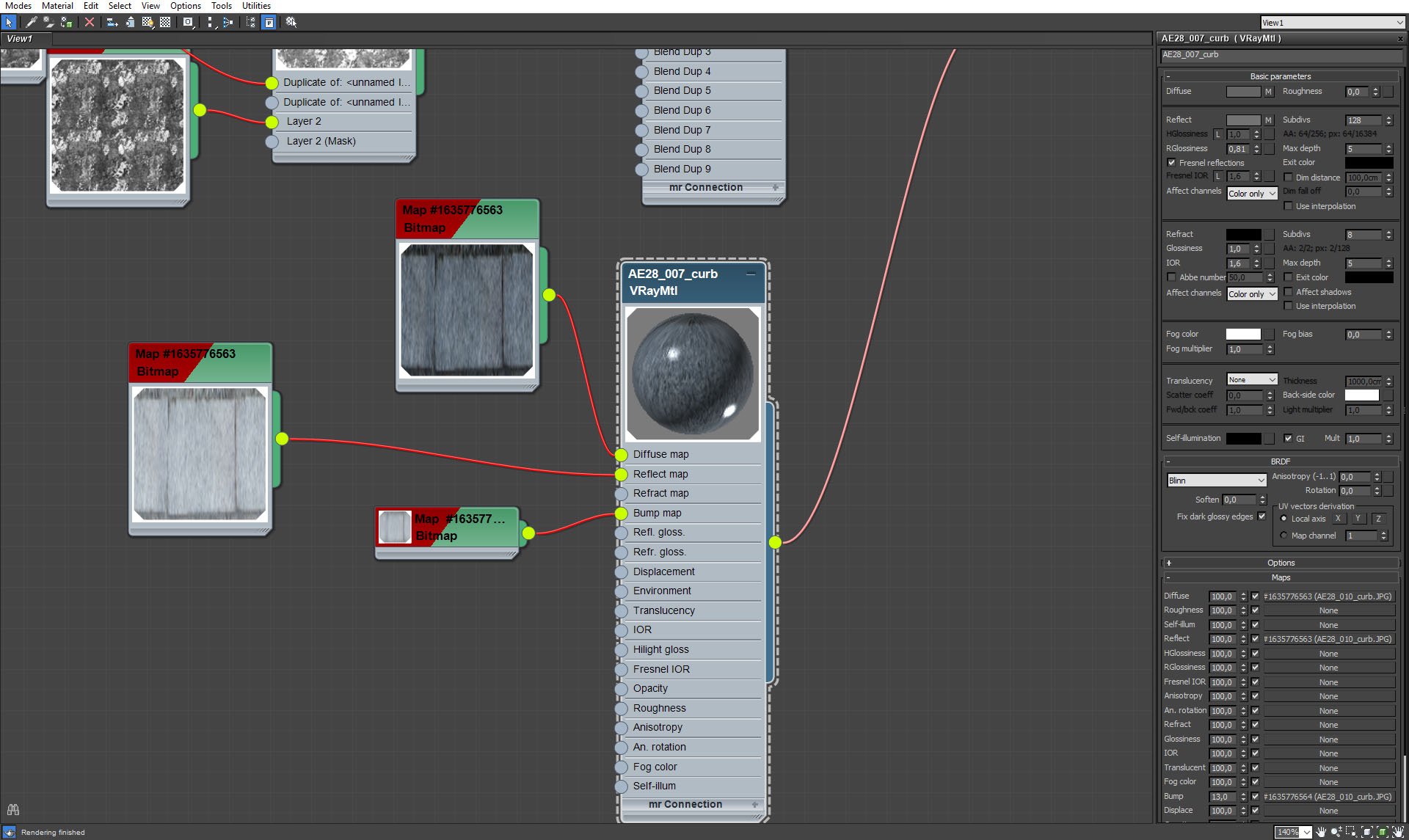
Street material 2.
Click on image to enlarge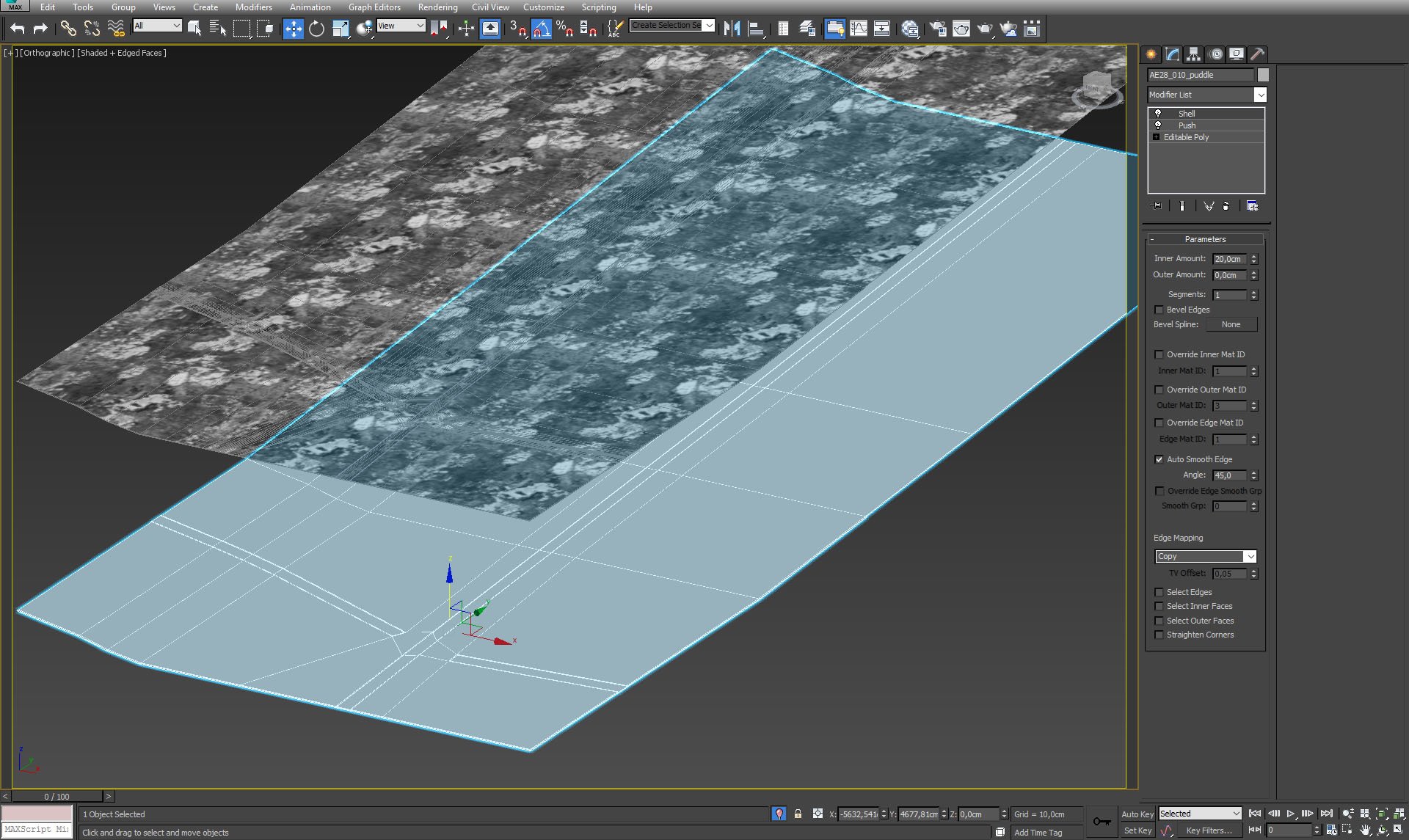
Another ground layer is used for puddle material.
Click on image to enlarge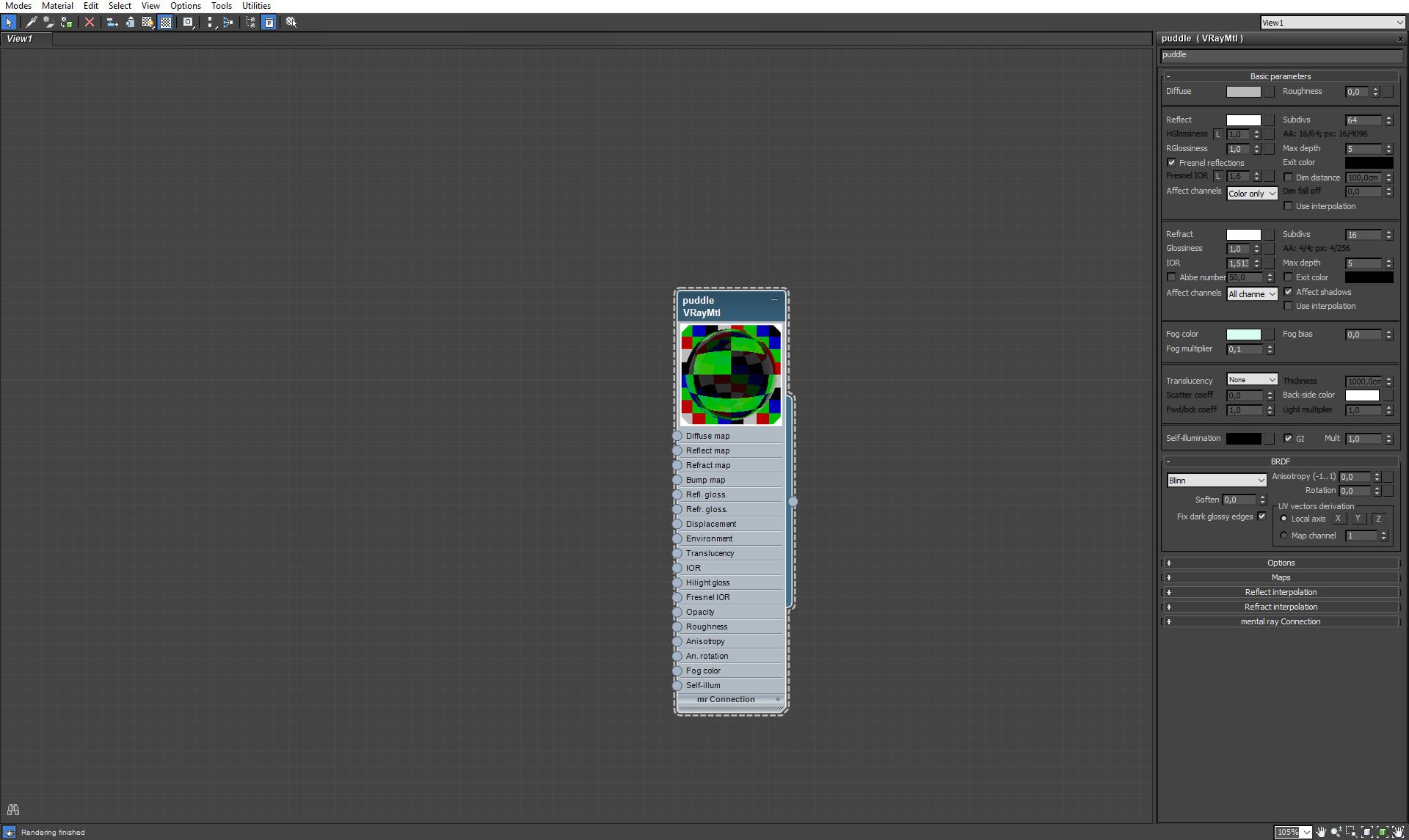
Puddle material.
Click on image to enlarge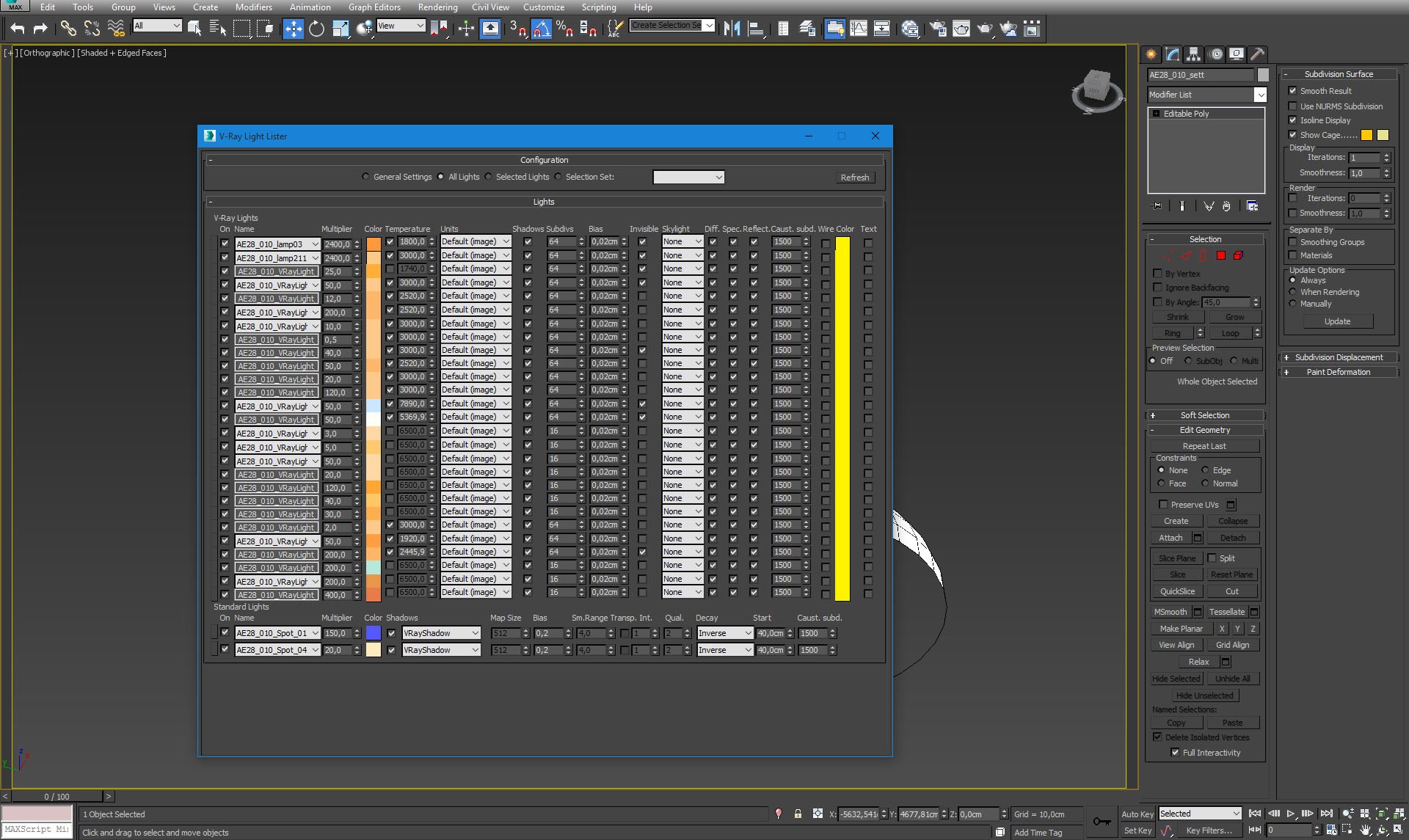
VrayLight Lister.
Click on image to enlarge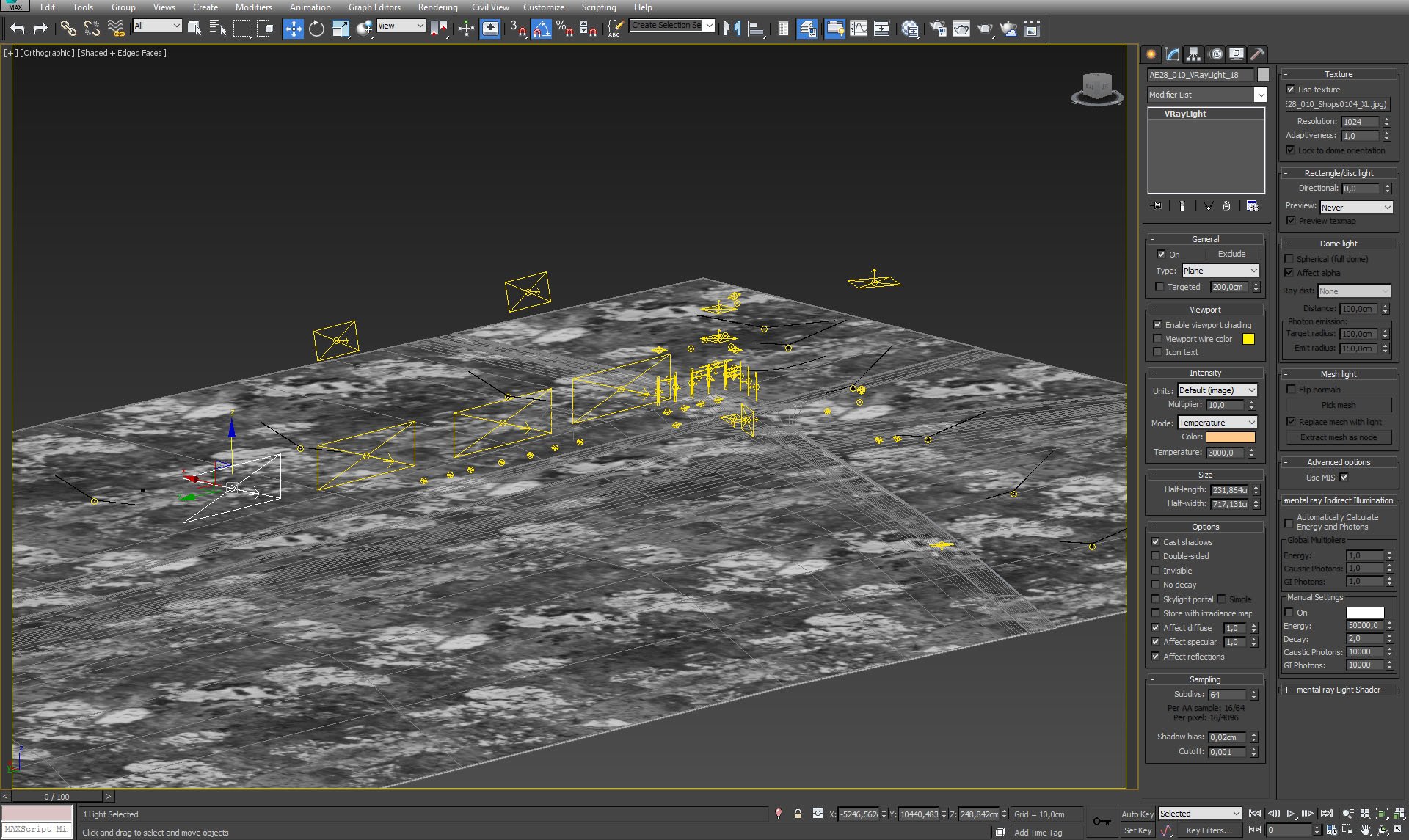
We used VrayLights for building windows, shop windows, stret lights, etc. One of shop window lights settings are on the right.
Click on image to enlarge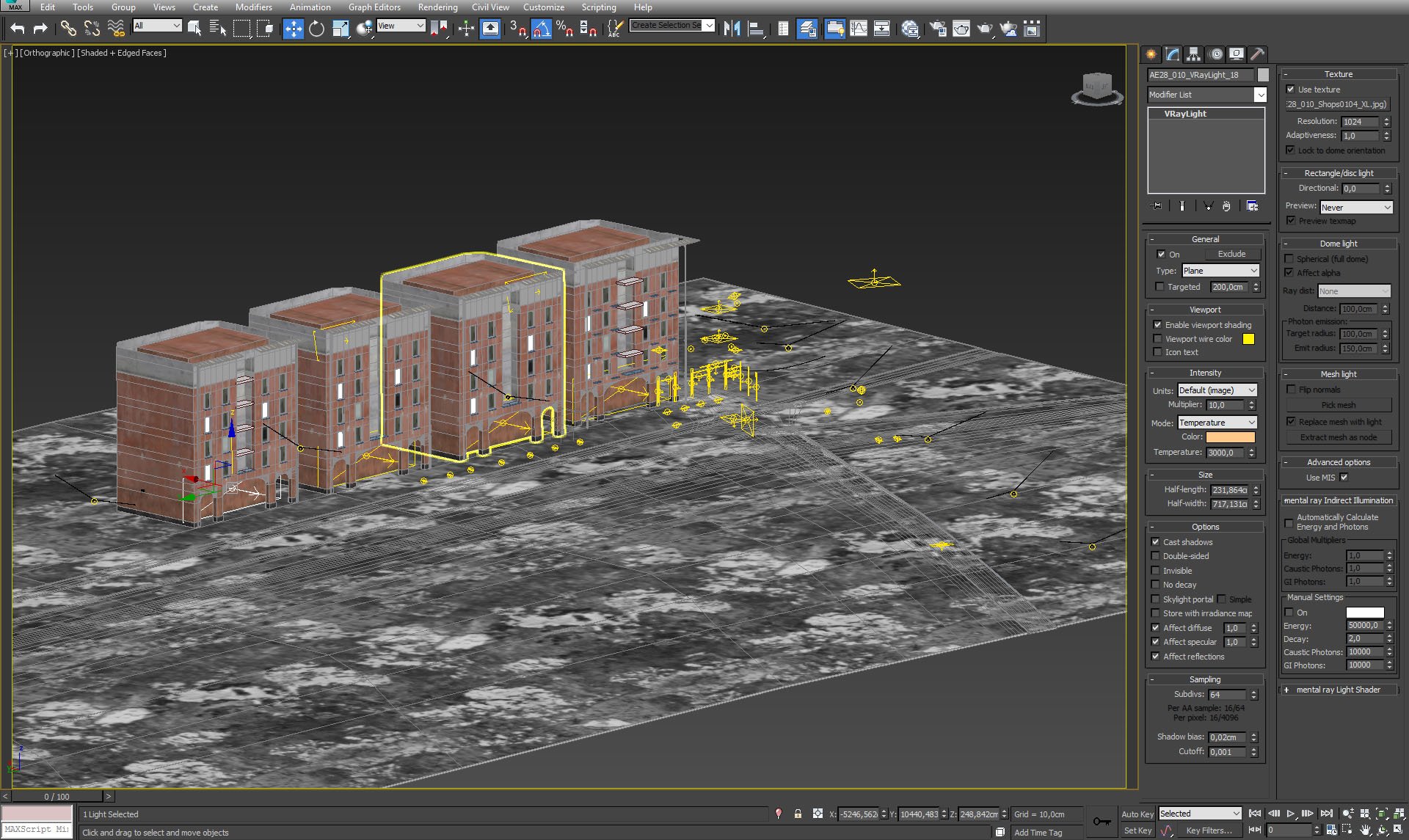
Buildings and lights placement.
Click on image to enlarge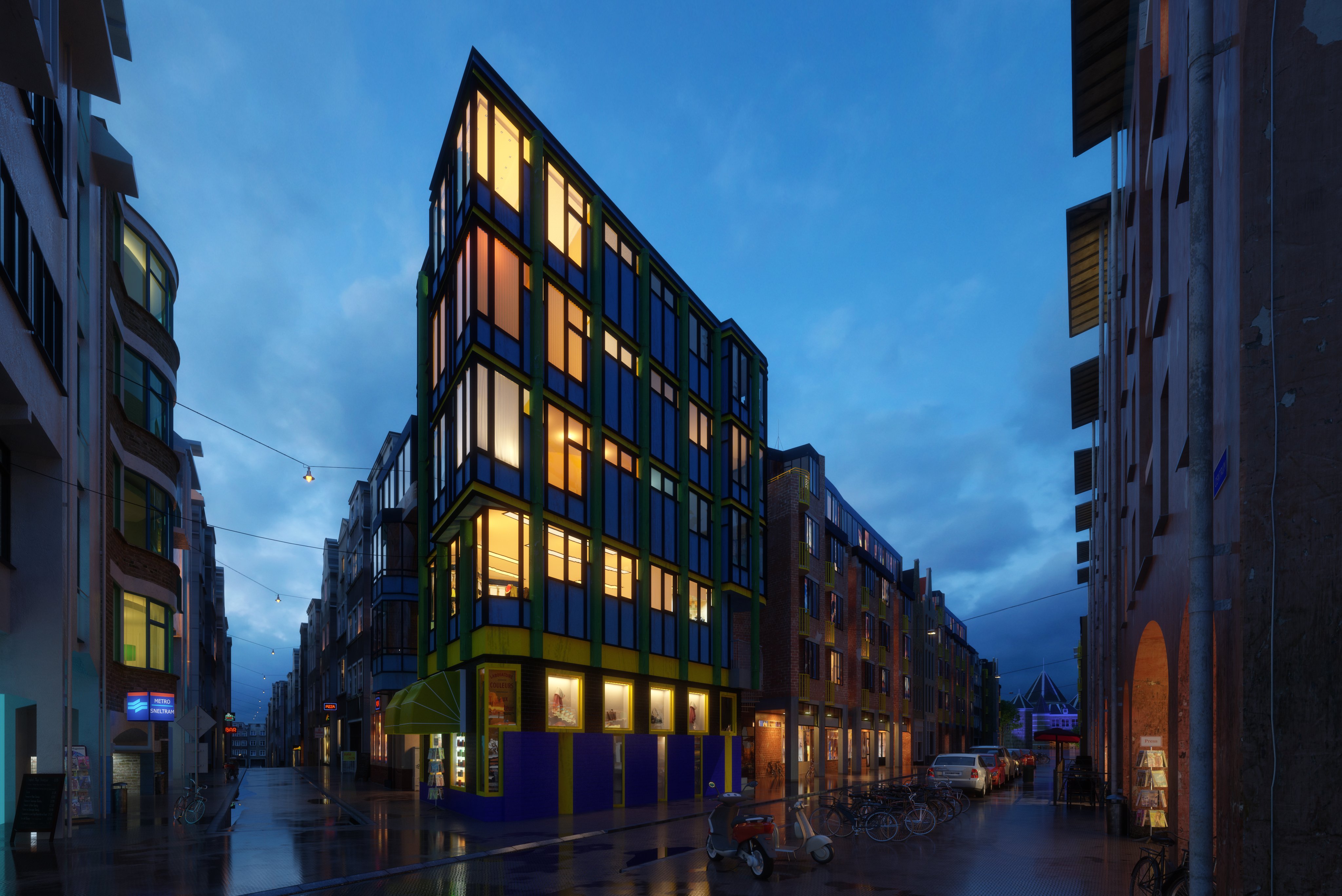
Raw render.
Click on image to enlarge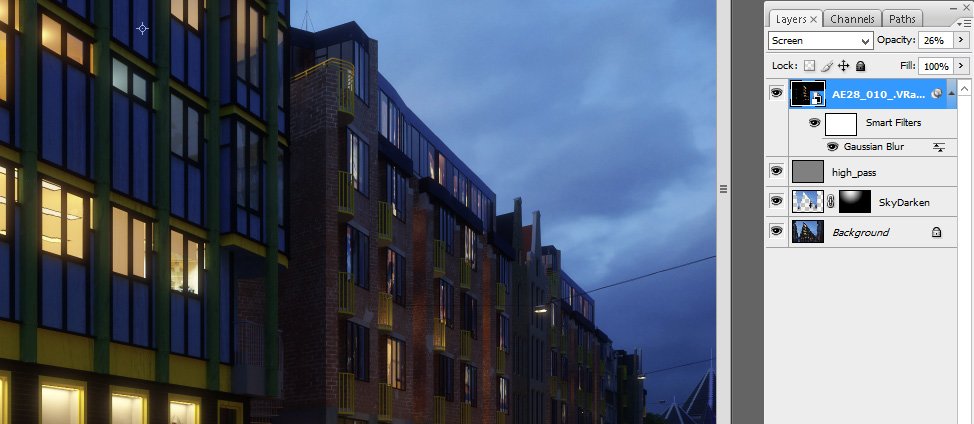
Photoshop stack. Just slight sharpening, a bit darker sky in the top middle area and refraction layer on top of that.
Click on image to enlarge
Final image after post-production. thanks for your time! :)
This city exterior is included in Archexteriors vol. 28 as scene 10. The scene was made in 3ds Max and rendered in V-Ray by Evermotion.






 Customer zone
 Your orders
 Edit account
 Add project
 Liked projects
 View your artist profile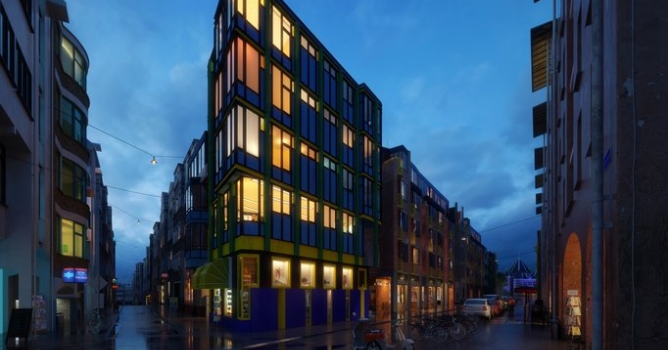












COMMENTS