PolyCloth V2 is a multi-threaded & C++, physics based cloth brushes plugin for 3dsMax developed by PolyDesign.
Physics based PolyCloth allows you to:
- Add wrinkles and folds to your meshes with a powerful brush.
- Move your mesh like a cloth and simulate cloth behaviour
- Use shrink brush to pinch surface of cloth
- Use expand brush to increase surface area of cloth and add wrinkles
- Use smooth brush to smooth out wrinkles on cloth
- Quickly add cool cloth details in a few seconds
What's New in PolyCloth V2:
- Added new brushes.
- Slide brush
- Mask brush
- Blur mask brush
- Added Cloth strength parameter and improved cloth stretching behavior
- Added gravity option
- Added pressure option
- Added ground collision option
- Added directional expand feature to expand brush. Only expands the cloth in the direction of mouse movement. Increased shrink brush effect.
- Added masking system
- Use vertex colors as an initial mask.
- Added display mask option
- Change masking value. White makes the cloth movable and black makes it still.
- Added Mask blur strength slider.
- Significant performance improvements.
PolyCloth works with: 3dsMax 2016-2021. You can download PolyCloth from CgTrader.






 Customer zone
 Your orders
 Edit account
 Add project
 Liked projects
 View your artist profile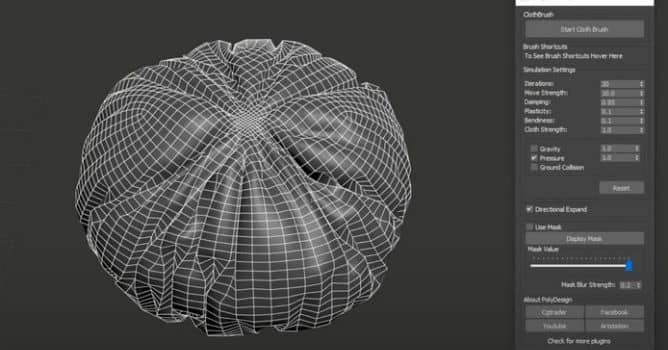

















COMMENTS