Evermotion: More Than an Asset Library
How Evermotion became a full-scale production partner for archviz, automotive and synthetic data.


Total: € 0

Blended Box Mapping
Blended Box mapping is similar to box or cube mapping, but with a lot more control. Instead of applying UV's to the mesh, the map actually projects onto the mesh. You can choose 1, 3 or 6 maps to project. The maps that are projected and can be blended together in order to alleviate
seams.
Blended Box map allows you to project onto individual objects, such as boulders across a landscape, or on multiple objects that make up a complex model. Each method has a lot of flexibility given to you so you can make your models look how you want.
Data Channel Modifier
The Data Channel Modifier uses information derived from the mesh and then allows your to modify and re-purpose that data in different forms such as a selection, a map channel, vertex color, crease weight and many more.
Here you see an example where we are using the curvature of the mesh to drive a mask that we use to blend materials for that warn paint along edges look.
The data channel modifier can be used for modeling as well. In this case we are using the edge angles of a mesh to automatically generate crease weights. Since the weights are automatic, you can continue to model and get a good representation of what the final model will be.
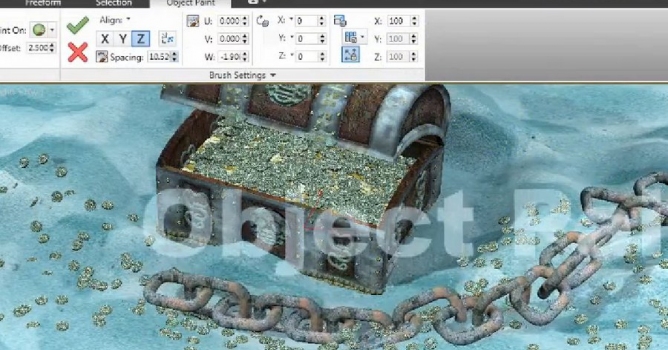
Creating masks that drive different materials or even scattering of objects can prove difficult when dealing with heavy meshes. With the data channel modifier, we can make this a procedural task now.
MAXtoA 0.80 is our next major milestone of Arnold integration into 3ds Max. It is available now on the Solid Angle web site and requires 3ds Max 2017 SP2 or greater.
New Features in Arnold 0.80 for 3ds Max:
For more information visit Autodesk Area.
LEAVE A COMMENT







|

|

|

|

|
 Customer zone
 Your orders
 Edit account
 Add project
 Liked projects
 View your artist profile
COMMENTS