We are more than an asset library

Watch our Showreel
Search
Cart
Sign in
  • offerCustomer zone
  • coursesMy courses
  • offerYour orders
  • offerEdit account

  • offerAdd project
  • offerLiked projects
  • offerView your artist profile

  • Dark mode
    ✔
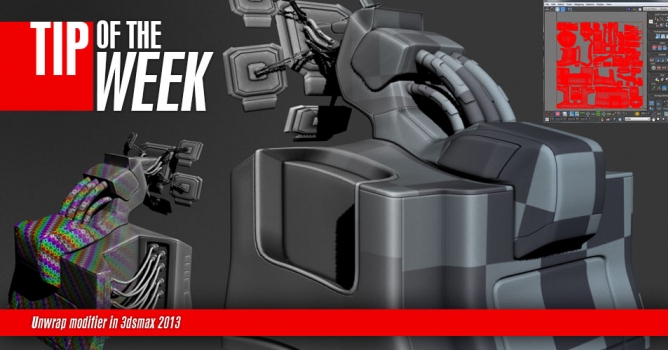
Tip of the Week. Unwrap modifier in 3dsmax 2013

Tip of the Week. Unwrap modifier in 3dsmax 2013

Edi / Evermotion 2013-05-09 15:11 tutorial  > 3ds MAX  > texturing

This week I'm showing some tips for fast unwrapping as well as some unwrap basics.


Author: Edi / Evermotion
Tags: unwrap
You may also like...
HézFX muscle simulation now live for 3ds Max, Maya, Blender and Houdini

HézFX muscle simulation now live for 3ds Max, Maya, Blender and Houdini

Shirzad Bahrami's FEM-based muscle tool fills the gap left by Ziva VFX's cancellation, bringing realistic character deformation to multi-platform pipelines at 130ms per frame with 30-minute setup. Commercial subscriptions are now available with 10-day free evaluation.
×

LEAVE A COMMENT

You need to be logged in to leave a comment. Don't have account? Register now.
Billyb 15:39:20  |  11-07-2015
Great tutorial. I was wondering if you have several buildings in a scene and you want to unwrapp them individually but want to keep the same pixel ratio on each. How do you scale them uniformly in 'uv edit window'?