We are more than an asset library

Watch our Showreel
Search
Cart
Sign in
  • offerCustomer zone
  • offerYour orders
  • offerEdit account

  • offerAdd project
  • offerLiked projects
  • offerView your artist profile

  • Dark mode
    ✔
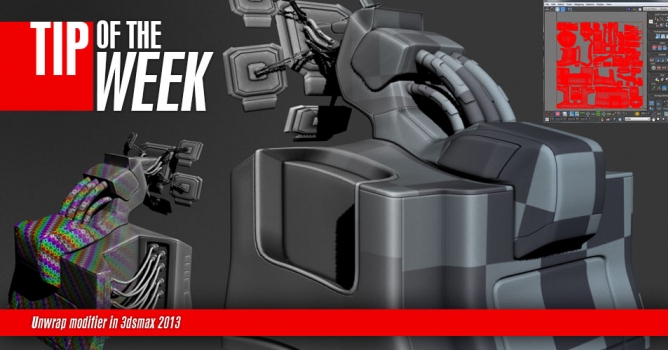
Tip of the Week. Unwrap modifier in 3dsmax 2013

Tip of the Week. Unwrap modifier in 3dsmax 2013

Edi / Evermotion 2013-05-09 15:11 tutorial  > 3ds MAX  > texturing

This week I'm showing some tips for fast unwrapping as well as some unwrap basics.


Author: Edi / Evermotion
Tags: unwrap
You may also like...
Mach9 brings aerial LiDAR and photogrammetry into web-based CAD workflow

Mach9 brings aerial LiDAR and photogrammetry into web-based CAD workflow

Mach9's web-based CAD software now processes drone and helicopter point clouds with automated feature extraction, cutting survey-to-model time by 40%. Export goes to DXF, DWG, LandXML and GIS formats.
×

LEAVE A COMMENT

You need to be logged in to leave a comment. Don't have account? Register now.
Billyb 15:39:20  |  11-07-2015
Great tutorial. I was wondering if you have several buildings in a scene and you want to unwrapp them individually but want to keep the same pixel ratio on each. How do you scale them uniformly in 'uv edit window'?