Search
Cart
Your cart - 0 items
Total: € 0
Total: € 0
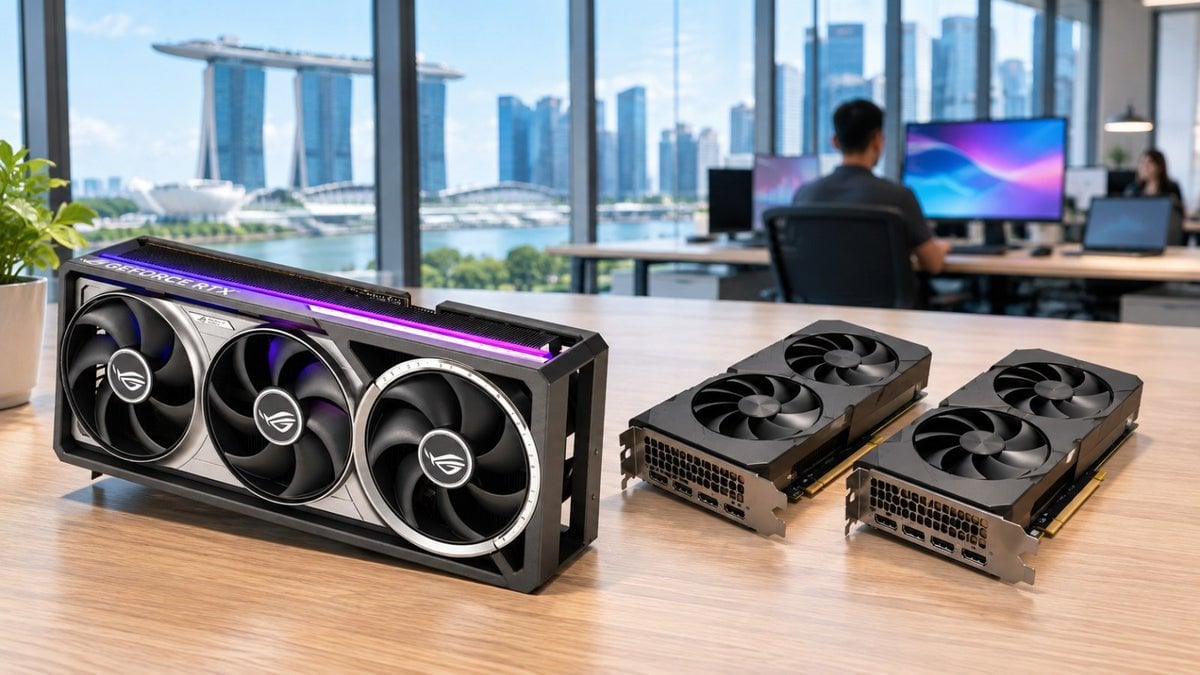

Nvidia's January 2025 RTX 5090 launch has forced archviz studios to recalculate their GPU hardware strategy. At identical $1,999 MSRP, the choice between one RTX 5090 or two RTX 5080s is not obvious. The 5090 delivers 21,760 CUDA cores and 32GB GDDR7 in a single card; each 5080 offers 10,752 cores and 16GB. A single 5090 beats a single 5080 by 44 to 50% in most benchmarks, but that math breaks down when you can buy two 5080s for the same launch price.
The real answer depends on your renderer and scene complexity. According to Source IT, two RTX 5080s score 1,957 on OctaneBench compared to 1,730 for one RTX 5090 - a 13% lead for the dual setup. OctaneBench shows near-perfect scaling: a single 5080 scores 987, so two cards nearly double that. For OctaneRender shops running moderate scenes, the dual 5080 path makes measurable sense at parity cost.
That advantage evaporates in other engines. BOXX Systems reports that "in Blender, the 5090 delivers a 47% faster rendering time compared to the 5080." Multi-GPU scaling in Cycles is weaker; according to Source IT, "in Blender Cycles, multi-GPU scaling is weaker, and one 5090 is likely still faster." V-Ray GPU and Redshift show near-linear multi-GPU gains - Super Renders Farm notes that Redshift "scales almost linearly (1.8-1.9x with 2 GPUs)" - but Blender remains the weak point for dual-card setups.
Street pricing has reshuffled the calculation. The RTX 5090 now sells around $4,999, a 150% premium over MSRP, while each RTX 5080 trades near $1,549. Two 5080s now cost roughly $3,100, shifting the per-frame cost balance. For shops with tight budgets, the dual 5080 route saves money upfront while sacrificing some performance consistency across renderers.
The hidden cost of dual 5080s surfaces in VRAM architecture. Each 5080 holds 16GB in its own pool; the 5090 consolidates 32GB on a single card. For archviz workloads, the split matters. Super Renders Farm notes that "16GB VRAM is adequate for product visualization and simple interiors but tight for complex exteriors with heavy texture loads," and that "archviz exterior scenes with vegetation and multiple buildings require 18-32GB VRAM, making the RTX 5090 with 32GB VRAM the recommended choice over dual RTX 5080s with separate 16GB pools."
When a scene exceeds 16GB, dual-GPU setups force memory swaps and synchronization overhead that the 5090's unified pool avoids. For Blender pipelines and vegetation-heavy exteriors - common in Evermotion's reader base - the 5090 cuts iteration time and render-farm troubleshooting. A render farm running dual 5080s may see some jobs stall while others complete, requiring job distribution logic that a 5090 render node eliminates.
OctaneRender users gain measurable speed from dual 5080s and can justify the extra complexity. V-Ray and Redshift shops see strong multi-GPU returns. But Blender-centric studios and exterior-heavy work hit a wall with 16GB-per-card limits. Street markups amplify the trade-off: dual 5080s are now $1,100 cheaper, reshaping ROI for studios on tight budgets. The 5090 remains the safer choice for mixed workloads and scene complexity, while dual 5080s reward specialists with the right renderer and simple-to-moderate scenes.
Lead image: Source IT







LEAVE A COMMENT






|

|

|

|

|
 Customer zone
 My courses
 Your orders
 Edit account
 Add project
 Liked projects
 View your artist profile

COMMENTS