We are more than an asset library

Watch our Showreel
Search
Cart
Sign in
  • offerCustomer zone
  • offerYour orders
  • offerEdit account

  • offerAdd project
  • offerLiked projects
  • offerView your artist profile

  • Dark mode
    ✔
Using Smart Extrude in 3ds Max to speed up modeling

Using Smart Extrude in 3ds Max to speed up modeling

YT 2021-04-07 11:27 tutorial  > 3ds MAX  > modeling

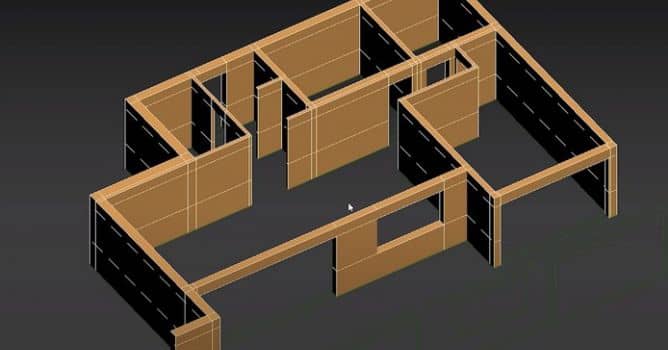
Extruding interior walls with the Smart Extrude in 3ds Max 2022.

In this video, you will see how to model the interior in the new 3ds max 2022, using smart extrude feature. You can use Smart Extrude to interactively extrude faces on an Editable Poly. Adjacent faces will be rebuilt and stitched together, matching the final visual output that the artists sees with no need to manually repair hidden faces or geometric data. Note: All selected and adjacent faces must be co-planar in order for Smart Extrude to correctly operate.


Author: YT
Tags:
You may also like...
V-Ray for Blender 7.4 gains ARM64 support, ocean textures, and faster light workflows

V-Ray for Blender 7.4 gains ARM64 support, ocean textures, and faster light workflows

Chaos released V-Ray for Blender 7.4 with Windows ARM64 compatibility, Phoenix Ocean textures for exterior scenes, Quick Sun Caustics for realistic lighting, and tools to organize large asset libraries and migrate from Blender's native renderer.
×

LEAVE A COMMENT

You need to be logged in to leave a comment. Don't have account? Register now.