A new $39 plugin for 3ds Max 2022–2027 ports Maya's UV Editor interface—component modes, marking menus, and edge selection—directly into Max. Built on the native Unwrap UVW modifier with a 25% launch discount, it cuts repetitive UV work for archviz studios.
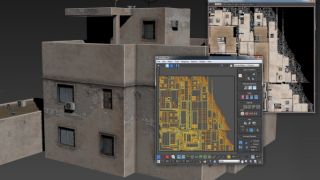
3D artist Sargis Ter-Grigoryan has released UV Unfoldr, a $39 plugin for 3ds Max 2022–2027 that replaces the native UV editor with Maya's proven interface. The tool brings component modes, marking menus, selection rules, and hotkeys directly into Max, eliminating the friction of learning two UV workflows or fighting Unwrap UVW for complex geometry.
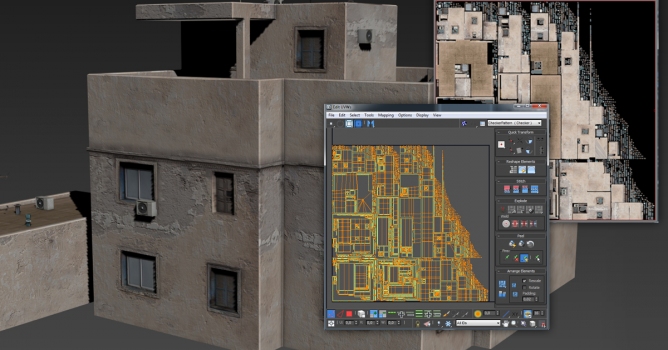
UV Unfoldr runs on top of 3ds Max's standard Unwrap UVW modifier, keeping all edits fully undoable within the host application. The feature set includes fast edge-run selection via Shift+click, Unfold and Optimize brushes, a Similar Islands tool, UV packer, freeform editing, soft selection, align and distribute functions, texel density tools, Relax with locked borders, and UV sets support. Additional tools include a Move brush, edge-straightening options, FFD lattice deformation, multi-object UV sets, and UV-to-smoothing features.
The plugin costs $39, with a 25% launch discount available until November 3 using code LAUNCH25.
Video: CGPress
Why archviz studios should care
For 3ds Max–based archviz pipelines, UV work on trim, trim sheets, and complex props has meant either mastering the native Unwrap UVW modifier or switching to Maya's UV tools and managing separate workflows. UV Unfoldr closes that gap by bringing Maya's familiar interface—component modes and marking menus—into Max without leaving your scene or renderer.
According to Ter-Grigoryan, the goal is straightforward:
In this walkthrough, we guide you through the process of building a polished 3D interior scene inspired by the cover of Archmodels vol. 306 – Table Sets.






 Customer zone
 Your orders
 Edit account
 Add project
 Liked projects
 View your artist profile














COMMENTS