Search
Cart
Sign in
  • offerCustomer zone
  • offerYour orders
  • offerEdit account

  • offerAdd project
  • offerLiked projects
  • offerView your artist profile

  • Dark mode
    ✔
Vray 5 Volumetric Lighting in 3Ds Max

Vray 5 Volumetric Lighting in 3Ds Max

yt 2021-06-28 13:30 tutorial  > V-Ray  > rendering

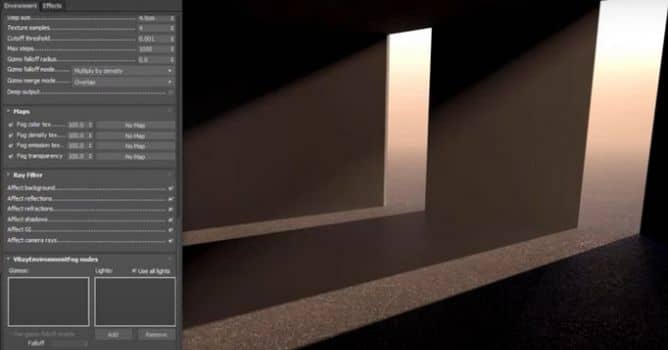
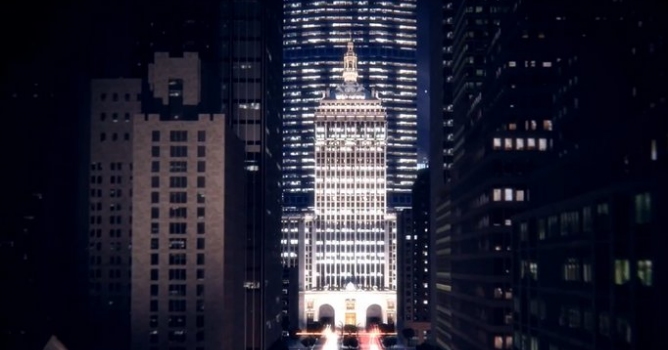
In this Vray for 3Ds Max tutorial we're adding the environment fog to add volumetric lighting to our scene.

In real-world, rays of light are the most visible when they bounce off the surface, like dust or mist. When rendering this fx can be simulated with volumetric lighting. This is useful for creating atmosphere effects and add a bit of realism to your scenes.

VRayEnvironmentFog is an atmospheric effect that allows the simulation of participating media like fog, atmospheric dust and so. Volumetric properties can be determined by 3D texture maps. The atmospheric effect can also be confined with atmospheric gizmo helper objects.


Author: yt Editor: Michał Franczak
Tags: vray 3dsmax fog atmosphere environment
You may also like...
Tip of the Week. V-ray light materials and general tips

Tip of the Week. V-ray light materials and general tips

This is the last part of a V-ray materials tip of the week series. In this part I will show you how to use V-ray light materials and some general tips for baking v-ray dirt and using opacity maps.
×

LEAVE A COMMENT

You need to be logged in to leave a comment. Don't have account? Register now.