Search
Cart
Sign in
  • offerCustomer zone
  • offerYour orders
  • offerEdit account

  • offerAdd project
  • offerLiked projects
  • offerView your artist profile

  • Dark mode

We care about your privacy

We use cookies to provide you with the best possible experience. They also allow us to analyze user behavior in order to constantly improve the website for you. The consent is voluntary. You can withdraw it at any time or renew it in Cookie settings on the home page. Withdrawal of your consent does not affect the lawfulness of processing performed before the withdrawal. Privacy Protection Policy
Accept all
Accept selection
Reject all

Scattering Megascans Atlases with Forest Pack

Quixel 2017-10-31 09:58 tutorial  > 3ds MAX  > modeling

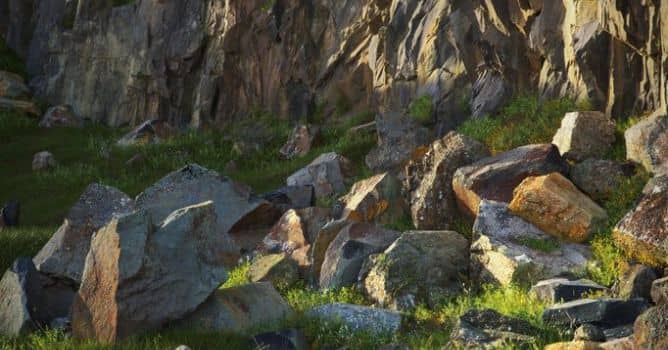
In this tutorial Quixel Artist Darryl Johnson will go over his process for scattering Megascans atlases with iToo's Forest Pack in 3ds Max.

You can check out the Full 4k Image of the Quarry Scene on Darryl Johnson's Artstation profile https://www.artstation.com/djohnsonart


Megascans is a massive online scan library of high-resolution, consistent PBR calibrated surfacevegetation and 3D scans, also including desktop applications for managingmixing and exporting your downloaded scan data.

The Megascans library comprises scans from four primary corners of the world: Northern Europe, Southwestern North America, Southeast Asia and Southwestern Australia. The scan expeditions cover jungles, drylands, forest meadows, deserts, mountain slopes, volcanic biomes, industrial sites, wastelands, woodland and grasslands.

Author: Quixel Editor: Michał Franczak
Tags: texturing forestpack quixel megascans
You may also like...
Texturing and animating a car in Cinema4D

Texturing and animating a car in Cinema4D

Two-part tutorial for Cinema4D users.
×

LEAVE A COMMENT

You need to be logged in to leave a comment. Don't have account? Register now.