Search
Cart
Sign in
  • offerCustomer zone
  • offerYour orders
  • offerEdit account

  • offerAdd project
  • offerLiked projects
  • offerView your artist profile

  • Dark mode
    ✔
3ds Max Blended Box Map

3ds Max Blended Box Map

Youtube 2016-11-17 09:52 tutorial  > 3ds MAX  > texturing

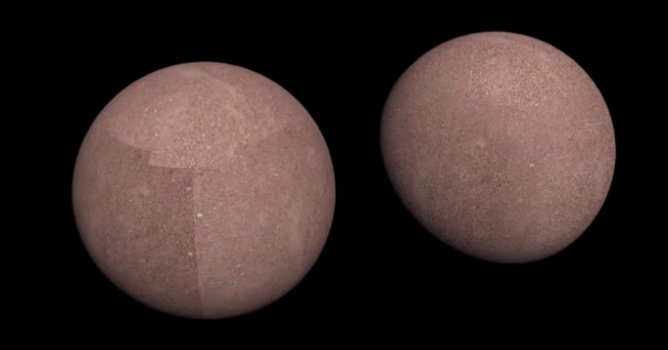
Learn how to use Blended Box Map to project maps onto an object in a way that doesn’t require complex UV Mapping.

Blend between projection directions to eliminate hard seams. Blended box mapping was introduced in 3ds Max 2017.1.


Author: Youtube Editor: Michał Franczak
Tags: 3dsmax
You may also like...
Making of wooden interior - Tip of The Week

Making of wooden interior - Tip of The Week

Scene 4 from Archinteriors vol. 28.
×

LEAVE A COMMENT

You need to be logged in to leave a comment. Don't have account? Register now.

jugurtha 17:42:37  |  17-11-2016
hhhhhh this option old in blender 3d
jugurtha 17:43:09  |  17-11-2016
Blended Box Map
polytrauma 14:19:26  |  19-11-2016
You can actually show Blended Box Map in the viewport, even with realtime feedback of adjustments. You have to activate "show realistic material in viewport" option on the material, though (long click on icon for texture visibility in material editor).