We are more than an asset library

Watch our Showreel
Search
Cart
Sign in
  • offerCustomer zone
  • offerYour orders
  • offerEdit account

  • offerAdd project
  • offerLiked projects
  • offerView your artist profile

  • Dark mode
    ✔
Create Animated masks in Cinema 4D and After Effects

Create Animated masks in Cinema 4D and After Effects

Youtube 2016-07-15 08:57 tutorial  > Cinema 4D  > modeling

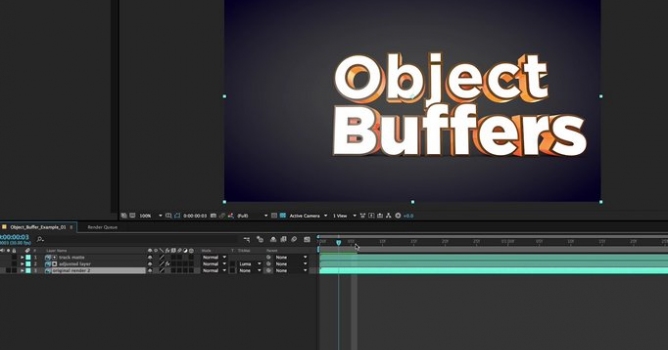
Create animated masks that can be used as track mattes in After Effects, to save time on re-rendering, and isolate objects for post-production.

It this Cinema 4D Object Buffer Tutorial, learn how to use Cinema 4D & Cinema 4D Lite Object Buffers to render masks and track mattes for Post-Produciton in Photoshop and After Effects. By using Object Buffers in Cinema 4D, you can easily create animating masks that can be used as masks and track mattes in After Effects, to save time on re-rendering, and isolate objects for post-production. You can then add color correction and post-effects in Photoshop or After Effects, without needing to manually rotoscope or mask out individual objects. Using Object Buffers in Cinema 4D can be a huge time saver for isolating 3D objects in post-production in After Effects, without needing to re-render an entire project.

Author: Youtube
Tags:
You may also like...
SketchUp's Real-Time Rendering Moment: Lumion View, AI Render, and the End of the Export Workflow

SketchUp's Real-Time Rendering Moment: Lumion View, AI Render, and the End of the Export Workflow

SketchUp 2025–2026 has added native PBR materials, AI image generation, and real-time rendering plugins like Lumion View, letting archviz artists produce photorealistic images without leaving the viewport. This collapses the traditional design-to-render pipeline.
×

LEAVE A COMMENT

You need to be logged in to leave a comment. Don't have account? Register now.