Search
Cart
Your cart - 0 items
Total: € 0
Total: € 0
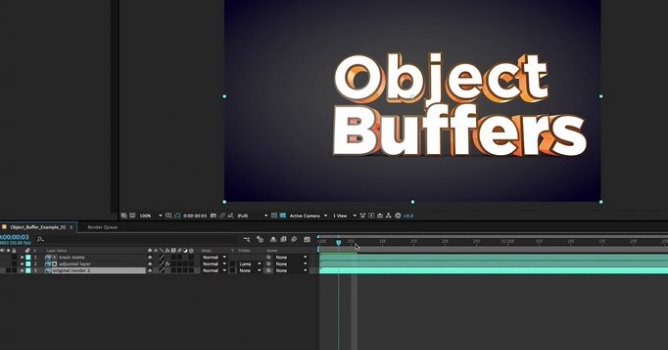

It this Cinema 4D Object Buffer Tutorial, learn how to use Cinema 4D & Cinema 4D Lite Object Buffers to render masks and track mattes for Post-Produciton in Photoshop and After Effects. By using Object Buffers in Cinema 4D, you can easily create animating masks that can be used as masks and track mattes in After Effects, to save time on re-rendering, and isolate objects for post-production. You can then add color correction and post-effects in Photoshop or After Effects, without needing to manually rotoscope or mask out individual objects. Using Object Buffers in Cinema 4D can be a huge time saver for isolating 3D objects in post-production in After Effects, without needing to re-render an entire project.






LEAVE A COMMENT








|

|

|

|

|
 Customer zone
 Your orders
 Edit account
 Add project
 Liked projects
 View your artist profile

COMMENTS