We use cookies to provide you with the best possible experience. They also allow us to analyze user behavior in order to constantly improve the website for you.
The consent is voluntary. You can withdraw it at any time or renew it in Cookie settings on the home page. Withdrawal of your consent does not affect the lawfulness of processing performed before the withdrawal.
Privacy Protection Policy
Megascans is a massive online library of standardized and physically based surface, vegetation and 3D scans.
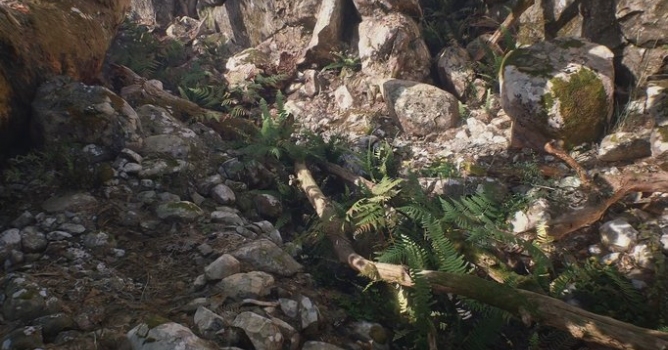
The first beta wave unlocks a substantial part of the Megascans natural library (as recently showcased in Disney’s The Jungle Book), with more waves coming during the course of the beta, including organic and hard-surface scans.
Quixel simultaneously introduced a new line of standalone art tools, Megascans Studio and Megascans Bridge, for easily mixing and customizing surface scans, and quickly exporting scans to major engines and renderers.
The online Megascans library is available for subscription from $19/month for hobbyists, to $29/month for freelancers, with additional options for studios and indie teams, and the entire line of new scan-based desktop tools is included with the subscription at no additional cost.
Features:
Tileable: every scan in the surface library is fully tileable with minimal repetition, and with seams matching consistently across all maps. 1 x 1 m surfaces consist of a single continuous surface patch, and larger surfaces (2 x 2 m, 4 x 4 m and up) are automatically stitched using multiple surface patches from the same location. Each surface size has its own benefits; 1 x 1 m is useful for detail texturing, and 2 x 2 / 4 x 4 m are useful for more zoomed out shots.
Scanned brushes: majority of the 3D scans, scanned alpha brushes are also included, intended for sculpting. They contain height and detail information sourced from the scan data. These brushes are very useful for generating new asset variations which will have a similar feel to your source asset. If you want to, you can do some custom modelling and still make use of the scan data, by re-applying similar shapes and features from the included sculpting brushes.
High-poly: each 3D scan includes a high-poly source mesh in OBJ and FBX format.
ZTools: each 3D scan includes a source Ztool file, that works with all versions of Zbrush. It includes several subdivision levels and has clean UV’s, and utilizes the same texture maps as the other models. The Ztool can be used to generate other mesh variations not covered by the default downloads. For example, the High.obj/fbx file is capped at around 1 million polygons. The Ztool is generally much higher than this and approximates the original scan data. It could also be used as a basis for sculpting extra custom models if required.
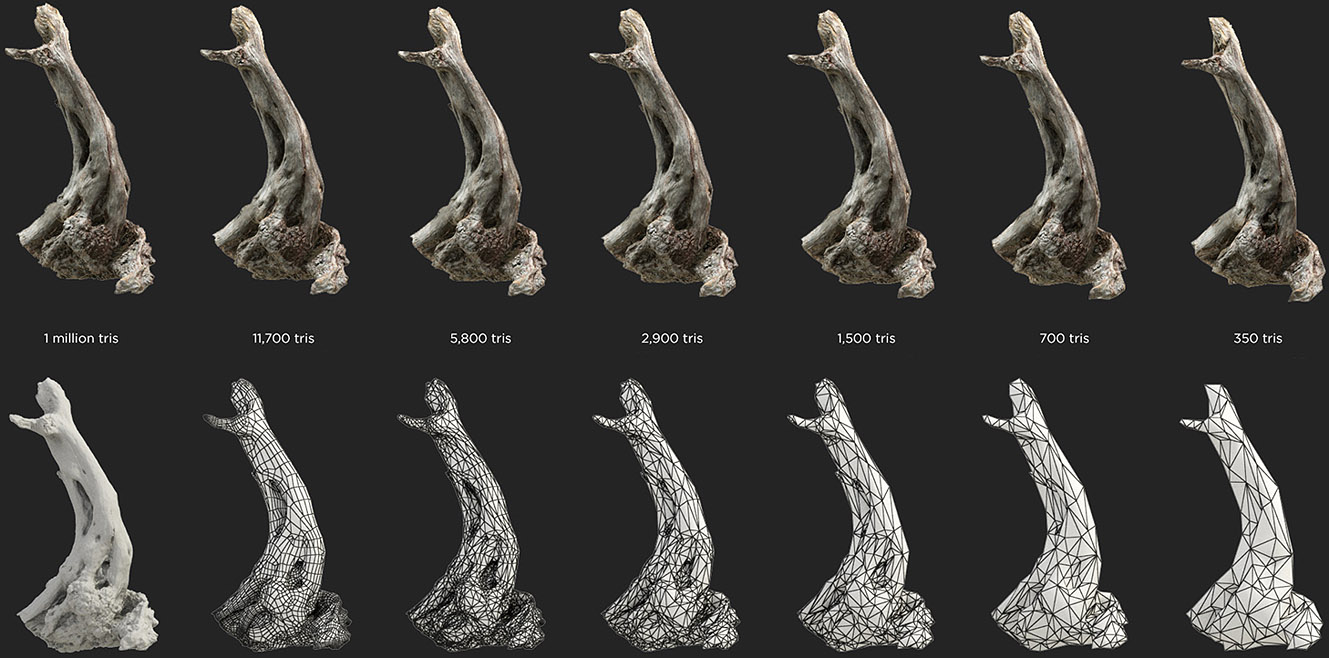
LODs: each 3D scan comes with up to 6 level-of-detail (LOD) meshes, where LOD0 has the highest number of polygons and LOD5 has the lowest.
For the Hobby, Freelance and Indie Team licensing forms, points are awarded on a monthly basis. Any unused points are carried over to the next month. Studios sign up on a yearly basis and have access to all their points at any time. Should your points run out there is always the option to top-up with more points at a discounted price. On top of your points there is also the possibility to buy curated environmental packs at a discounted price. During the time of your subscription the Megascans Studio tool is available at no extra cost.
Working in CG and archviz often means balancing creative intent with production realities. Human presence can support scale, context, and clarity, but it also adds another layer of decisions. Ready-made 3D character assets help keep visual focus where it belongs without expanding the project scope beyond its real needs
In professional visualization, buildings are more than background elements. They define context, scale, and clarity for industrial and commercial projects. Well-prepared 3D building models help viewers read a scene instantly and understand its purpose without relying on technical descriptions or supporting text
The production pipeline in CG and visualization is built on a sequence of clear decisions. Each stage depends on how information is defined, shared, and preserved. 3D models serve as digital assets that translate abstract ideas into structured visual data and consistently carry them through to the final render
In professional CG and architectural visualization, efficiency depends on structured decision-making and reliable resources. Using grouped 3D assets allows us to focus on scene logic, composition, and project consistency instead of repetitive asset preparation and library management.
3D furniture models support structured, predictable interior design workflows in professional archviz. In projects where deadlines, coordination, and visual consistency matter, ready-to-use assets reduce friction and enable teams to focus on spatial decisions rather than repetitive preparation.
Working in CG and archviz often means balancing creative intent with production realities. Human presence can support scale, context, and clarity, but it also adds another layer of decisions. Ready-made 3D character assets help keep visual focus where it belongs without expanding the project scope beyond its real needs
In this walkthrough, we guide you through the process of building a polished 3D interior scene inspired by the cover of Archmodels vol. 306 – Table Sets.
COMMENTS