Search
Cart
Sign in
  • offerCustomer zone
  • offerYour orders
  • offerEdit account

  • offerAdd project
  • offerLiked projects
  • offerView your artist profile
  • Dark mode
    ✔
Making of in cross line

Making of in cross line

Supardiyono 2012-11-22 08:57 tutorial  > Making of  > misc

Introduction

    Software used:
  • 3ds max 2012
  • V-ray_2.00.03
  • Photoshop

Reference

Modeling

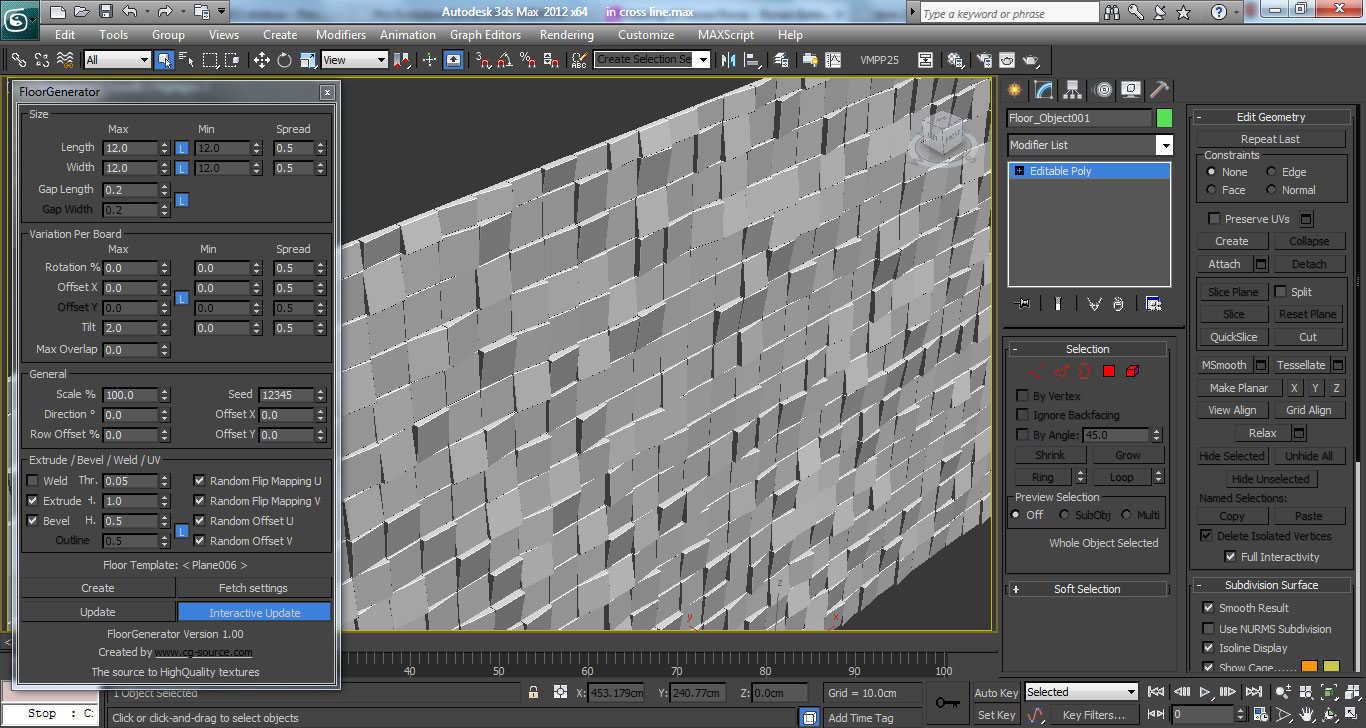
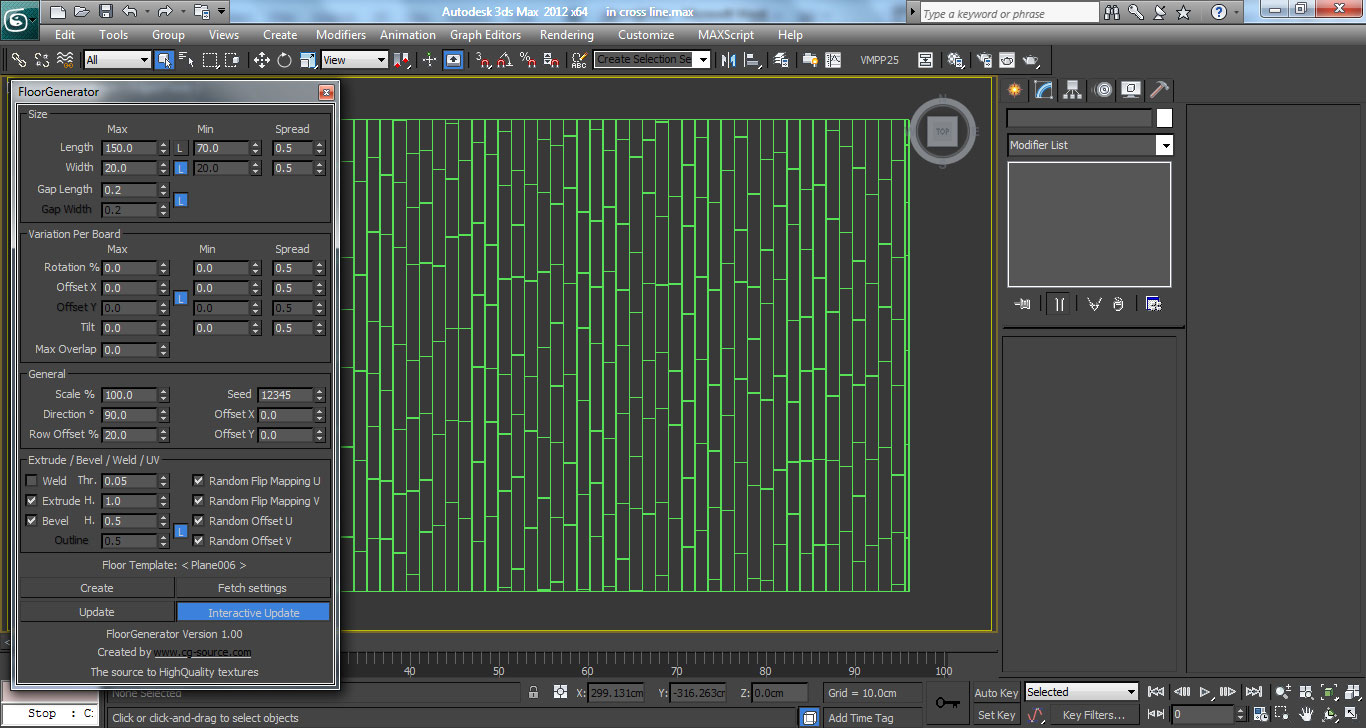
For modeling I used mostly my library of 3d models, sofa and carpet are from Viscorbel, the chair is from Simonhc, and the other models are from DC and of course Evermotion. I will only show just a few other modeling. Ok, here we go:
For this part I used script generator floor, and the important is "tilt".
This is also the same, I used the script generator floor.

Materials

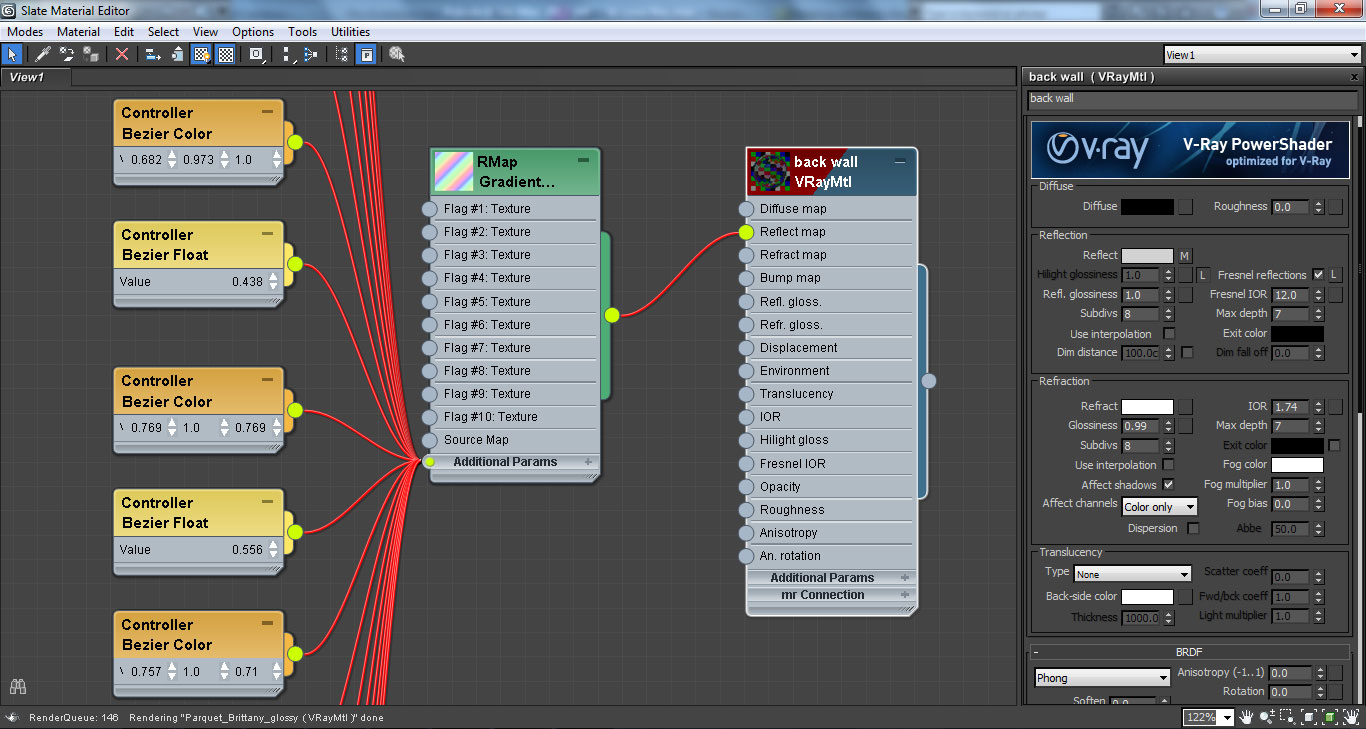
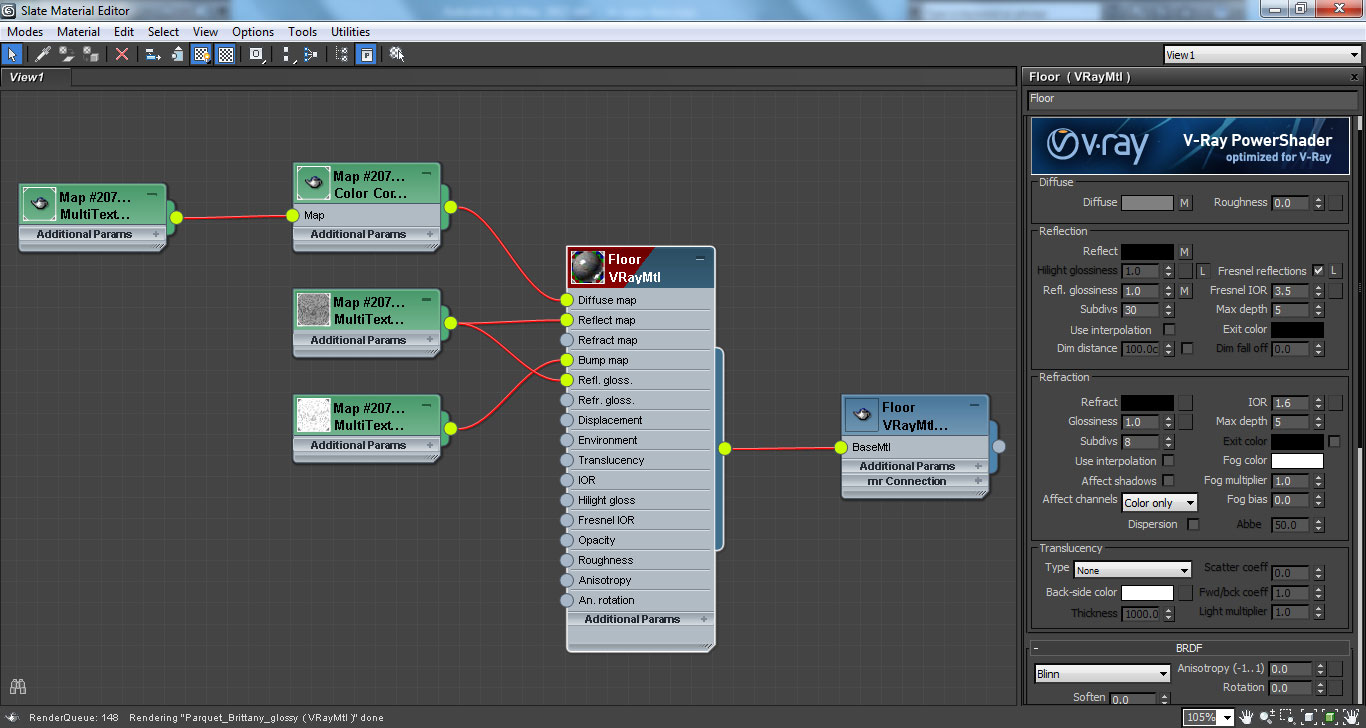
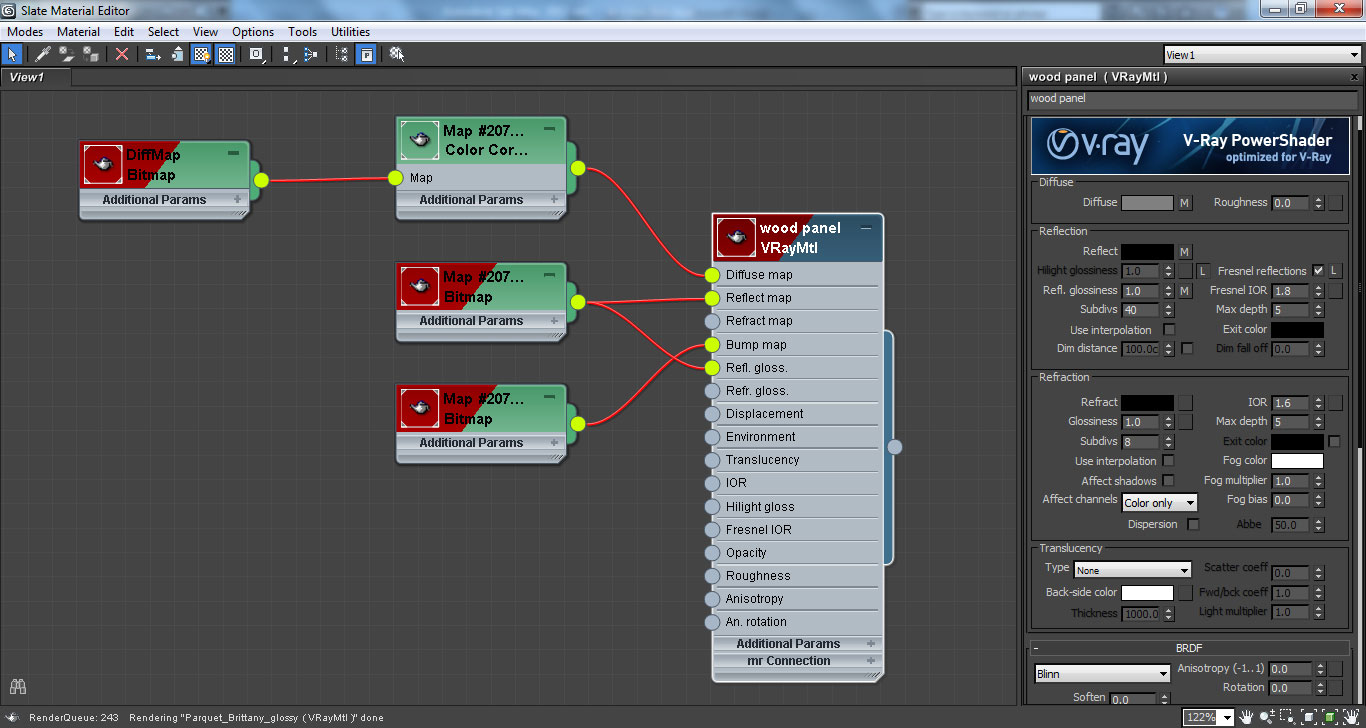
For this material I am just playing reflection and refraction.
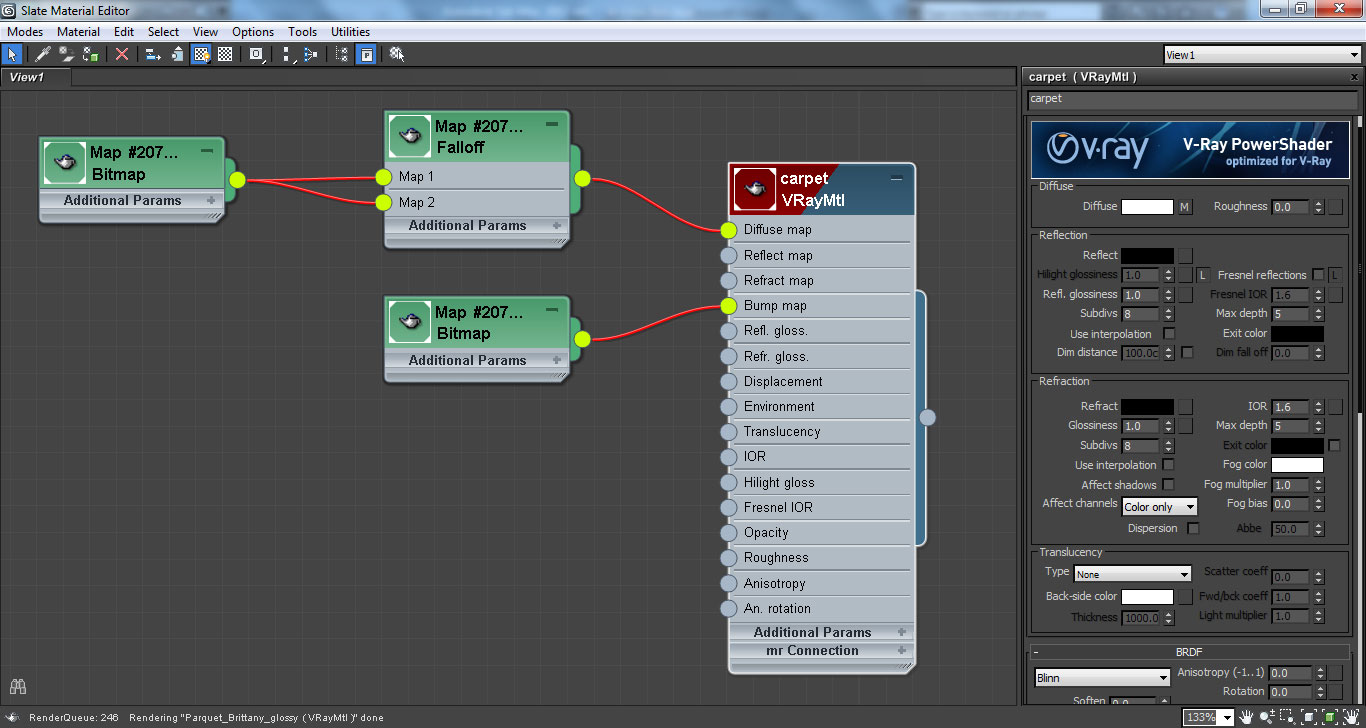
For these materials I just need good maps for the great result.
For this material I used tutorial from Viscorbel, you can check this site for get ready to fun modeling and texturing from Viscorbel: https://viscorbel.com/rugs-and-carpets-3ds-max-vray-tutorial/

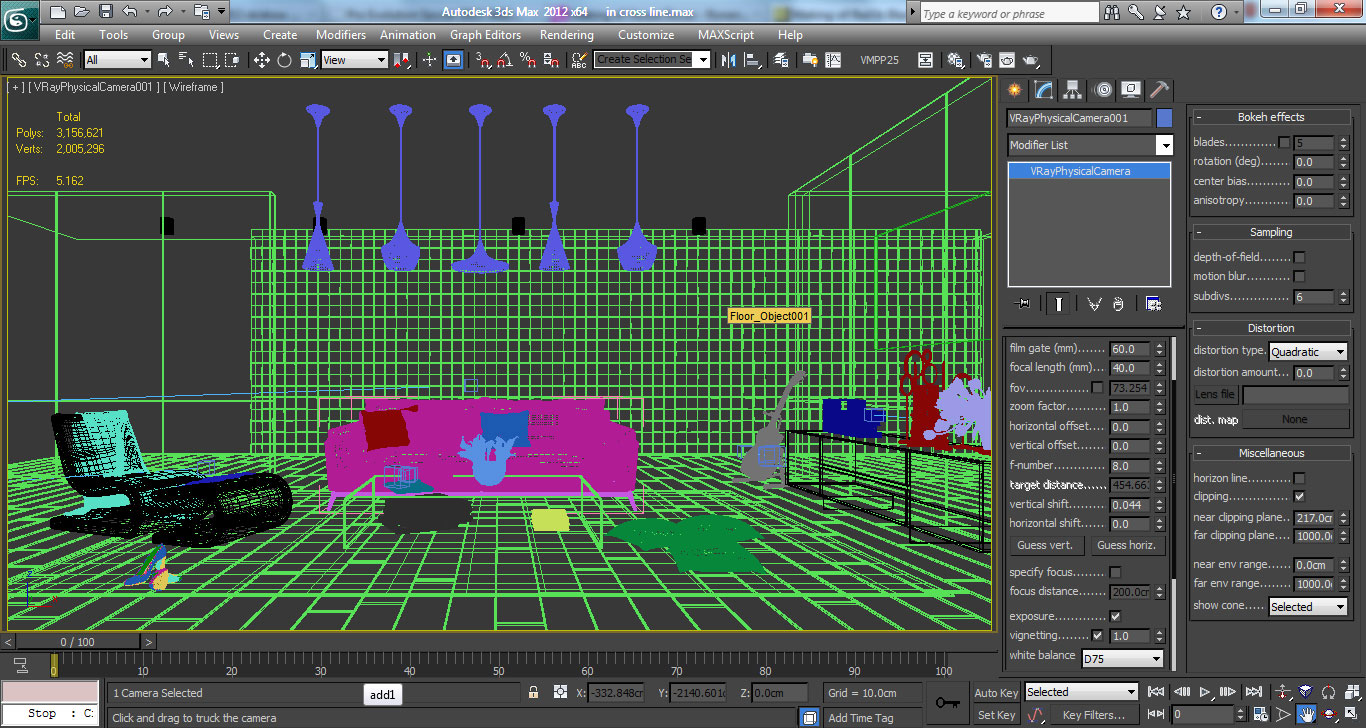
Ligthing and camera angle

Rendering

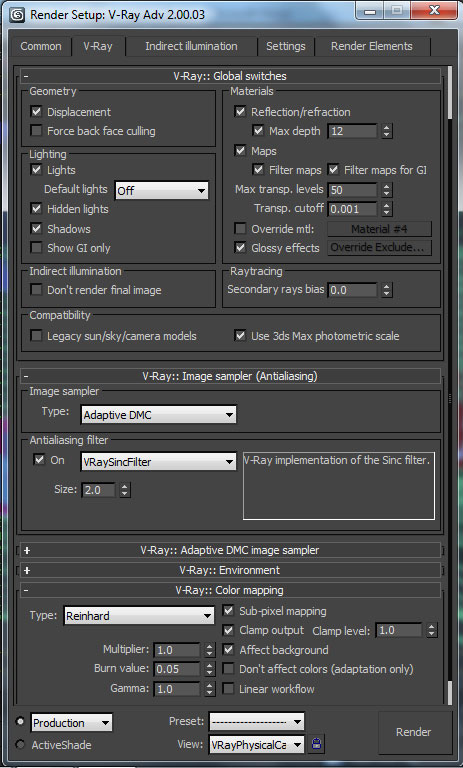
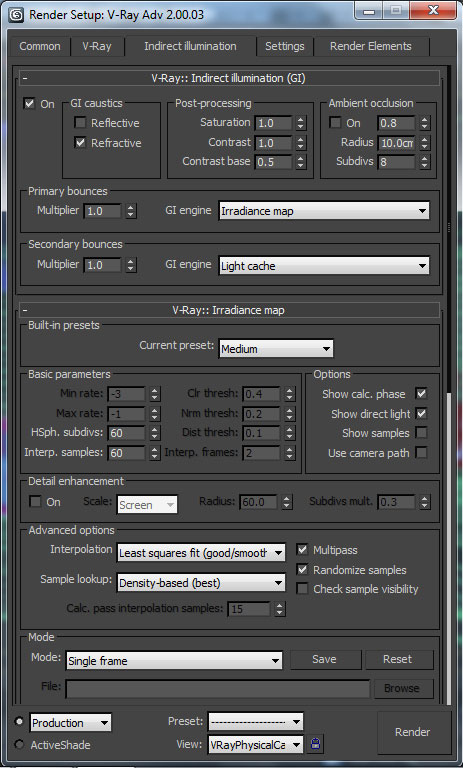
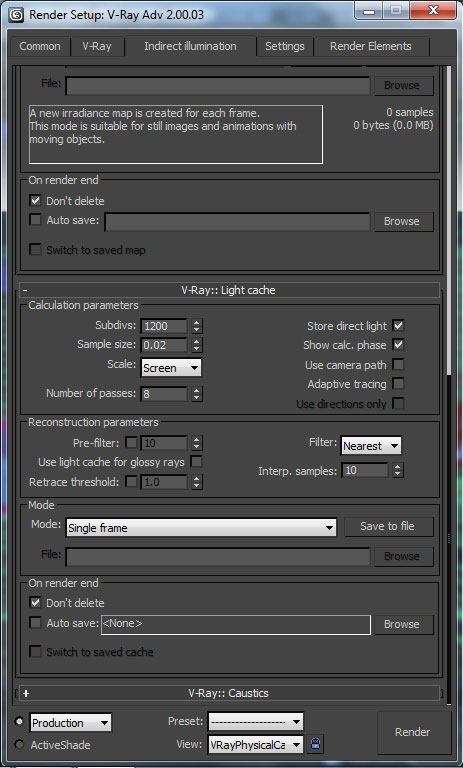
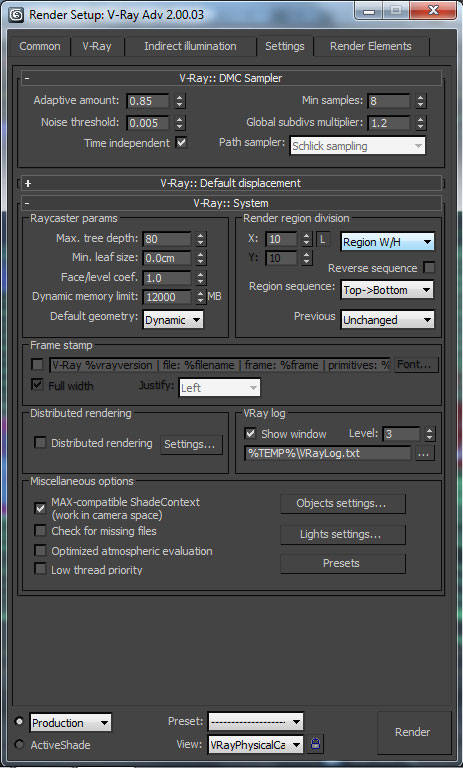
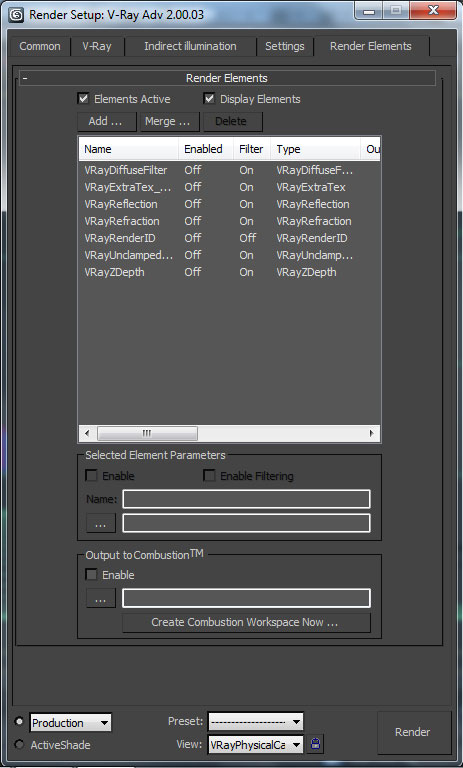
In rendering settings I used reinhard for color mapping, irradiance and light cache. Check these screenshots:

Post Production

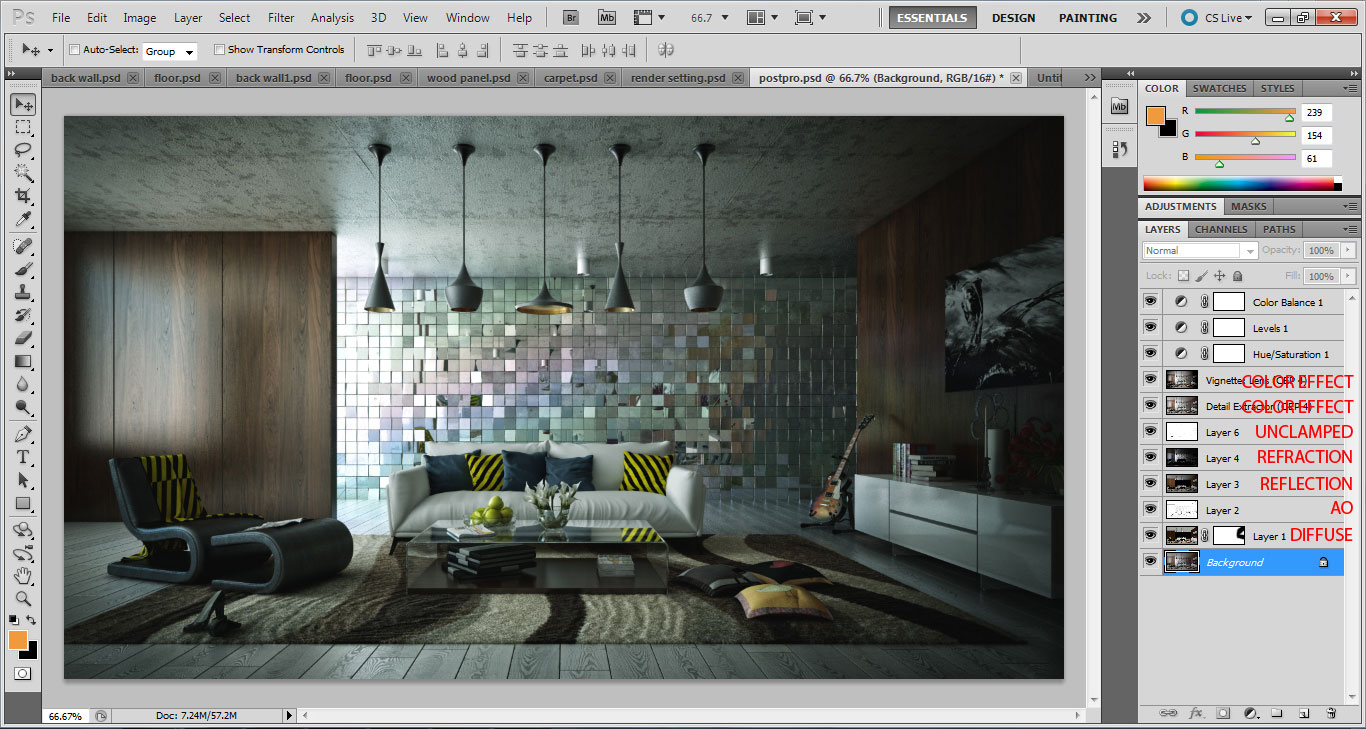
For post-pro I used only Photoshop, especially with the color balance tool to create a green.

Final images

Regards,

Supardiyono
Author: Supardiyono
Tags:
You may also like...
How to Speed Up Archviz Rendering Without Upgrading Your Hardware

How to Speed Up Archviz Rendering Without Upgrading Your Hardware

Save time, reduce stress, and focus more on the creative side of your projects.
×

LEAVE A COMMENT

You need to be logged in to leave a comment. Don't have account? Register now.

kondzhagyulo 13:49:57  |  22-11-2012
Mmmm... nice man! :)
gano ruless 10:40:11  |  23-11-2012
good job kid,nice simple n nice makin'love,evl blessed you,...
ricardo_duarte 21:45:48  |  05-12-2012
Very nice renders! Thanks for sharing your settings!