We are more than an asset library

Watch our Showreel
Search
Cart
Sign in
  • offerCustomer zone
  • offerYour orders
  • offerEdit account

  • offerAdd project
  • offerLiked projects
  • offerView your artist profile

  • Dark mode
    ✔
Self emitting lamp

Self emitting lamp

PENdzel 2007-05-28 00:00 tutorial  > 3ds MAX  > rendering

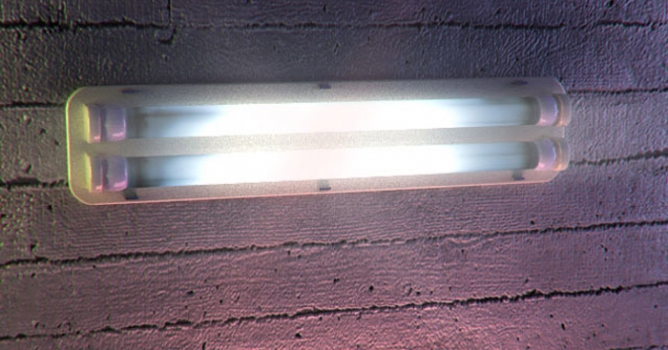
Hello. In this tutorial I will show you how you can create self emitting lamp.

1. Here is simple model of lamp that I am going to turn on.
DOWNLOAD START MAX FILE


2. Here are settings of test scene.


3. First ceramic's shader.


4. Second ceramic's shader.


5. Metal shader


6. Remember that this kind of lamp emits light different on whole surface. Some places are a bit darker, other lighter. Here is finished texture for the lamp


7. And here is lamp's shader.


8. Render settings:


9. I deleted vray light and here is result of render:


10. I added some other lights:


11. And here is result:


12. And after some correction in photoshop it looks like that:


DOWNLOAD FINAL MAX FILE


Author: PENdzel
Tags:
You may also like...
SketchUp's Real-Time Rendering Moment: Lumion View, AI Render, and the End of the Export Workflow

SketchUp's Real-Time Rendering Moment: Lumion View, AI Render, and the End of the Export Workflow

SketchUp 2025–2026 has added native PBR materials, AI image generation, and real-time rendering plugins like Lumion View, letting archviz artists produce photorealistic images without leaving the viewport. This collapses the traditional design-to-render pipeline.
×

LEAVE A COMMENT

You need to be logged in to leave a comment. Don't have account? Register now.
MaRmAR 15:43:48  |  12-08-2009
Nice one! :)
xeon_max 05:58:27  |  27-08-2009
ill try it :)
taupada 01:26:03  |  05-12-2009
Nice tutorial
WaseemOnLiNe 11:50:33  |  19-03-2010
Very nice tutorial, thank you very much