We are more than an asset library

Watch our Showreel
Search
Cart
Sign in
  • offerCustomer zone
  • offerYour orders
  • offerEdit account

  • offerAdd project
  • offerLiked projects
  • offerView your artist profile

  • Dark mode
    ✔
Create Atmospheric Renders with Vray's Volumetric Fog

Create Atmospheric Renders with Vray's Volumetric Fog

YT 2024-02-23 14:16 tutorial  > V-Ray  > rendering

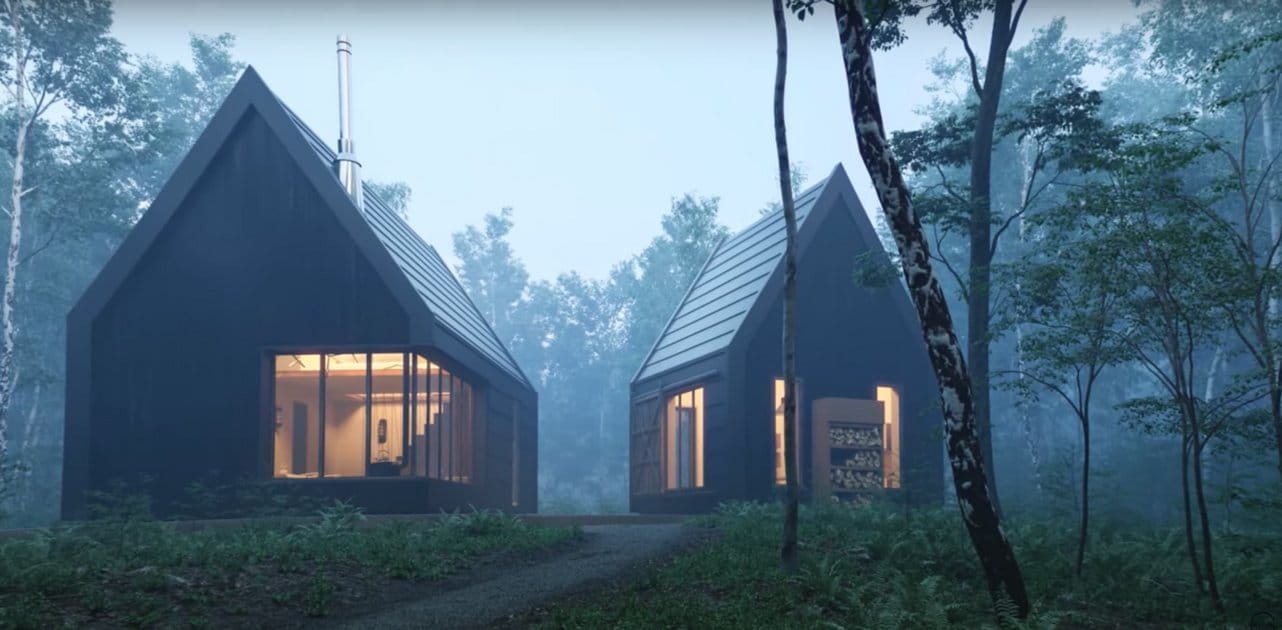
In this video, we'll explore Vray's powerful volumetric fog module.

With this useful tool, you'll be able to create stunning atmospheric renders that will add depth and realism to your scenes. Volumetric fog is a powerful tool that can be used to create realistic and atmospheric renders. In this video, we'll explore how to use Vray's volumetric fog module to create impressive scene renders. By the end of this video, you'll be able to create realistic foggy scenes that will add depth and realism to your scenes. We will pick a reference picture and try to follow everything in that picture to get the same result in 3ds max and Vray. 

Author: YT
Tags:
You may also like...
Redshift 2027.0: 15% faster renders, Archicad support, and ray-traced glass

Redshift 2027.0: 15% faster renders, Archicad support, and ray-traced glass

Maxon's Redshift 2027.0 cuts render times by up to 15% through memory optimization and adds official Archicad integration alongside improved materials and live feedback tools.
×

LEAVE A COMMENT

You need to be logged in to leave a comment. Don't have account? Register now.