We are more than an asset library

Watch our Showreel
Search
Cart
Sign in
  • offerCustomer zone
  • offerYour orders
  • offerEdit account

  • offerAdd project
  • offerLiked projects
  • offerView your artist profile

  • Dark mode
    ✔
Create a Perfect Studio Lighting in 3ds Max

Create a Perfect Studio Lighting in 3ds Max

YT 2022-02-03 12:57 tutorial  > 3ds MAX  > modeling

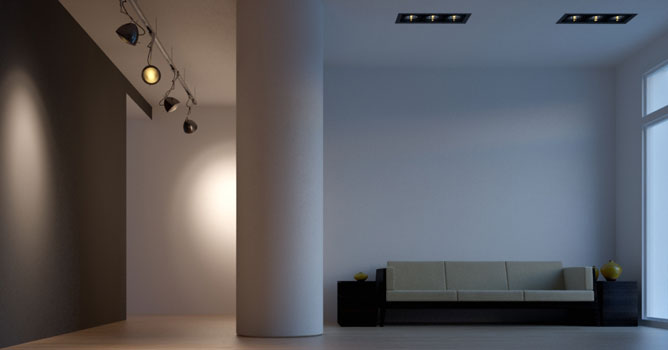
Discover the secrets to achieving flawless studio lighting setups in 3ds Max with Evermotion's tutorial. Learn essential techniques and lighting principles to create professional-quality renders for product visualization and photography.

The tutorial covers creating and setting up backdrop, key light and fill light. Then we focus on color balance and filling the background with light. The last steps involve creating a rim light and material adjustments.
 

Author: YT
Tags: vray 3dsmax lighting studio vray lighting studio
You may also like...
Flickering free flythrough animation in Vray

Flickering free flythrough animation in Vray

TipOfTheWeek: particleflow pt. 2: Make cool effects using 3ds max curve editor
×

LEAVE A COMMENT

You need to be logged in to leave a comment. Don't have account? Register now.