Gleb Alexandrov shows different techniques for previewing your model in Cycles that will help you to find mesh errors and get better understanding of your mesh shape and features.
Lighting plays the crucial role in revealing details of our model. Directionality and size of lighting affect shadows which can be sharp or soft, depending of our preference. You need to test your model under different lighting conditions. Of course, for rendering we use Filmic color mangement which gives better tonality to our output image.
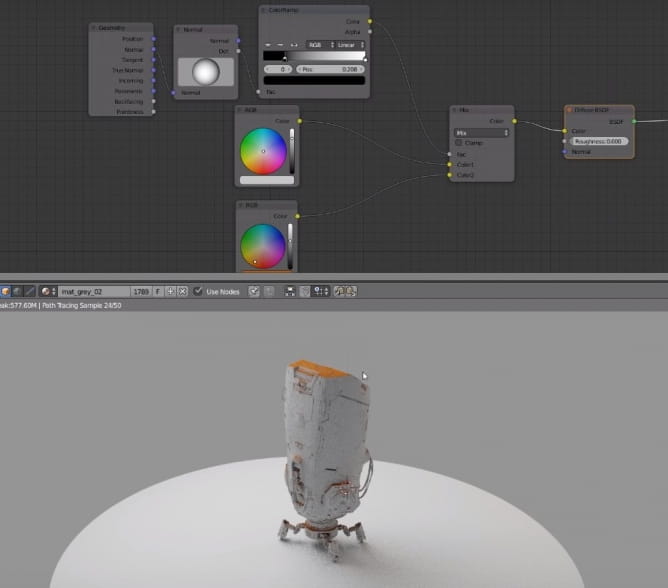
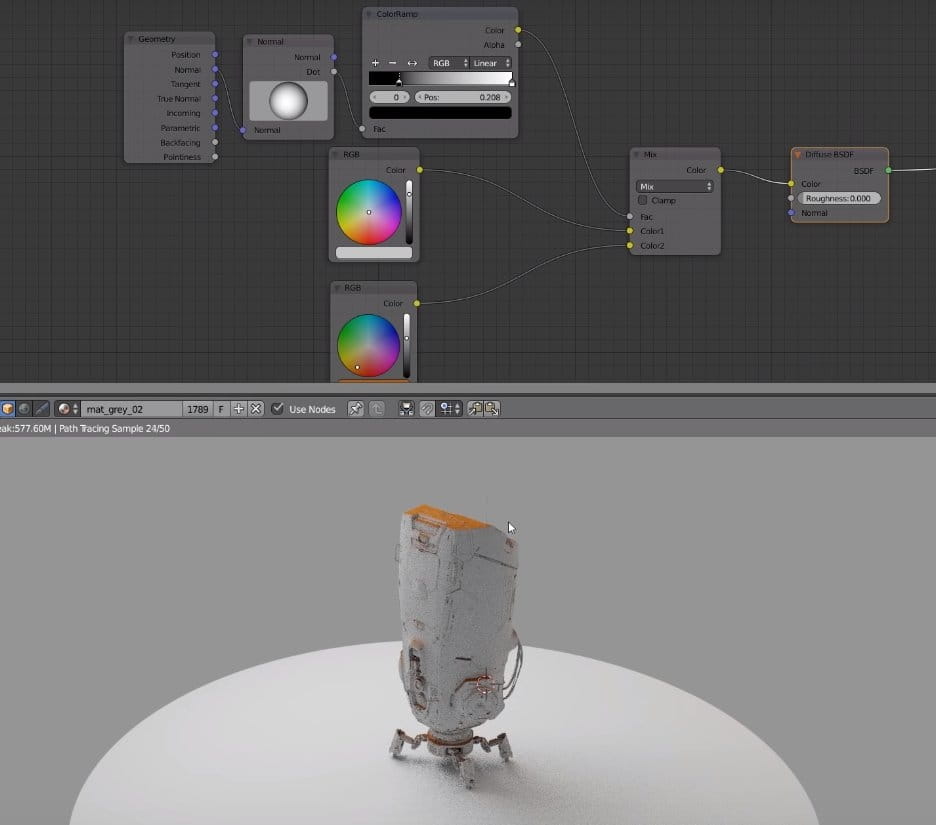
We can use normal node to apply different colors (or shaders) depending on surface angle - top facing polygons can be shaded differently than the others with just a couple of nodes.
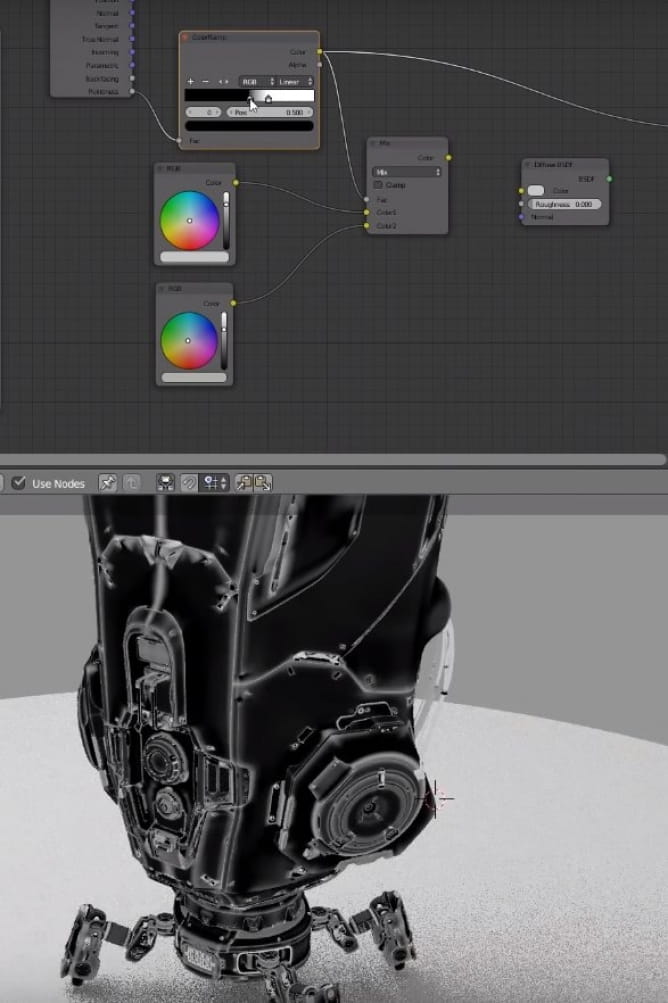
If you use "Pointiness" input, you can differentiate what color will be rendered on surface depeneding on its convex / concave shape. It looks like edge detection / ambient occlussion. It helps to emphasize mesh features.
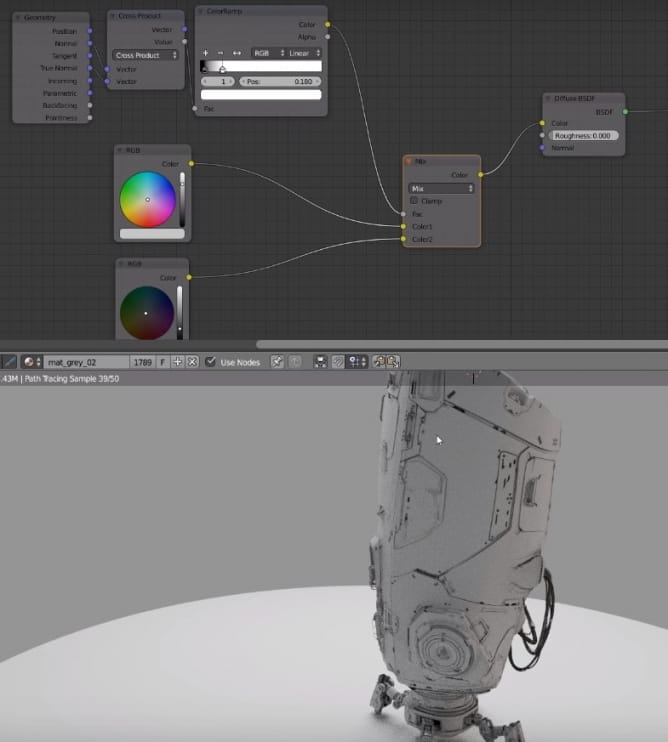
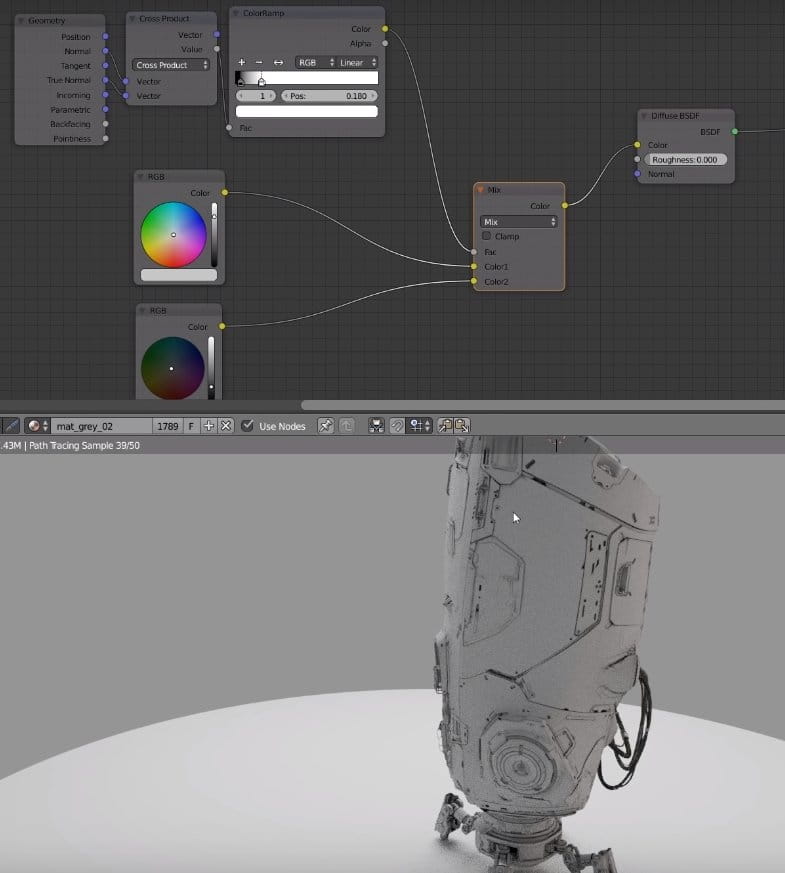
Faking abient occlussion with cross product of Normal and True Normal inputs.
Watch the whole tutorial:






 Customer zone
 Your orders
 Edit account
 Add project
 Liked projects
 View your artist profile














COMMENTS