The 3ds Max 2022.2 update focuses on performance, better unwrapping and modeling tools.
The 3ds Max 2022.2 update focuses on a safe and secure workspace environment, workflow efficiency, and enhanced modeling tools.
File Save Performance - Saving scenes is now more than twice as fast in 3ds Max 2022.2 compared to previous versions, which increases the overall productivity of users. Although all scenes save faster, the improvement experienced by users depends on the contents of the scene. For example, scenes with large Editable Poly meshes will see a more modest reduction in save time.
Unfold3d for the Unwrap UVW Modifier - Peeling, packing and relaxing of UVs now use the Unfold3D algorithm inside of the Unwrap UVW modifier. When working with UV data within the UV Editor of the Unwrap UVW modifier, you'll now have access to Unfold3D's enhanced peeling, packing and relaxing algorithm. In the Unwrap UVW modifier's UV Editor, you have the option to revert to the previous LSCM (Least Square Conformal Maps) method of unwrapping texture coordinates through a drop-down feature located in the Peel rollout. A new progress bar has been added to the Peel rollout in the UV Editor to show Unfold3D's processing status.
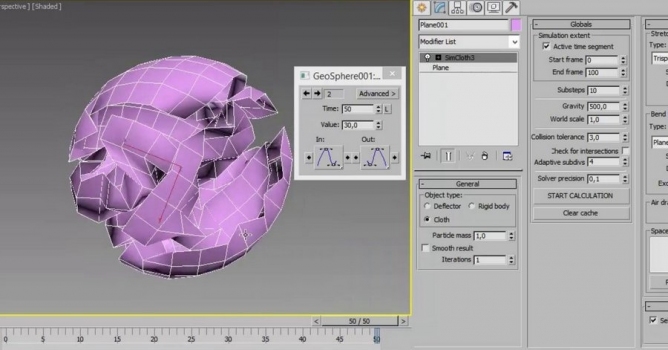
Enhanced Smart Extrude - Smart Extrude allows for a partial cut-through on an Editable Poly object. When using Smart Extrude on selected polygons, you can now partially cut-through another poly surface on an inward or outward extrusion. When Smart Extrude is performed, the geometry, including the extruded faces, side faces, and non-extruded faces, are stitched together along the intersection. Smart Extrude also allows for multiple cut-throughs with one action. It can even cut through multiple elements on a mesh.
Updated Tablet Pen Pressure Support - 3ds Max now supports the full range of pressure sensitivity that is offered by an external tablet device's pen.
Symmetry Modifier - The Symmetry modifier's welding algorithms have been updated to provide even more predictable results by finding matching pair of vertices on the mirrored surface.
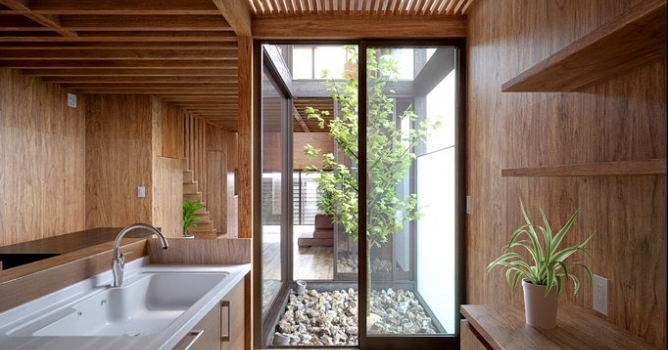
In this walkthrough, we guide you through the process of building a polished 3D interior scene inspired by the cover of Archmodels vol. 306 – Table Sets.






 Customer zone
 Your orders
 Edit account
 Add project
 Liked projects
 View your artist profile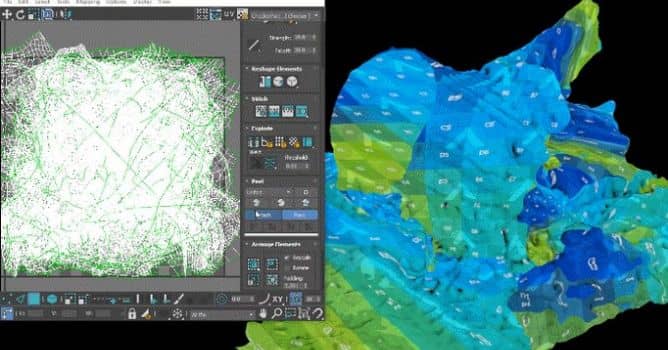












COMMENTS