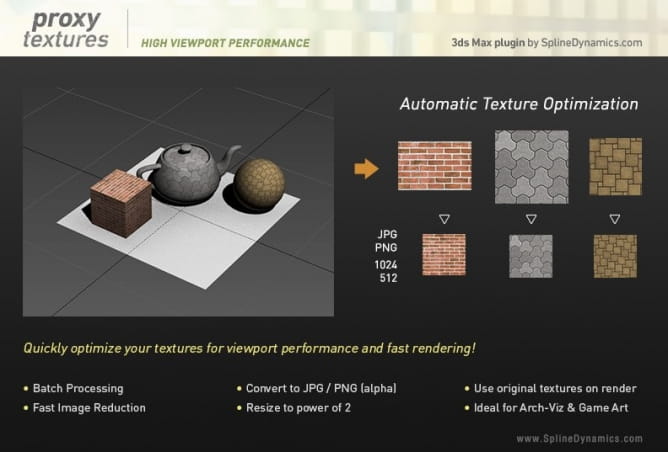
The plugin temporarily reduces the size of your textures, resulting in lower memory consumption and better viewport performance.
You can set it to use the original textures only at render time, to work faster. You can also use it to reduce unnecessarily big textures, like the ones that are far from camera, to speed up your renders.
If you need to make small render previews or tests, you can easily downsize and optimize all textures accordingly, to accelerate your renders.
Proxy Textures lets you convert multiple texture files to JPG/PNG formats. You can choose either to process all bitmaps in scene at once, or to work only with the materials in selected objects.
This tool is very simple to use and really powerful! Smartly optimize your complex scenes, with loads of high resolution textures, and make them lightweight and easy to manipulate.
This is a commercial script for Autodesk 3ds Max 2015 and higher.
Features
- Create low resolution copies of your textures and free up RAM memory to accelerate and simplify your work on complex scenes.
- Work either on selected objects or on all scene textures at once.
- Set image reduction size in pixels or percentage. Quick preset buttons.
- Set the plugin to automatically use original textures at render time or restore them manually at any time.
- The link with the original textures is always preserved.
- Convert multiple textures to the lightweight JPG/PNG formats, to replace heavy TGA/TIFF/BMP files.
- Automatically resize textures’ dimensions to the nearest power of 2 (optimized for graphic cards / game engines)
- Set a custom folder for your proxy textures.
- Support for the most popular render engines (Scanline, VRay, Corona, FStorm, Arnold, etc.)
- Simple drag&drop installation.
- No plugin-dependency.
More info on Spline Dynamics Proxy Textures webpage.






 Customer zone
 Your orders
 Edit account
 Add project
 Liked projects
 View your artist profile
















COMMENTS