Hello, my name is Jose L. Heredia, I present the making of a project by some architects colleagues in Patagonia, Argentina.
I needed to show the project in a specific situation with a specific ambience, without neglecting the immediate environment.
Click on image to enlarge 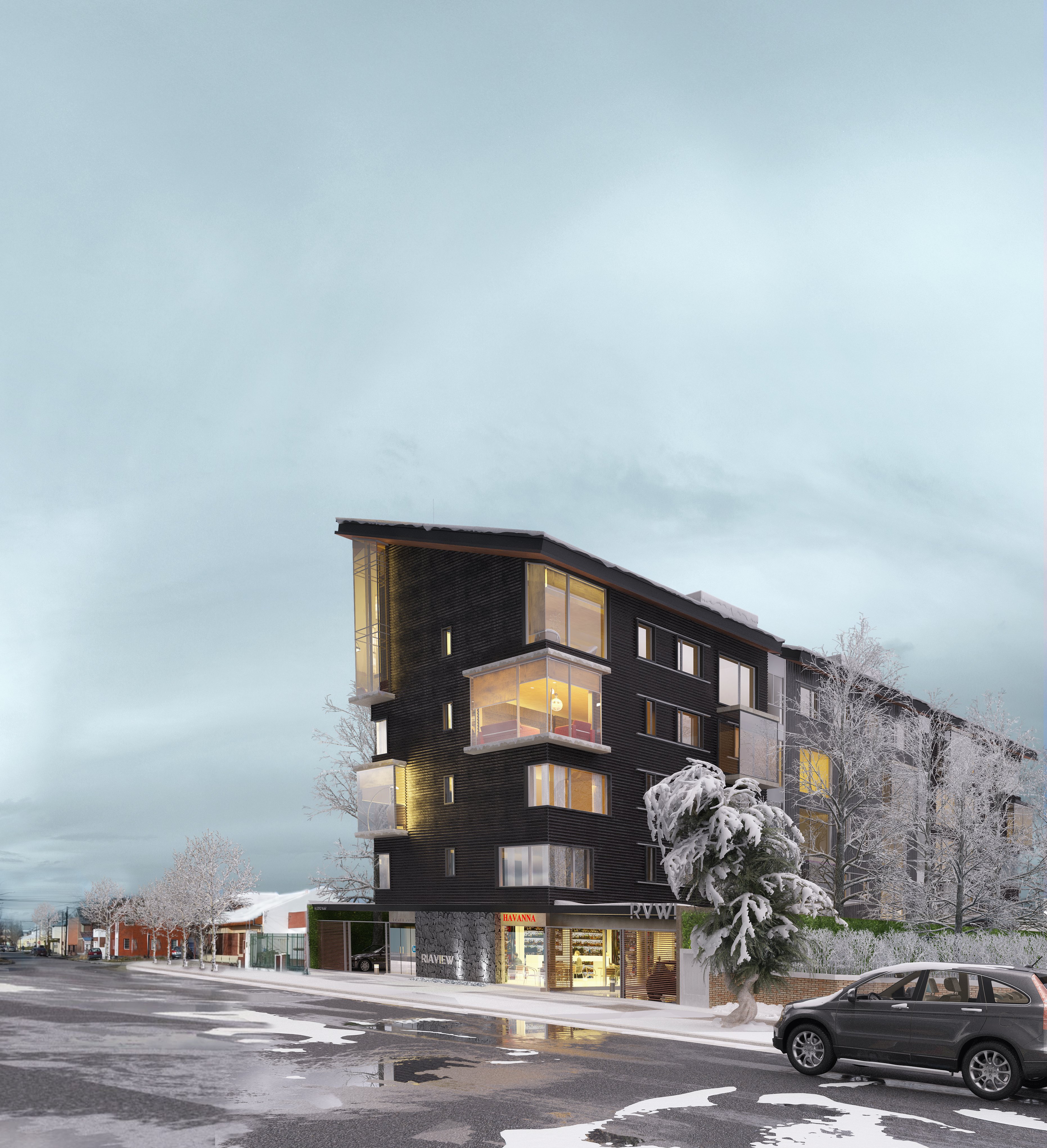
Final image after post-production.
Click on image to enlarge 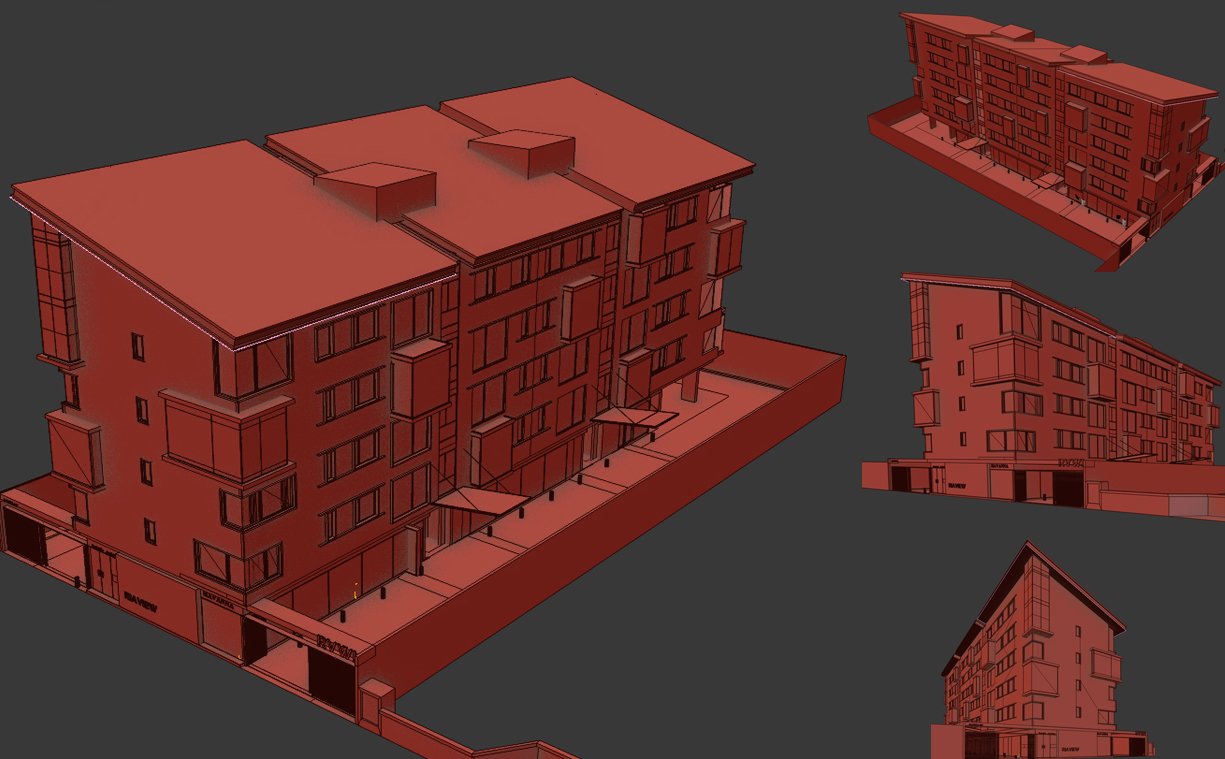
Wireframe view. Based on project plans. At the begin I started modeling the building and tested the best possible position of the camera.
Click on image to enlarge 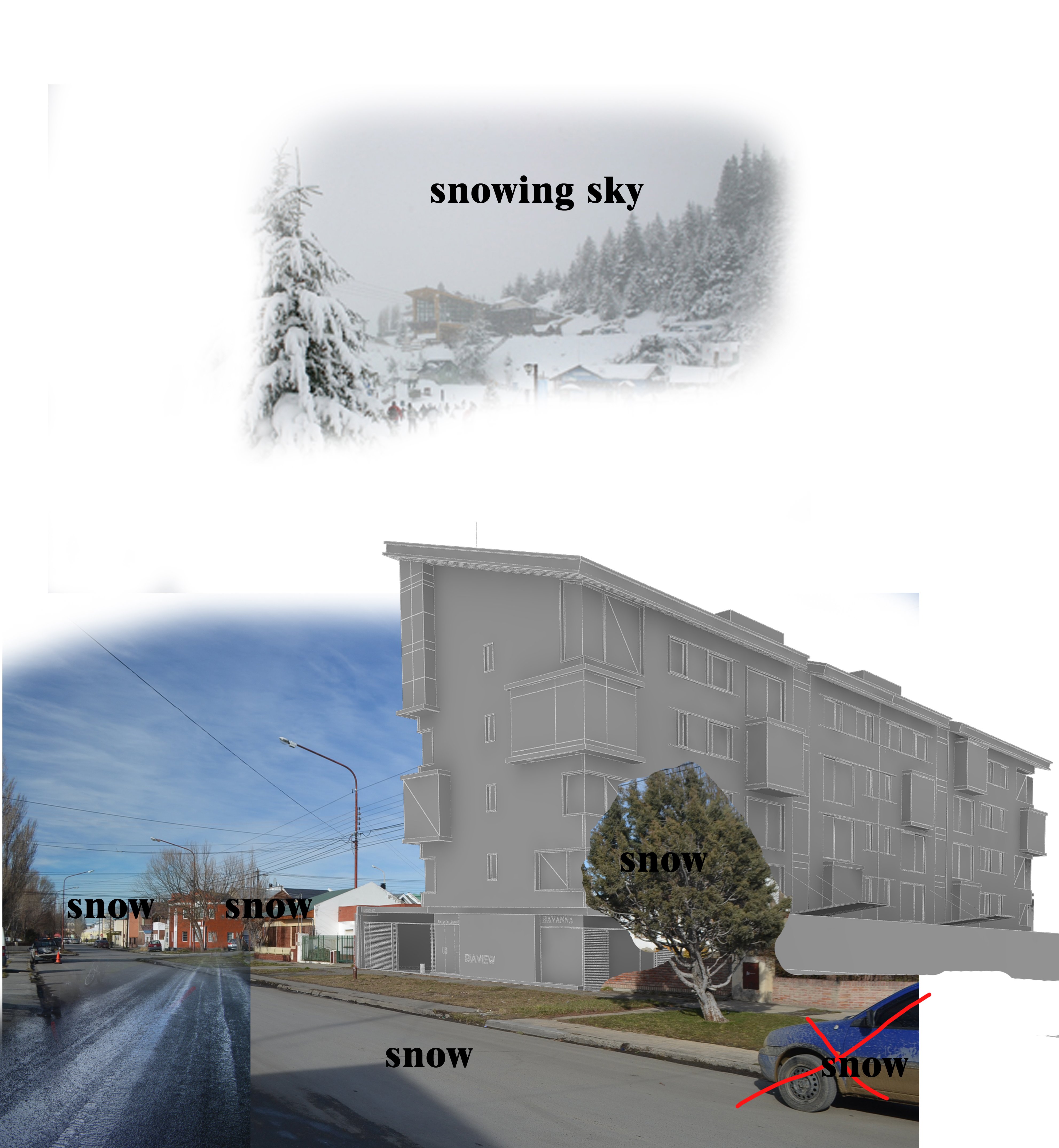
I had a reference photo of surrounding area. I found good place for the building, set proportions and premises.
Click on image to enlarge 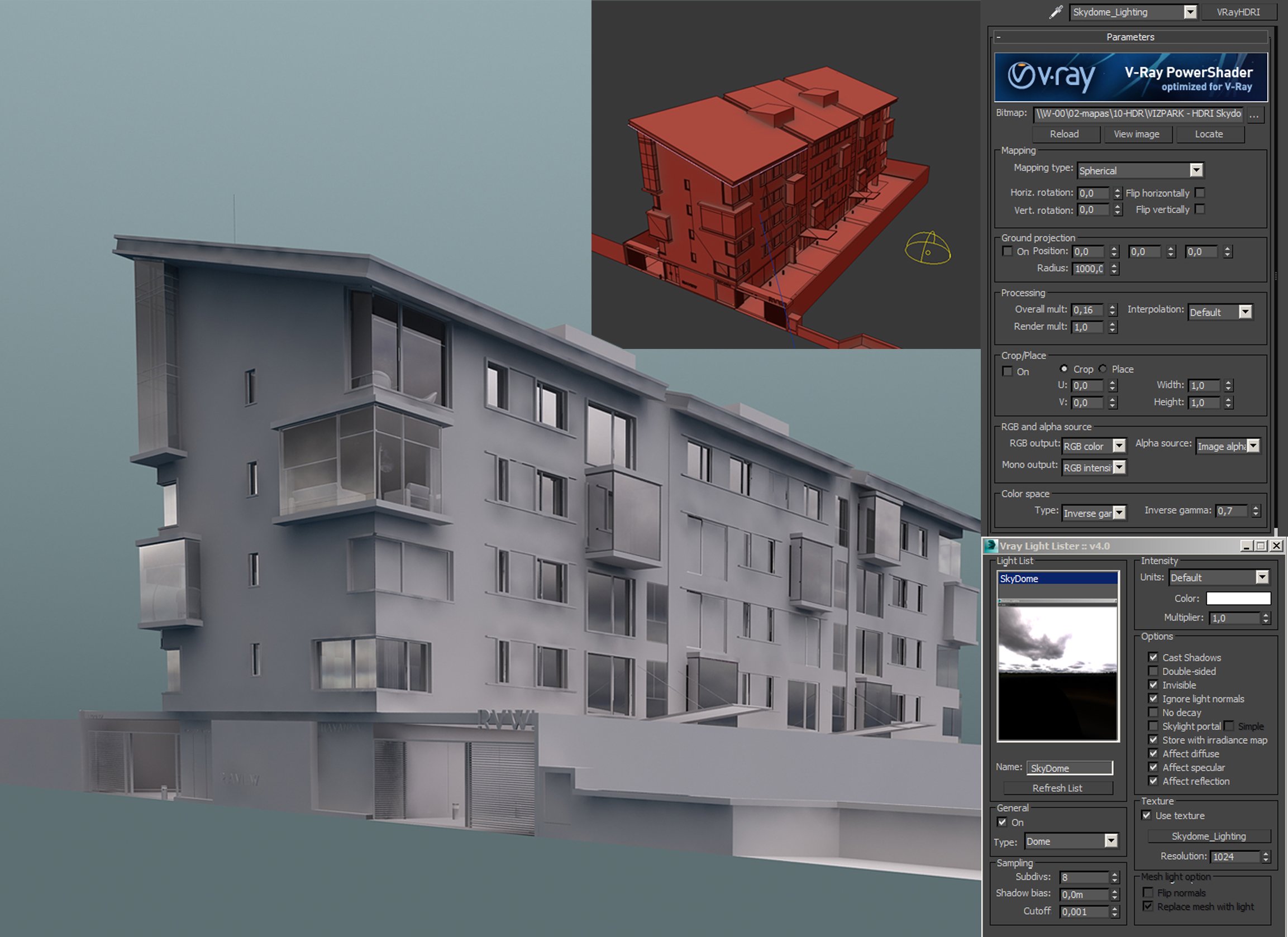
Exterior lighting: Vray dome light using VP_hdri_skydome_19.hdr-Vizpark Hdri.
Click on image to enlarge 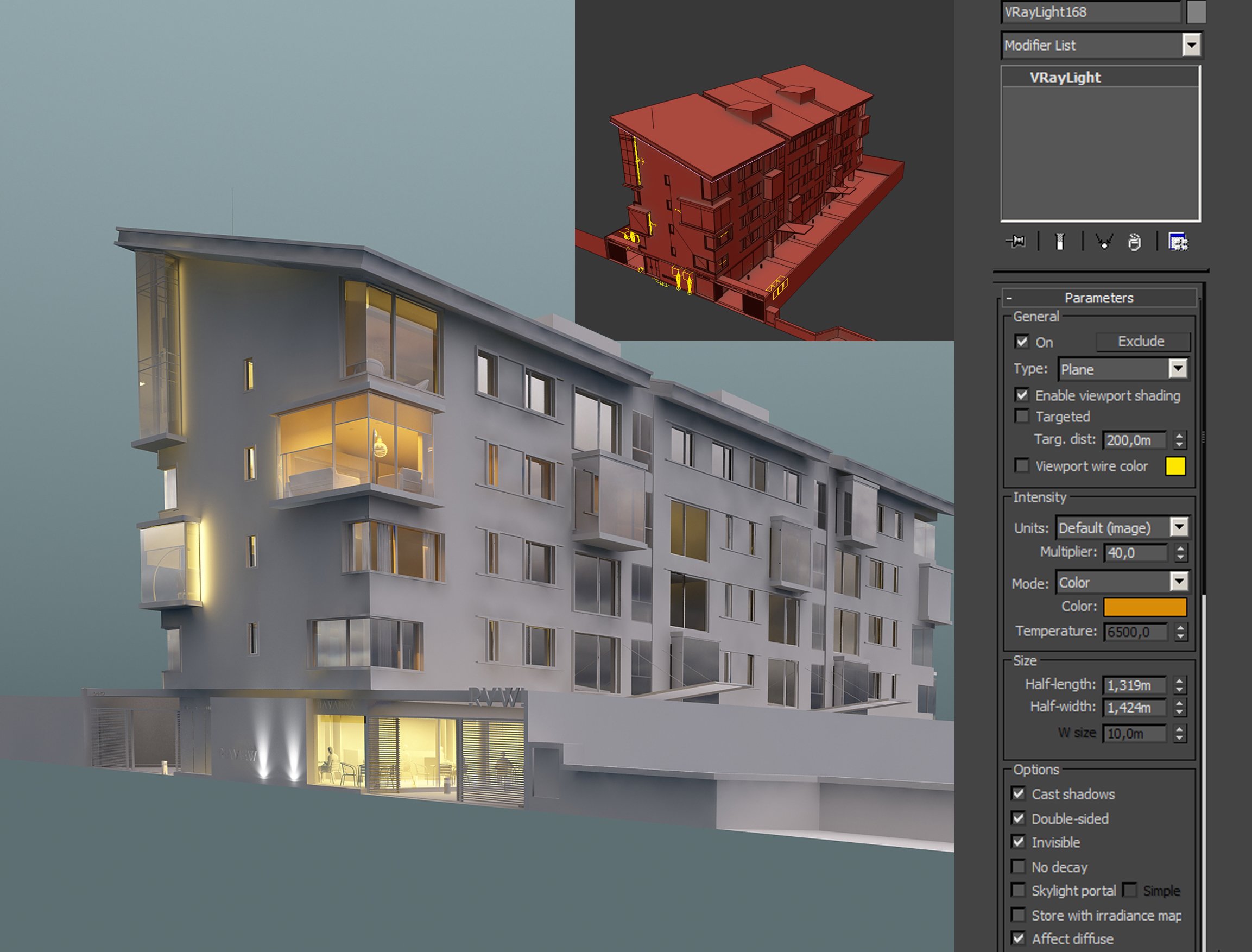
Interior lighting - Vray plane lights
Click on image to enlarge 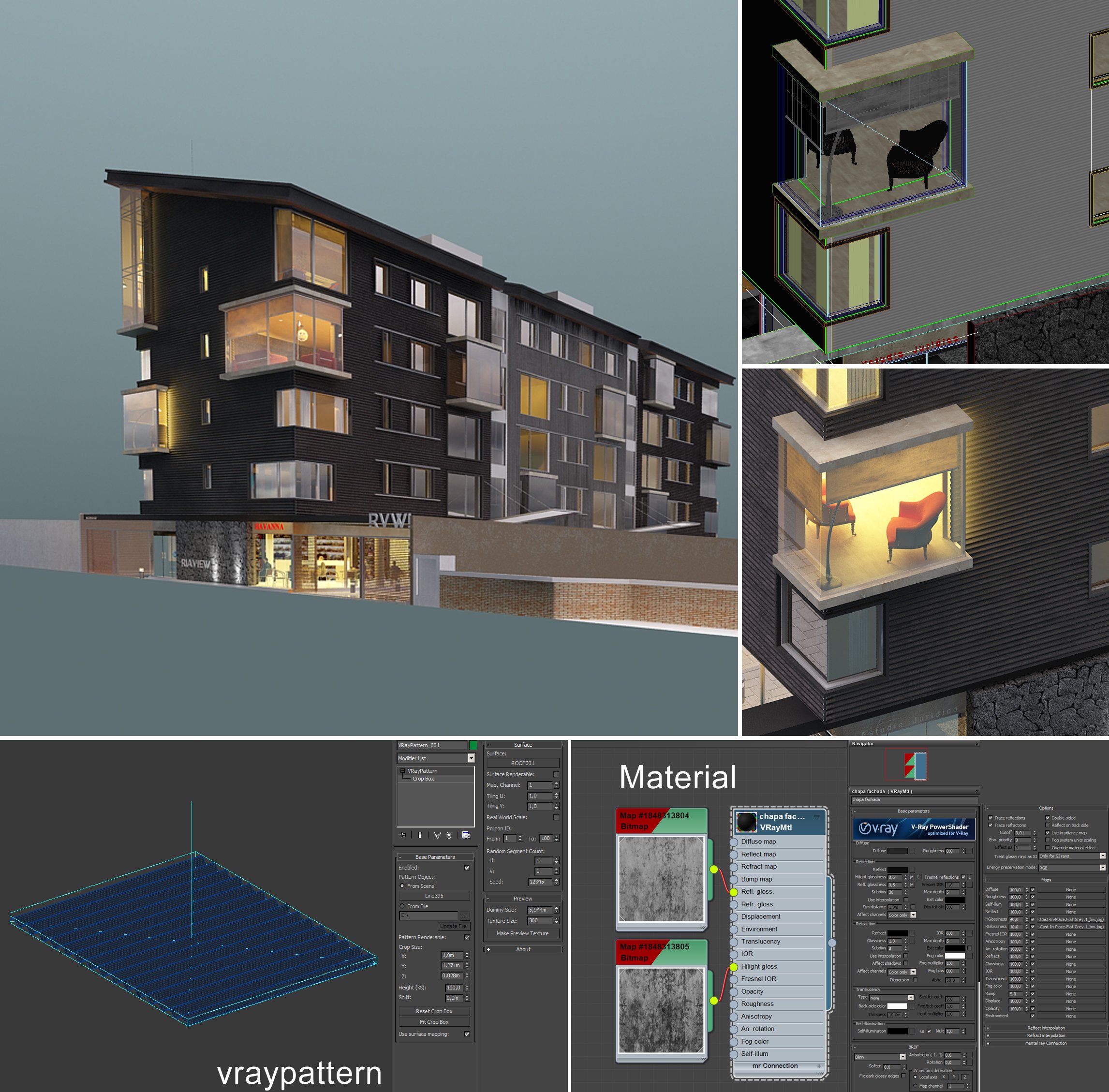
Material Facade - plugin with Vray pattern.
Click on image to enlarge 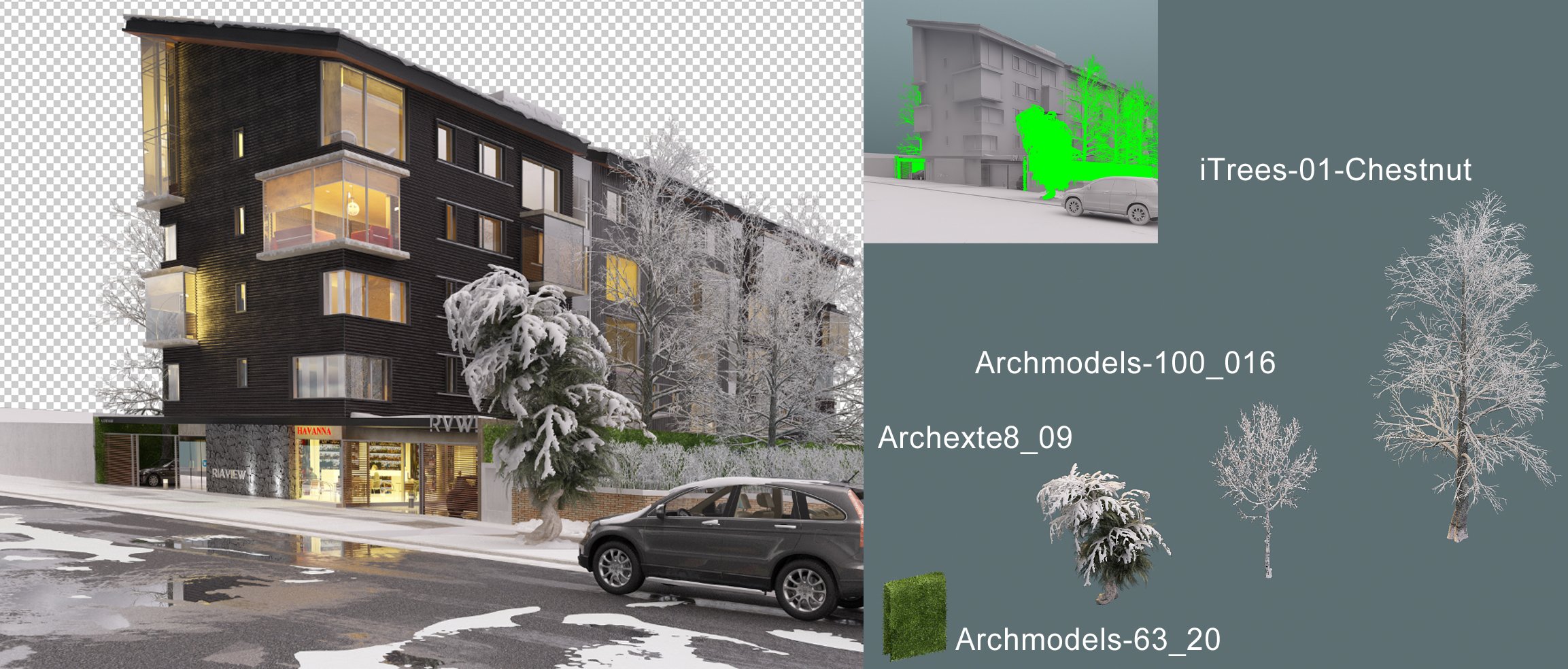
For Vegetation I used 3d models from iTrees and Archmodels.
Click on image to enlarge 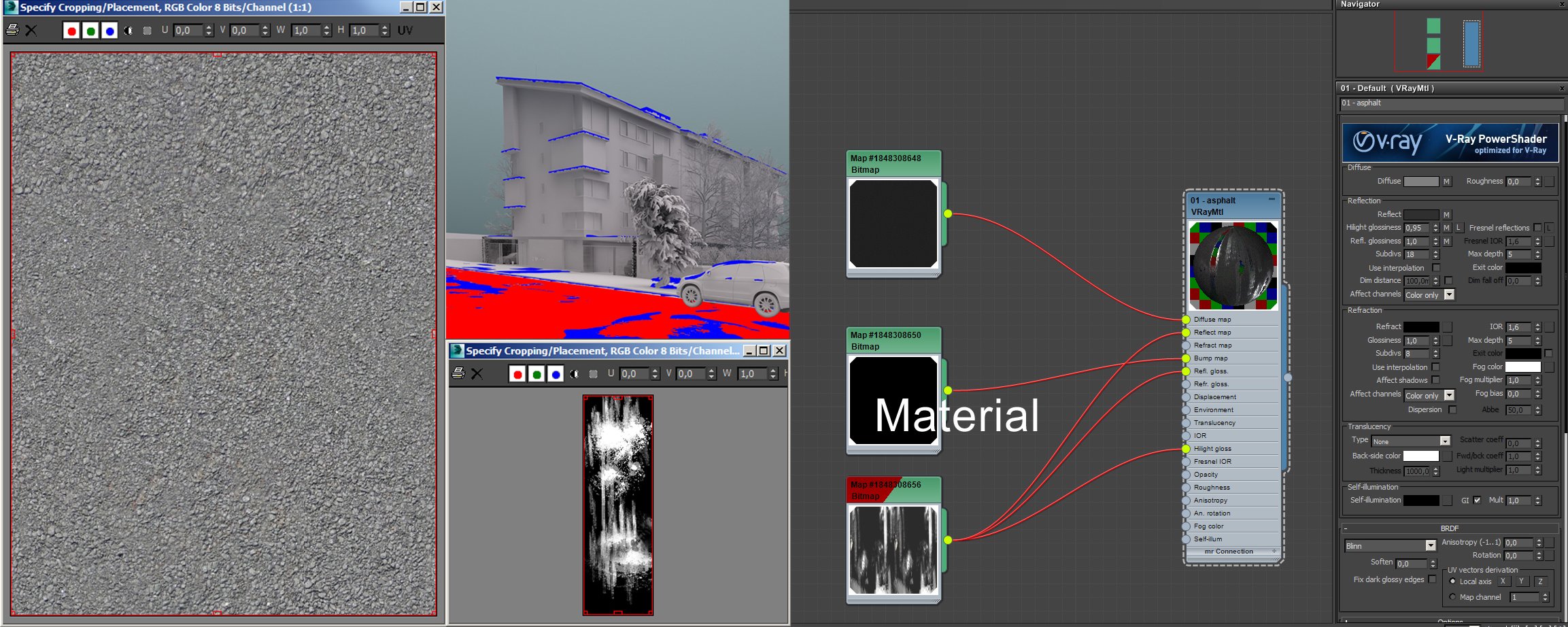
Click on image to enlarge 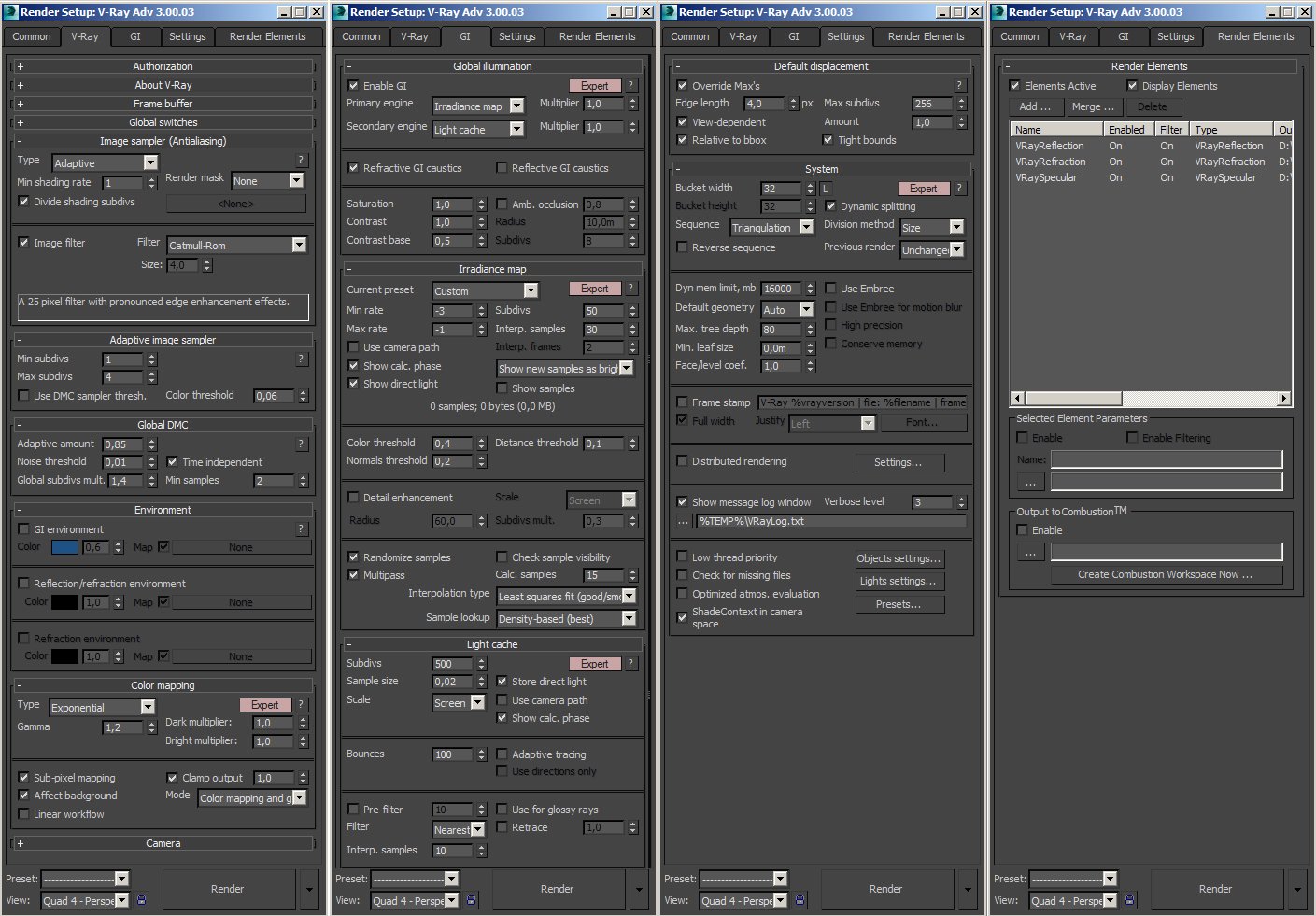
Click on image to enlarge 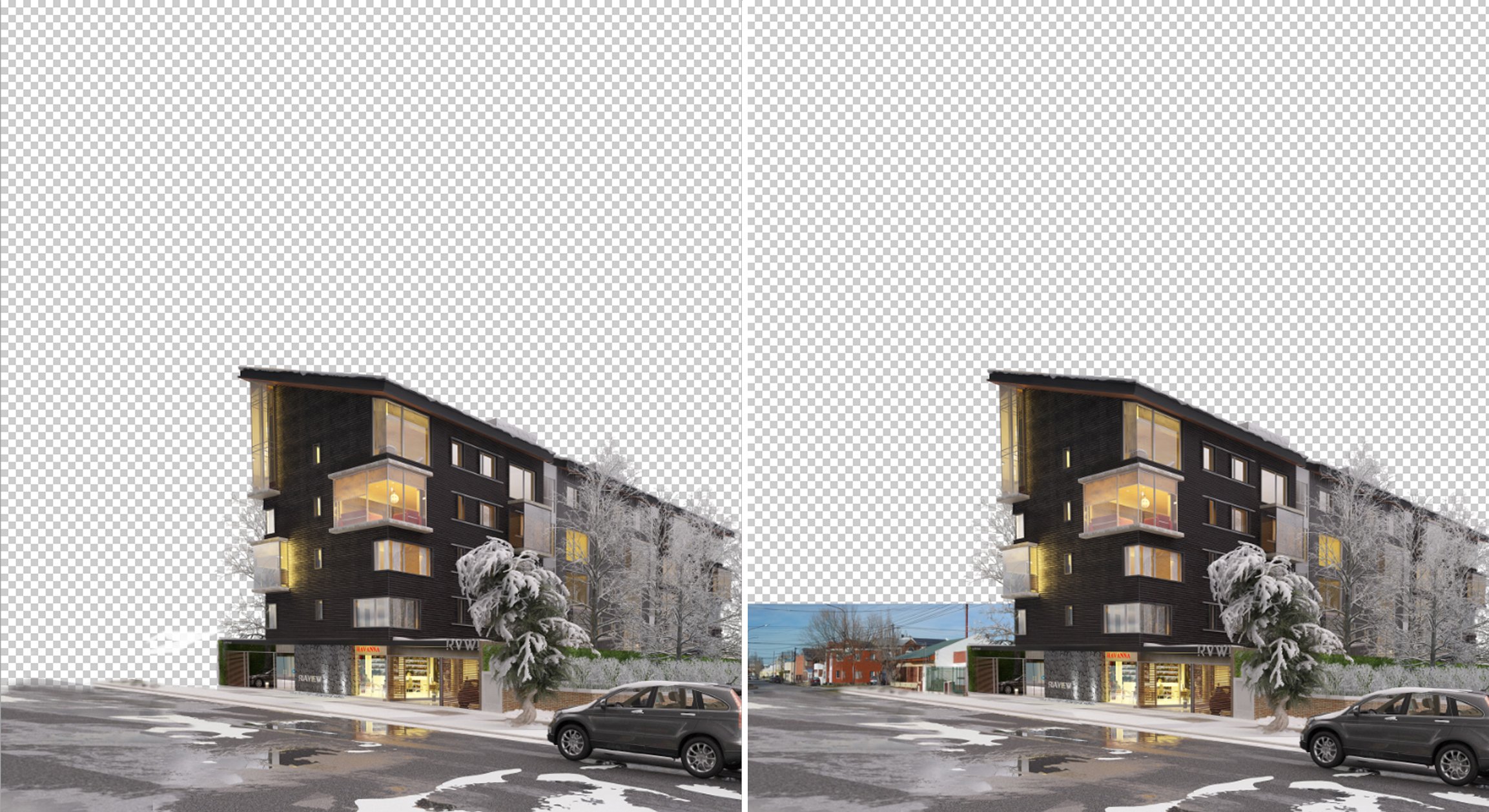
Post-production. Add Renders elements and background.
Click on image to enlarge 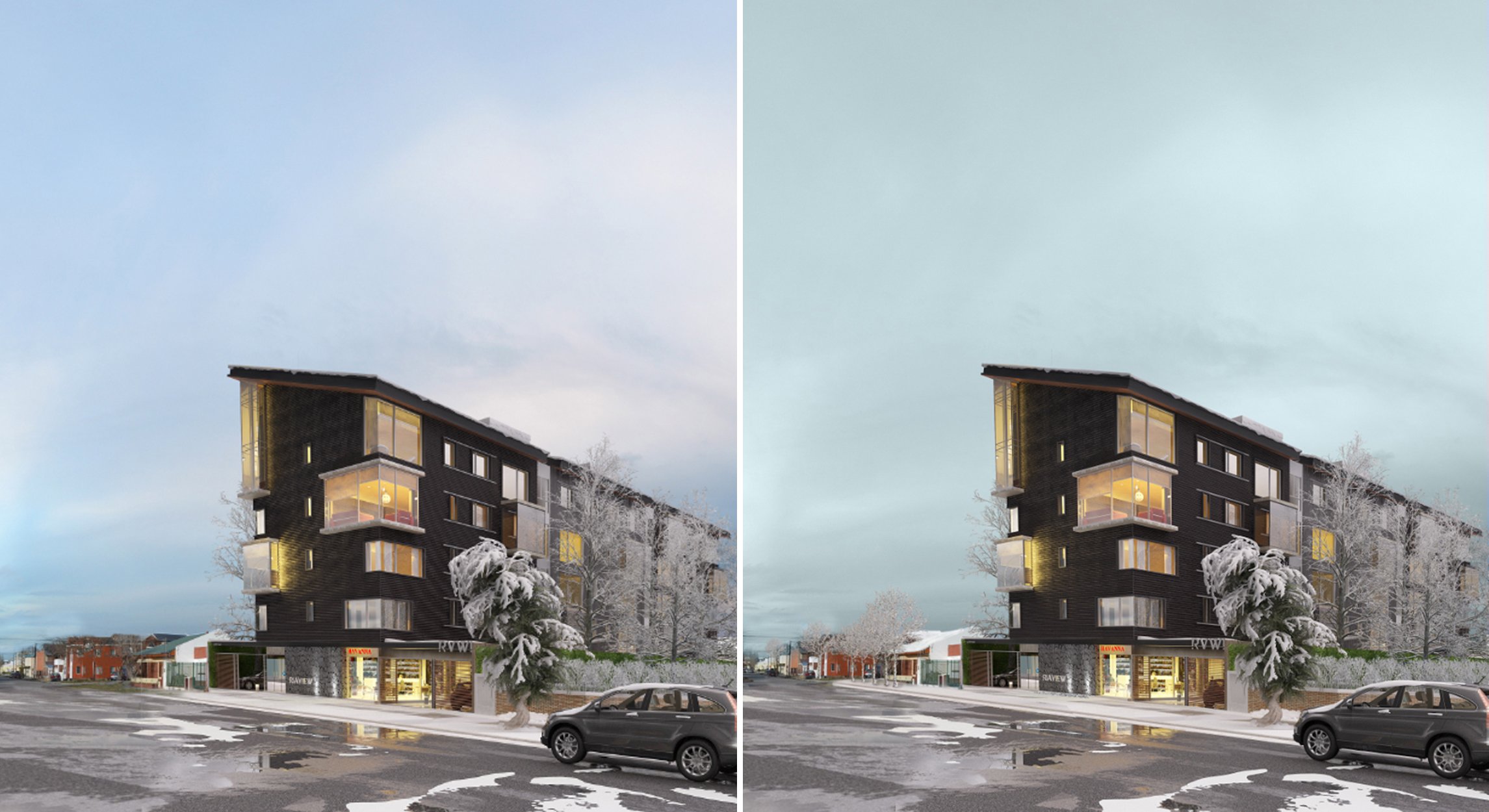
Post-production, Add sky and tree in Photoshop.
Thanks for reading!
Arq. Jose Luis Heredia






 Customer zone
 Your orders
 Edit account
 Add project
 Liked projects
 View your artist profile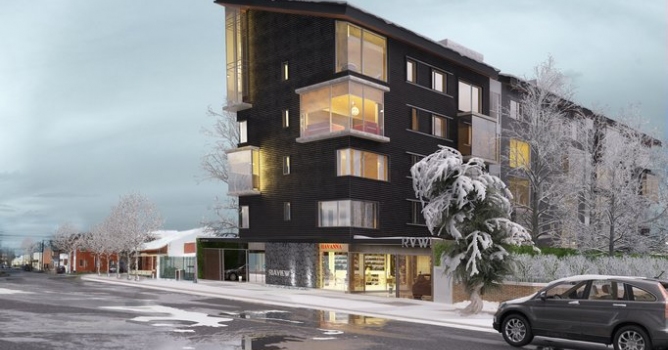














COMMENTS