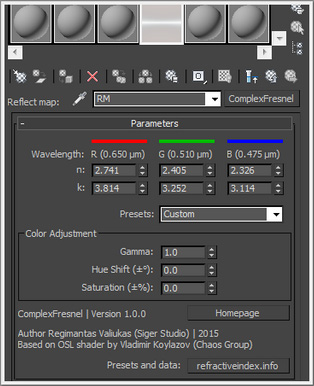
Complex Fresnel Texmap plugin can be used to render materials with complex index of refraction (IOR): the regular material (for example V-Ray, Corona Renderer) can compute the Fresnel effect for dielectric materials like plastic based on the IOR of the material (n) – however metals have a more complicated Fresnel reflective curve that depends also on another parameter called extinction (k) coefficient: η = n + ik.
n and k determine the two characteristics of the Fresnel curve for a material: the reflectivity at normal incidence and how quickly it fades to white at grazing angles.
The Texmap plugin can be used as a reflection color map in a material with the Fresnel option of the material turned off (this plugin does its own Fresnel calculations).
ComplexFresnel texmap plugin for 3ds Max version 1.0.0 available for free download: https://www.sigerstudio.eu/…/3ds…/sigertexmap-complexfresnel/






 Customer zone
 Your orders
 Edit account
 Add project
 Liked projects
 View your artist profile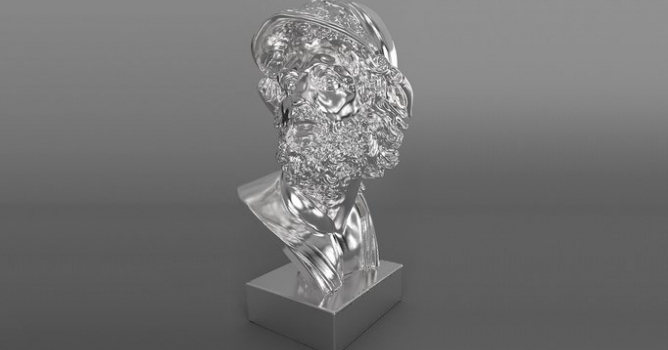



















COMMENTS