Search
Cart
Sign in
  • offerCustomer zone
  • offerYour orders
  • offerEdit account

  • offerAdd project
  • offerLiked projects
  • offerView your artist profile

  • Dark mode
    ✔
Maxwell Render 3.1 is out

Maxwell Render 3.1 is out

Press release 2015-01-29 09:03 article  > Software

Next Limit have released the latest version of their renderer.

Main Features

  • Full support to spotlights, fully controllable new emitters workflow. 
  • Extra Sampling feature, that allows to distribute different Sampling Level values in different parts of the image, saving a huge amount of time
  • OpenVDB format supported for volumetric rendering.
  • 360º Animation tool in Studio, to easily create turntable and time-lapse animations in Studio in just one click.
  • Camera sensor models, reproducing the color response of many real world camera models.
  • White balance and Tint tone mapping controls of the render.
  • Floating Shadows and Floating Reflections in FIRE.
  • Support for UDIM and other tiled texture formats.
  • Custom Alpha now based on materials as well.
  • New Technology Preview Network System (TP Network).
  • Hide to Camera in Shadow Channel, to get perfect full shadows for compositing, avoiding the 1 pixel border around the shadow without the need to launch an extra for the full shadow.
  • Devignetting can not be negative, for artsy purposes.
  • New output macro to specify the name of the channel in the output image file name. 

Improvements

  • Improved and simplified licensing procedure
  • Improved Single Sided SSS model
  • Improved performance in scenes with a lot of grass and/or hair
  • 50% reduction of memory consumption in volumetrics
  • Dramatical improvement in memory usage when loading references
  • Dramatical improvement in memory usage and voxelization time in massive scenes with motion blur
  • Histogram now can display RGB curves separately
  • RealFlow RenderKit updated to the latest version
  • Benchwell can be launched now with a command line flag: maxwell.exe -benchwell or maxwell.exe -benchwell:path to write benchwell results to disk
  • Optimizations in FIRE to preprocess the scene faster when editing materials
  • Fireflies and hot spots in FIRE reduced
  • Added support for machines with more than 64 cores in Windows (Windows 7 or higher required)
  • Cleaning after rendering in large scenes is much faster now, allows for the next frame in an animation to start quicker
  • In Studio: display of references in viewport improved
  • In Network: added preference to connect to a specific Manager

You can also see full release notes list.


Author: Press release Editor: Michał Franczak
Tags: maxwell
You may also like...
Candle tutorial

Candle tutorial

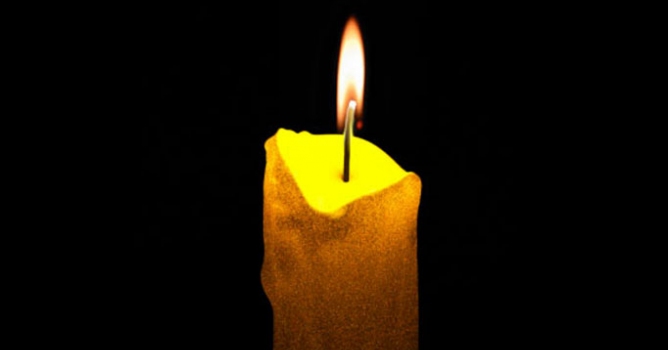
This time we would like to invite you to learn something about SSS in Maxwell. I think the best idea would be to create candle material that will be simulating SSS. Let's prepare the whole scene.
×

LEAVE A COMMENT

You need to be logged in to leave a comment. Don't have account? Register now.