Scaling properly to the latest High DPI displays. This gives 3ds Max 2017 the ability to successfully run on HDPI monitors and laptops while correctly applying Windows display scaling
Viewport performance:
You can dial in the exact amount of performance globally or per viewport
Benchmark reported by Eddie Perlberg: For 3256 Objects - 9,000,000 polys: 3ds Max 2014: 6-10 fps, 3ds Max 2016: 20-30 fps, 3ds Max 2017: 80-130fps
300% improvement in Deforming Mesh performance with new GPU mesh builder
300-500% performance improvement for navigating tens of thousands objects
Selecting and manipulating sub-objects is 200%-300% faster
Unwrap UVW can handle 10 times dense objects easily
As Eddie Perlberg states: it’s now easier than ever to unwrap models by defining seams point to point while previewing the edge selection, cutting and unfolding the clusters in one simple mode. Peel is immediate, with vastly improved accuracy and symmetry.
Other features:
Dramatic Performance improvements
New Packing Algorithm
New Peeling based on ABF(Angle Based Flattening)
Point-to-Point Selection Preview
Symmetrical Geometry Selection
Loop Selection and Ring Selection
Display Only Selected Polygon in viewport
UDIM support (U-Dimension)
MultiTile Map
Show Multitile in UV Dialog
View in VIewport
FBX Import/Export
Physical Material
3ds Max 2017 introduces the new “Physical Material”, out of the box compatible with the new ART renderer, mental ray and will be available for other renderers to use in the future.
Sun Positioner
The new Sun Positioner is a replacement for the legacy Daylight System and the Physical Sun & Sky Environment is a replacement for the “mr Physical Sky”.
Scene Converter
Easily migrate scenes by switching out lights, materials and other features with the Scene Converter. Artists can easily customize and fine-tune the existing conversion scripts via a simple UI to create Source to Target batch conversion rules. As more rendering technologies become available, Scene Converter capabilities can be easily extended at any time via new presets from Autodesk and the user community, and the script-based converters can be fine-tuned to meet any individual needs.
Scanline
Scanline's multi-core support will now scale up to 128 cores.
NVIDIA’s mental ray and Iray can be unchecked at initial install
mental ray now supports Global Illumination (GI) calculated on the GPU
Object Tool Enhancements
Selecting and manipulating objects has been enhanced:Working Pivot can now be accessed without having to go to the hierarchy panel.
A new option called Pin Working Pivot. When turned on, the Working Pivot stays in the same place while other objects are selected. When toggled off, the Working Pivot resets its position once the artist makes a new selection.
Local Align only applicable to the edit poly modifier and editable poly allows to get a more predictable result when applying different transforms to a sub object selection
Sub Object Pick simplifies the task of switching between different sub-object modes (vertex, edge, face and boundary) by making one hotkey shift between modes
Boolean and Hard Surface Modeling improvements
Booleans are now easier to work with and offer double precision for more reliable results. Adding and removing operands, as well as sorting or creating nested Booleans has also been simplified. The Bevel Profile Modifier includes the same bevel controls introduced in the TextPlus tool.
Animation Productivity
Key framing, selection and key manipulation have been enhanced
A new zoom extents mode for selected keys,
The ability to double click a curve to select all of the keys
The Motion panel, which represents the control center of the animation rig, has been enhanced to allow direct activation of controllers in a list, controller reset, and copy/pasting between tracks.
New Render Features for 3ds Max 2017
The Autodesk Raytracer “ART”: A fast, physically-based, CPU-only, renderer.
The Physical Material: An advanced physically-based material with the advanced features users need in a modern material.
The Scene Converter: Use this to easily and automatically upgrade legacy scenes to modern light, materials, and settings, or to convert between renderers.
The Sun Positioner: A modern replacement for the Daylight System, it drives the new Physical Sky Environment map and provides streamlined all-in-one settings.
The Physical Sky environment map: A render-agnostic sky that works with the new Sun Positioner.
The Color Map: A highly-requested feature by our users. The Color map incorporates a solid color swatch, along with optional bitmap input and gamma and gain settings.
mental ray’s new GPU-accelerated “Indirect Diffuse(GI)” technology.
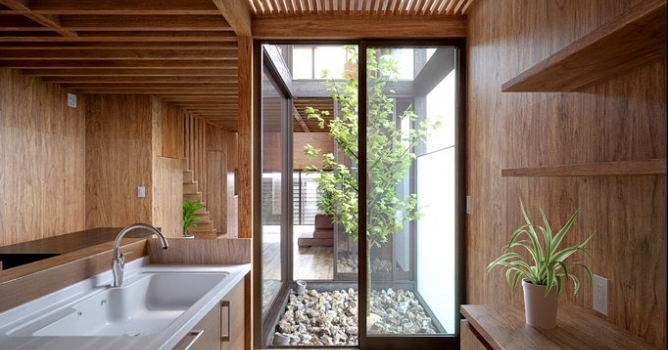
In this walkthrough, we guide you through the process of building a polished 3D interior scene inspired by the cover of Archmodels vol. 306 – Table Sets.












 Customer zone
 Your orders
 Edit account
 Add project
 Liked projects
 View your artist profile
COMMENTS