Search
Cart
Sign in
  • offerCustomer zone
  • offerYour orders
  • offerEdit account

  • offerAdd project
  • offerLiked projects
  • offerView your artist profile

  • Dark mode

We care about your privacy

We use cookies to provide you with the best possible experience. They also allow us to analyze user behavior in order to constantly improve the website for you. The consent is voluntary. You can withdraw it at any time or renew it in Cookie settings on the home page. Withdrawal of your consent does not affect the lawfulness of processing performed before the withdrawal. Privacy Protection Policy
Accept all
Accept selection
Reject all

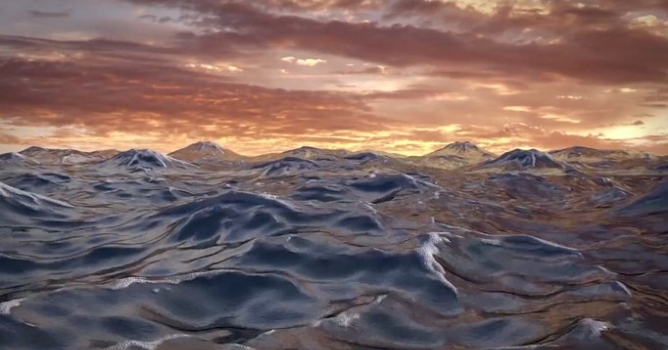
Using the Ocean Simulator

Sardi Pax 2015-02-02 08:49 tutorial  > Blender  > modeling

Tutorial for Blender 2.73 users.

In this tutorial Sardi Pax walks through setting up the Ocean Simulator modifier as well as a complex material node setup for water and foam. This is not a photo-realistic setup but teaches the elements of the Ocean Simulator and how to use the Foam vertex colour attribute.


Author: Sardi Pax Editor: Michał Franczak
Tags: ocean
You may also like...
3D character models: when to use ready-made assets instead of custom designs

3D character models: when to use ready-made assets instead of custom designs

Working in CG and archviz often means balancing creative intent with production realities. Human presence can support scale, context, and clarity, but it also adds another layer of decisions. Ready-made 3D character assets help keep visual focus where it belongs without expanding the project scope beyond its real needs
×

LEAVE A COMMENT

You need to be logged in to leave a comment. Don't have account? Register now.