We are more than an asset library

Watch our Showreel
Search
Cart
Sign in
  • offerCustomer zone
  • offerYour orders
  • offerEdit account

  • offerAdd project
  • offerLiked projects
  • offerView your artist profile

  • Dark mode
    ✔
3ds Max and 3ds Max 2015 Extension 2 new features

3ds Max and 3ds Max 2015 Extension 2 new features

Autodesk 2014-12-18 11:28 tutorial  > 3ds MAX  > animation

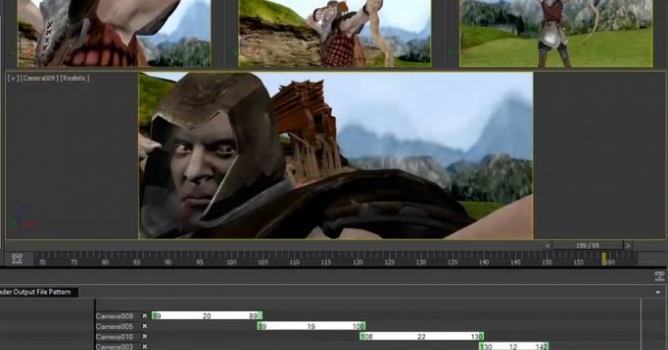
Camera Sequencer and Dual Quaternion Skinning.

This new feature allows you to easily cut between multiple cameras, trim, and reorder animated clips nondestructively leaving the original animation data unchanged.


Smooth skinning is made better with the addition of Dual Quaternion, built specifically to avoid "bow tie" or "candy wrapper" effects where the mesh loses volume when deformers are twisted or pivoted. Most common in a character?s shoulders or wrists, this new method of smooth skinning helps reduce undesirable deformation artifacts. As a new option in the Skin modifier, Dual Quaternion lets you paint the amount of influence skinning will have on a surface, so you can use it where you need it and taper off to linear skin weighting where you don't.

Author: Autodesk
Tags: autodesk
You may also like...
3ds Max 2015

3ds Max 2015

Autodesk 3ds Max new features explained.
×

LEAVE A COMMENT

You need to be logged in to leave a comment. Don't have account? Register now.