Evermotion: More Than an Asset Library
How Evermotion became a full-scale production partner for archviz, automotive and synthetic data.


Total: € 0
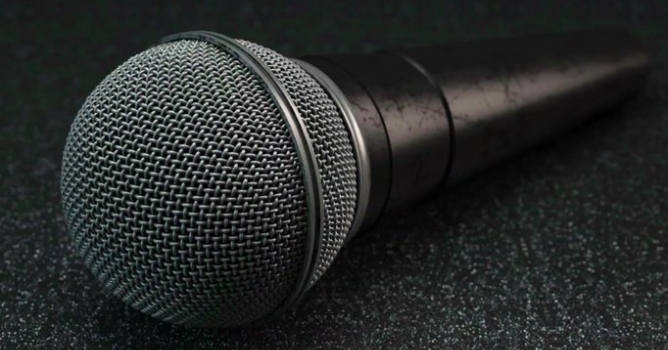

In this tutorial we start by modeling realistic wire meshes using sweep nurbs and cloners. Then you will learn how to render the mesh in such a way as to bring it back in as a bump map for use in other projects. Next, Chris will show you how to mold our wire mesh to a useful shape. Finally we will use that mesh in a full model of a 3D microphone.




LEAVE A COMMENT





|

|

|

|

|
 Customer zone
 Your orders
 Edit account
 Add project
 Liked projects
 View your artist profile
COMMENTS