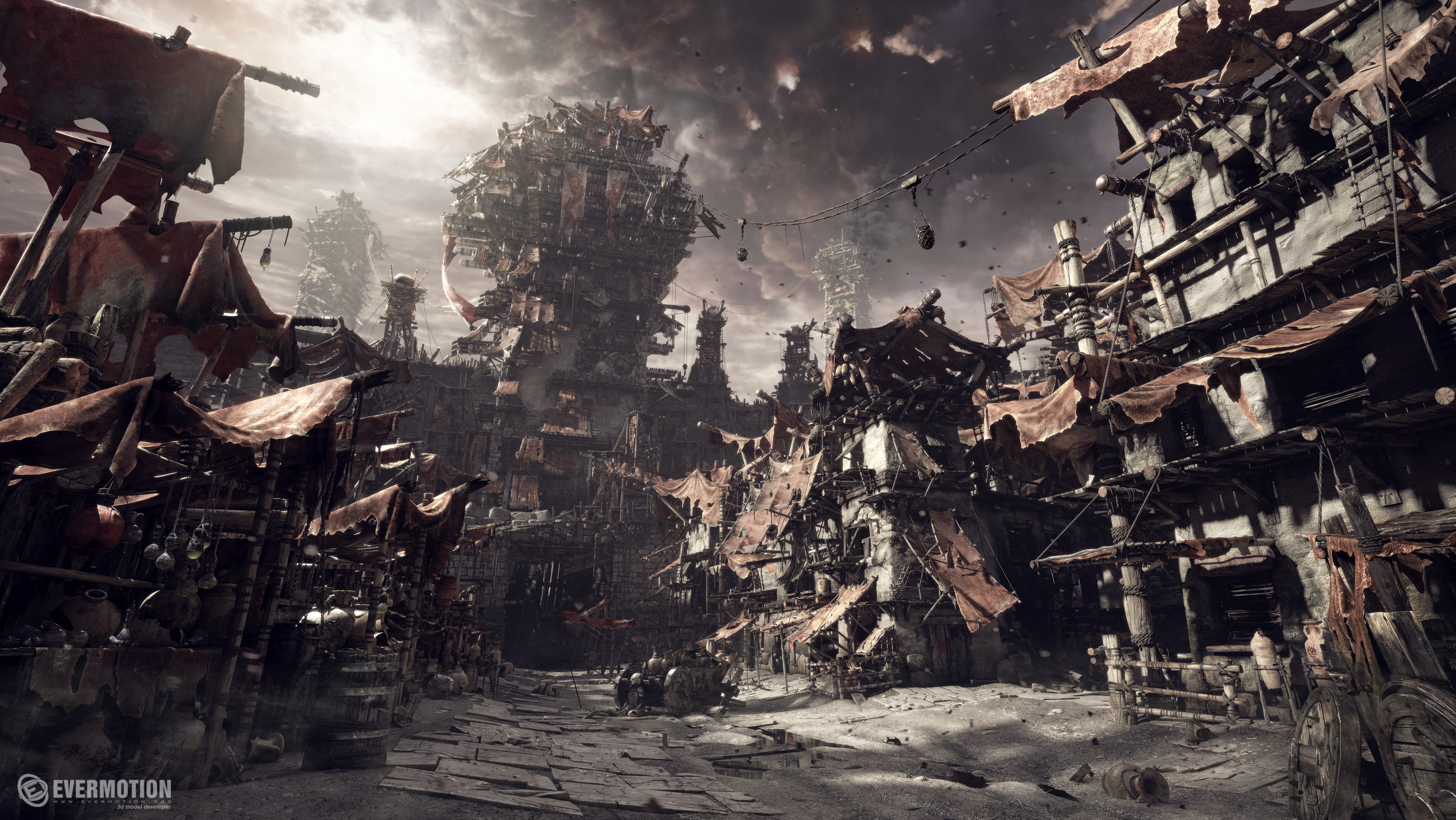
The whole concept of the village was made for Evermotion FX tutorial dvd, so the 3d content is a property of Evermotion Studio. Although the composition/post production of this render and some elements like dead character was added later in my free time. The rest I have done during my work time here at Evermotion studio.
Concept and design
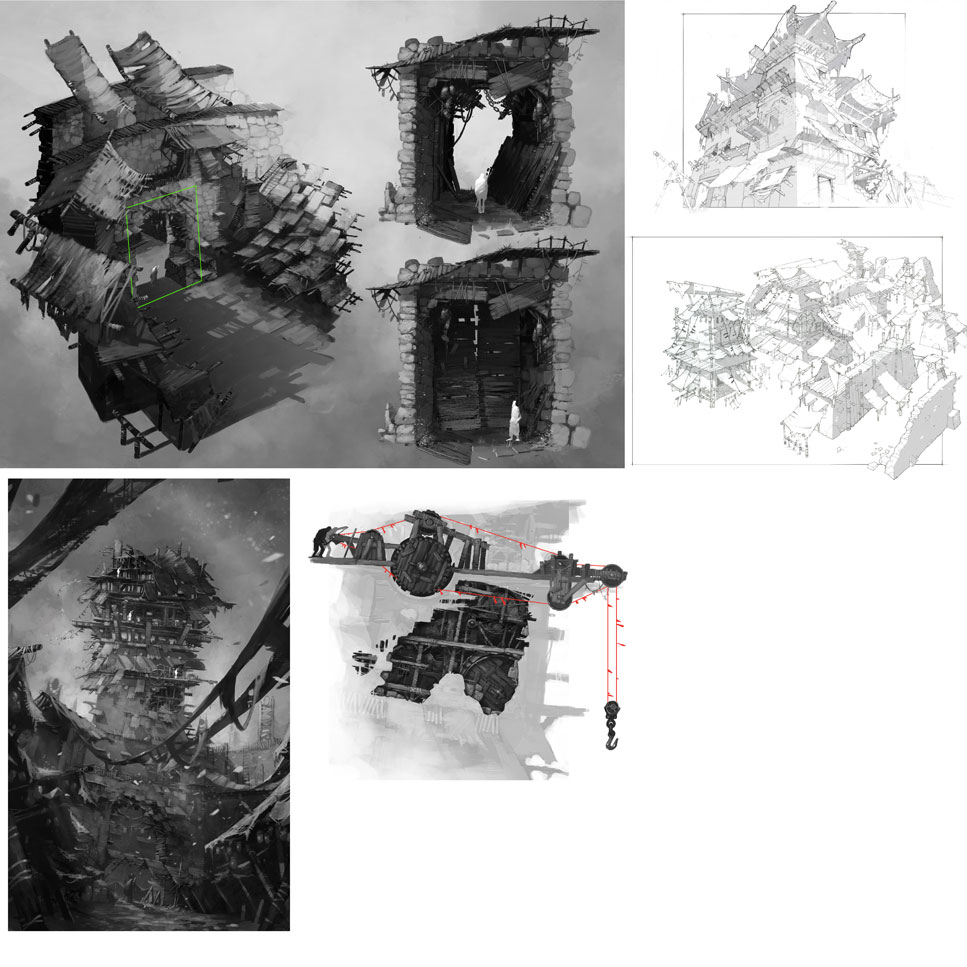
All the buildings in the village were designed and sketched by Evermotion 2D artist Iwo Widulinski, here you can see some of his 2d concepts, just a simple gray concepts to catch the overall form and design.
Props and model sets
First 3d models. To speed up the modeling process I have prepared set of models which will be used in the entire scene – sort of Lego bricks :). There are not only planks but also pots and canopy. All the modeling was done in autodesk 3dsmax 9 (2007 version).
Modeling/detailing
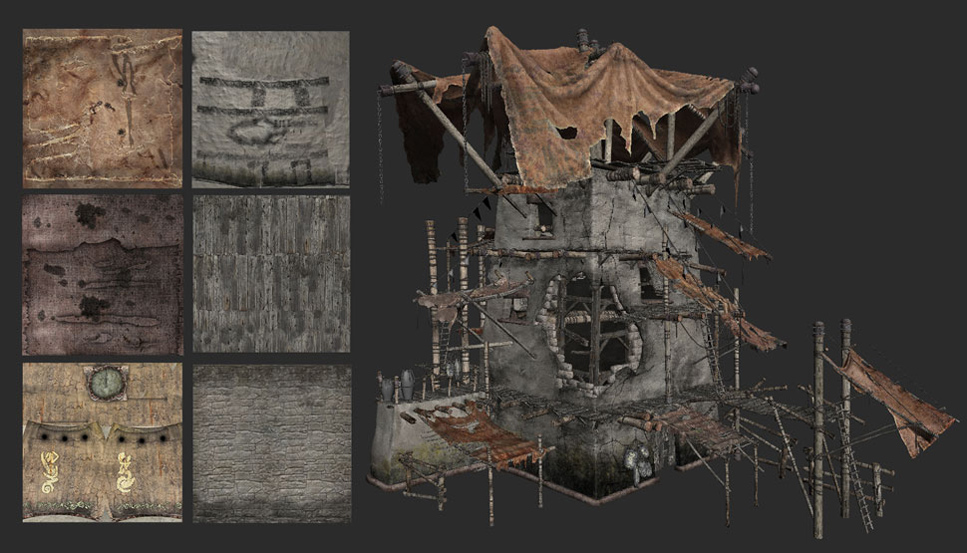
Here you can see some of already done models, there are 4 different building types in the scene, two stalls, lots of wooden constructions, big gate, main tower and 2 big towers in the distance, but these two are almost the same as the main one. The scene has over 30mln of polys in viewport and even more when rendering.
Setting up the scene/ composition
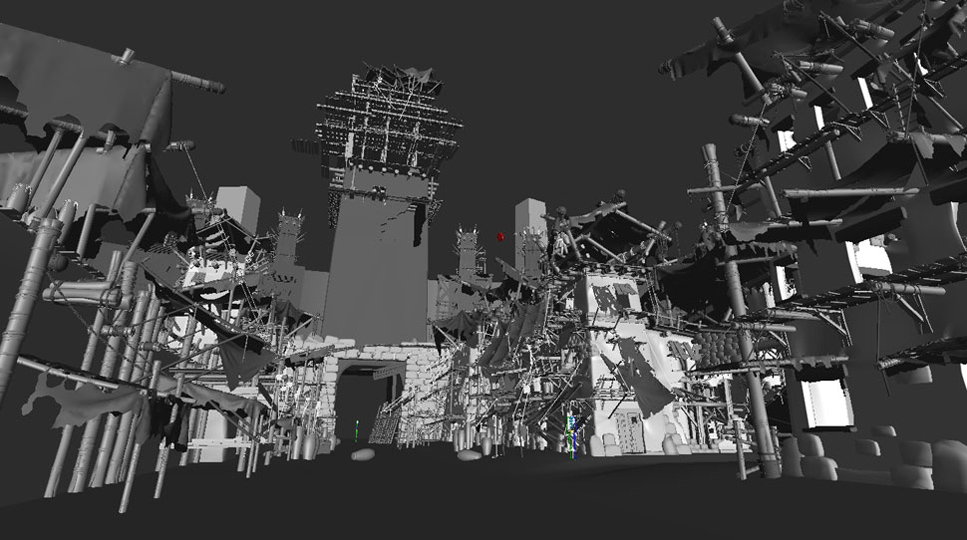
The camera and basic composition was done with low/mid poly models, it is almost impossible to manipulate the camera with so many complicated models in the scene.
Dead knight Character
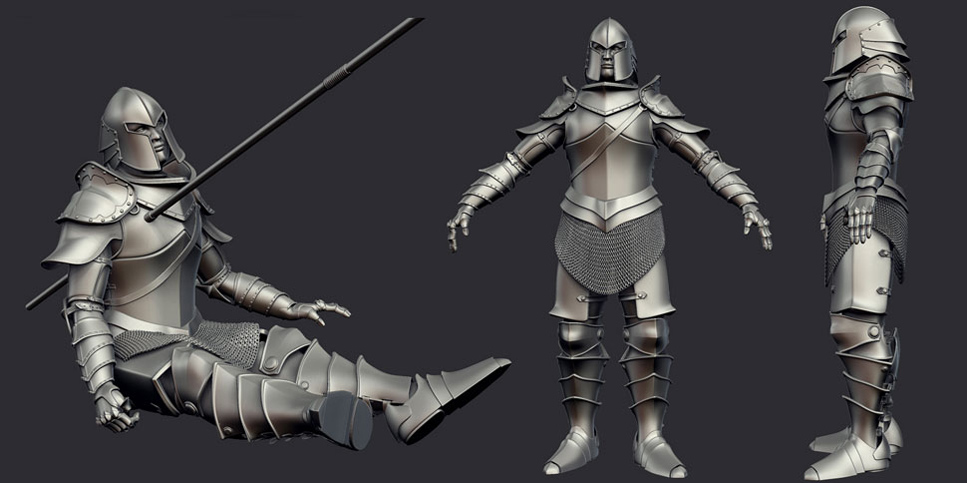
To add a bit of hmm 'life' in the scene I have prepare a knight character, actually a dead one. The character is not too much detailed, all the mesh was done inside 3dsmax I have also prepared a basic rig to pose the character.
Texturing
The texturing was not an easy task, the models sets made my life a bit easier but even with them there are about 269different custom textures in the scene (including bump and reflect) most of them in hi res between 2k and 6k pixels. For me it is the most fun part.
Materials and test renders
Most of the materials in the scene are V-ray standard materials with diffuse, reflect and bump map. On the image you can see one of many test render I have done for this scene.
Post production in photoshop
Now comes the fun part, post production in photoshop. I have composed the final render with the dust particles, added some smoke on the ground and a bit of color, reflection and lighting tweaks.
Detail rendering (closeup renders)
All the models are very detailed and I have paid attention to even the smallest details so I decided to make few closeups for my portfolio.
You can buy this scene along with an fx video tutorial in our shop
Veras 5.3 introduces NODES, a visual workflow builder now in Beta that lets users generate parametric geometry and bake it directly into Revit, Rhino, or SketchUp. The system shifts Veras from rendering-first to a full generative design platform with interactive design tools.
SketchUp 2025–2026 has added native PBR materials, AI image generation, and real-time rendering plugins like Lumion View, letting archviz artists produce photorealistic images without leaving the viewport. This collapses the traditional design-to-render pipeline.
Maxon's Redshift 2027.0 cuts render times by up to 15% through memory optimization and adds official Archicad integration alongside improved materials and live feedback tools.
Blender 5.3 arrives November 10 with DLSS 4.5 Ray Reconstruction, an AI-powered denoiser for Cycles that works on RTX 20–50 series cards. The upgrade promises faster interactive lighting workflows at near-final quality.
Chaos released V-Ray for Blender 7.4 with Windows ARM64 compatibility, Phoenix Ocean textures for exterior scenes, Quick Sun Caustics for realistic lighting, and tools to organize large asset libraries and migrate from Blender's native renderer.
Maxon's October 2026 release adds procedural vegetation scattering, reworked GPU memory management in Redshift, and liquid simulation—streamlining environment work and viewport iteration for archviz studios.
A free community plugin now lets 3ds Max users with older GPUs access neural rendering via DLSS 5, potentially speeding up renders without hardware upgrades.
SketchUp 2025–2026 has added native PBR materials, AI image generation, and real-time rendering plugins like Lumion View, letting archviz artists produce photorealistic images without leaving the viewport. This collapses the traditional design-to-render pipeline.
In this walkthrough, we guide you through the process of building a polished 3D interior scene inspired by the cover of Archmodels vol. 306 – Table Sets.






 Customer zone
 Your orders
 Edit account
 Add project
 Liked projects
 View your artist profile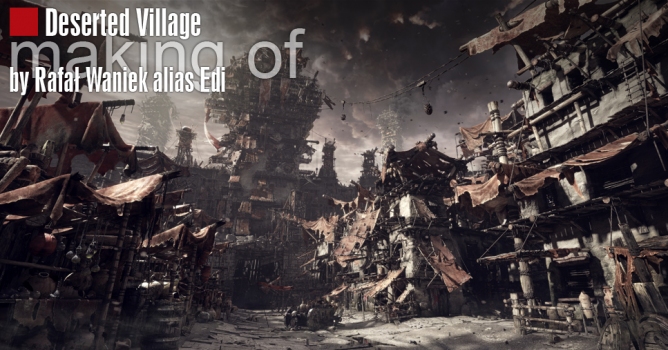













COMMENTS