We are more than an asset library

Watch our Showreel
Search
Cart
Sign in
  • offerCustomer zone
  • coursesMy courses
  • offerYour orders
  • offerEdit account

  • offerAdd project
  • offerLiked projects
  • offerView your artist profile

  • Dark mode
    ✔
Post-processing renders in the V-Ray Frame Buffer

Post-processing renders in the V-Ray Frame Buffer

YT 2023-03-02 08:50 tutorial  > V-Ray  > rendering

V-Ray for 3ds Max tip.

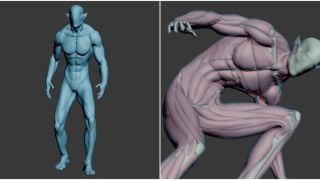
In this tutorial, Anastasia from the Chaos 3D team demonstrates how you can post-process your renders right from the V-Ray Frame Buffer. Watch as she walks you through a typical post-processing workflow. Topics covered include using layers, masking, editing light sources and materials, and composting. Plus, useful tips and tricks.

 

Author: YT
Tags:
You may also like...
Maxon Splits AI Assistants Into Separate Subscriptions, Keeping Base Prices Flat

Maxon Splits AI Assistants Into Separate Subscriptions, Keeping Base Prices Flat

Maxon has launched separate Agentic Licenses for Cinema 4D ($49/month with Redshift) and Autograph ($29/month), plus a new Maxon Plus platform ($10/month) for AI-generated assets. Headless versions let studios run AI assistants on separate machines without consuming artist seats.
×

LEAVE A COMMENT

You need to be logged in to leave a comment. Don't have account? Register now.