Search
Cart
Sign in
  • offerCustomer zone
  • offerYour orders
  • offerEdit account

  • offerAdd project
  • offerLiked projects
  • offerView your artist profile

  • Dark mode

We care about your privacy

We use cookies to provide you with the best possible experience. They also allow us to analyze user behavior in order to constantly improve the website for you. The consent is voluntary. You can withdraw it at any time or renew it in Cookie settings on the home page. Withdrawal of your consent does not affect the lawfulness of processing performed before the withdrawal. Privacy Protection Policy
Accept all
Accept selection
Reject all

V-Ray Next for SketchUp – Lighting analysis

Chaos Group 2019-10-02 09:38 tutorial  > V-Ray  > modeling

Measure light levels in the scene with Light Analysis.

One of V-Ray’s strengths is the way it performs light simulations. It is the tool of choice for anyone who needs to present accurate light distribution in an architectural space which can affect both the design and your client’s reception.

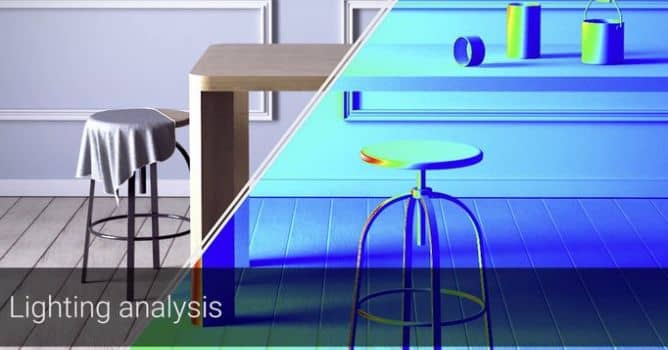
This video covers how to use the new Lighting Analysis render element in V-Ray Next for SketchUp to measure light levels in the scene. This additional calculation hardly affects the render time, and presents you with a heatmap that visually or numerically presents the light distribution in the set.


Author: Chaos Group Editor: Michał Franczak
Tags:
You may also like...
Using 3D building models for industrial and commercial visualizations

Using 3D building models for industrial and commercial visualizations

In professional visualization, buildings are more than background elements. They define context, scale, and clarity for industrial and commercial projects. Well-prepared 3D building models help viewers read a scene instantly and understand its purpose without relying on technical descriptions or supporting text
×

LEAVE A COMMENT

You need to be logged in to leave a comment. Don't have account? Register now.