Evermotion: More Than an Asset Library
How Evermotion became a full-scale production partner for archviz, automotive and synthetic data.


Total: € 0
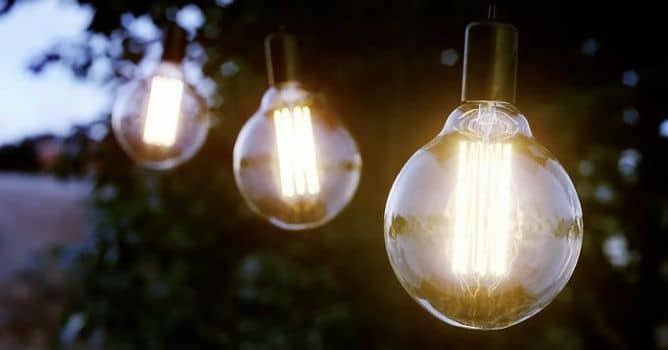

Denis shows the process of creating Edison Lamp visualization using 3ds max and Corona Renderer. He is starting with lamp reference and then with edit poly technique he is modeling a light bulb. We are starting with a sphere primitive, we delete bottom polygons and extrude bottom edge to create bulb shape.
then with spline drawing and lathe modifier we create metal part of a bulb. We add shell modifier to golass, because we want it to have thickness for proper refraction. We model inside wiring with soft selection and splines / lines with thickness. We duplicate wires with array modifier. Inside spiral is made manually.
We make composition with trees that come from Archmodels for Corona vol. 1 collection available in our shop.






LEAVE A COMMENT





|

|

|

|

|
 Customer zone
 Your orders
 Edit account
 Add project
 Liked projects
 View your artist profile
COMMENTS