Evermotion: More Than an Asset Library
How Evermotion became a full-scale production partner for archviz, automotive and synthetic data.


Total: € 0

Also, a script called "Auto Render Element VRayLightSelect" was used to automatically create multiple VRayLightSelect render elements in the 3d scene.
Full course:
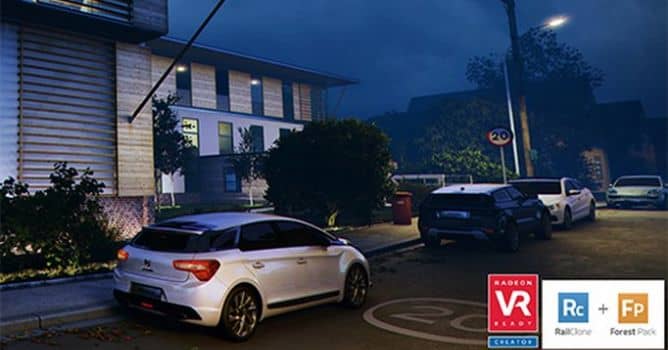
Learn how to quickly achieve compelling Exterior Night shots, using 3ds max, V-Ray and Photoshop.
This unique step-by-step course, is a follow up from previous daylight classes, which are currently available on Jamie Cardoso blog; and on Udemy.com.
The first class, starts with the meticulous process of converting a daylight scene into a night one, using some of the best techniques with 3ds max and V-Ray. The second class takes users through the amazing process of turning this V-Ray Raw render into a masterpiece, using Photoshop, in less than an hour.
Both HD Videos can be streamed directly from server with the captions/subtitles files available. The HD streaming quality can be set to 1920x1080 from the media player. The video classes are currently available for Patreon supporters, or $10.00 from Jamie's blog. These classes will also be available on Udemy.com later this month, along with the day and night interior scenes.








LEAVE A COMMENT





|

|

|

|

|
 Customer zone
 Your orders
 Edit account
 Add project
 Liked projects
 View your artist profile
COMMENTS