Search
Cart
Sign in
  • offerCustomer zone
  • offerYour orders
  • offerEdit account

  • offerAdd project
  • offerLiked projects
  • offerView your artist profile

  • Dark mode

We care about your privacy

We use cookies to provide you with the best possible experience. They also allow us to analyze user behavior in order to constantly improve the website for you. The consent is voluntary. You can withdraw it at any time or renew it in Cookie settings on the home page. Withdrawal of your consent does not affect the lawfulness of processing performed before the withdrawal. Privacy Protection Policy
Accept all
Accept selection
Reject all

Creating Materials for Edison Light Bulb

Denis Keman YT 2018-07-06 13:15 tutorial  > V-Ray  > modeling

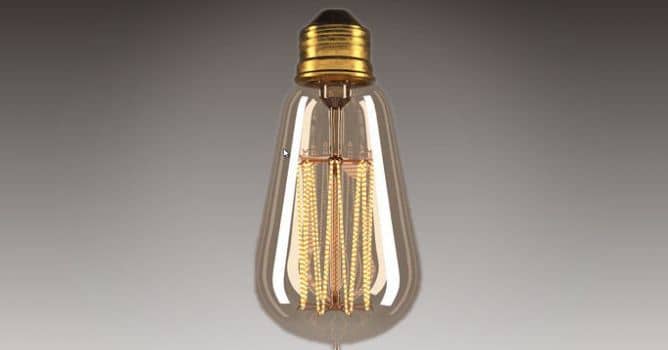
In this video we will see how to create materials for Edison light bulb with 3ds Max and Vray.

Creating V-Ray materials for glass, wires, emmisive and metal parts of edison Light Bulb. First, we need to separate the model into individual elements for different materials, then we apply them one by one, using reference image to control all material aspects.


Author: Denis Keman YT Editor: Michał Franczak
Tags:
You may also like...
Evermotion: More Than an Asset Library

Evermotion: More Than an Asset Library

How Evermotion became a full-scale production partner for archviz, automotive and synthetic data.
×

LEAVE A COMMENT

You need to be logged in to leave a comment. Don't have account? Register now.