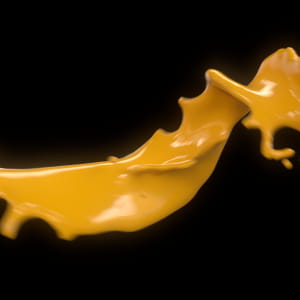
Rusty Hazelden Releases The Art of RenderMan Volume 1
Visual effects artist Rusty Hazelden has released an in-depth 5 part RenderMan tutorial series on YouTube. The Art of RenderMan Volume 1 provides an introduction to Pixar's RenderMan for Maya.
Watch the RenderMan tutorial series today on the Rusty Hazelden YouTube Channel:
https://www.youtube.com/RustyHazelden
D0PmsO3Tzc4
Overview
Unlock the secrets of Pixar's RenderMan through a series of in-depth tutorials that focus on rendering an animation in Maya with photo-realistic materials and dramatic lighting.
For over 30 years RenderMan has been used in the film industry to render movies featuring groundbreaking visual effects and animation.
In this tutorial series, visual effects artist Rusty Hazelden takes an animated shot from start to finish, and reveals all the techniques used to create the final animation with Pixar's RenderMan for Maya.
No steps are left out and every detail is explained with easy to follow step-by-step instructions.
Topics include: adjusting Pixar surface material attributes to create the look of plastic, wood, and metal, applying texture maps to add more detail to surfaces, aging a shiny metal surface by adding a layer of tarnish, and using the RenderMan IPR to interactively develop materials and lighting in real-time.
Learn a wide range of lighting techniques that can be used to create a dramatic night time scene.
Discover how to enhance the realism of a shot by enabling depth of field and motion blur.
Explore the powerful Alembic workflow in RenderMan and find out how to assign materials to Alembic archives using the Dynamic Rules Editor.
Advanced topics include: using a light filter and light linking to control scene illumination, sharing 2D texture placement nodes to make shading networks simpler to maintain, fine-tuning the render settings, using the RenderMan denoiser to cut down on render time, and batch rendering the final animation.
Essential Topics
Render Settings
Max Samples
AOVs
Motion Blur
Depth of Field
RenderMan Denoiser
Local Queue
Batch Render
IPR Render
Viewport Render
Render View Test Resolution
RenderMan Preferences
RenderMan Shelf
Texture Mapping
RenderMan .tex Files
PxrSurface Node
Diffuse Lobe
Primary Specular Lobe
Specular Fresnel Modes
Extinction Coefficient
Edge Color
Dielectric vs. Metallic Materials
Roughness
Bump Mapping
PxrBump Node
Place2dTexture Node
Hypershade Editor
PxrRodLightFilter Node
PxrRectLight Node
PxrMeshLight Node
PxrDomeLight Node
Image Based Lighting
Object-Centric Light Linking
Color Temperature
Alembic Archive
Alembic GpuCache Node
Dynamic Rules Editor
Posted on 26.02.2019
You have to be logged in to like this project
 Rusty_Hazelden
LEAVE A COMMENT






 Customer zone
 Your orders
 Edit account
 Add project
 Liked projects
 View your artist profile