Better UI - quickly and easily move geometry in Nuke’s 3D space. Nuke 13.1 sees upgrades to the 3D transform handles, improved controls for the 3D pivot point, and the ability to manipulate geometry in object, world or screen space, There are also new hotkeys based on various DCC standards and a new toolbar for selecting the geometry transformation tool.
Connecting NukeX and Unreal (Beta) - Accelerate your pipeline with the UnrealReader node and quickly get image data, utility passes, and sync cameras from Unreal in NukeX.
Do more with machine learning - Continue to harness the power of Machine Learning with improvements to the ML toolset in Nuke 13.1.
Get more out of your timeline - The improved integration enables you to transfer effects effortlessly between Nuke and Nuke Studio. Artists can copy track items and Soft Effects and paste them directly into the node graph.
Timeline project handling improvements - developers reduced project load times by 30% and will continue with these optimizations for even greater reduction across the Nuke 13 development cycle. Paired with the ability to copy-paste clips and sequences across projects, this should make working with multiple projects easier;
Cryptomatte / Encryptomatte - Nuke 13.1 introduces an extension to the wildcard syntax, allowing the ‘-’ modifier to subtract matte IDs from a wildcard defined list, so you can make precise matte selections using wildcards.
Blackmagic RAW support - Nuke 13.1 now can read Blackmagic BRAW video files format
Veras 5.3 introduces NODES, a visual workflow builder now in Beta that lets users generate parametric geometry and bake it directly into Revit, Rhino, or SketchUp. The system shifts Veras from rendering-first to a full generative design platform with interactive design tools.
SketchUp 2025–2026 has added native PBR materials, AI image generation, and real-time rendering plugins like Lumion View, letting archviz artists produce photorealistic images without leaving the viewport. This collapses the traditional design-to-render pipeline.
Maxon's Redshift 2027.0 cuts render times by up to 15% through memory optimization and adds official Archicad integration alongside improved materials and live feedback tools.
Blender 5.3 arrives November 10 with DLSS 4.5 Ray Reconstruction, an AI-powered denoiser for Cycles that works on RTX 20–50 series cards. The upgrade promises faster interactive lighting workflows at near-final quality.
Chaos released V-Ray for Blender 7.4 with Windows ARM64 compatibility, Phoenix Ocean textures for exterior scenes, Quick Sun Caustics for realistic lighting, and tools to organize large asset libraries and migrate from Blender's native renderer.
Maxon's October 2026 release adds procedural vegetation scattering, reworked GPU memory management in Redshift, and liquid simulation—streamlining environment work and viewport iteration for archviz studios.
A free community plugin now lets 3ds Max users with older GPUs access neural rendering via DLSS 5, potentially speeding up renders without hardware upgrades.
Chaos released V-Ray for Blender 7.4 with Windows ARM64 compatibility, Phoenix Ocean textures for exterior scenes, Quick Sun Caustics for realistic lighting, and tools to organize large asset libraries and migrate from Blender's native renderer.
In this walkthrough, we guide you through the process of building a polished 3D interior scene inspired by the cover of Archmodels vol. 306 – Table Sets.






 Customer zone
 Your orders
 Edit account
 Add project
 Liked projects
 View your artist profile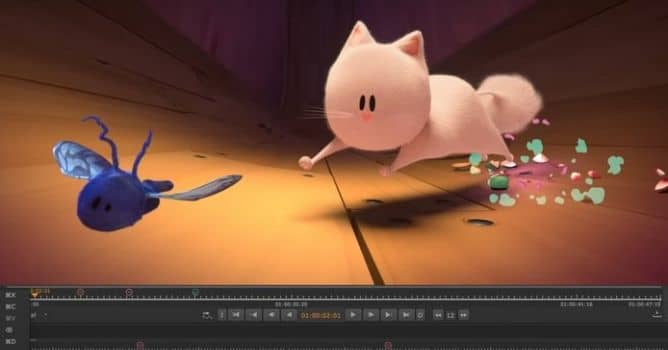













COMMENTS