What’s New in 3ds Max 2021.2
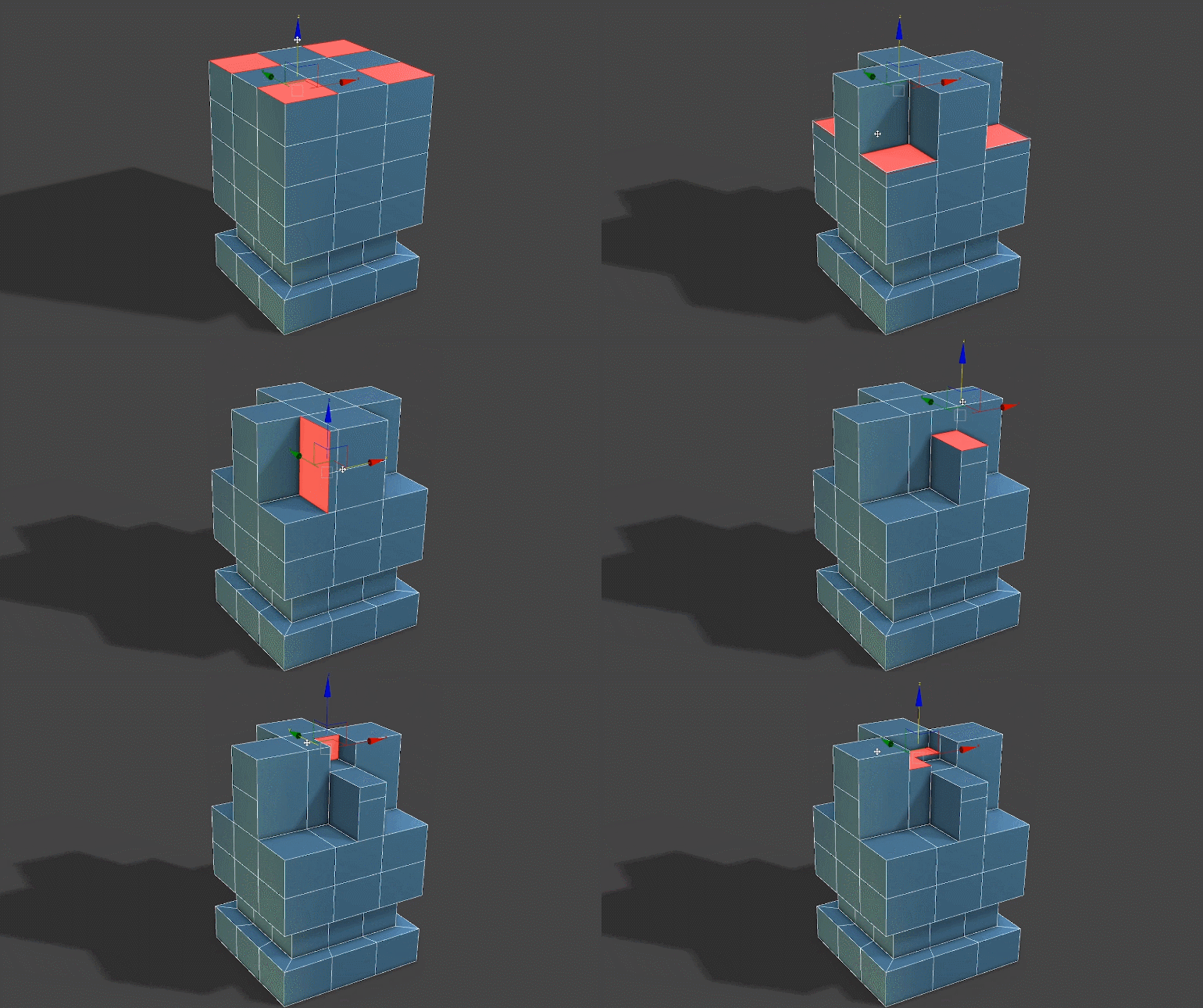
Smart Extrude
Editable Polygon component extrusions that are performed by the user will see the output result cleaned up and unified with the existing mesh geometry when used on the adjacent co-planar surface. This new modeling feature allows the artist to work more intuitively to create the visual output that they want without needing to frequently stop to clean up the geometry.
Spline Chamfer
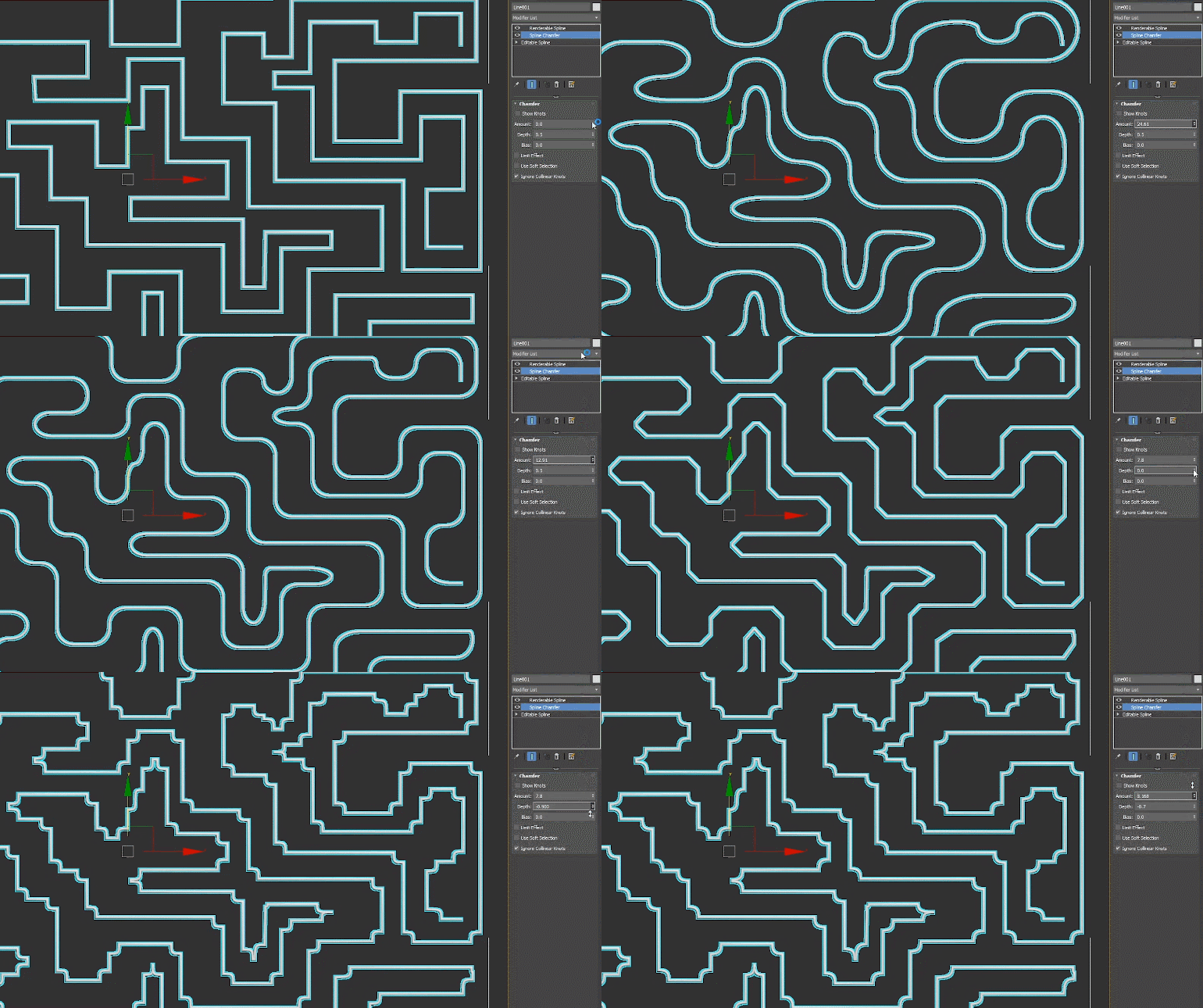
This modifier provides the ability for the user to apply a fillet or chamfer to their spline shape, or through knot points that are passed up the modifier stack. The fillet or chamfer output result will be computed based on the incoming and outgoing vectors of a knot point. A user can also utilize a Spline Influencer helper to influence knots that are affected by this modifier.
Improved Selection
Improved preview and selection methods for objects and component levels that will improve the artist’s experience when using Editable Poly or the Edit Poly modifier.

Bake to Texture
Improved map browsing experience with a revised interface and search capability.
Browse and create bake queues using available maps from all installed render engines.
User Interface
The render message window has been updated with Qt UI framework, with navigation improvements such as optional auto-scrolling.
Materials and Shaders Evolution
New OSL shaders, including the Non-Tiling Bitmap shader, which applies randomized transformations to overcome artifacts that are normally observable with repeating tiles.
Source: autodesk.com






 Customer zone
 Your orders
 Edit account
 Add project
 Liked projects
 View your artist profile













COMMENTS