Search
Cart
Your cart - 0 items
Total: € 0
Total: € 0
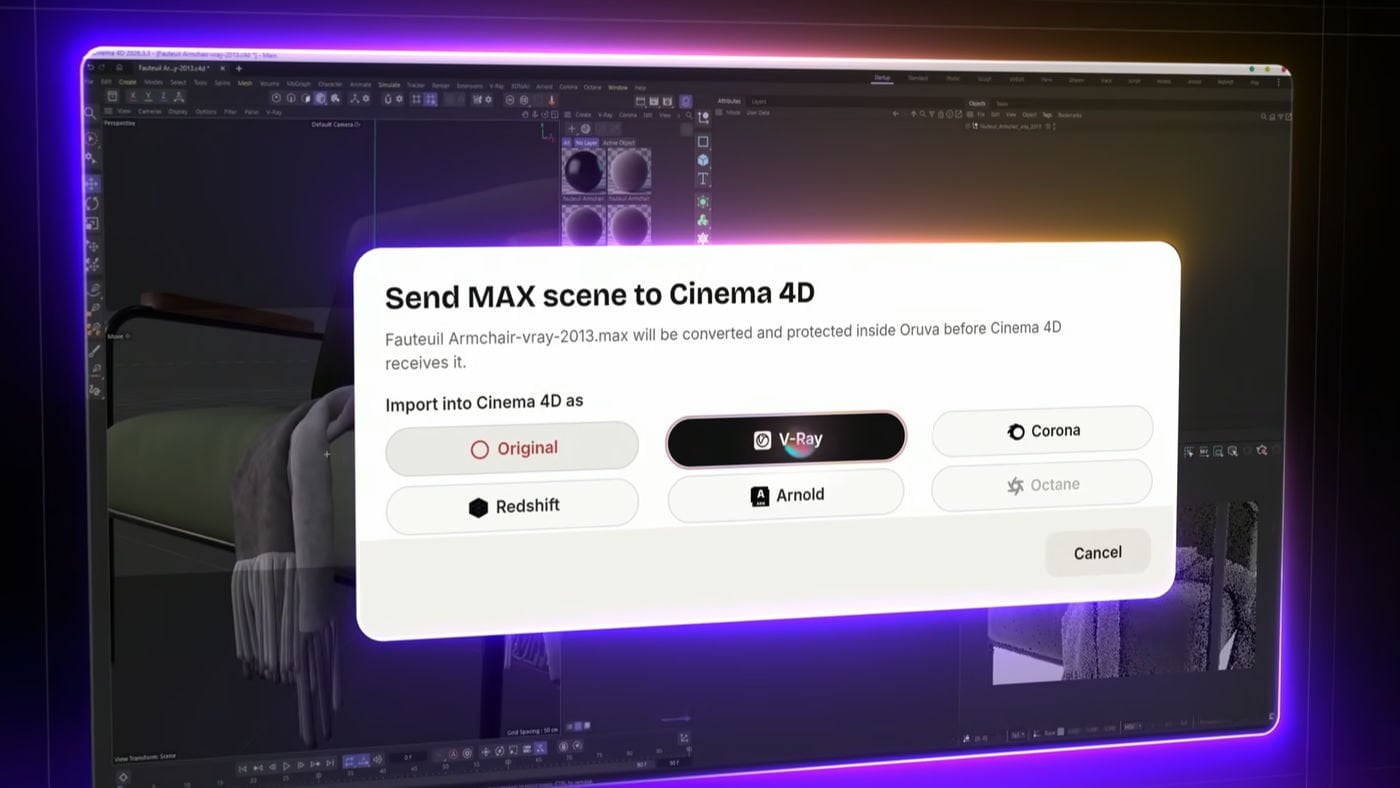

A new Windows application called Oruva reads 3ds Max .max files and opens them as native scenes in Cinema 4D, Blender, Maya, Houdini, and SketchUp. The tool converts V-Ray and Corona materials to match your target renderer - Redshift, Corona, V-Ray, Octane, Arnold, Cycles, Eevee, Karma, Thea, or Enscape - and relinks textures to the new application.
The software supports Max files from version 2009 through 2027. It runs locally on Windows without uploading files to the cloud and does not require 3ds Max to be installed. A one-time license costs $99, with a free 14-day trial offering 10 conversions and requiring no credit card. Update renewals after the first year cost $59 annually. A Mac version is coming soon.
Oruva was developed by Anass Anedjar, working from Casablanca. The tool also includes AI-powered scene assembly using ChatGPT or Claude, plus a searchable local 3D model library with visual search and auto-tagging, both available in the paid Windows version.
For studios moving between 3ds Max and Blender, Cinema 4D, or real-time engines, Oruva addresses a persistent pipeline friction point. Archviz teams using V-Ray on Max have typically had to manually recreate material networks in target renderers - Cycles, Redshift, Octane, or others - when moving assets or final scenes. The time cost is real, especially on complex material stacks with custom shader trees.
Oruva's material translation layer aims to preserve shader intent across renderers by automating the conversion. You bring in a Max scene with full V-Ray or Corona setups, specify your target renderer, and receive native materials ready to iterate on rather than rebuild from scratch. This matters most when speed matters: client revisions, asset library migrations, or switching between renderers for speed versus quality trade-offs.
The conversion quality depends on how well Oruva's translator approximates shader networks between different renderers' material systems. The tool has not been independently tested, and the precision of material matching across renderers with different feature sets remains undocumented. Local processing and no Max installation requirement also help small teams avoid licensing friction and keep client files private during handoff.
For studios already juggling multiple 3D applications and renderers, Oruva could trim the cost of asset re-authoring and free budget and time for iteration rather than plumbing. Whether that payoff justifies $99 depends on your pipeline: asset-heavy studios with frequent cross-app movement will see more value than single-renderer shops.
Lead image: CGPress




LEAVE A COMMENT








|

|

|

|

|
 Customer zone
 Your orders
 Edit account
 Add project
 Liked projects
 View your artist profile

COMMENTS