Pixelfarm has released PFTrack 2017, a significant upgrade to their matchmoving and layout software.
Features in the new version, as listed in the release notes, include.
The full functionality of PFDepth is now integrated into PFTrack.
More ways to manipulate depth maps:
Updated Z-Depth Solver node
Z-Depth Tracker, Merge, Edit, Filter, Composite and Cache nodes
Z-Depth Object node
Rotoscope-based depth editing
Ideal tool to prepare clips for z-based compositing
Extended stereo camera and image pipeline:
Build Stereo Camera node to automatically position the right-eye camera after tracking the left-eye
Stereo Disparity Solver, Disparity Adjust and Disparity-to-Depth conversion nodes
Fix common issues such as stereo keystone alignment and left/right-eye colour and focus mismatches
Render left and right-eye images from a single clip using Z-Depth data
Improvements to the User interface and productivity.
Node creation panel has been updated with nodes organised into groups to make them easier to find
New Custom node group, where commonly used nodes can be placed for quick access
Tree layouts can be saved as XML preset files to help quickly construct common sets of nodes
Tree preset XML files can be copied onto other machines or given to users to share common layouts
Extended camera support.
Added support for reading ARRI RAW media files
Camera and lens metadata is automatically read from RED and ARRI source files
ARRI metadata can also be read from DPX, OpenEXR or Quicktime ProRes files
Added support for importing custom XML metadata to the Clip Input node
All metadata is passed through the tree and can be accessed by python or export node
Advanced photogrammetry texture extraction tools
An optimized texture map can now be created automatically in the Photo Mesh node as part of the simplification process
Exposure and brightness differences in the source media can be automatically corrected to provide the best quality texture map
Exposure balanced images are automatically passed down-stream, and can be used in the Texture Extraction node for manual texture painting if required
Normal, displacement and occlusion maps can also be generated during simplification, to ensure the simplified mesh retains as much visual fidelity as possible
Normal maps support both world and Mikk tangent spaces
Occlusion maps can be generated for either the sky or local surface occlusion
Additional texture maps are exported automatically by the Export node
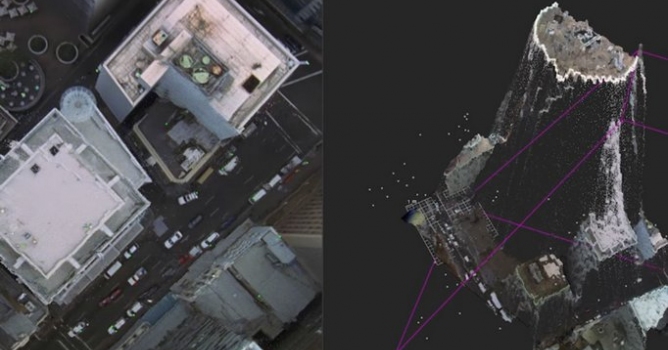
Experimental RGBD pipeline for depth sensors
Z-Depth data captured by external sensors can be attached to an RGB clip and passed down the tracking tree
Auto Track and User Track nodes updated to read z-depth values for trackers at each frame
Camera Solver node will use tracker z-depth values to help solve for camera motion
Can reduce drift in long shots
Can improve accuracy when tracking complicated camera movements
Provides 3D data for nodal pans
Provides a real-world scale without any additional steps
Z-Depth Mesh node can be used to convert depth maps into a coloured triangular mesh
Also of note, an iOS application is planned for release during 2017 that will allow depth data to be recorded using an iPad and the Occipital Structure Sensor capture device.
Plus many more features and fixes. Watch some sample videos and read more details about the new features on The Pixel Farm’s website.
Working in CG and archviz often means balancing creative intent with production realities. Human presence can support scale, context, and clarity, but it also adds another layer of decisions. Ready-made 3D character assets help keep visual focus where it belongs without expanding the project scope beyond its real needs
In professional visualization, buildings are more than background elements. They define context, scale, and clarity for industrial and commercial projects. Well-prepared 3D building models help viewers read a scene instantly and understand its purpose without relying on technical descriptions or supporting text
The production pipeline in CG and visualization is built on a sequence of clear decisions. Each stage depends on how information is defined, shared, and preserved. 3D models serve as digital assets that translate abstract ideas into structured visual data and consistently carry them through to the final render
In professional CG and architectural visualization, efficiency depends on structured decision-making and reliable resources. Using grouped 3D assets allows us to focus on scene logic, composition, and project consistency instead of repetitive asset preparation and library management.
3D furniture models support structured, predictable interior design workflows in professional archviz. In projects where deadlines, coordination, and visual consistency matter, ready-to-use assets reduce friction and enable teams to focus on spatial decisions rather than repetitive preparation.
In professional visualization, buildings are more than background elements. They define context, scale, and clarity for industrial and commercial projects. Well-prepared 3D building models help viewers read a scene instantly and understand its purpose without relying on technical descriptions or supporting text
In this walkthrough, we guide you through the process of building a polished 3D interior scene inspired by the cover of Archmodels vol. 306 – Table Sets.

















 Customer zone
 Your orders
 Edit account
 Add project
 Liked projects
 View your artist profile
COMMENTS