Evermotion: More Than an Asset Library
How Evermotion became a full-scale production partner for archviz, automotive and synthetic data.


Total: € 0
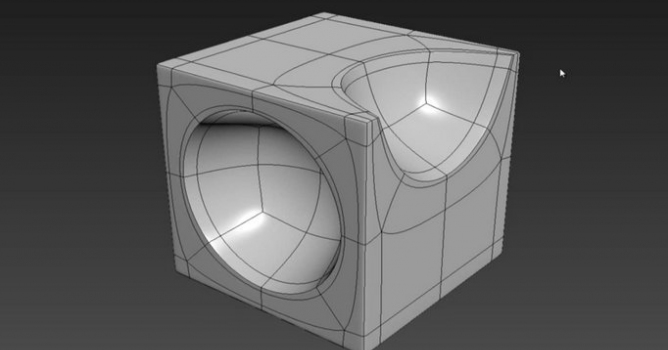

Learning 3ds Max basic modeling allows artists and designers to achieve professional-quality results with precision and control. At Evermotion, we provide resources and content to help users develop the right skills to create accurate and clean 3D assets. By focusing on essential tools and functions, our approach ensures that users build a solid foundation before moving to more advanced workflows. Clean geometry, organized scenes, and optimized meshes = higher quality results and smoother processes.
Our guides show how to properly use primitives, modifiers, and polygon modeling techniques without overwhelming complexity. With consistent practice, these methods support faster iterations and better visual outcomes. Scene organization and correct scaling remain central to all our tutorials because they directly influence rendering quality and project efficiency. Using these strategies from the start reduces rework and allows artists to focus on creativity instead of troubleshooting technical issues.
Working with 3ds Max basic modeling requires discipline and structured learning. We share practical tips and tutorials designed for clarity and efficiency, ensuring that every step leads toward a cleaner final product. At Evermotion, we emphasize understanding the relationship between geometry and materials early in the process. This knowledge = more consistent visualizations and fewer compatibility problems during rendering.
Our educational materials highlight the importance of using proper topology, naming conventions, and non-destructive editing. These practices make future edits easier while maintaining full control over the scene. Each resource we create aims to give artists confidence to develop detailed models that integrate seamlessly into larger scenes. As a result, projects are completed faster, with less guesswork, and deliver the professional quality our community expects.


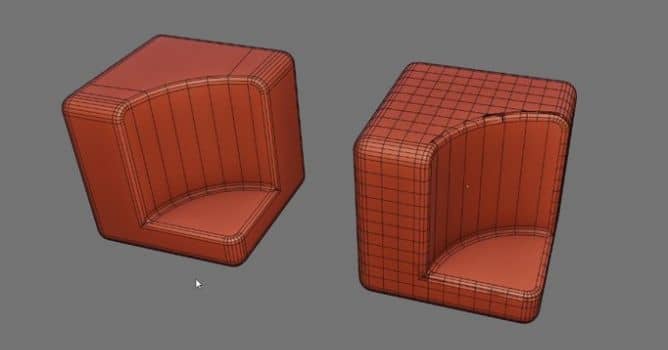

LEAVE A COMMENT






|

|

|

|

|
 Customer zone
 Your orders
 Edit account
 Add project
 Liked projects
 View your artist profile
COMMENTS