Search
Cart
Sign in
  • offerCustomer zone
  • offerYour orders
  • offerEdit account

  • offerAdd project
  • offerLiked projects
  • offerView your artist profile

  • Dark mode
    ✔
Modeling a Gabion Wall in 3ds Max

Modeling a Gabion Wall in 3ds Max

Denis Keman 2015-10-27 09:17 tutorial  > 3ds MAX  > modeling

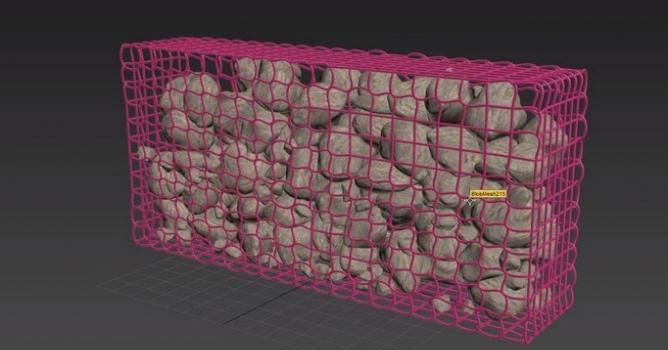
In this video you will see how you can model a realistic Gabion Wall by modeling rocks in 3ds max, and then using MassFX to simulate their positioning in the wire mesh. 

Author: Denis Keman Editor: Michał Franczak
Tags: gabion
You may also like...
How to Speed Up Archviz Rendering Without Upgrading Your Hardware

How to Speed Up Archviz Rendering Without Upgrading Your Hardware

Save time, reduce stress, and focus more on the creative side of your projects.
×

LEAVE A COMMENT

You need to be logged in to leave a comment. Don't have account? Register now.

LastKiss 18:27:48  |  27-10-2015
Nice)))
Rana Shakti 07:09:47  |  28-10-2015
Nice Tutorial....very helpful....!!!