We are more than an asset library

Watch our Showreel
Search
Cart
Sign in
  • offerCustomer zone
  • offerYour orders
  • offerEdit account

  • offerAdd project
  • offerLiked projects
  • offerView your artist profile

  • Dark mode
    ✔
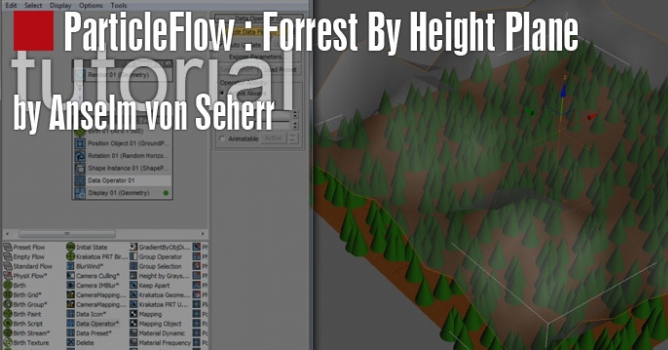
ParticleFlow Forrest By Height Plane

ParticleFlow Forrest By Height Plane

Anselm von Seherr 2010-09-20 12:57 tutorial  > 3ds MAX  > particles

Tutorial


Download files for this tutorial from our site


Author: Anselm von Seherr
Tags:
You may also like...
Enscape 4.22.0 Launches AI Asset Search and 3D Model Generation

Enscape 4.22.0 Launches AI Asset Search and 3D Model Generation

Enscape's November 2026 release adds AI-driven content discovery, custom 3D model generation in beta, and expanded asset libraries to speed up visualization workflows. Over 1,500 new real-time assets, including Evermotion content, bring Cosmos to 13,000+ items.
×

LEAVE A COMMENT

You need to be logged in to leave a comment. Don't have account? Register now.
didierraphael 03:52:15  |  28-09-2013
Hi, great tutorial my respects to you. I only have some doubts. Try to do everything the same except the proxie since. I use a proxie vray. When I run the script and click evaluate-all only creates three trees and do not correspond to the height of the cones. PFlow not compatible with vray proxies?? For we do the exercise with cones and not the proxie directly?? I will appreciate much me you clarify these points. Best regards!