Search
Cart
Sign in
  • offerCustomer zone
  • offerYour orders
  • offerEdit account

  • offerAdd project
  • offerLiked projects
  • offerView your artist profile

  • Dark mode
    ✔
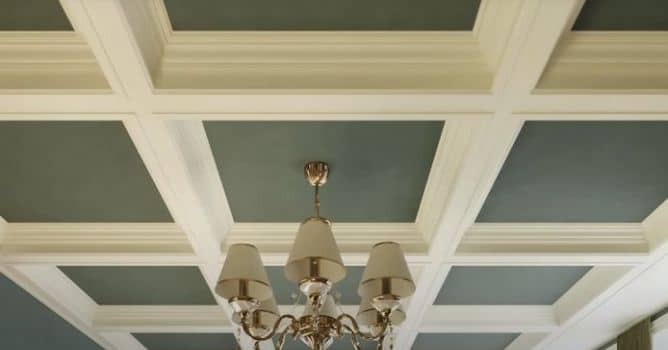
Creating a Procedural Coffered Ceiling with 3ds Max and RailClone

Creating a Procedural Coffered Ceiling with 3ds Max and RailClone

PR 2021-07-19 12:43 tutorial  > 3ds MAX  > modeling

Procedural modeling with iToo RailClone.

In this tutorial iToo demonstrates how to create a coffered ceiling, really though it is an excuse to demonstrate the main inputs of the A2S Generator PLUS a handy macro called Segment Y Role that allows you to target bits of a 2D array that aren’t normally possible to target without resorting to an expression. 

This tutorial is therefore useful for a very wide variety of objects, and the techniques demonstrated could also be seen as a successor to our older Windows tutorial. 


Author: PR Editor: Michał Franczak
Tags: railclone itoo itoo
You may also like...
RailClone 2.2 released

RailClone 2.2 released

The new version features, among others, full integration with VRay 3, Thea Render and new libraries with over 75 styles.
×

LEAVE A COMMENT

You need to be logged in to leave a comment. Don't have account? Register now.