We are more than an asset library

Watch our Showreel
Search
Cart
Sign in
  • offerCustomer zone
  • offerYour orders
  • offerEdit account

  • offerAdd project
  • offerLiked projects
  • offerView your artist profile

  • Dark mode
    ✔
Substance Painter 2021 Getting Started

Substance Painter 2021 Getting Started

Adobe 2021-03-03 11:27 tutorial  > Making of  > texturing

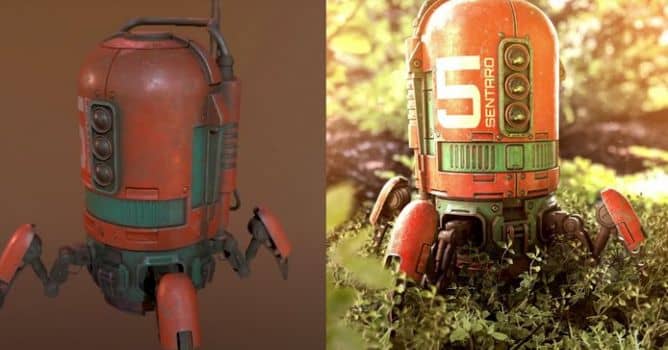
New beginners course by Adobe.

This is a project based course where we will texture a robot asset from start to finish. The course is divided into 5 videos where each video builds upon the previous lesson. This course also comes with a full workbook, which details each step shown in the videos. At the end of this course, you will have built a basic foundation for texturing in Substance Painter that you can further expand as you continue to learn and grow as a texture artist. 


Project files can be downloaded from Substance Academy.

Author: Adobe
Tags:
You may also like...
V-Ray for Blender 7.4 gains ARM64 support, ocean textures, and faster light workflows

V-Ray for Blender 7.4 gains ARM64 support, ocean textures, and faster light workflows

Chaos released V-Ray for Blender 7.4 with Windows ARM64 compatibility, Phoenix Ocean textures for exterior scenes, Quick Sun Caustics for realistic lighting, and tools to organize large asset libraries and migrate from Blender's native renderer.
×

LEAVE A COMMENT

You need to be logged in to leave a comment. Don't have account? Register now.