Search
Cart
Sign in
  • offerCustomer zone
  • offerYour orders
  • offerEdit account

  • offerAdd project
  • offerLiked projects
  • offerView your artist profile

  • Dark mode

We care about your privacy

We use cookies to provide you with the best possible experience. They also allow us to analyze user behavior in order to constantly improve the website for you. The consent is voluntary. You can withdraw it at any time or renew it in Cookie settings on the home page. Withdrawal of your consent does not affect the lawfulness of processing performed before the withdrawal. Privacy Protection Policy
Accept all
Accept selection
Reject all

Blender 2.8 texture painting

Wayward Art Company 2018-10-01 11:13 tutorial  > Blender  > texturing

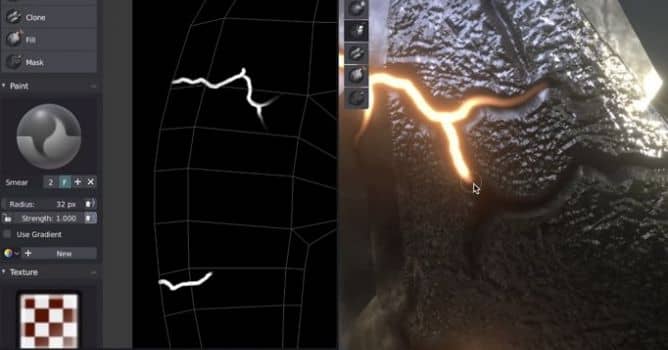
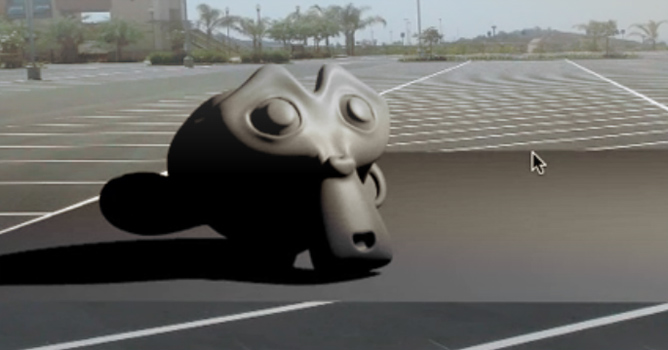
In this video  Wayward Art Company demonstrates a workflow for texture painting, which allows you to use layers and paint multiple effects at once.

Blender 2.8 is getting better and better with each day. We still wait for the first beta, that should be released at the end of October 2018, and then followed by release candidat in early 2019. Meanwhile everyone can download alpha version of this 3d software to take a look at new features. With new rendering engine (eevee) Blender made a big step into PBR territory and became a great tool for look development and fast preview of final shading of a modeled scenes and assets.


Wayward Art Company shows how all new features can be utilized for texture painting workflow that is similar to some specialized texture painting suites.


Author: Wayward Art Company Editor: Michał Franczak
Tags: blender texturing
You may also like...
Blender Demo Reel 2013

Blender Demo Reel 2013

New, amazing Demo Reel of animations made with Blender. Enjoy!
×

LEAVE A COMMENT

You need to be logged in to leave a comment. Don't have account? Register now.