Corona for Cinema 4D offers an intuitive way for 3D artists to create realistic visualizations without unnecessary complexity. With its clean user interface and straightforward setup, it integrates smoothly into existing production pipelines. The rendering engine’s ability to deliver accurate lighting and shading results allows users to focus on creativity rather than technical adjustments. For those working with Evermotion’s high-quality 3D content, this compatibility ensures fast and reliable results in a variety of projects.
The renderer is known for its predictable results, giving artists more confidence when finalizing complex compositions. Corona’s features enable quick adjustments to materials, lights, and camera settings without requiring time-consuming reconfiguration. This approach supports a steady workflow and makes the process of developing visually polished scenes easier. Additionally, users benefit from compatibility with multiple third-party plugins, expanding creative possibilities without disrupting project timelines.
Corona for Cinema 4D supports physically-based rendering, making it suitable for photorealistic results across a broad range of visualizations. Its user-friendly approach allows for experimenting with different setups while still maintaining efficient rendering times. This flexibility is especially beneficial when working with large-scale environments built using Evermotion assets, as it minimizes delays and ensures consistently high-quality outputs.
Optimizing Results with Evermotion Assets
Working with Evermotion assets in Corona for Cinema 4D provides a balanced combination of quality and efficiency. The assets are designed to integrate seamlessly, allowing users to maintain scene organization and avoid unnecessary complications. Corona’s material system makes it straightforward to adapt shaders, adjust textures, and fine-tune render settings to achieve the desired look. This process reduces preparation time and enables artists to focus on enhancing the visual narrative of their projects.
Corona’s intuitive lighting tools allow for rapid iteration, supporting the creation of professional-grade imagery without requiring deep technical knowledge. This is particularly valuable for architects and designers who rely on consistent, realistic results. Using Evermotion’s detailed models with Corona means users can achieve a final render that accurately represents their design intent, from large-scale architectural visualizations to detailed interior scenes.
When paired with the renderer’s stable performance and user-friendly controls, Evermotion’s extensive library of content becomes an even more powerful resource. Clean geometry, optimized textures, and efficient scene management lead to smoother project execution and reduced rendering times. This combination provides a dependable solution for professionals seeking to meet project deadlines with confidence.
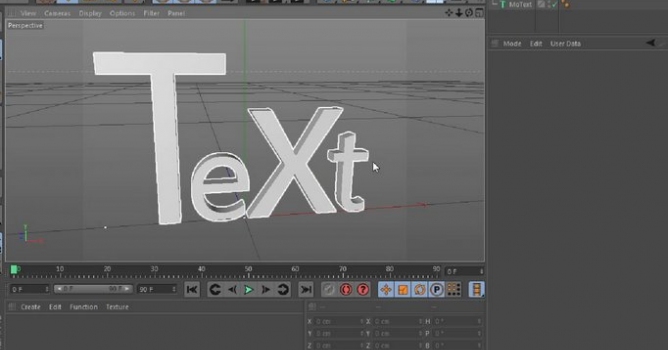
In this quick tip CGTuts take a look at some new features in Cinema 4D R15, and explore the new text tools, which are a perfect edition to every typography artist's arsenal.
In this walkthrough, we guide you through the process of building a polished 3D interior scene inspired by the cover of Archmodels vol. 306 – Table Sets.






 Customer zone
 Your orders
 Edit account
 Add project
 Liked projects
 View your artist profile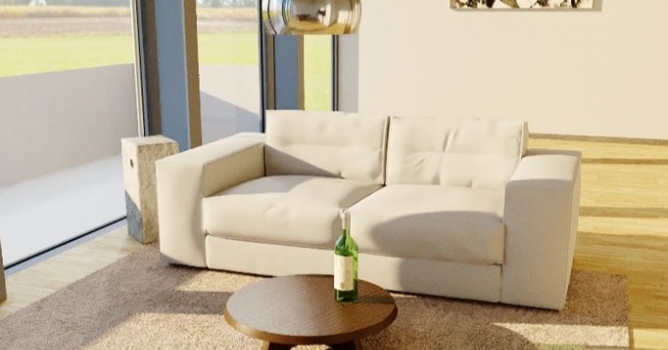















COMMENTS