We are more than an asset library

Watch our Showreel
Search
Cart
Sign in
  • offerCustomer zone
  • coursesMy courses
  • offerYour orders
  • offerEdit account

  • offerAdd project
  • offerLiked projects
  • offerView your artist profile

  • Dark mode
    ✔
Create a Cinematic Look with After Effects

Create a Cinematic Look with After Effects

Youtube 2016-03-10 14:14 tutorial  > After Effects  > modeling

Manipulate light and create some cinematic looks and dramatic atmospheres to your shots just by using some simple masks, solids and adjustment layers.

Author: Youtube
Tags:
You may also like...
3ds Max 2027.3: Gaussian Splats and Agentic AI Reshape the Core Archviz Pipeline

3ds Max 2027.3: Gaussian Splats and Agentic AI Reshape the Core Archviz Pipeline

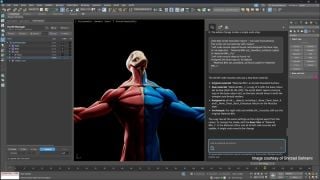
Autodesk's November 2026 release adds native 4D Gaussian Splat import with viewport rendering and an MCP Server that lets Claude and other AI tools modify scenes via natural language - two capabilities archviz artists are already adopting in production.
×

LEAVE A COMMENT

You need to be logged in to leave a comment. Don't have account? Register now.