2026-05-26 UPDATE: a Blender version is now available.
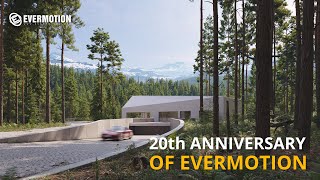
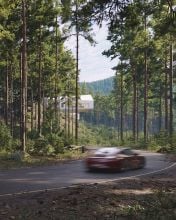
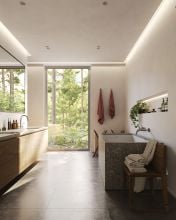
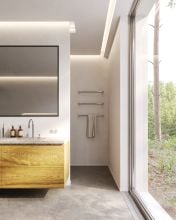
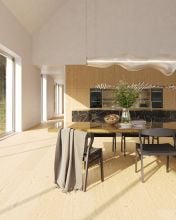
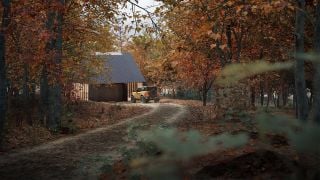
To celebrate our 20th anniversary, we have prepared a special exterior scene for you, which we hope will become a source of inspiration and practical support in your visualizations.
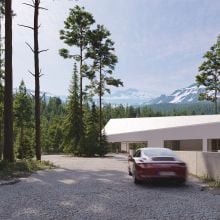
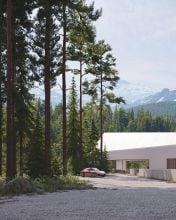
Evermotion 20 anniversary scene - a house in the forest was prepared with attention to detail so you can use it as inspiration, training material or a base for your own visualization projects.
The scene was prepared in 3ds Max 2024 with Corona 12, V-ray 7 and requires Forestpack 9.2.0 to work.
It consists over 400 individual models like greenery, cars, furniture and more. Materials are prepared in PBR standard and everything is ready to render.
Before You Start
The scene was built using the State Sets feature - allowing you to easily switch between setting variants. To make the most of this scene, please refer to the short instruction manual included in the "Screens" folder in the files. It contains helpful tips and setup guidance, and applies similarly to both the Corona and V-Ray versions of the scene. Please note: the scene is prepared for both Corona and V-Ray, but there may be differences between the two. We've also included 22 ready-to-use cameras for your convenience.
Scene consists of:
- 416 individual models,
- 719 textures (up to 4k),
- 148 proxy files.
Scene requires:
- 64 GB of RAM or more,
- we recommend Ryzen 9 or Intel i9 processors,
- the scene is 4.8 GB (maps, proxy, max. file),
- 3ds Max 2024,
- Corona 12,
- Vray 7,
- Forest Pack 9.2.0.
For Blender:
The scene comes with 12 one click to setup environments for Geo-Scatter or Biome-Reader.
Version requirement: Blender 4.5LTS and Geo-Scatter or Biome-Reader 5.5.3
Technical information: This is a heavy .blend scene, a good computer is advised with 32GB of RAM.
The scene can fit on a GPU with at least 11GB of VRAM with the Render 'Simplify' option, that will by default limit all textures to 1024. A higher-end GPU is advised for the best experience.
Optimization: Blender viewlayers and Geo-Scatter layers can be disabled on final render for specific shots if needed. Displaying all the scatter-layers simultaneously in the live viewport can lead to lags.
Setup:
The 'AE_20th Scene' file rely on external blend files and textures. It is advised to run 'File > External Data > Find Missing File' operator to ensure the root 'AE_20th_Assets' and 'AE_20th_Textures' are found. Pink colors or missing objects means missing textures and linked libraries.
Enjoy the scene!
Formats:
max, BLENDER
Software:
*.max - 2024 or higher
, Blender - 4.5 or higher
Renderers:
Cycles *.blend, Corona *.max - 12
, V-Ray *.max - 7



 Customer zone
 Your orders
 Edit account
 Add project
 Liked projects
 View your artist profile